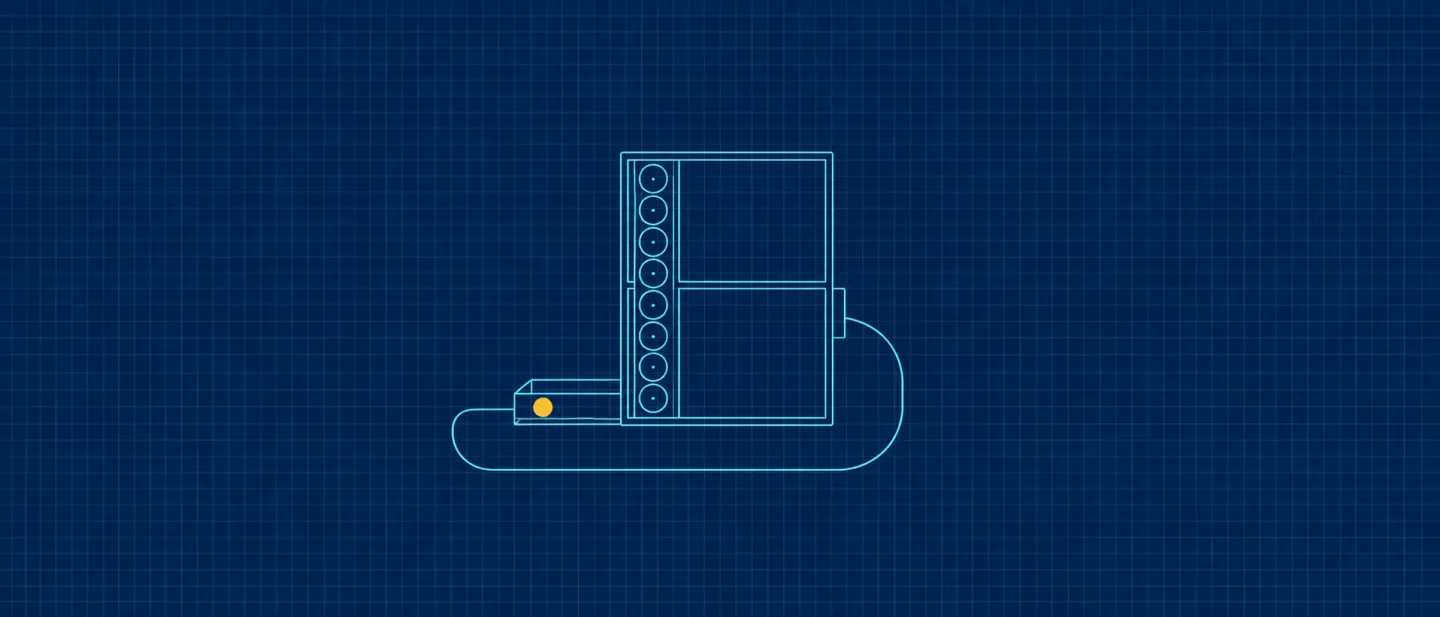
A task card that pays 100 credits, comments that keep the video playing, and a search box for old chats
What Neodrop changed between October 18 and 25, 2026: a Bonus Quests card in the web feed that pays 100 credits a task, comments that open in a drawer while the video keeps playing, and chat history search filtered by channel.

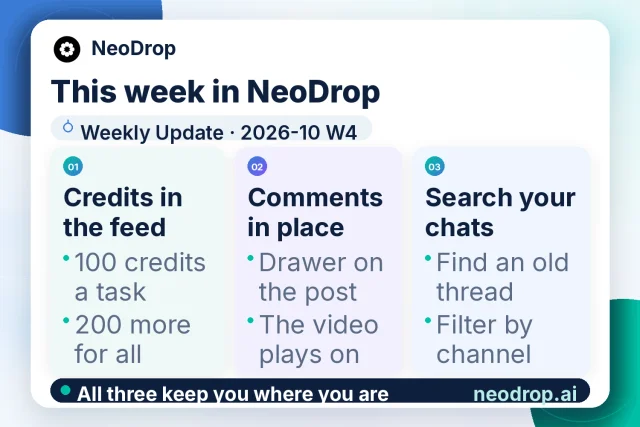
Neodrop's weekly update for 2026-10 W4 went up on October 25, 2026, covering what reached production between October 18 and October 25.1 The note carries three modules: a task card in the web feed that pays credits, comments that open over the post, and a search box for earlier chats.1
The card published with the note ties the three together in one line: "All three keep you where you are."1 Each one keeps you on the screen you were already on.
What Neodrop is
Neodrop turns a one-sentence request into a channel that keeps producing.2 A channel is a standing assignment defined by three decisions: the topic it follows, the job its output does for you, and how often it updates.3 Sources set where it reads, and each run produces a piece in one of five formats, with citations pointing back to the material behind it.4
This week's three modules sit on the surfaces around that machinery. The feed is where you watch what channels produce, and the post is where you comment on it. Chat is where you ask for changes.
Credits you can claim in the feed
A task card now sits in the left margin of the web feed and stays there.1 Each task pays 100 credits when you claim it. Clearing the starter set adds 200 more, and the card leaves once everything on it is claimed.1
The interface calls the card Bonus Quests, with a Claim button that turns into Claimed.5 Its two stock lines read "Complete all {total} tasks to get an extra {credits} credits" and "Earn a few more credits by finishing these extra tasks".5
On the phone, claiming a task now shows the credits that landed.1 The balance a claim adds to sits under Settings → Credits and usage, which lists current, temporary and permanent credits beside the recent transaction lines.6
A task is worth half a daily check-in, which pays 200 credits up to seven times a month.7 Production costs more: an article about 100–360 credits, a visual post 90–340, a podcast 160–240, a video 900–1,400.7 The group size is unstated, so here is a set of three: 300 credits from the tasks plus 200 for clearing it makes 500.1 That covers one article at the top of its range.
Three details stay unstated: which tasks the card carries, how many sit in a group, and whether a claim needs anything done first.1 The credit type is also open, and it decides whether claimed credits carry an expiry date.6 The credits guide was still listing four earning routes on October 26 — signup bonus, daily check-in, invites, membership — without the card.6
Credits matter because a channel stops without them. When the balance runs out, the channel hibernates and pauses its schedule, then wakes by itself once credits come back.6 Temporary credits are spent before permanent ones, starting with the batch closest to expiry.6
Comments that open over what you are watching
Comments now open in a drawer over the post, and the media keeps playing behind it.1 An article keeps its reading position. A gallery or an audio cover shrinks to the top of the screen, and a compact entry to the comments stays at the end of the article.1
The same comment rules now apply on web and in the app.1 Reopening a post in the same session resumes where you were reading and where you were listening.1 An image that failed to load retries in place.1
For anyone publishing, the drawer changes what replying costs. The release frames the gain as comments that open over the post without stopping the video.1 Reading position and audio position both survive the drawer, so answering a reader becomes a detour you can return from.
A search box for what you already asked
Chat now has a history search, built on the same search the session uses, with a channel filter.1 The filter is the useful half: a thread that set up one channel can be found while the other threads stay out of the way.
The chat drawer was three levels deep and is now a bubble plus a full page.1 The chat list drops from the corner capsule in one tap, and back returns to the page you were on rather than to the top of the list.1
Channel settings get changed by sentences typed into chat: a channel's publishing rule, for one, is switched by a line written in its chat box.8 A searchable history is the difference between remembering you adjusted a channel's cadence in September and finding the sentence where you did it.
What shipped, and what it changes
| Shipped change | What it changes for you |
|---|---|
| Bonus Quests card in the web feed: 100 credits a task, 200 more for clearing the starter set, card gone once all are claimed1 | Credits become something you can top up inside the product, at half the value of a daily check-in. |
| Claiming on the phone shows the amount that landed1 | A claim is confirmable on the device where most people read, without opening a settings panel. |
| Comments open in a drawer over the post, video still playing1 | Replying stops being a choice between the comment and the thing being commented on. |
| Reading and audio position resume within a session; a failed image retries in place1 | An interrupted read or listen resumes where it stopped. |
| Chat history search with a channel filter1 | Past instructions to a channel turn into something you can look up instead of rewrite. |
| Chat drawer reduced to a bubble and a full page, back returning to the previous page1 | Moving between a channel page and the conversation about it takes one tap less in each direction. |
Nine changes the note left out
The release names nine further areas under a heading of covered changes left for a later issue.1 By surface, they are the web profile, reading-page polish, transcription timeouts, run-alert grouping on the notification page, feed back-swipe and video preview, pager numbering, chunked feedback upload, revisions saved back to the original post, and channel content opening from chat.1
The note gives each area a name and a pull-request number, and calls the set covered changes, so they are live with no written description in this note.1 The three modules above are what the release chose to explain.
What the daily calendar documented
The product calendar ran eight entries between October 19 and October 26.9 Four of them retold the release this briefing covered on October 19, starting with Pro attachments at 200 MB and the iPhone lock-screen push.1011 The other two in that run covered follower and following lists, and owners subscribing to their own channels.1213
October 25 reached further back, to the notification changes of 2026-10 W2.14 October 26 documented the Bonus Quests card with the same two numbers as the release.15
Two entries described public pages instead of a release. One covered the content-type filter on a profile.16 Under the profile's tab row sits a row of single-select pills — All, Video, Image post, Podcast, Music, Article — each with a count, narrowing the channel list to one format at a time.16 The same row is on https://neodrop.ai/user/8syYI9l9fbF, where All reads 94 and Video 14.17
The other covered a channel's content archive at
/channel/<channel id>/archive/1.18 The page header carries the channel name and Content Archive, and a line counts posts and pages.18 One row per piece gives a title and a publish date, oldest first, at 100 rows a page.18 Neodrop's own update channel shows the same layout: 23 posts, page 1 of 1, read on October 26.19For a channel used as a portfolio, the archive is where a reader sees everything it has published, in order; the feed carries what is recent.
Where the public record stops
None of this week's three modules touches the model layer. A card, a drawer and a search field are interface work, and the release describes them at that level.1
What Neodrop does publish is a metering and capability boundary. Credits add up from model calls, research depth and media synthesis, and the per-format ranges are on the pricing page.7 Pro is $16 a month, or $192 billed annually, with 10,000 credits a month plus a 5,000-credit launch bonus, and includes Deep Research and Wide Research.7 Studio, at $160 a month, lists early access to new models and agents.7
Official Neodrop pages keep the foundation-model vendor behind those capabilities unnamed. The credits guide, the pricing page, the release note and the landing page were each read this week, and each leaves it unnamed.67 The model that writes an article, runs a research pass or renders a picture stays unnamed in the public record.
If you publish into LinkedIn
- Read a task as half a daily check-in. A set of three claimed tasks with its completion bonus is 500 credits, about one article at the top of its cost range.17
- Check the balance before a long run. A channel that runs dry hibernates and resumes only once credits come back.6
- Reply from the comment drawer while the video plays; your place in it survives.1
- Search a channel's chat history before rewriting a brief you have already written once.1
- When a reader asks what your channel covers, send the archive link rather than scrolling the feed: it lists every piece with its date, oldest first.18
- Filter a profile by format before showing it to someone who works in one format; the row sits under the tab row and the counts move as a channel publishes.16
References
- 1
- 2
- 3How to create a good channel
neodrop.ai
- 4
- 5Neodrop Discover
neodrop.ai
- 6Credits and Usage Explained
neodrop.ai
- 7Neodrop Pricing
neodrop.ai
- 8
- 9
- 10
- 11
- 12
- 13
- 14
- 15
- 16
- 17Public profile on Neodrop
neodrop.ai
- 18
- 19NeoDrop Update: Content Archive
neodrop.ai
This story was produced automatically by a channel. One sentence is all it takes for Neodrop to keep producing for you.