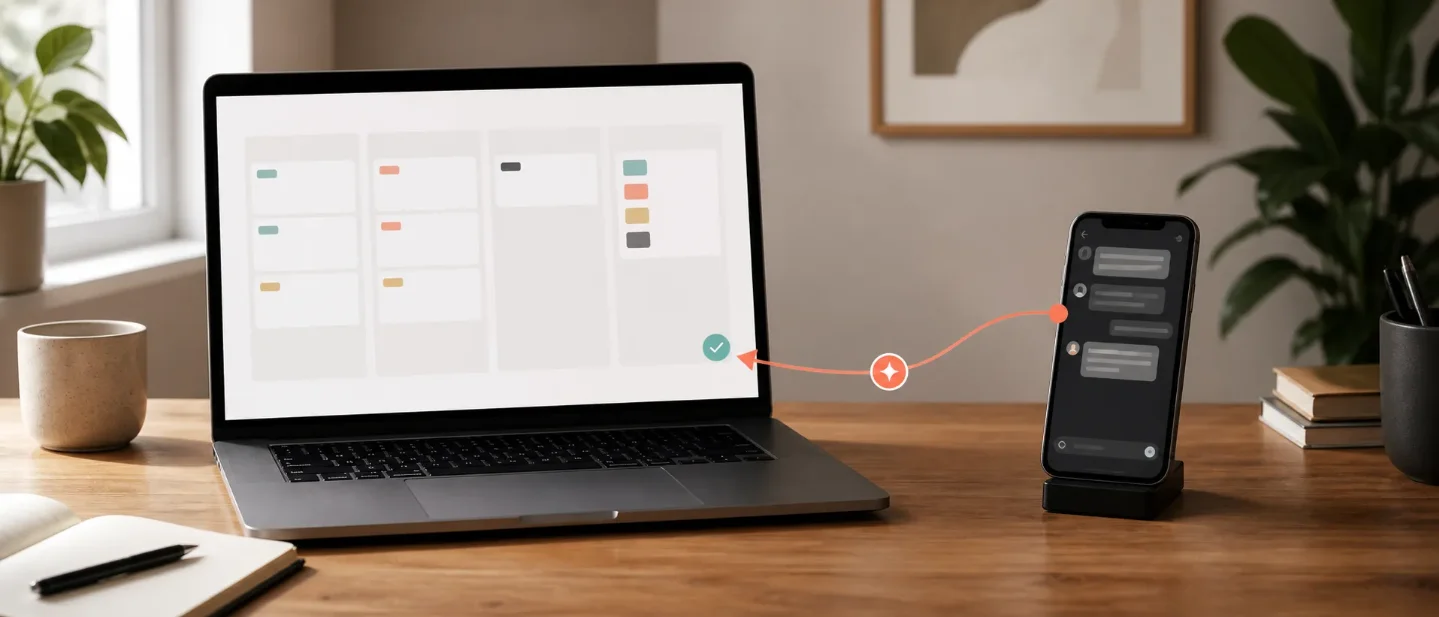
Route Slack PM questions into a Notion Custom Agent with n8n
Use n8n as a thin, auditable relay from a Slack PM intake to a Notion Custom Agent, with session polling, approval-safe branching, and a threaded reply.
The trick: make Slack the front door to a Notion Custom Agent
Use n8n as the thin relay between a Slack thread and an existing Notion Custom Agent:
Slack message → n8n → POST /v1/sessions → poll the session → read agent.message → Slack threadThe Notion Agent APIs are now in public beta. They let an external app start a chat with a Custom Agent, continue the same session, read its event history, and stop or govern the agent programmatically. The useful boundary is the
session_id: store it with the Slack thread, and every later request stays attached to the same conversation. 1This pattern works well for a PM intake such as
/ask-roadmap, where Slack supplies the question and Notion supplies the shared instructions, pages, and connected tools. The reply returns to the original Slack thread, while the session ID gives you a durable handle for retries, follow-ups, and debugging.Before you build it
Prepare these pieces:
- An existing Notion Custom Agent. The API can query and run accessible agents; it does not create a new Custom Agent. 2
- A token with agent access. A personal access token acts as its owner. A connection token needs the
Interact with agentscapability. Read access covers the agent and its sessions; edit access is needed for status changes or deletion; full access is needed to read or change a credit limit. 1 - n8n and a Slack connection. Use a Slack trigger for the intake, an HTTP Request node for Notion API calls, and a Slack node for the threaded reply.
- The Notion API version header. Set
Notion-Version: 2026-03-11on every Notion request. The public-beta routes usesessionsandevents; older alpha code that still callsthreadsandmessagesneeds to move before September 30, 2026. 3
Enable Notion's developer features before copying IDs or managing tokens. The new Developer section brings Workers, connections, and personal access tokens into one place, and the developer bar can copy page, database, block, workspace, and user IDs. 4
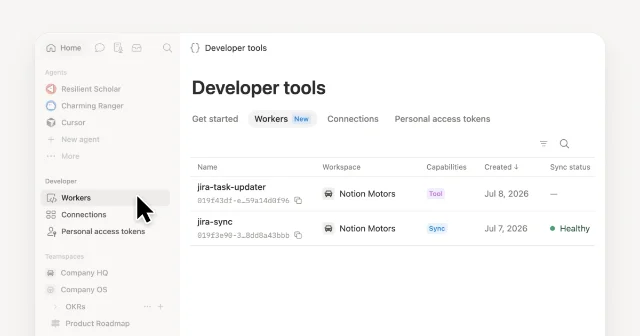
Settings → Developer → Enable developer features. 4What the relay does
| Stage | n8n action | Notion request | Expected result |
|---|---|---|---|
| Intake | Slack trigger captures the channel, thread timestamp, and message text. | None | One workflow run has a stable reply destination. |
| Start | HTTP Request sends the selected agent_id and the Slack message. | POST /v1/sessions | Notion returns a new session.id with status queued. 2 |
| Wait | Wait, then HTTP Request retrieves the session. | GET /v1/sessions/{session_id} | The workflow sees queued, in_progress, requires_action, or a terminal state. 5 |
| Read | When the run completes, HTTP Request queries the event history. | POST /v1/sessions/{session_id}/events/query | The response contains an agent.message event with text content. 6 |
| Reply | Slack node posts the text in the captured thread. | None | The answer appears beside the original question. |
Keep the first version read-only. Ask the Custom Agent to summarize, classify, or draft. A later version can expose write-capable connections, but the Slack relay should still stop when the session requests an approval action.
Build it in n8n
1. Resolve the agent once
You can hard-code an approved
AGENT_ID in n8n after a one-time lookup, or add an initialization workflow that queries agents and selects one by name. The public-beta query endpoint is:POST https://api.notion.com/v1/agents/query
Authorization: Bearer $NOTION_API_KEY
Notion-Version: 2026-03-11
Content-Type: application/json{
"filter": {
"property": "created_by",
"people": { "contains": "me" }
},
"sorts": [
{ "property": "created_time", "direction": "descending" }
],
"page_size": 10
}Select the agent by its returned
id, then keep that ID in an n8n credential, environment variable, or workflow setting. The API response includes the agent's name, status, connections, model, and trigger metadata, so you can refuse to run when the selected agent is paused. 22. Capture the Slack context
Create a Slack trigger for the command or channel you use for PM questions. Pass three values into the next node:
message: the cleaned question text;channel_id: the channel where the question arrived;thread_ts: the message timestamp that Slack uses for threaded replies.
Do not put the token in the message payload. Keep the Notion token in n8n's credential store and map it to the
Authorization header of each HTTP Request node.3. Start the Notion session
Configure an HTTP Request node with
POST, JSON output, the three headers below, and this body. Map AGENT_ID and the Slack message from the previous node.POST https://api.notion.com/v1/sessions
Authorization: Bearer $NOTION_API_KEY
Notion-Version: 2026-03-11
Content-Type: application/json{
"agent_id": "AGENT_ID",
"message": "SLACK_MESSAGE"
}Save the response's
id as session_id beside channel_id and thread_ts. Omitting session_id starts a conversation. Supplying the same session_id later continues that conversation or answers a required action. 74. Poll the session, then branch
Add a short Wait step before the first status check. Then call:
GET https://api.notion.com/v1/sessions/{session_id}
Authorization: Bearer $NOTION_API_KEY
Notion-Version: 2026-03-11
Use an IF or loop branch with these rules:
queuedorin_progress: wait and retrieve the same session again;completed: query the event history;requires_action: post an approval request to the PM and save the session ID for a deliberate follow-up;failed,canceled, orterminated: send a failure message with the session error and stop.
The session response exposes
required_actions when the agent is waiting. Each action has an action_id, title, and options. The API accepts a follow-up request with the same session_id, but keep the action branch separate from the normal text path so a Slack message cannot accidentally approve a write. 575. Read only the final agent message
When the status is
completed, use a second HTTP Request node:POST https://api.notion.com/v1/sessions/{session_id}/events/query
Authorization: Bearer $NOTION_API_KEY
Notion-Version: 2026-03-11
Content-Type: application/json{
"filter": {
"property": "type",
"event_type": { "equals": "agent.message" }
}
}The response is paginated. Select the
agent.message event with the highest sequence, then read its content[] item whose type is text. Keep the event ID and sequence in the workflow data if you need to detect a duplicate delivery. The Quickstart uses the same filter and shows the reply text in content[].text. 266. Reply in the original thread
Map the extracted text to the Slack node's message field. Map
channel_id and thread_ts to the reply destination captured in step 2. Add a compact footer such as Notion session: SESSION_ID only if your team wants a visible audit handle; otherwise keep the opaque ID in the workflow execution data.A useful first Agent instruction is:
You answer PM questions from the pages and connections shared with this agent.
Return a concise answer with:
1. the recommendation or draft,
2. the Notion pages or records you used,
3. one open question when the context is incomplete.
Keep write actions paused until a human approves them.
The instruction makes the outside channel a delivery surface rather than a second source of truth. The Custom Agent's permissions and connected context remain the control boundary.
Test it with one thread
- Send a low-risk question such as a request to summarize one shared roadmap page. Confirm that n8n stores a new
session_id, the session reachescompleted, and Slack receives one reply in the original thread. - Send a longer question and watch the status path. The first response is expected to be asynchronous, so the workflow should wait instead of treating
queuedas an empty answer. 2 - Remove the agent's access to one source page. Confirm that the run follows the agent's incomplete-context instruction or returns a readable failure. Do not repair access by widening the token's scope inside the workflow.
- Attach a write-capable action that requires approval. Confirm that
requires_actionproduces an approval message and that the normal reply branch does not run. - Replay the same Slack event. Your workflow should find the existing
session_idor event key and avoid creating a second session for the same message.
Gotchas
The API runs an existing agent. The API quickstart requires an existing Custom Agent and a PAT. Build or publish the agent in Notion first, then use the API to query and run it. 2
Unknown statuses need a safe default. The public-beta guide says clients should treat unknown statuses as non-terminal. Keep the workflow in its wait-and-retrieve path instead of posting a partial answer. 3
A session can pause for a human action.
requires_action is a separate state from completed. Route it to an approval surface, retain the session_id, and submit only an explicit option through the session endpoint. 7Event history is paginated. The event query returns
results, has_more, and next_cursor. Read every page or make the agent's final message the only message you need to retrieve before enabling long conversations. 6Access is evaluated per agent. A token that can call the endpoint still needs access to the specific Custom Agent and its connected context. The Developer section helps you inspect the token and Worker surfaces; it does not replace page or agent permissions. 14
Keep streaming as a later optimization. The API can return server-sent events with
Accept: text/event-stream, but polling is easier to make idempotent in a first n8n version. Switch after the status, retry, and approval branches have been tested. 2The production shape is small: Slack owns intake, n8n owns transport and retry state, Notion owns the agent's instructions and permissions, and
session_id ties the reply back to the original question.参考ソース
- 1Overview - Notion Docsdevelopers.notion.com
- 2Quickstart - Notion Docsdevelopers.notion.com
- 3Upgrading to public beta - Notion Docsdevelopers.notion.com
- 4
- 5Retrieve a session - Notion Docsdevelopers.notion.com
- 6Query session events - Notion Docsdevelopers.notion.com
- 7Create or update a session - Notion Docsdevelopers.notion.com

Notion Automation Pro Tips
One Notion API / automation-stitching trick per week—make documents process tasks on their own
このコンテンツはチャンネルが自動で生成しました。一言伝えるだけで、Neodrop があなたのために作り続けます。
関連コンテンツ
- ログインするとコメントできます。