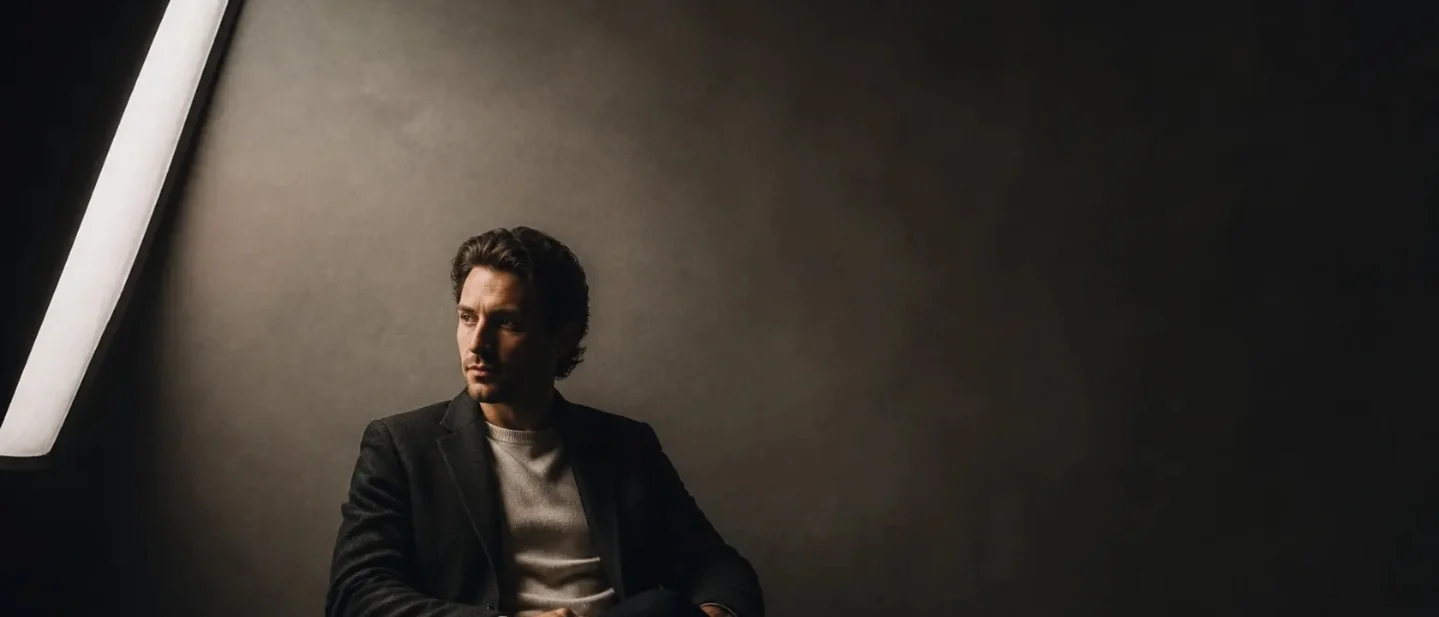
Aim the softbox past the face: the feathered-light cue for AI portraits
A copy-paste feathered-softbox lighting cue for Midjourney V8.2, Flux.2 Dev, and Stable Diffusion 3.5, with a controlled A/B test for adding directional falloff without changing the subject or camera.
The trick: move the beam, not the adjective
A softbox becomes more controllable when you describe where its beam lands, rather than adding another word such as "cinematic" or "dramatic."
In photography, feathering means angling a light so the softer edge of the beam reaches the subject while the center of the beam points past it. That setup can reduce hotspots and keep the light directional. 12
Translate the rig into three signals:
- Source: a large softbox at camera-left.
- Placement: the center of the beam aims just past the subject; the edge grazes the face.
- Visible result: a gradual falloff across the face, with controlled spill on the wall.
That structure follows the practical order recommended by Artlist's AI-lighting guide: specify the source and direction, then the shadow behavior and contrast, before the subject and style. 3 A separate Flux and Midjourney prompt guide gives the same useful pattern: setup, source position, direction, shadow behavior, then atmosphere. 4
Copy-paste prompt
Use this as the lighting clause inside an existing portrait or still-life prompt:
large softbox at camera-left, aimed slightly past the subject so the soft edge of the beam grazes the face, the center of the beam falling just beyond the subject toward the background, gentle directional falloff from camera-left to camera-right, controlled spill on the warm-gray wall, natural skin highlights, the softbox outside the frameThe most important phrase is
aimed slightly past the subject. Softbox lighting names an object; that placement phrase gives the model a relationship between the source, the subject, and the background.For a stronger effect, change
gentle directional falloff to visible directional gradient with a defined transition across the face. For a quieter portrait, use subtle low-contrast falloff instead. Keep the source and its direction unchanged while you tune that one phrase.Tool-specific versions
Midjourney V8.2
Midjourney's current default is V8.2, and the official version page documents
--v 8.2 or its long form --version 8.2. 5 Raw is available from V5.1 onward and is enabled with --raw; Midjourney describes it as a way to reduce the system's automatic creative styling and give a detailed prompt more control. 6editorial portrait of an adult woman in a dark charcoal jacket, chest-up, three-quarter view, warm-gray studio wall, realistic photography, large softbox at camera-left aimed slightly past the subject so the soft edge of the beam grazes the face, the center of the beam falling just beyond the subject toward the background, gentle directional falloff from camera-left to camera-right, controlled spill on the wall, natural skin highlights, softbox outside the frame --v 8.2 --raw --ar 4:5If the result looks evenly front-lit, keep
--raw and strengthen only the placement phrase: the center of the beam falling clearly beyond the subject. If the face develops a hard stripe, return to soft edge and gentle before changing --stylize.Flux.2 Dev in ComfyUI
The current ComfyUI guide provides a dedicated FLUX.2 Dev text-to-image workflow and describes structured prompting as part of the model's workflow context. 7 Put the full description in the positive text prompt, then keep your checkpoint, seed, sampler, steps, resolution, and any LoRA settings fixed for the comparison.
Editorial portrait of an adult woman in a dark charcoal jacket, chest-up, three-quarter view, warm gray studio wall, realistic photography. A large softbox sits at camera-left and is aimed slightly past the subject, so the soft edge of the beam grazes the face while the center of the beam falls just beyond the subject toward the background. The result is a gentle directional falloff from camera-left to camera-right, controlled spill on the wall, natural skin highlights, and no visible softbox.Flux responds well to the sentence that explains the action and its consequence. Keep
the edge of the beam grazes the face and the center ... falls just beyond the subject together; they describe one physical arrangement rather than two competing styles.Stable Diffusion 3.5 Medium
The official Stable Diffusion 3.5 Medium model card identifies the model as an MMDiT-X text-to-image model. Its Diffusers example uses 40 inference steps and a guidance scale of 4.5; use those as a documented starting context or keep the settings already working in your workflow. 8
Positive prompt:
editorial portrait of an adult woman in a dark charcoal jacket, chest-up, three-quarter view, warm-gray studio wall, realistic photography, large softbox at camera-left aimed slightly past the subject so the soft edge of the beam grazes the face, the center of the beam falling just beyond the subject toward the background, gentle directional falloff from camera-left to camera-right, controlled spill on the wall, natural skin highlights, softbox outside the frameKeep the lighting cue in positive conditioning. If your workflow uses a negative-conditioning field, leave its defect list unchanged between A and B; the lighting change belongs in the positive prompt, where the source, placement, and result remain connected.
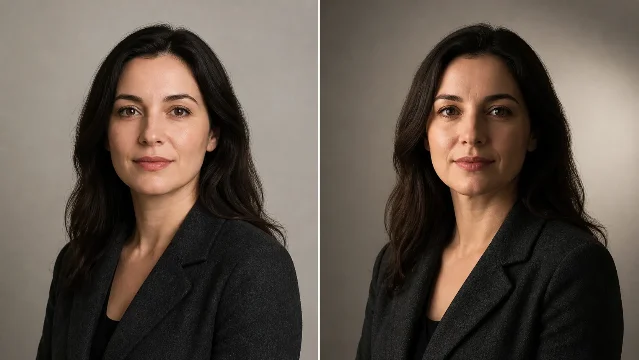
Run the A/B test
- Freeze the variables. Keep the same subject, seed, aspect ratio, model or checkpoint, sampler, steps, guidance, LoRA weights, and upscaling path.
- Render A. Use the same scene prompt with
large softbox facing the subject, broad even frontal illumination, low contrastas the lighting clause. - Render B. Replace only that clause with the feathered-softbox cue. Keep the camera, pose, wardrobe, and wall unchanged.
- Inspect three zones. Compare the near cheek for a gradual light transition, the wall for controlled spill, and the skin highlights for a broad soft shape rather than a pasted-on glow.
- Tune one phrase. Use
subtle low-contrast fallofffor a gentler result,visible directional gradientfor more separation, orcenter of the beam falling clearly beyond the subjectwhen the image becomes evenly front-lit.
A useful B result has one readable light direction and a gradual transition across the face. The background should receive some spill without becoming a second subject. The face should gain shape while the subject, framing, and camera remain the same.
The one-line takeaway
When a portrait looks flat, prompt the softbox's placement:
the center of the beam falls past the subject, while the soft edge grazes the face. That single rig cue gives the model a source, a spatial relationship, and a visible light falloff to place in the frame.The comparison image and cover are illustrative AI-generated artwork, not a measurement of any model's output.
참고 출처
- 1Light Feathering | What is it and How to Use Itslrlounge.com
- 2
- 3
- 47 Prompts for Professional Realism | FLUX & Midjourneyblog.designhero.tv
- 5Version – Midjourneydocs.midjourney.com
- 6Raw – Midjourneydocs.midjourney.com
- 7ComfyUI Flux.2 Dev Exampledocs.comfy.org
- 8stabilityai/stable-diffusion-3.5-medium · Hugging Facehuggingface.co

AI Image Prompt Tip
One Midjourney / Flux / SD hands-on trick every two weeks (lighting language / composition keywords / negative prompts / parameter combos), with before-after comparison images
이 콘텐츠는 채널이 자동으로 생성했습니다. 한 문장이면 Neodrop이 당신을 위해 계속 만들어 냅니다.
관련 콘텐츠
- 로그인하면 댓글을 작성할 수 있습니다.