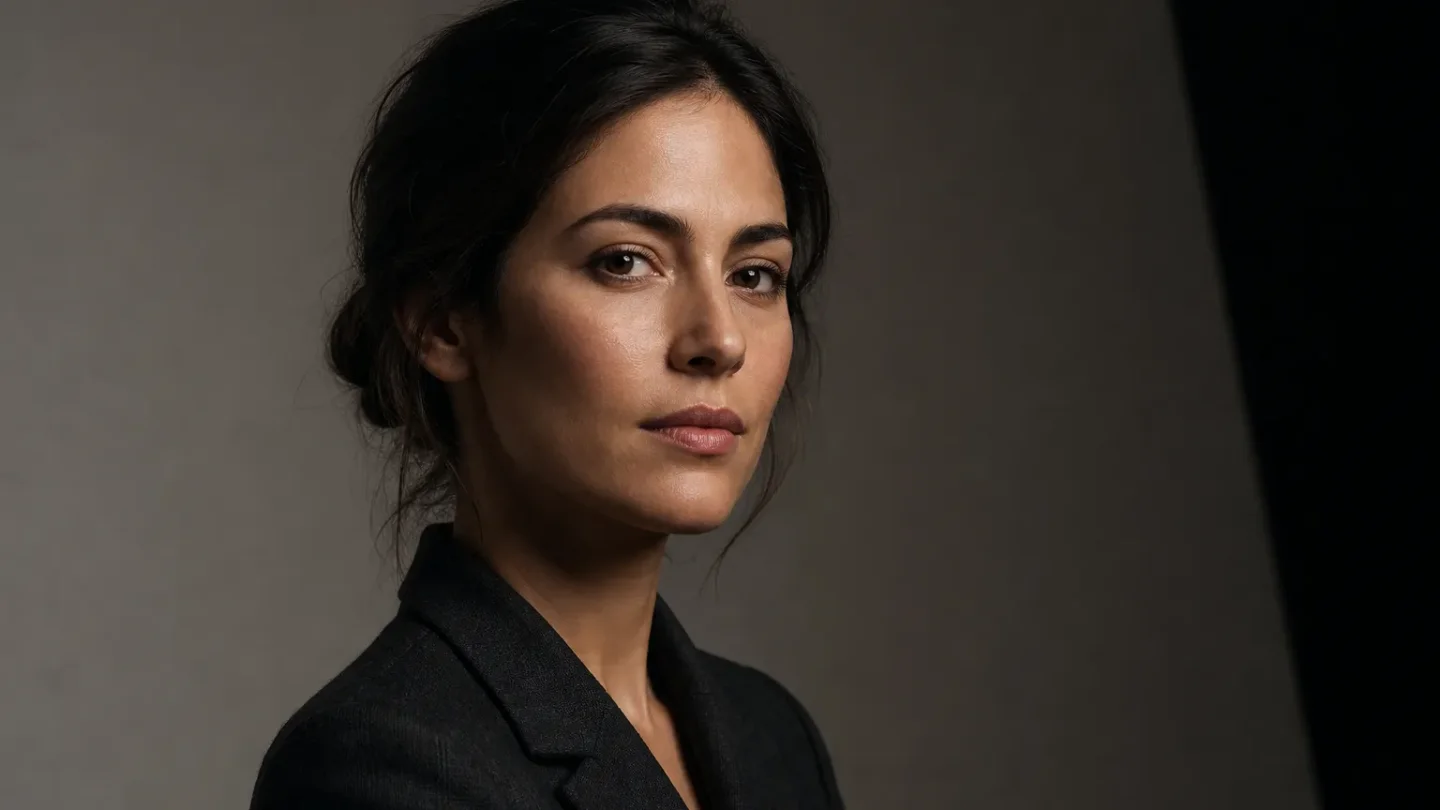
Negative fill: the black-flag phrase that gives AI portraits real shadow shape
A copy-paste negative-fill lighting cue for Midjourney V8.1, Flux.1, and SDXL, with an A/B workflow for adding controlled portrait shadows without flattening skin detail.

The trick: describe the missing bounce
If a portrait has the right key light but still looks flat, add a negative-fill cue instead of piling on more adjectives such as "cinematic" or "dramatic." In real cinematography, negative fill is a black flag, solid, or other dark surface placed to reduce ambient bounce on the shadow side. It lowers the fill level and gives the face clearer three-dimensional shape. 1
The useful prompt move is to name all three parts: the light you want, the object that removes the unwanted bounce, and the visible result. "Negative fill" by itself is too compressed. "A matte-black flag close to camera-right, removing ambient fill and creating a deep but readable shadow on the camera-right cheek" gives the model a scene to reconstruct.
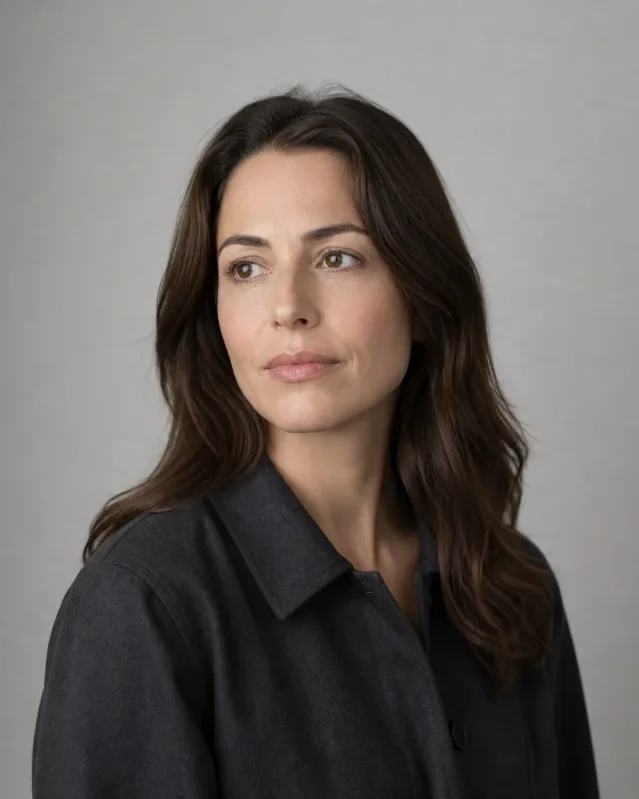
Illustrative before state: the face is evenly filled, so the cheek and jaw have little tonal separation.
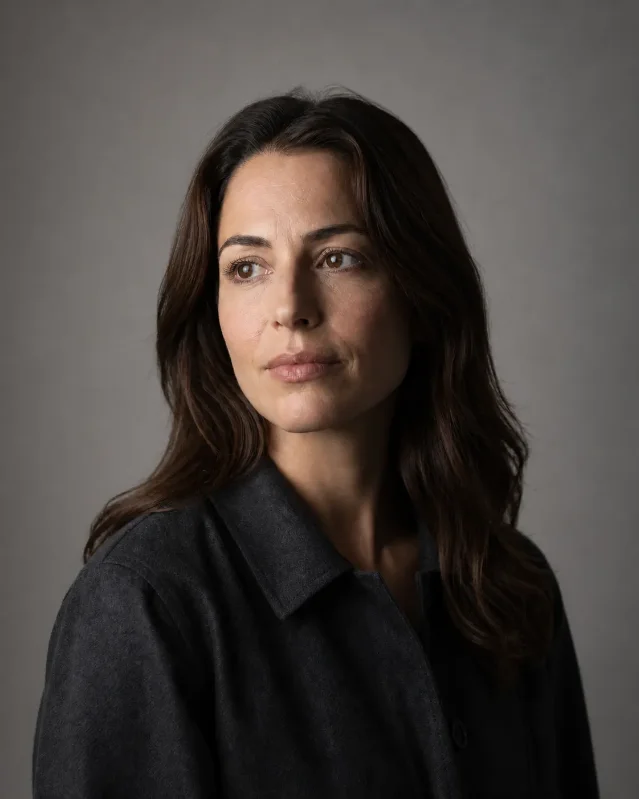
Illustrative after state: the same framing keeps a soft key on camera-left but pulls the camera-right cheek and jaw into a controlled shadow. This is a visual explanation, not a screenshot from Midjourney, Flux, or SDXL.
Copy-paste prompt
Start with this portrait prompt. Keep the subject and camera description fixed while you test the lighting clause:
editorial portrait of an adult woman in a dark charcoal jacket, chest-up, three-quarter view, neutral studio background, broad soft key light from camera-left, matte-black flag / negative fill very close on camera-right removing ambient bounce, deep but readable shadow on the camera-right cheek and jaw, preserve a small catchlight, soft falloff, natural skin texture, controlled highlights, realistic photographyThe important phrase is
matte-black flag / negative fill very close on camera-right. The slash gives some parsers both the filmmaking term and its physical paraphrase. If a model renders a literal black object in the frame, remove / negative fill and keep matte-black flag just outside frame, camera-right, removing ambient bounce.Translate it per tool
| Tool and context | Where the lighting instruction goes | Starting syntax | Avoid |
|---|---|---|---|
| Midjourney V8.1 | In the normal positive prompt | Add --v 8.1 --raw --ar 4:5 | Do not put negative fill after --no; --no is an object-exclusion parameter, not a lighting control. |
| Flux.1 Dev or Schnell in ComfyUI | In the positive prompt | Use the full prompt above; if the workflow exposes a negative field, leave it empty for this test | Do not translate the idea into a negative prompt. ComfyUI's Flux guide says Flux's prompt following is strong enough that negative prompts are not needed. |
| SDXL 1.0 | In the positive prompt | Keep the negative field for defects only: text, watermark, extra fingers, plastic skin | Never place negative fill or dark shadows in the negative field. That asks the workflow to suppress the very lighting change you want. |
Midjourney's current version page identifies V8.1 as the default model and documents
--v 8.1; its Raw documentation says --raw reduces the model's automatic creative styling and can give detailed prompts more control. 2 3 The parameter list also distinguishes --no as the way to tell Midjourney what you do not want in the image, which is why it is the wrong place for this cue. 4For Flux, the official ComfyUI workflow documentation covers Flux.1 Dev and Schnell and explicitly says the workflow does not need negative prompts. 5 SDXL workflows use separate positive and negative conditioning inputs, so keeping the lighting phrase in the positive field is a wiring rule as much as a wording rule. 6
Run the A/B test without changing the subject
- Fix the seed, aspect ratio, model/checkpoint, sampler, steps, and guidance settings you already use for the subject.
- Render the base prompt once without the negative-fill clause. Save it as
A. - Add only
matte-black flag / negative fill very close on camera-right removing ambient bounceand render again asB. - Compare the camera-right cheek, jaw, and neck. You want darker planes with texture still visible, while the camera-left key and catchlight remain stable.
- If the face turns into a black cutout, replace
deep but readablewithmoderate, detailed shadowand changevery closetojust outside frame.
The direction must agree across the sentence. With a key on camera-left, place the flag on camera-right. If you move the key, mirror the flag and the named shadow side too. This is the same physical logic as the set: a dark surface does not emit a special kind of light; it stops the surrounding room from filling the shadow.
The one-line takeaway
When a generated portrait is technically lit but visually flat, prompt the missing light control:
soft key from camera-left + matte-black flag just outside frame on camera-right + deep but readable shadow on the camera-right cheek. It is a small phrase, but it gives the model a position, a mechanism, and a visible target instead of another mood adjective.The cover and comparison images are illustrative AI-generated artwork.
Related content
- Sign in to comment.