OpenAI Agents SDK #3:你的 docstring 就是工具说明书
拆解 OpenAI Agents SDK 的 Tools 模块,从 @function_tool 装饰器的自动 schema 生成机制(inspect + griffe + pydantic)出发,逐一覆盖 Pydantic 参数约束、ToolTimeoutError 超时处理、max_turns 死循环保护、工具并发执行机制,以及 WebSearchTool/FileSearchTool/ComputerTool 三类内置工具的适用场景对比。结尾附三条可立即落地的实践建议,并预告 #4 篇 Memory 与 Handoffs。

大多数人第一次用 LLM 调工具,都会在 JSON Schema 上卡一阵子:
type、properties、required……手写一个工具定义要二十行,还容易写错。OpenAI Agents SDK 的
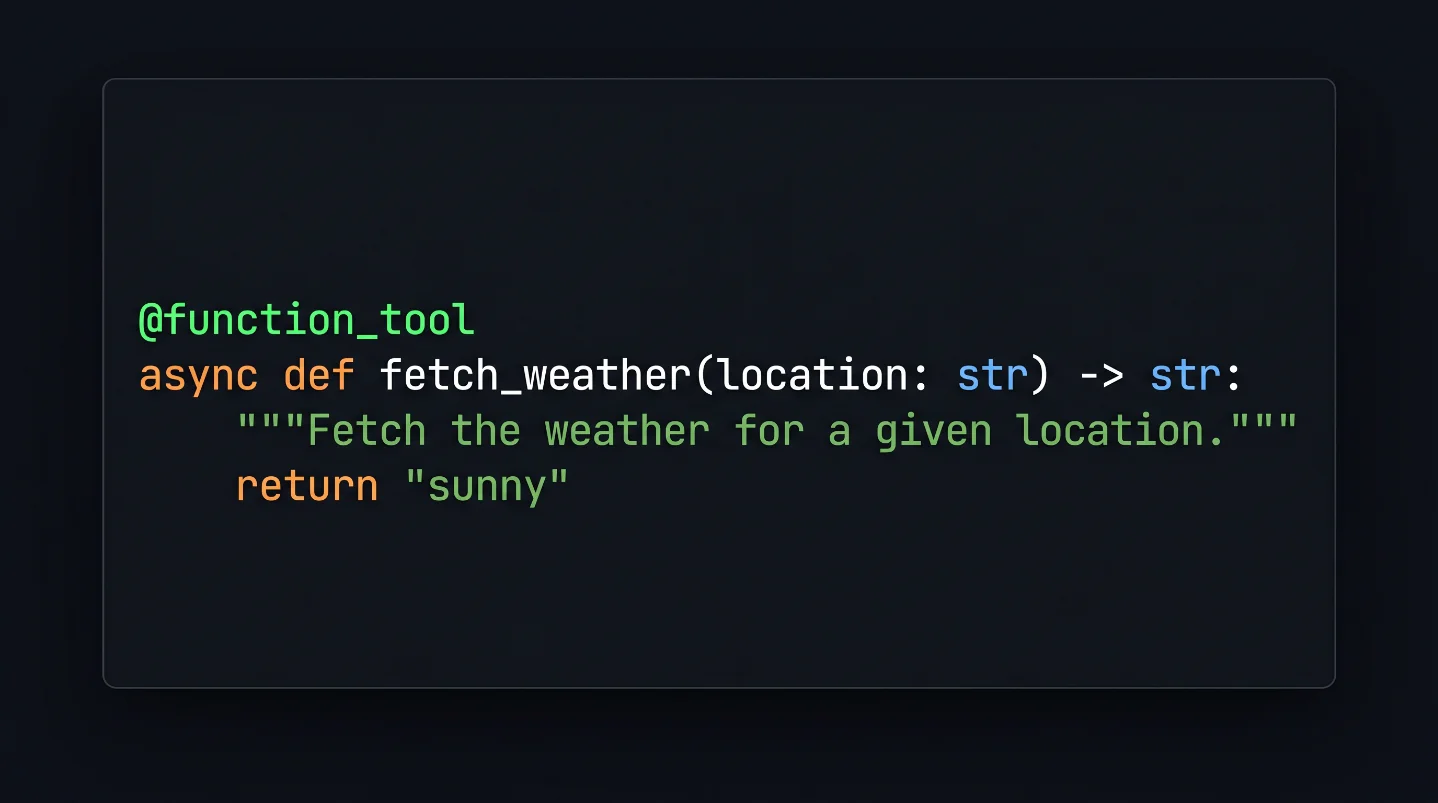
@function_tool 装饰器把这件事改了:你写的 Python 函数签名和 docstring,就是 LLM 看到的工具说明。 不用手写 schema,不用维护同步。这篇是系列第 3 篇,专门拆 Tools 模块——从
@function_tool 的工作原理,到 Pydantic 参数约束、超时保护、内置工具选型,再到「Agent 一次请求可以同时 call 多个工具」这个很多人没意识到的并发机制。@function_tool 到底做了什么
加上这个装饰器,SDK 会在内部用三件工具把函数拆开1:
inspect:提取函数签名(参数名、类型注解、默认值)griffe:解析 docstring,拿出工具描述和每个参数的说明pydantic:把上面两者转成标准 JSON Schema
结果是:你写的函数注释,直接成了 LLM 收到的
description 字段。import json
from typing_extensions import TypedDict, Any
from agents import Agent, FunctionTool, RunContextWrapper, function_tool
class Location(TypedDict):
lat: float
long: float
@function_tool
async def fetch_weather(location: Location) -> str:
"""Fetch the weather for a given location.
Args:
location: The location to fetch the weather for.
"""
# 实际场景里这里会调天气 API
return "sunny"
@function_tool(name_override="fetch_data")
def read_file(ctx: RunContextWrapper[Any], path: str, directory: str | None = None) -> str:
"""Read the contents of a file.
Args:
path: The path to the file to read.
directory: The directory to read the file from.
"""
return ""
agent = Agent(
name="Assistant",
tools=[fetch_weather, read_file],
)
for tool in agent.tools:
if isinstance(tool, FunctionTool):
print(tool.name)
print(tool.description)
print(json.dumps(tool.params_json_schema, indent=2))
print()有几个细节值得注意:
- 函数可以加
context作为第一个参数(类型是RunContextWrapper),SDK 调用时会自动注入运行上下文,这个参数不会出现在 schema 里1 name_override可以给工具起个和函数名不同的名字——read_file函数会被注册为fetch_data- docstring 格式支持
google、sphinx、numpy三种风格,SDK 会自动检测,也可以显式指定
Pydantic 参数约束:给 LLM 加护栏
光有类型注解不够。LLM 有时会传一个 -5 给「评分」参数,或者给必填字段传空字符串。
pydantic.Field 在这里能帮上忙1:from typing import Annotated
from pydantic import Field
from agents import function_tool
# 写法一:默认值形式
@function_tool
def score_a(score: int = Field(..., ge=0, le=100, description="Score from 0 to 100")) -> str:
return f"Score recorded: {score}"
# 写法二:Annotated 形式(更推荐,类型提示更清晰)
@function_tool
def score_b(score: Annotated[int, Field(..., ge=0, le=100, description="Score from 0 to 100")]) -> str:
return f"Score recorded: {score}"ge=0, le=100 会直接被翻译成 JSON Schema 里的 minimum: 0, maximum: 100,传给模型时 LLM 就知道合法范围是什么。pattern(正则)、min_length/max_length(字符串长度)这些约束都支持。这本质上是把参数验证逻辑提前——不是等工具函数跑起来才报错,而是在 schema 层面就告诉模型「别乱填」2。
工具超时:别让一个慢 API 拖垮整个 Agent
有两种处理策略。
策略一:
error_as_result(默认)——超时了,把超时信息作为工具返回值告诉模型,让模型自己决定怎么处理:import asyncio
from agents import Agent, Runner, function_tool
@function_tool(timeout=2.0)
async def slow_lookup(query: str) -> str:
await asyncio.sleep(10)
return f"Result for {query}"
agent = Agent(
name="Timeout demo",
instructions="Use tools when helpful.",
tools=[slow_lookup],
)模型会收到类似
"Tool 'slow_lookup' timed out after 2 seconds." 的消息,然后它可以选择重试、降级或者直接回复用户。策略二:
raise_exception——超时直接抛 ToolTimeoutError,由你的代码捕获:import asyncio
from agents import Agent, Runner, ToolTimeoutError, function_tool
@function_tool(timeout=1.5, timeout_behavior="raise_exception")
async def slow_tool() -> str:
await asyncio.sleep(5)
return "done"
agent = Agent(name="Timeout hard-fail", tools=[slow_tool])
try:
await Runner.run(agent, "Run the tool")
except ToolTimeoutError as e:
print(f"{e.tool_name} timed out in {e.timeout_seconds} seconds")两种策略的选择很直接:如果你希望 Agent 能自动降级恢复,用默认的
error_as_result;如果超时代表严重错误、必须人工介入,用 raise_exception。max_turns 保护机制:防止工具调用死循环
说到工具保护,还有一个概念经常被忽视:
max_turns。SDK 里 turn(回合)的定义3:
"A turn is defined as one AI invocation (including any tool calls that might occur)."——「一个 turn 是一次 AI 调用,包括该次调用里触发的全部工具调用。」
也就是说,LLM 决策 → 调 3 个工具 → 把结果交回 LLM,这整个过程算 1 个 turn,不是 3 个。
from agents import (
    Agent,
    RunErrorHandlerInput,
    RunErrorHandlerResult,
    Runner,
)

agent = Agent(name="Assistant", instructions="Be concise.")

def on_max_turns(_data: RunErrorHandlerInput[None]) -> RunErrorHandlerResult:
    return RunErrorHandlerResult(
        final_output="I couldn't finish within the turn limit. Please narrow the request.",
        include_in_history=False,
    )

result = Runner.run_sync(
    agent,
    "Analyze this long transcript",
    max_turns=3,
    error_handlers={"max_turns": on_max_turns},
)
print(result.final_output)
在生产里,
max_turns=3~10 是比较合理的起点——足够完成多步任务,又不会因为工具调用死循环或模型「发散」而把 API 费用烧完。工具并发执行:Agent 一次可以 call 多个工具
这是很多人没注意到的行为:LLM 可以在一次响应里返回多个 tool call,SDK 会并发执行它们。
考虑这个场景——让 orchestrator agent 同时翻译成西班牙语和法语,底层两个 agent 作为工具1:
import asyncio
from agents import Agent, Runner

spanish_agent = Agent(
    name="Spanish agent",
    instructions="You translate the user's message to Spanish",
)
french_agent = Agent(
    name="French agent",
    instructions="You translate the user's message to French",
)

orchestrator_agent = Agent(
    name="orchestrator_agent",
    instructions=(
        "You are a translation agent. You use the tools given to you to translate."
        "If asked for multiple translations, you call the relevant tools."
    ),
    tools=[
        spanish_agent.as_tool(
            tool_name="translate_to_spanish",
            tool_description="Translate the user's message to Spanish",
        ),
        french_agent.as_tool(
            tool_name="translate_to_french",
            tool_description="Translate the user's message to French",
        ),
    ],
)

async def main():
    result = await Runner.run(orchestrator_agent, input="Say 'Hello, how are you?' in Spanish.")
    print(result.final_output)
当用户要求「同时翻译成西班牙语和法语」,LLM 可能在同一次响应里返回两个 tool call,SDK 会用 asyncio 并发跑完,结果一起交还给 LLM——比串行快得多1。
要注意:并发执行的前提是工具之间没有依赖关系。如果工具 B 需要工具 A 的结果,LLM 通常会在推理过程里意识到这一点,分两轮调用,不会强行并发。
Built-in Tools:三种场景,三个选择
SDK 自带了几个 OpenAI 托管的内置工具,不用自己实现1。
from agents import Agent, FileSearchTool, Runner, WebSearchTool

agent = Agent(
    name="Assistant",
    tools=[
        WebSearchTool(),
        FileSearchTool(
            max_num_results=3,
            vector_store_ids=["VECTOR_STORE_ID"],
        ),
    ],
)

async def main():
    result = await Runner.run(
        agent,
        "Which coffee shop should I go to, taking into account my preferences and the weather today in SF?"
    )
print(result.final_output)WebSearchTool:让 Agent 实时搜索网络,支持 user_location(本地化结果)和 search_context_size(控制搜索深度)。适合需要最新信息的场景——新闻、价格、实时状态查询1。FileSearchTool:连接 OpenAI Vector Store,让 Agent 在你的私有文档里做语义搜索。支持 filters(元数据过滤)、ranking_options(排序策略)和 include_search_results(返回原文片段)。适合知识库问答、文档检索1。ComputerTool:本质是一个本地 Harness——你提供 Computer 或 AsyncComputer 接口的实现,SDK 把这个接口映射到 OpenAI Responses API 的 computer 能力上,实现 GUI 或浏览器自动化。它需要你自己写底层实现,不是开箱即用的1。最近 v0.14.3(2026-04-20)加入了工具名冲突的 warning4,防止同名工具被静默替换,这种 bug 以前很难发现。
| 工具 | 托管方式 | 典型场景 |
|---|---|---|
WebSearchTool | OpenAI 托管 | 实时网络信息 |
FileSearchTool | OpenAI 托管 | 私有知识库检索 |
ComputerTool | 本地 Harness | GUI/浏览器自动化 |
@function_tool | 本地执行 | 任何自定义逻辑 |
三条落地建议
1. docstring 认真写,不是写给自己看的
@function_tool 会把 docstring 第一行作为工具 description 传给模型。写「Returns weather info」和「Given a city name, return the current temperature, humidity, and weather condition」,LLM 拿到的「理解」差很多,直接影响工具调用准确率。把它当成给模型写的 API 文档,不是给人看的注释。2. 所有外部 API 调用都加
timeout生产环境里网络不可靠。
@function_tool(timeout=5.0) 加上,默认用 error_as_result 让模型自己降级,关键路径用 raise_exception 加业务侧重试。不加 timeout 的工具一旦阻塞,整个 Agent run 就挂在那里,没有任何恢复机会。3. 先用
max_turns=5 跑,观察实际消耗再调整开发阶段把
max_turns 设低,强迫自己看清楚每个 turn 在做什么。发现「正常任务只需要 3 个 turn」之后,再根据实际情况放开上限。一开始就 max_turns=100,等于放任 Agent 在任何情况下都有 100 次机会「瞎跑」3。下一篇 #4:Memory 与 Handoffs——Agent 怎么记住上下文、怎么把任务交给另一个 Agent。多 Agent 系统里最容易踩坑的两块,下篇拆清楚。
関連コンテンツ
- ログインするとコメントできます。