2026. 6. 24. · 08:15
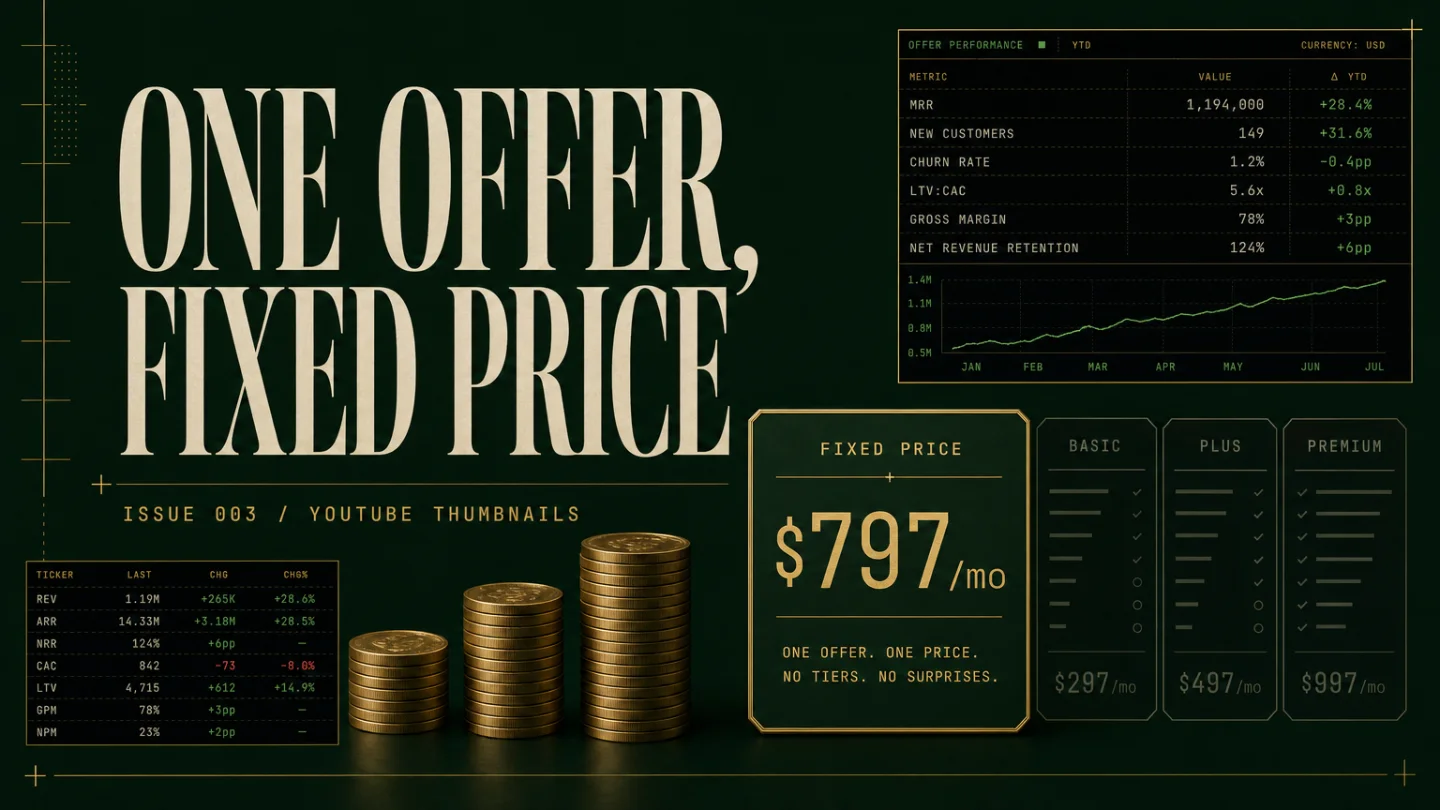
Issue 003 — YouTube Thumbnail Subscription: the $797/month service teardown
A practical teardown of a $797/month YouTube thumbnail subscription: the exact fixed-scope offer, repeatable delivery SOP, audit-led acquisition path, realistic client milestones, scaling moves, and AI/testing risks to manage.

A thumbnail subscription only works if you stop selling "good design" and start selling a weekly publishing habit.
The buyer is not the hobby creator who needs one cheap image. The buyer is a channel owner who publishes every week, hates staring at a blank Canva canvas, and wants the next upload to have a stronger title-thumbnail package before it goes live. YouTube itself treats thumbnails as the viewer's quick snapshot of a video and recommends large 16:9 custom thumbnails for standard videos. 1 That is the opening: make the snapshot easier to ship, every week, for a fixed monthly fee.
This issue tears down a tight offer: $797/month for up to 8 YouTube thumbnails, delivered as concepts, finished PNGs, and one revision pass per upload. It is small enough for one operator, specific enough to avoid endless design work, and expensive enough to beat the race-to-the-bottom thumbnail market.
Offer
Sell this as a production service, not a design subscription.
The offer: $797/month for up to 8 long-form YouTube thumbnails. Each thumbnail includes one intake brief, one concept direction, one finished 16:9 export, and one revision pass. Delivery target: two business days after the creator submits the video topic, title draft, reference links, and any face/product assets.
The scope should be boring on purpose:
- Long-form YouTube videos only.
- No Shorts thumbnails, channel banners, logos, merch, motion graphics, or video editing.
- One finished thumbnail per video, not three full alternatives.
- One revision pass, limited to copy, crop, face choice, color, and object emphasis.
- Client supplies raw assets or accepts stock/template-based treatment.
That last line matters. If you promise "viral thumbnails" or unlimited concepts, you are selling taste under pressure. If you promise a repeatable publishing asset, you can build a checklist.
The price sits between two visible markets. On Fiverr's thumbnail category page, top listings show entry prices from $10 to $100 and the page advertises more than 14,000 results. 2 At the other end, Kimp sells a broader graphics subscription at USD 1,397/month with unlimited requests, unlimited revisions, three active requests, and 24-hour turnaround language. 3 The $797 offer should not try to out-cheap Fiverr or out-volume Kimp. It wins by being narrower: YouTube thumbnails only, with a repeatable rhythm for creators who publish several times a month.
통계 카드를 불러오는 중…
Why not freelancing
Freelance thumbnail work usually starts with "How much for one?" That question pulls you into small-ticket quoting, custom taste debates, and one-off revisions. A subscription changes the frame.
The creator is buying fewer missed upload days. They are also buying memory: you learn their face crops, fonts, recurring jokes, competitor references, and what their audience ignores. A marketplace designer can make a decent single thumbnail. A retained operator can keep a channel visually consistent across the next 8 uploads.
The subscription is also easier to sell honestly. Do not promise higher click-through rate. YouTube's own A/B testing feature chooses winners by watch time share, not simple click-through rate, and tests can come back as "Performed the same" or "Inconclusive." 4 So the promise should be operational: better briefs, faster delivery, consistent packaging, and a simple testing routine when the creator has enough traffic.
That positioning protects you from cheap AI tools too. Canva now markets an AI thumbnail maker where users can describe a video or reel and generate thumbnail ideas, then edit captions, effects, and image details. 5 If your service is "I can make an image," AI is a problem. If your service is "I turn your video angle into a reusable packaging system by Thursday," AI becomes part of the workshop.
Delivery SOP
The delivery system needs five stations. Put them in Notion, Airtable, Trello, or Google Sheets. The tool barely matters; the queue discipline does.
1. Intake
Send one form per video:
- working title;
- target viewer;
- one-sentence video promise;
- emotional angle: curiosity, fear, relief, status, conflict, or proof;
- three reference thumbnails the creator likes;
- required assets: face shots, product screenshots, brand colors, source photos;
- deadline and publishing date.
Reject weak briefs before designing. "Make it pop" is not a brief. Ask: what should the viewer believe in two seconds?
2. Angle board
For each video, write three thumbnail angles in text before opening a design tool. Example:
- Outcome: show the result the viewer wants.
- Conflict: show the mistake or obstacle.
- Proof: show a number, before/after, product shot, or recognizable object.
Pick one with the client or choose the safest angle yourself if the package includes operator-led decisions.
3. Asset prep
Create a reusable folder for every client:
- approved face cutouts;
- brand color swatches;
- font pairings;
- background textures;
- recurring icons and arrows;
- past winners and losers;
- export settings.
YouTube recommends high-resolution custom thumbnails and notes that 16:9 is the most used aspect ratio in YouTube players and previews. 1 Make 16:9 the default unless the client has a specific platform reason to do otherwise.
4. Production pass
Use a fixed checklist:
- does the image read at phone size?
- does the subject have enough contrast against the background?
- is there one focal object, not five?
- can the text be cut by half?
- is the face expression or object choice matched to the video angle?
- is the file exported in the client's naming convention?
This is where Canva, Photoshop, Photopea, Figma, or AI image tools fit. They are production tools, not the offer.
5. Revision and archive
Give the client one revision pass with checkboxes: text, crop, color, asset swap, object emphasis. Anything outside those boxes becomes a new thumbnail request.
After approval, archive the final PNG, source file, brief, and a screenshot of the live YouTube listing. If the creator later runs a YouTube test, store the result beside the asset. YouTube allows eligible creators to test up to three titles and thumbnails, with completion taking a few days or up to two weeks. 4 That makes test notes useful, but slow. Do not design your whole service around instant performance feedback.
Acquisition channel
Start with one channel: thumbnail audits for mid-small creators who already publish consistently.
Do not cold pitch "I make thumbnails." Everyone can say that. Send a short audit instead:
- Pick creators publishing at least weekly.
- Choose one recent video where the title has a clear promise but the thumbnail looks crowded, low-contrast, or generic.
- Record a 3-minute Loom or send a marked-up image.
- Show one specific fix: reduce text, change the crop, increase subject contrast, or turn the idea into a before/after frame.
- Offer the fixed-scope package only if they have at least 4 upcoming videos per month.
The best prospect is not the biggest creator. It is the creator with a schedule. A 200,000-subscriber channel that posts randomly is less attractive than a 15,000-subscriber channel with a weekly upload habit and visible care about packaging.
Use three prospect pools:
- YouTubers who ask public communities for thumbnail feedback;
- small business channels with consistent education content;
- creator-led companies that publish webinars, tutorials, or founder videos.
Indie Hackers has hosted productized-service discussion around a proposed YouTube thumbnail creation service, including questions about custom thumbnails, packages, and subscription preference. 6 Treat that as a signal, not proof of easy demand. People ask about this service because the pain is obvious. They still need to trust your taste before they pay monthly.
A simple first-client script:
I noticed your last 6 videos all have strong topics, but the thumbnails are doing three different jobs at once. I made a quick marked-up audit of one example. If it is useful, I can turn this into a fixed monthly thumbnail queue: 8 thumbnails, one revision each, $797/month, built around your upload schedule.
Keep the first call practical. Ask for the next 4 video topics. If they cannot name them, they are not ready for a monthly package.
Revenue model
This model has a clean first milestone: 4 clients at $797/month is $3,188/month before tools, taxes, and contractor help. That is enough to prove the offer without pretending it is a business empire.
차트를 불러오는 중…
The real question is not revenue per client. It is whether you can keep production time under control.
A realistic solo rhythm:
- 4 clients: 32 thumbnails/month. You can still do every concept and final pass yourself.
- 8 clients: 64 thumbnails/month. You need templates, saved assets, and batch days.
- 12 clients: 96 thumbnails/month. You probably need a junior production designer for cutouts, background options, and first drafts.
Do not hide contractor help from yourself. If each thumbnail takes 90 minutes end to end, 64 thumbnails becomes 96 production hours before sales, admin, calls, and revisions. The fix is not to work nights. The fix is to constrain the package.
Plain-language milestones:
- First $3k/month: sell the audit, do the work manually, learn which clients submit good briefs.
- Around $6k/month: turn repeated moves into client-specific templates and start rejecting bad-fit revisions.
- Around $9k/month: hire production help for asset prep and first layouts, while you keep the angle decision and final quality check.
통계 카드를 불러오는 중…
The package can produce more revenue if you add clients, but the solo version should be judged by sanity. Once you are late twice in a month, the subscription stops feeling like a calm publishing system and starts feeling like a cheaper agency.
Scaling ceiling
This service has a clear ceiling because thumbnails are high-volume but taste-heavy. Scaling is possible, but it needs concrete moves.
Move 1: sell one narrow add-on
Add a $297/month testing support add-on: store variants, document YouTube test results, and turn winners into the next month's style notes. Keep it advisory. YouTube says tests can run for days or up to two weeks and can return no clear winner. 4 That means you should sell the operating habit, not a guaranteed lift.
Move 2: specialize by creator category
Do not become "thumbnail design for everyone." Pick one category after the first 3 clients: education creators, finance channels, SaaS tutorials, fitness coaches, or B2B founder channels. Specialization lets you reuse angle libraries and asset conventions. It also makes outreach easier because your audits become sharper.
Move 3: split concept from production
The owner should keep strategy: angle, viewer promise, final quality. A contractor can handle cutouts, background assembly, export sizes, and first layout. Kimp's broader subscription model shows how design subscriptions package active requests, project management, stock assets, and dedicated teams under one flat fee. 3 A solo operator should borrow the workflow discipline, not the unlimited scope.
The ceiling is probably a small studio, not a giant agency. That is fine. A focused thumbnail desk can be a strong service business if it avoids unlimited creative labor.
Keeping clients and staying sane
Churn comes from three places.
First, creators pause. They miss uploads, change formats, or burn out. Your contract should allow one monthly rollover, capped at 2 thumbnails, and then reset. Otherwise, unused work piles up and becomes a debt.
Second, clients confuse taste with performance. A creator may dislike a thumbnail that performs well, or love one that does nothing. Use a decision log. For each approved thumbnail, store the angle, design reason, and any later test result. That keeps the conversation about evidence rather than mood.
Third, AI keeps lowering the price of first drafts. Canva's AI thumbnail maker, Magic Media, and editing tools make it easier for a client to generate rough ideas without hiring anyone. 5 Your defense is not to pretend AI cannot make thumbnails. Your defense is to own the brief, pattern memory, and upload rhythm.
통계 카드를 불러오는 중…
The hardest client is the one with no schedule and strong opinions. The best client has upcoming topics, raw assets, and the humility to test packaging. Choose for that.
How to start this week
Day 1: build the sample offer
Create a one-page sales page with the exact scope: 8 thumbnails/month, one revision each, two-business-day target, $797/month. Add three before/after mockups from public videos, but do not imply the creators are clients.
Day 2: make the audit template
Create a 10-point checklist: focal point, text length, contrast, face crop, title alignment, curiosity gap, brand consistency, mobile readability, asset quality, and next test idea.
Day 3: audit 10 channels
Find 10 creators who publish at least weekly. Make one marked-up thumbnail audit for each. Do not redesign the whole channel. One useful observation beats a full unsolicited makeover.
Day 4: send 10 short messages
Send the audit with one line of context and one clear offer. Do not attach a long deck. Ask whether they want the next 4 thumbnails handled on a fixed monthly queue.
Day 5: sell a pilot month
If a creator is interested, sell one paid pilot month at the full $797 price. Do not discount the first month. Instead, reduce risk by making the scope concrete: 4 upcoming videos scheduled immediately, 4 slots held for later in the month.
Day 6: deliver the first two thumbnails
Move quickly. The first client is buying trust more than perfection. Send concepts in text first, then final files.
Day 7: write the operating notes
After delivery, write down what took too long, what the client did not understand, which assets were missing, and which revision requests should become rules. That document becomes the SOP for client two.
If you want the lowest-friction version, start with one creator category and one design environment. The business gets easier when every client feels slightly familiar.
관련 콘텐츠

Three faceless channels still printing — Issue #6
YouTube Niche Monetization Radar글
Daily scan: Google tightens ad ops while YouTube changes creator signals
Digital Marketing & Content Creation Daily Trends글
Three faceless channels printing in the American financial anxiety niche
YouTube Niche Monetization Radar글
이 콘텐츠를 둘러싼 관점이나 맥락을 계속 보강해 보세요.