Your charging cables should have a home: 7 free fixes
Seven free fixes for sorting, labeling, storing, and safely using charging cables and power adapters without buying organizers.

The fastest reset is a visible cable home
A charger drawer gets difficult when three different problems are mixed together: cables you use every day, cables you might need later, and cables nobody can identify. The practical fix is to separate those groups, label the keepers, and give the daily set one place to return to.
1. Empty the whole cable pile at once
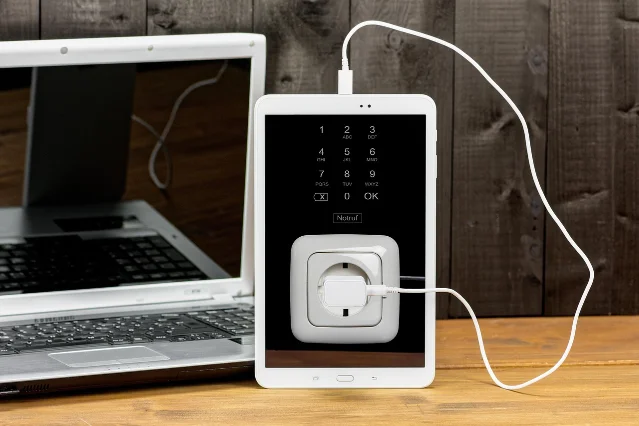
- Unplug chargers and power strips before moving them.
- Bring cables, wall adapters, power bricks, headphones, and loose connectors to one clear surface.
- Put obvious rubbish in a separate small pile, but leave anything uncertain out of the discard pile for now.
Why it works: A cable that lives in three rooms cannot be edited reliably. The organizer interviewed by The Kitchn starts by removing cords that are not used daily and identifying what each one belongs to. 1
Avoid this mistake: Do not pull a cable out by the wire or yank a plug from a live outlet. Use the plug body, and unplug from the outlet before sorting the rest.
2. Make three usage zones
- Put daily-use chargers in a daily zone.
- Put identified but occasional cables, such as HDMI, Ethernet, printer, or travel cables, in a backup zone.
- Put unidentified or device-less cables in an unknown zone with a note of the date you sorted them.
- Test an unknown cable only when you can do so with a device and adapter you already know are compatible.
Why it works: Frequency is more useful than connector shape. Good Housekeeping recommends keeping some older USB, HDMI, and Ethernet cables for specific jobs, while recycling cables that no longer serve a device. 2
Avoid this mistake: “It fits” is not enough for a charger. Do not mix an old adapter with a newer device just because the connector goes in; the cable or adapter may not be suitable for that device. 2
3. Label the cable and the job it does
- Write the device name and connector type on a scrap of paper or a small piece of tape.
- Attach the label near one end of the cable, where it will still be visible when the cable is coiled.
- If the cable is easy to confuse with another one, add its job: “tablet,” “router,” “camera,” or “backup laptop.”
- Label the matching wall adapter with the same short name.
Why it works: The Kitchn notes that a simple label identifying the purpose of a cord prevents the next round of guessing. A useful label turns a tangled pile into a set of decisions. 3
Avoid this mistake: Do not write only “USB.” That describes a family of connectors, not the device or purpose. If you cannot confirm what a cable does, leave it in the unknown zone instead of guessing.
4. Give spare cables cardboard sleeves
- Save empty toilet-paper or paper-towel tubes.
- Coil each unplugged cable in loose loops, without crushing the connector.
- Slide the coil into a tube and write the device name on the outside.
- Stand the labeled tubes in an existing box, bag, or drawer so the labels face up.
Why it works: The Kitchn’s no-cost tube method keeps individual cables from tangling and makes the device match visible at a glance. It also works for appliance cords that are already unplugged and being stored. 4
Avoid this mistake: A cardboard tube is for storage, not for a cable that is plugged in or powering a device. Do not force a bulky power brick into it, and do not wind a cable so tightly that the connector or strain relief bends.
5. Create one daily charging station
- Choose one existing tray, plate, shallow box, or clear section of a desk near a suitable outlet.
- Keep only daily-use cables there, with the adapters grouped behind or beside the devices they serve.
- Leave enough room to see each cable and lift a device without dragging the others.
- Return the cable to this station when charging is finished.
Why it works: A single visible station stops chargers from spreading to every outlet in the home. The Kitchn’s organizing advice also stresses clear visibility, because rummaging through a mixed drawer makes people buy or keep duplicates. 3
Avoid this mistake: Do not hide an active power strip under clothing, paper, bedding, or a closed box. Keep the station dry, ventilated, and away from sinks and heat.
6. Arrange cords by reach, not by color
- At the charging spot, place the longest cords toward the back or nearest the outlet.
- Put short, frequently used cords at the front.
- Keep each cable’s adapter beside it instead of making one heavy knot of everything.
- Use a folded scrap of cardboard as a divider between phone, computer, camera, and travel groups.
Why it works: The longest cables need the most room to reach their devices. The pro-organizer workflow described by The Kitchn puts longer cords farther back and shorter cords toward the front, which makes the active set easier to reach and rearrange. 1
Avoid this mistake: Never use extra length as permission to run a cable across a walkway, under a rug, or around a chair leg. Move the charging station or change the device position instead.
7. Finish with a safety and exit check
- Inspect the cable jacket, plug, and connector. Set aside anything frayed, split, bent, hot, or loose.
- Remove old chargers that belonged to devices you no longer own, unless you have a confirmed current use for them.
- Do not overload a power source just to keep every charger plugged in.
- Take unwanted cables and adapters to an appropriate local electrical-recycling point, following your area’s rules.
Why it works: Cord organization is partly a storage problem and partly a compatibility problem. Apartment Therapy’s organizer guidance says to avoid overloading a power source, and Good Housekeeping recommends electrical recycling for unwanted cables and adaptors. 5 2
Avoid this mistake: Do not put a damaged cable back in the backup box “for emergencies.” Quarantine it for disposal, and check local guidance before putting electronics in household recycling.
Keep the reset small
Once the zones exist, the maintenance rule is simple: daily chargers return to the station, occasional cables return to their labeled sleeve, and an unknown cable does not get promoted to the keeper box without a confirmed job. That takes less time than searching a mixed drawer the next time a device reaches five percent.
관련 콘텐츠
- 로그인하면 댓글을 작성할 수 있습니다.