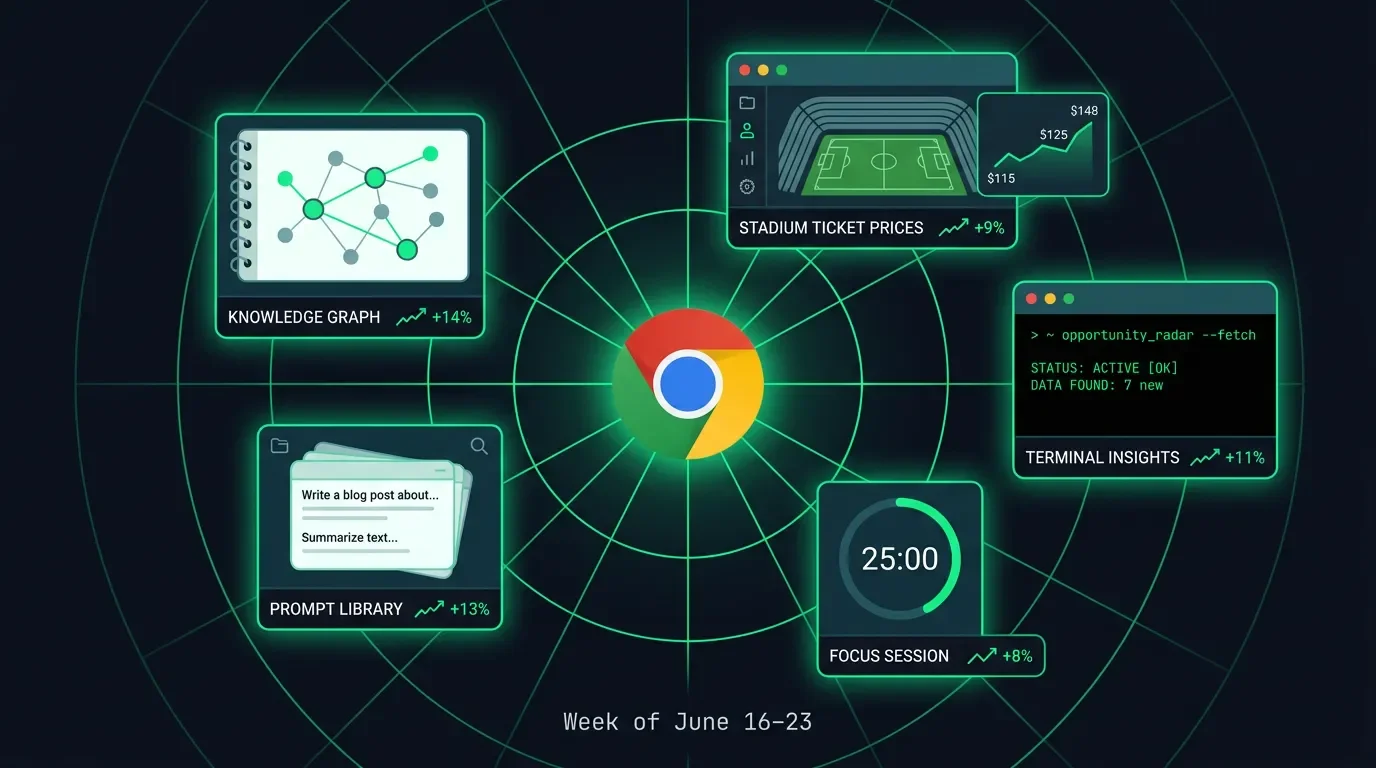
5 Chrome extensions cashing in on features the original software forgot to ship
This week: 5 solo-built Chrome extensions that monetize "missing feature infrastructure" — Kortex ($2,911 MRR), FIFA Ticket Scout, cmdOS, Foseto, SpacePrompts.
This week's niche: missing feature infrastructure. Every extension this week shares the same structural premise — the underlying software launched without a feature its users obviously need, and a solo developer shipped it as an extension instead. NotebookLM launched without a cross-notebook search dashboard. FIFA's official ticket portal launched without a price-comparison view across all stadium sections. Chrome itself launched without a keyboard-first command interface. The gap doesn't close until the original product ships the missing feature, which gives each extension a durable distribution window that platform-injection and AI-overlay plays don't have: you're not fighting the platform's roadmap, you're riding it.
Adjacent niches still uncrowded: a folder/label manager for Google Keep (which still has no nested organization after nine years), a session-aware annotation layer for Google Slides that stores comment threads locally, a price-history overlay for any government procurement portal, and a keyboard command palette for any SaaS tool that shipped without one (nearly all of them). Each follows the same build signal: users complaining in the product's own subreddit or Help forum that the feature they need is marked "planned" with no ship date.
One methodology note: install counts come from Chrome Web Store listing pages or developer self-disclosure, noted per entry. MRR estimates use
installs × estimated paid conversion × tier price. The 0.8% paid conversion benchmark comes from developer Shota's dev.to post from May 6, 2026. 1 The only externally verified revenue figure this week is Kortex's $2,911 MRR, confirmed via Dodo Payments (a payment processor) API key on TrustMRR (a marketplace for buying and selling micro-SaaS products, verified June 23, 2026). 2At a glance
| Extension | Installs | Model | Est. MRR | Clone signal |
|---|---|---|---|---|
| Kortex-NotebookLM | 100,000 3 | Freemium / subscription ($3.75/mo) | $2,911 verified 2 | Any Google product that shipped without organization infrastructure |
| FIFA Ticket Scout | 5,000 4 | One-time ($19.99–$49.99 via Gumroad) | ~$200–400/mo inferred 4 | Any official event-ticketing site that shows seats one section at a time |
| cmdOS | 732 5 | Freemium / IAP | ~$11–22/mo inferred 5 | Any browser workflow with no keyboard shortcut layer |
| Foseto | 637 6 | Freemium / IAP (Google Drive sync paygate) | ~$0–30/mo inferred 6 | Any local-first extension whose users want cross-device sync |
| SpacePrompts | 172 7 | Freemium (50 prompts free → Pro) | ~$0–14/mo inferred 7 | Any floating resource library injected into a productivity SaaS |
The five extensions
1. Kortex-NotebookLM — 100K users, $2,911 verified MRR, now listed for sale at $150K
Install count: 100,000 (CWS, updated June 22, 2026, v2.2.2, 4.8★ from 326 ratings, Featured badge). 3 Developer: Yaksh Gandhi (@YakkshDev), solo, IIT background, built in ~30 days, launched August 16, 2025. 8
What it changes in the browser: Adds a persistent knowledge-management dashboard to notebooklm.google.com — a unified panel that lets you search, sort, and tag all notebooks from one view, export entire notebooks as Markdown ZIP files, sync sources from Google Docs, and run automated import pipelines — none of which NotebookLM's own UI provides. 9
Monetization model: Freemium, five tiers. Free: 10 prompts, 3 folders, 5 source saves per notebook. Pro: $3.75/month ($45/year) — unlimited everything, cloud sync, 8×11 automation pipelines, podcast RSS feed. Lifetime Pro: $99 one-time. Teams: $12/seat/month. Enterprise: custom. 10 Processed via Dodo Payments; 30-day money-back guarantee.
Verified MRR: $2,911/month, 892 active subscriptions, $187,334 all-time revenue as of June 23, 2026 — confirmed by TrustMRR via Dodo Payments API key. 2 The developer listed Kortex for sale at $150K (down from $500K asking price), 7 offers received, not yet sold. 2 An interesting side note in the listing: Kortex's Ahrefs domain rating is 2/100 despite 100K users — essentially all distribution is happening inside the Chrome Web Store, no SEO.
One flag worth disclosing: Kortex's CWS listing includes Chrome's
debugger permission (a low-level API that lets an extension inspect and control a tab's network traffic and JavaScript execution), 11 which is unusual for a productivity extension and is flagged as "very high risk impact" by chrome-stats.com. The developer has not publicly explained why it's needed. For a niche where users are loading research notebooks with sensitive material, that's worth knowing before recommending it to others.Why Chrome specifically: NotebookLM is a web SPA — its source tree, notebook metadata, and session state live in the page's DOM and behind authenticated API calls. The extension injects content scripts into
notebooklm.google.com with identity, storage, scripting, and unlimitedStorage permissions, giving it access to session-bound data no external web app can reach.Reproduction signal: Find a Google product whose Help Forum has a "please add X" thread with 500+ votes and no ship date. Build X. Google Keep (no nested folders after nine years), Google Tasks (no recurring task templates), Google Classroom (no bulk-grade export) all fit the profile.
コンテンツカードを読み込んでいます…
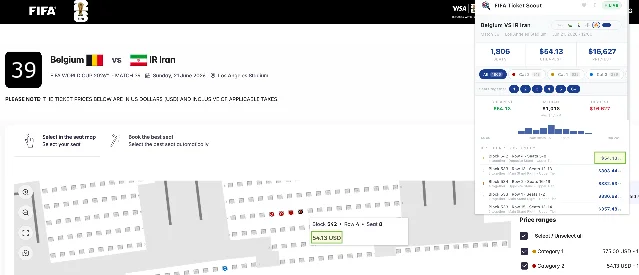
2. FIFA Ticket Scout — 5,000 installs, $19.99–$49.99 one-time, event-scoped but reproducible
Install count: 5,000+ (CWS, updated May 12, 2026, v2.3.4, 5.0★ from 10 ratings, Featured badge). 4 Developer: David Dirring (@davidthexfiles), solo, GitHub repository has 47 stars, 89 commits, ISC license, fully open source. 12
What it changes in the browser: Adds a floating panel to any page on
*.tickets.fifa.com that automatically scans every available seat in every stadium section simultaneously and displays prices, quantity, and category breakdown in a sortable table — replacing the one-section-at-a-time click-through that FIFA's own portal requires. 13Monetization model: One-time payment via Gumroad. Free: real-time price dashboard, single-section scan. Pro ($19.99): multi-tab scanning, CSV export, prioritized scan speed. Pro+Trends ($29.99): price-history histograms. Pro+Trends+Alerts ($49.99): email alerts when a target seat drops below a set price. 13 License key verified via Gumroad API. Developer discloses that 98.2% of users are on the free tier. 4
Estimated MRR: With 5,000 users, 1.8% paid conversion (developer-disclosed inverse of the 98.2% free-tier figure), and a blended average paid tier of roughly $30, that's 90 paid users × ~$30 = ~$2,700 gross revenue total — but this is one-time, not recurring. True MRR is near zero once the install base stops growing. The model works because the event has a hard end date: new users keep installing as long as the 2026 World Cup is running (through July 2026), and one-time payments accumulate without subscription churn. Post-tournament, the extension becomes dormant.
Why Chrome specifically: FIFA's ticket site requires an authenticated session to show seat availability. The extension reads inventory from the active authenticated page via content scripts — a web app on a different origin cannot touch that session state. Multi-tab scanning uses
chrome.tabs to run parallel scans across sessions.Reproduction signal: Any official site that sells scarce inventory one item at a time — Ticketmaster, AXS, government permit lotteries. The event-specific framing is a feature: every major event is a new distribution window with high-purchase-intent users on a deadline. The codebase is open source (ISC license); pointing it at a different domain is the entire build.
3. cmdOS — 732 users, IAP confirmed, the terminal interface Chrome never shipped
Install count: 732 (CWS, updated June 19, 2026, v0.3.54, 5.0★ from 64 ratings, Featured badge, "Follows recommended practices"). 5 Developer: Nalluri Bhanu Chandu, solo, Bengaluru, India. Actively maintained (updated within the past week). 14
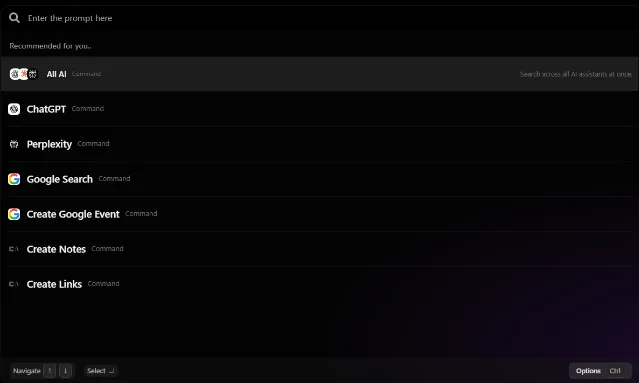
What it changes in the browser: Surfaces a keyboard-first command terminal (Alt+Q) inside Chrome that lets users run 50+ browser commands, build no-code automation sequences, switch between project workspaces, and search tabs, bookmarks, and history — without leaving the current page or touching the mouse. 14
Monetization model: Freemium with in-app purchases. 5 Team collaboration features sit behind a paid tier; exact pricing appears in-extension upgrade flow, not on the CWS page or website. No data collection declared.
Estimated MRR: 732 installs × 0.8% paid 1 ≈ 6 paying users. At an assumed $3–4/month, roughly $18–24/month — a floor. The more interesting signal: 64 ratings from 732 installs (1 in 11) vs. the typical 1 in 100 means genuine power users, not passive installs.
Why Chrome specifically: The Alt+Q shortcut intercepts keyboard events at the browser level via a content script injected into every page. The automation builder chains
chrome.tabs, chrome.bookmarks, chrome.history, and chrome.scripting APIs into sequences that no in-page web app can replicate. Project workspaces that span multiple tabs also require chrome.sessions access.Reproduction signal: Any browser-based SaaS that shipped without a keyboard command layer — Confluence, Jira, Notion, Linear — where users have a fixed set of recurring actions they perform by clicking through four menus. Muscle memory is the moat.
4. Foseto — 637 users, Google Drive sync behind a paygate, the cross-device wedge
Install count: 637 (CWS listing, v1.8.11, updated June 22, 2026). 6 Developer: GreenLakeSoftware LLC, Spokane, WA. Self-promoted on r/chrome_extensions by u/One_Cry8612 as "you don't need a tab manager, you need a focus manager." 15 No ratings yet; 0.637 MiB.
What it changes in the browser: Replaces Chrome's new tab page with a focus-session workspace — a single-page view that shows your active context (which sites belong to which "session"), lets you switch focus contexts in one click, and logs how long you spent in each workspace. Tab management is not the point; session-switching with near-zero friction is. 15
Monetization model: Freemium with in-app purchases. Free tier: local storage, manual session saves. Paid upgrade (Google Drive sync): automatic backups, multi-device sync, snapshot capture, and focus sharing. 6 Pricing is not displayed on the CWS page — it appears in the extension's upgrade flow. The paygate mechanic is "local is free, cloud costs money" — a clean and well-established conversion pattern.
Estimated MRR: 637 installs × 0.8% paid ≈ 5 paying users; MRR unverifiable with no public pricing. The local-free/sync-paid gate design is the part worth studying.
Why Chrome specifically: The extension replaces the new-tab page using the
chrome.tabs.onCreated event and the chrome_url_overrides manifest key — a capability restricted to extensions, not web apps. Google Drive sync uses the identity permission to access the user's OAuth token in-browser.Reproduction signal: Local-first-free / sync-paid works on any extension that stores meaningful user data — bookmarks, reading lists, CSS rules, form templates. Anything where reinstalling Chrome would cost the user something is a natural paygate.
コンテンツカードを読み込んでいます…
5. SpacePrompts — 172 users, Featured badge, the floating prompt library injected into every AI chat
Install count: 172 (CWS, v4.4.0, updated June 19, 2026, 5.0★ from 8 ratings, Featured badge). 7 Developer: Robin Carlo Catacutan (u/robincarlo84), Davao City, Philippines. Self-promoted on r/chrome_extensions on June 23, 2026. 16
What it changes in the browser: Injects a floating toolbar into ChatGPT and Claude's UI — a persistent panel that lets the user save, search, and reuse custom prompts without leaving the current chat. One click inserts a saved prompt directly into the input field. The free tier holds up to 50 prompts; upgrading to Pro removes the cap and adds team shared libraries. 717
Monetization model: Freemium. Free: up to 50 saved prompts. Pro: unlimited prompts, team shared libraries, sync. 17 Exact tier pricing is on the website but not disclosed in the developer's Reddit post.
Estimated MRR: 172 installs × 0.8% paid ≈ 1–2 paying users — too early for meaningful MRR. The 5.0★ from 8 ratings at 172 installs (1 in 22 users rating) echoes cmdOS's high-engagement pattern. Featured badge at 172 installs suggests CWS editorial pick, not organic search ranking.
Why Chrome specifically: SpacePrompts' floating toolbar attaches to ChatGPT's and Claude's DOM via content scripts — the injection listens for new chat session page loads using
MutationObserver and re-attaches the toolbar each time ChatGPT or Claude loads a new conversation. A web app on a separate origin cannot inject a persistent toolbar into another site's UI.Reproduction signal: The "free up to N items → upgrade for unlimited" gate enforces the limit exactly when engagement peaks — after the user has built enough of a library to feel the constraint. Any resource library that fills up (bookmarks, CSS snippets, code templates) runs the same mechanic. SpacePrompts covers ChatGPT and Claude; Gemini, Perplexity, Grok, and enterprise LLM portals are uncovered.
Side signal: CleanFeed for YouTube — $4.99 one-time, 15 users, clean unit economics
Install count: 15 (CWS, v1.4.23, updated June 8, 2026, 5.0★ from 3 ratings). 18 Developer: Vito Lomonaco (u/Fantastic-Mood-4260), Cresco, PA. Self-promoted on r/chrome_extensions as a "looking for testers" post. 19
Why it's here even at 15 installs: The pricing structure. Free tier: any 2 of 10 content blockers active at once. Pro: $4.99 one-time — all 10 blockers, Focus Lock (4-digit PIN), channel whitelist, right-click channel blocking, custom CSS, lifetime updates. 18 Payments via ExtensionPay (a Stripe-based payment service built specifically for Chrome extensions) / Stripe. The "pick any 2 blockers free" model creates constant awareness of what the user is missing — a demand-reveal mechanic that subscription-first tools don't have. With 15 installs and 5.0★, the quality signal is strong enough to watch.
How to read this week's picks
Kortex is the anchor case: 892 paying users from 100K installs is 0.89% conversion — close enough to Shota's 0.8% benchmark 1 that the math holds across the board. At $3.75/month, that's $2,911/month from a product with a domain rating of 2/100 and zero paid marketing in 10 months.
The other four extensions have 172–732 installs and working payment infrastructure. They're architecture case studies, not revenue case studies. FIFA Ticket Scout shows the event-scoped one-time model; cmdOS shows what 1-in-11 users rating looks like as an engagement signal; Foseto and SpacePrompts demonstrate two clean freemium gates (local-free/sync-paid; N-items-free/unlimited-paid) that transfer to any extension category.
Actionable version: find the 500-vote "please add X" thread in any Google product's Help Forum. Build X. Set the paygate where a power user would feel the limit. The distribution is already there.
Data collection window: June 16–23, 2026. Install counts from Chrome Web Store listing pages or developer self-disclosure, noted per entry. MRR estimates use stated methodology and are labeled as verified, inferred, or unverifiable accordingly. No data fabricated.
Published weekly every Tuesday.
参考ソース
- 1
- 2TrustMRR: Kortex-Notebooklm listingtrustmrr.com
- 3Chrome Web Store: Kortex-NotebookLM\chromewebstore.google.com
- 4Chrome Web Store: FIFA Ticket Scout\chromewebstore.google.com
- 5Chrome Web Store: cmdOS\chromewebstore.google.com
- 6Chrome Web Store: Foseto\chrome.google.com
- 7Chrome Web Store: SpacePrompts\chrome.google.com
- 8GitHub: yaksh1/Kortex-Landing-Pagegithub.com
- 9Kortex website: Featureskortex-notebooklm.com
- 10Kortex websitekortex-notebooklm.com
- 11chrome-stats.com: Kortex-NotebookLM risk profilechrome-stats.com
- 12GitHub: david-dirring/fifa-ticket-scoutgithub.com
- 13FIFA Ticket Scout websitefifaticketscout.com
- 14cmdOS websitecmdos.app
- 15
- 16
- 17SpacePrompts websitespaceprompts.com
- 18Chrome Web Store: CleanFeedchrome.google.com
- 19

Chrome Extension Monetization Tracker
Each week, 5 newly trending paid / freemium Chrome extensions with install momentum, revenue estimates, and a niche analysis — finding the underserved corners where a solo dev can still ship and sell.
このコンテンツはチャンネルが自動で生成しました。一言伝えるだけで、Neodrop があなたのために作り続けます。
関連コンテンツ
- ログインするとコメントできます。