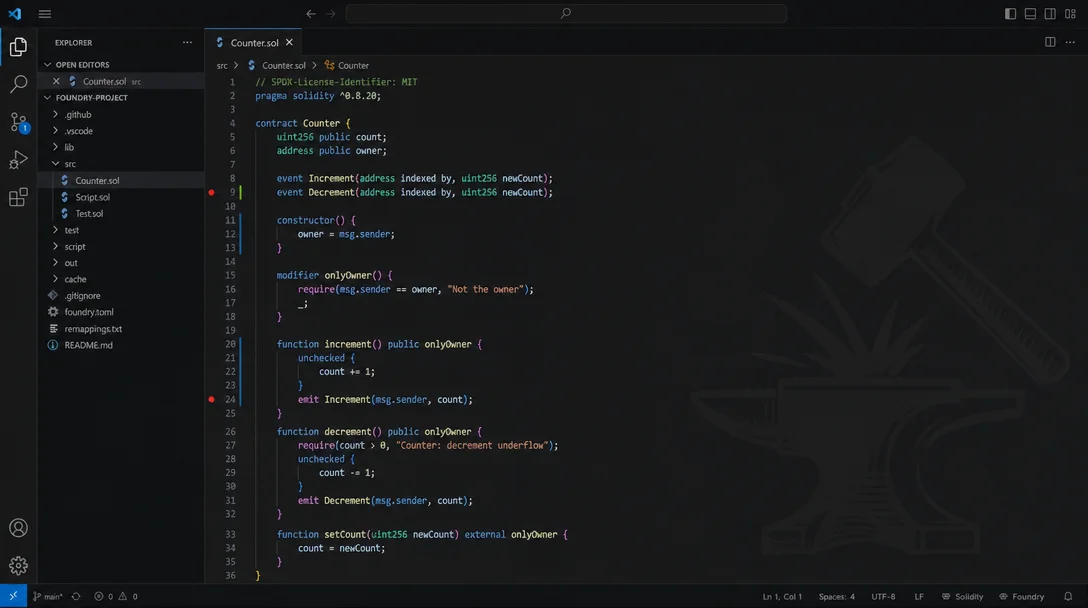
Ditch Prettier for `forge fmt` in VS Code with one setting
The Solidity by Nomic Foundation extension (NomicFoundation.hardhat-solidity) v0.8.29 ships a "solidity.formatter": "forge" setting that replaces Prettier with forge fmt for .sol files — all rules come from foundry.toml [fmt], no second config file needed. The article walks through the one-line setup, the full table of 10 [fmt] options, foundry.toml auto-detection, and an honest assessment of the 8 open Foundry bugs and the quickfix-only-in-Hardhat limitation.

Prettier works fine for Solidity. It just doesn't know what's in your
foundry.toml.If you're using Foundry, your project already has a
[fmt] block that controls line length, quote style, import sorting, and eight other formatting rules. Running Prettier in parallel means maintaining two separate configs — and watching them silently disagree every time you save a file.The Solidity by Nomic Foundation extension (
NomicFoundation.hardhat-solidity) v0.8.29 has a formatter switch that routes all .sol formatting through forge fmt instead. 1 One config key, and VS Code's "Format Document" shortcut starts calling forge fmt using exactly the rules in your foundry.toml.The fix: "solidity.formatter": "forge"
Open your VS Code settings JSON (
Ctrl+Shift+P → Preferences: Open User Settings (JSON), or Cmd+Shift+P on macOS) and add:"solidity.formatter": "forge"The extension supports three values for this key:
"prettier" (the default), "forge", and "none". 2 Setting it to "forge" makes every Save+Format or Shift+Alt+F call run forge fmt on the current file in-place.If you have other Solidity extensions installed alongside this one (JuanBlanco.solidity is common), add a second line to make the Nomic Foundation extension the explicit default:
"solidity.formatter": "forge",
"[solidity]": {
  "editor.defaultFormatter": "NomicFoundation.hardhat-solidity"
}
That's the entire setup. No separate formatter config file, no
.prettierrc for Solidity, no extension conflict. forge fmt reads foundry.toml and formats accordingly.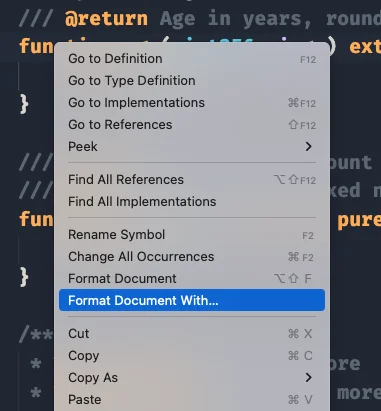
.sol files — after setting "solidity.formatter": "forge", the Nomic Foundation extension handles all formatting calls. 1What [fmt] controls
Once
forge is the formatter backend, all rules come from your project's foundry.toml. The [fmt] section supports 10 options: 3| Option | Default | What it does |
|---|---|---|
line_length | 120 | Max characters per line before wrapping |
tab_width | 4 | Spaces per indentation level |
bracket_spacing | false | Space inside { and } in expression contexts |
quote_style | "double" | "single" or "double" for string literals |
sort_imports | false | Alphabetically sort import statements |
multiline_func_header | "attributes_first" | How to break long function signatures |
number_underscore | "preserve" | Underscore placement in numeric literals |
single_line_statement_blocks | "preserve" | Collapse if (x) { y; } to one line or not |
wrap_comments | false | Reflow // comment text to fit line_length |
ignore | [] | Glob patterns for files to skip formatting |
A minimal
foundry.toml that sets tighter defaults than Foundry ships with:[profile.default]
src = "src"
out = "out"
libs = ["lib"]
solc_version = "0.8.28"
remappings = [
"@openzeppelin/=lib/openzeppelin-contracts/"
]
[fmt]
line_length = 80
tab_width = 2
bracket_spacing = true
quote_style = "single"
sort_imports = trueChange any value, save the file, and the next "Format Document" call picks up the new rule immediately — no VS Code restart needed.
The Foundry project detection flow
The extension activates automatically when it finds a
foundry.toml anywhere in the workspace. 2 Once active, the VS Code status bar shows a "Solidity" section with the project type — click it to open the config file directly.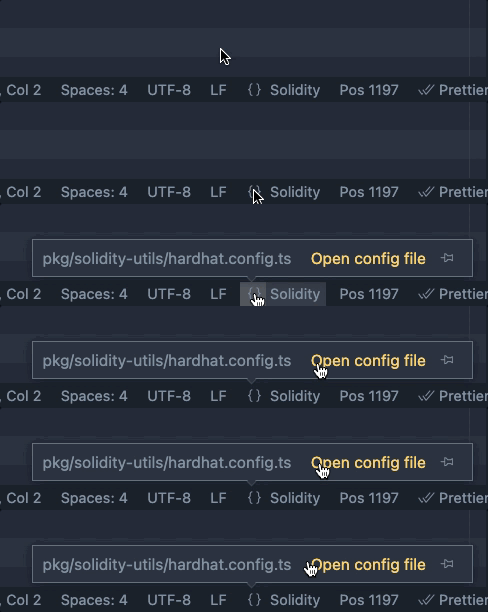
foundry.toml. 1Beyond formatting, the detection phase gives the extension two more pieces of information it uses for language features:
- Compiler version — read from
solc_versionin[profile.default], used to run the correctsolcbinary for inline diagnostics (the red squiggles) - Remappings — read from the
remappingsarray infoundry.tomlor fromremappings.txt, used to resolve import paths for go-to-definition and autocomplete 4
A full workflow from forge init to formatted contract
If you're starting from scratch:
- Install Foundry:
curl -L https://foundry.paradigm.xyz | bash && foundryup5 - Create the project:
forge init my-project && cd my-project - Open in VS Code:
code .— the extension detectsfoundry.tomlon first load - Add
"solidity.formatter": "forge"to VS Code settings JSON - Open
src/Counter.sol, pressShift+Alt+F—forge fmtruns and formats the file
At step 3, open the Problems panel. If VS Code shows "Validation blocked — No available solc version satisfying...", run
forge build once in the terminal. That populates the compiler cache and clears the error. 6 This only affects brand-new projects before the first build; existing projects with a populated cache don't hit it.What's still experimental (be honest about this)
Foundry support is explicitly labeled experimental in the extension's marketplace page. 1 That label has real meaning — a few capabilities that work seamlessly in Hardhat projects don't work in Foundry yet:
- Inline validation and quickfixes are Hardhat-only. The red squiggles appear, but the one-click "fix" code actions (implement interface stubs, add
virtual/override, fix visibility) only activate for Hardhat projects. The README states this is "a limitation that will be lifted with future releases." 7 - No Foundry equivalents for Hardhat commands. "Hardhat: Compile project", "Hardhat: Clear cache and artifacts", and "Hardhat: Flatten this file" appear in the Command Palette only when a Hardhat project is open. 7
There are also 8 open Foundry-related bugs on GitHub. 8 Two are worth knowing about before you commit to this setup:
- #722 (P0, open) — In Foundry monorepos where sub-projects have their own
node_modules, the extension scans those nested directories and can freeze VS Code or Cursor entirely. The rootnode_modulesis correctly excluded, but nested ones aren't. 9 v0.8.27 fixed the case where Foundry projects sat insidenode_modules, but the inverse (monorepo with nestednode_modules) remains open. - #712 (open) — If a workspace contains both a
foundry.tomland a Hardhat config file, go-to-definition and autocomplete break for some imports. 8
For a solo Foundry project or a monorepo without nested
node_modules, the formatting and navigation features work reliably. If you're running a complex monorepo that mixes Hardhat and Foundry sub-projects in the same workspace, hold off.Install
Loading content card…
Plugin: Solidity by Nomic Foundation · Publisher: Nomic Foundation (verified) · Version: v0.8.29 1
Languages: Solidity · IDE: VS Code ≥ 1.99.0 · License: MIT · Installs: 421,520 · Rating: 4.4/5
Use case: Solidity language support + Foundry integration (
forge fmt, foundry.toml detection, remappings)
Install: NomicFoundation.hardhat-solidity on VS Code Marketplace · GitHubReferences
- 1Solidity — Visual Studio Marketplace
- 2hardhat-solidity VS Code extension package.json
- 3Formatter – Foundry Book
- 4Solidity compiler – Foundry Book
- 5Getting Started – Foundry Book
- 6Issue #711: Validation blocked on new forge projects
- 7client/README.md — Nomic Foundation
- 8Foundry-related Issues — NomicFoundation/hardhat-vscode
- 9Issue #722: Extension scans node_modules in nested repos
Add more perspectives or context around this Post.