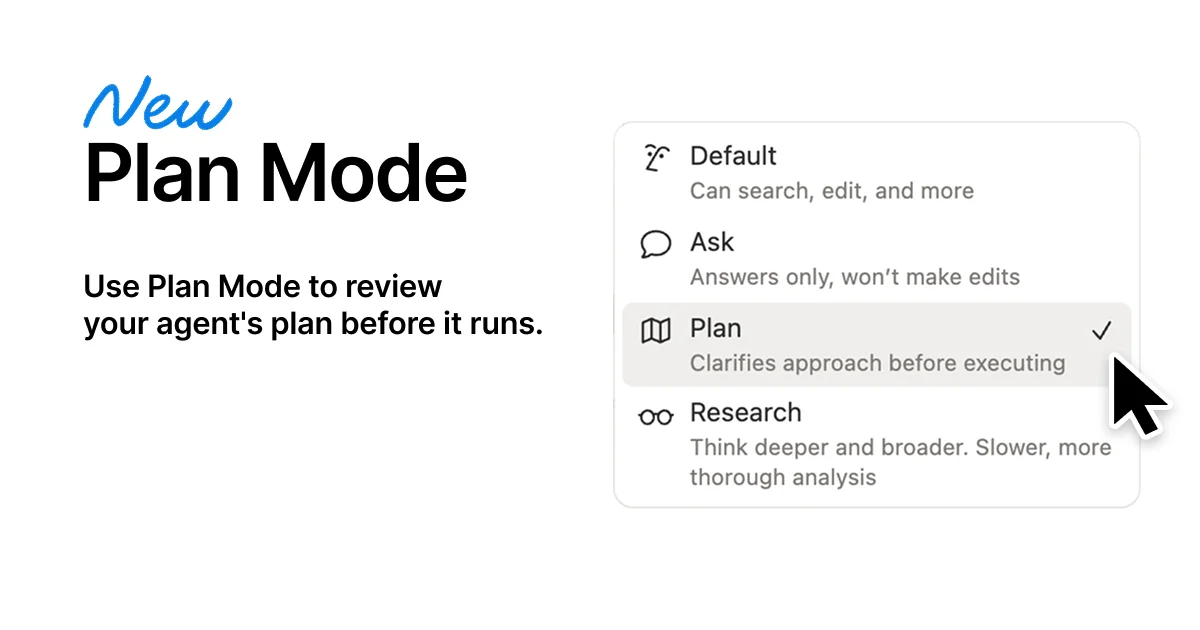
Notion Plan Mode: the Delegation Threshold pattern
Notion Plan Mode's real design move: making the no-edit state a system guarantee.

Notion shipped Plan Mode on May 7, 2026 with a single sentence of design rationale: "Because a prompt without a plan is just a wish." 1 That tagline sounds like marketing copy. The actual design decision underneath it is more specific — and more transferable.
The core move is not "add a planning step before AI execution." It is: make the no-edit state a system-level guarantee, not a prompt-level request. That distinction is the whole teardown.
What the mode picker UI is actually communicating
Before you reach the five-stage interaction flow, there is a menu. Open Notion AI chat, go to Settings → Mode, and you see this:
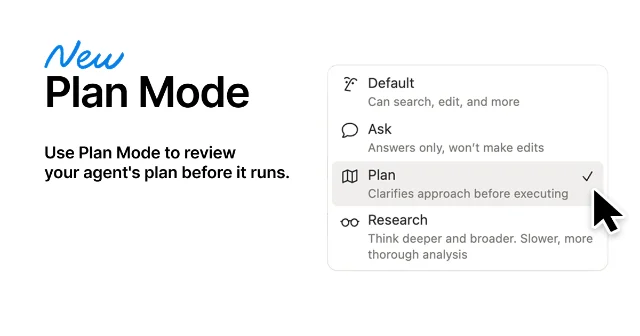
Look at how the four modes are labeled:
- Default — "Can search, edit, and more"
- Ask — "Answers only, won't make edits"
- Plan — "Clarifies approach before executing"
- Research — "Think deeper and broader. Slower, more thorough analysis"
Each subtitle is a constraint declaration, not a feature description. They tell you what the agent will not do, not just what it will. "Answers only, won't make edits" and "Clarifies approach before executing" are negative capability bounds — this agent, in this mode, has a ceiling on how far it acts.
This is information hierarchy at the vocabulary level. The visual weight is equal (same font size, same layout position, same icon scale across all four), but the semantic weight is asymmetric: Ask and Plan are defined by their restraint. The mode picker is, structurally, a delegation interface. You are selecting how much unsupervised agency to grant before you've typed a single word.
The design implication: the mode name is the contract. When Plan mode says "Clarifies approach before executing," it is making a promise the system must enforce — not a suggestion you can override with a cleverly worded prompt.
The five-stage grammar and what makes it structural
Once Plan mode is active, the interaction follows a fixed sequence. 2
- User submits a task
- Agent asks clarifying questions — often as multiple-choice options ("Which page should I use as the source of truth?" / "Do you want a rewrite, a summary, or a format cleanup?")
- Agent generates a plan page containing: a goal, the steps it will take, a preview of what will change, and any risks or items requiring confirmation
- User reviews the plan — and can request modifications via follow-up chat without triggering any edits
- User clicks Approve plan → execution begins
The critical state is step 3 and 4. Notion's Help Center names it explicitly: "Planning is read-only: Notion Agents won't make edits until you approve the plan." 2
"Read-only" is not a UI label in this context — there is no grayed-out edit button. It is a mode-level behavioral constraint. The agent has generated a plan, it is sitting in your workspace as a Notion page, and it cannot act on that plan until you explicitly release the lock. The approval click is not a confirmation dialog (which users dismiss without reading). It is the only mechanism that moves the system out of read-only state.
This is the design bet. Devin, an observer on the release thread, articulated it precisely: "Once the agent can touch state, the approval step stops being a UX detail and becomes the product." 3
The clarifying questions in step 2 also earn their place. Offering choices ("rewrite, summary, or format cleanup?") rather than open-ended prompts reduces the interpretive load on the agent and forces the user to commit to a specific intent. The plan that gets generated reflects a pre-negotiated scope. This matters because scope ambiguity is exactly what makes multi-step agent execution unpredictable — the plan page becomes evidence of what was agreed, not just what the agent assumed.
The plan page as a persistent artifact
One design choice that sets Notion's implementation apart from similar patterns in Cursor or Claude Code (Shift+Tab plan mode): the plan is a regular Notion page. 2
You can keep it for reference after execution. You can share it with your team before approving it. If the execution produces unexpected results, the plan page is the audit trail — you can compare what the agent said it would do against what it actually did.
In Claude Code, the plan exists in the chat thread and scrolls away. In Notion, the plan is a first-class document with a persistent URL. This is not incidental — it reflects the product's underlying data model (everything is a page) — but the design decision to surface it as a shareable team artifact changes the social dynamics of agent delegation. A manager can review the plan before a junior team member approves it. The plan becomes a coordination object, not just a pre-flight check.
Loading content card…
Where Plan Mode doesn't apply
Notion is explicit about scope. The Help Center lists when to use Plan mode: "Edit several pages. Update a database (especially many rows or properties). Do a multi-step task where the request could be interpreted more than one way." 2
This is a constraint worth respecting. Emon Datta, in a community thread, identified the tradeoff correctly: "Adding a planning step can introduce friction. For simple tasks, it may slow things down more than it helps, so the real value shows up in complex, high-stakes workflows." 3
The mode picker design accounts for this. You have to manually switch to Plan mode — "Notion Agent can't switch on Plan mode automatically." 2 The default is Default mode: search, edit, act. Plan mode is opt-in friction. Choosing when to apply the delegation threshold is a user decision, not a system heuristic.
This is a legitimate design tradeoff, not a gap. Creao AI summarized the correct mental model: "Plan-then-approve for high-stakes decisions. Autonomous scheduled runs for recurring work. The pattern isn't one or the other." 3
Notion's April roundup confirmed Plan Mode as part of a broader push toward agent infrastructure that month — alongside other AI capabilities shipped in the same window. 4
Loading content card…
The named pattern: Delegation Threshold
The Delegation Threshold is the design decision to insert a system-enforced, no-edit pause between user intent and agent execution — where the pause is not a confirmation dialog but a structured artifact (a plan, a diff, a preview) that the user must explicitly release.
The distinguishing element is system enforcement. A prompt that says "before doing anything, write a plan" is a request; the agent can misunderstand or skip it under ambiguity. Plan Mode's read-only guarantee is a capability constraint — the agent cannot edit until the lock is cleared. The trust does not rest on the agent's instruction-following; it rests on the mode's behavioral invariant.
The same pattern appears in other places with varying enforcement strengths:
- Cursor Plan Mode — the agent enters an exploration phase, proposes changes, waits for user confirmation before writing code. The enforcement is at the tool-call level: edit tools are disabled during plan phase.
- Linear's review queue for agent-generated issues — before an AI-drafted issue becomes visible to the team, a human reviewer must publish it. The draft is a delegation threshold between agent output and team state.
- Stripe's payment intent confirmation step — before funds are captured, the payment intent must be confirmed by the client. The authorization is a system-level separation between "intent declared" and "action taken."
Three conditions where Delegation Threshold applies:
The agent is operating on shared or persistent state that is difficult to reverse. Editing many Notion pages, committing code, updating a database — these actions have downstream effects. A post-execution undo is costlier than a pre-execution review. The higher the reversal cost, the more the threshold earns its friction.
The user's intent is structurally ambiguous at the time of input. "Clean up the project wiki" admits multiple valid interpretations. Making that ambiguity explicit before execution (via clarifying questions and a plan) moves the user from a passenger to a co-author of the agent's approach. Execution then reflects a negotiated scope, not an inference.
Trust in the agent needs to be built incrementally. The first ten times a team member uses an AI agent on shared documents, they need evidence that the agent understood the task before it ran. The plan page is that evidence. After twenty successful executions, the same team member may approve plans after a thirty-second scan — the threshold's friction cost falls as trust is established. Tomasz Nawrocki made this point through a different lens: "Running 23 agents, the ones that work aren't the smartest. They're the ones with the clearest instructions written before anyone touched a keyboard." 3
PM takeaway: If you are building any product where an AI agent writes to shared, persistent state — databases, documents, calendars, codebases — ask whether your current confirmation step is a dialog box or a structured artifact. A dialog box is a UI gesture. A structured artifact (a plan, a diff, a preview document) is legible, sharable, and creates an audit trail. The difference between them is not cosmetic; it determines whether the approval step is a UX detail or the product.
The mode picker — four modes, each constrained by a two-word capability bound — is a tight information hierarchy lesson. Every word in "Answers only, won't make edits" earns its place. When the label is the contract, there is no room for vague.
Cover image: Notion official release page for Plan Mode
Add more perspectives or context around this Post.