Connect a custom MCP server to your Notion Custom Agent
Notion Custom Agents (Business/Enterprise only, available since May 13, 2026) can call external tools through MCP — 12 pre-configured OAuth servers plus any self-hosted MCP server. The article covers the three-layer tool architecture (built-in / MCP / Workers), the 4-step setup flow for custom servers, the unresolved Zod `.strict()` handshake bug that silently breaks strict-validation servers like Supabase's official MCP (open since Feb 25, 2026, no fix), the server-side `.strip()`/`.passthrough()` workaround, a Linear sprint-enrichment PM workflow walkthrough, an MCP-vs-Workers decision table, and 5 gotchas (DCR trap, one-connection-per-agent limit, opaque credits, write-tool confirmation defaults, silent credential revocation).

Research Brief
Prerequisites
| Requirement | Detail |
|---|---|
| Notion plan | Business or Enterprise |
| MCP access — pre-configured servers | Available immediately in agent Settings → Tools & Access |
| MCP access — custom/self-hosted servers | Workspace admin must enable: Settings → Notion AI → AI connectors → Enable Custom MCP servers 1 |
| Authentication | OAuth (if the MCP server supports Dynamic Client Registration) or header-based API key / bearer token |
| Credits | Each agent run that calls MCP tools consumes Notion Credits — $10 per 1,000 credits, Business/Enterprise only 3 |
What MCP integration means inside Custom Agents
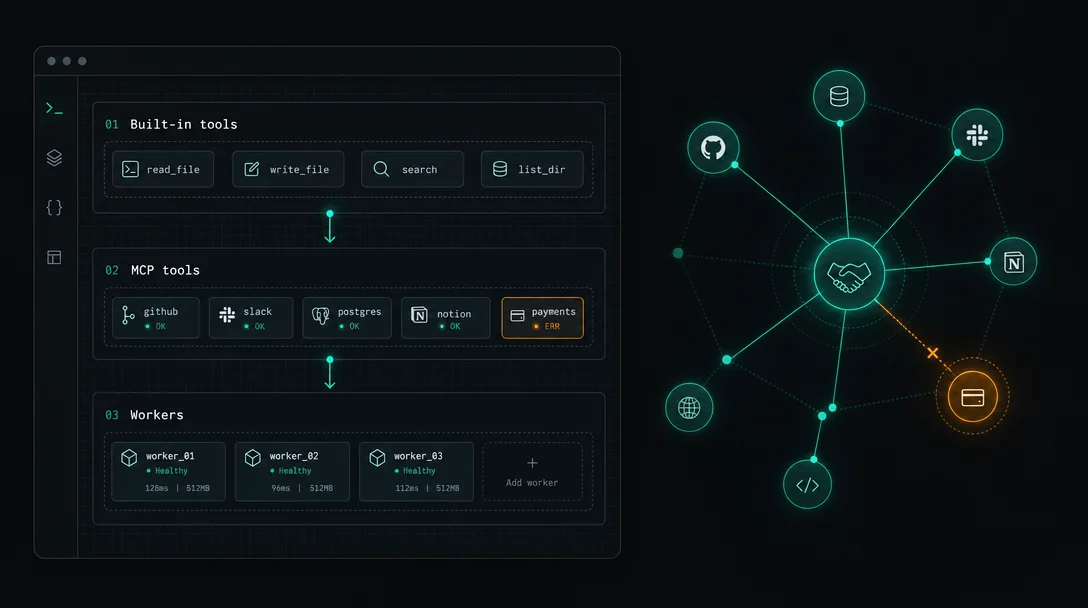
- Built-in tools — Notion page/database read/write, Slack, web search, Notion AI. No setup required.
- MCP tools — External services via the Model Context Protocol. The agent's LLM picks which tool to call at runtime. Twelve services ship pre-configured with one-click OAuth: Linear, Ramp, Figma, GitHub, Stripe, Sentry, Attio, HubSpot, Amplitude, Intercom, Wiz, n8n. 1
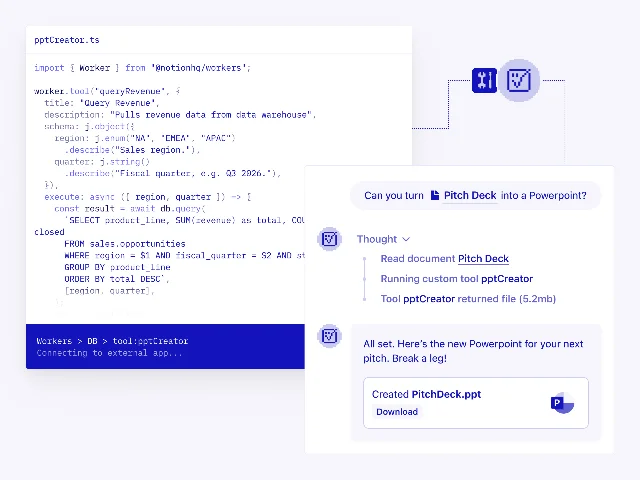
- Workers tools — TypeScript functions you deploy via the
ntnCLI, running as deterministic code. 「MCP is great for broad connectivity, but some workflows need predictable execution and custom logic that LLM-mediated tool calls can't always provide.」 — Max Schoening, Notion Head of Product. 4
Connecting a pre-configured MCP server
- Open the Custom Agent → Settings → Tools & Access → Add connection.
- Choose the service (e.g., Linear or GitHub) from the pre-configured list.
- Complete the OAuth sign-in flow.
Connecting a custom MCP server — step by step
https://your-mcp-server.com/mcp.Run automatically or Always ask.The handshake bug that breaks strict-validation servers
nonce, notion_user_id, and prompt. Any server using Zod .strict() or additionalProperties: false in its JSON Schema rejects them instantly and returns: 5{"message": "Unrecognized key(s) in object: 'nonce', 'notion_user_id', 'prompt'"}mcp.supabase.com) is a confirmed casualty — its strict Zod schema blocks every Notion Agent connection. 6 As darkangelpraha, who filed both issues, put it: 「Any MCP server using strict schema validation is incompatible with Notion Agent. This blocks usage of official hosted MCP servers like Supabase's.」makenotion/notion-mcp-server#221 and supabase-community/supabase-mcp#226) were filed on February 25, 2026 and remain open with zero official response as of May 29, 2026. 5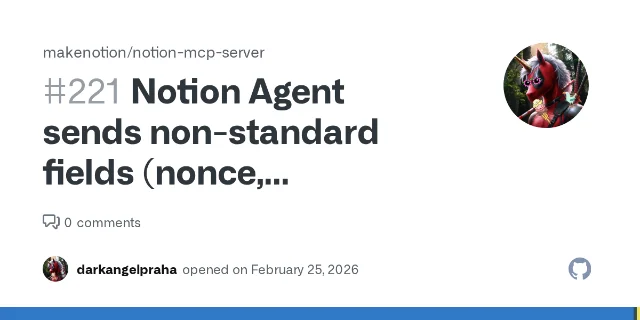
.strict() to .strip() or .passthrough(). This silently drops the unknown fields and lets the handshake complete. 5// Before — breaks with Notion Agent
const requestSchema = z.object({ method: z.string() }).strict();
// After — ignores Notion's extra fields
const requestSchema = z.object({ method: z.string() }).strip();PM workflow: Monday sprint enrichment with Linear MCP
- Connect the pre-configured Linear MCP via the OAuth flow above.
- Set the trigger to Scheduled — Monday 9:00 AM.
- In agent instructions, specify the Linear team, sprint cycle, and target Notion database.
- Set Linear query tools to
Run automatically. Set any write tools toAlways ask.
MCP vs Workers: when to use which
.strict() check. Workers are free through August 11, 2026, then join Notion Credits billing. 4| Signal | Use MCP | Use Workers |
|---|---|---|
| Pre-built server exists for target tool | ✓ | |
| Primarily read / search / retrieval | ✓ | |
| Zero infrastructure to manage | ✓ | |
| Need LLM to decide which tool to call | ✓ | |
| Need deterministic output (code runs as written) | ✓ | |
| Custom logic beyond what MCP exposes | ✓ | |
| Token efficiency matters | ✓ | |
| No MCP server exists for target system | ✓ | |
| Webhook endpoint or scheduled data sync | ✓ |
Gotchas
Run automatically. For fully automated scheduled runs, you must pre-configure each write tool's confirmation setting. 1References
- 1Notion Help Center: MCP connections for Custom Agents
- 2Notion Release Notes: 2026-05-13
- 3Notion Help Center: Custom Agent Pricing
- 4Notion Blog: Introducing Notion's Developer Platform
- 5GitHub Issue #221: Notion Agent sends non-standard MCP fields
- 6GitHub Issue #226: Supabase MCP incompatible with Notion Agent
- 7Notion Developer Docs: How to write an agent tool
Add more perspectives or context around this Drop.