Sync Salesforce into your Notion roadmap with a 10-line Worker
Notion's native automations can't pull live external data — this tip shows PMs how to use the new Notion Workers runtime (launched May 13 2026) to sync Salesforce open opportunities into a Notion roadmap database daily with a complete 10-line TypeScript implementation.
Your Notion PM dashboard is lying to you.
Not because someone entered bad data — because nobody entered any data. The sprint closed in Jira, the deal stage changed in Salesforce, the OKR score was updated in the shared Google Sheet. Notion doesn't know. It shows whatever someone typed there last Tuesday.
This is a structural limitation of Notion's native automation engine. It can fire a trigger when a page property changes, create a new task, send a Slack notification — but it cannot reach outside Notion and ask a live system "what's the current value?" 1 Automations can only write values you define at setup time. There is no "find a matching record and read its value" step. For a PM who wants a live cross-tool dashboard, this is the ceiling.
Notion Workers and Database Sync, launched on May 13, 2026, remove that ceiling. 2
Why the native automation engine isn't the right tool here
Notion's database automations trigger on: a page being created, a property changing, or a button being clicked. They can set a fixed property value, create a page in a connected database, or send a notification. 1
What they cannot do:
- Read a value from an external system (Salesforce, Jira, GitHub, Postgres)
- Look up a value dynamically from another live Notion record via a relation
- Loop through a set of records and propagate a calculated result
The constraint is intentional — the automation engine is designed to stay simple enough for non-engineers to build without training. That's a reasonable tradeoff for lightweight task automations. It's the wrong tool for a PM who wants their roadmap database to reflect real deal data from Salesforce without a weekly copy-paste ritual.
For that, you need something that can run arbitrary code outside Notion's UI — and that's exactly what Workers are.
What Notion Workers and Database Sync actually do
Notion Workers is a hosted TypeScript runtime that runs inside Notion's infrastructure. You write your logic as a Worker function, deploy it with the
ntn CLI, and Notion runs it in a secure sandbox — no external server, no Lambda, no Heroku to maintain. 2A Worker can be triggered in three ways: on a schedule (daily, hourly, custom cron), via an inbound webhook (an external system pushes an event), or as a tool invoked by a Custom Agent. For dashboard sync, the schedule trigger is the right choice.
Database Sync is what Workers expose when they write structured data back into a Notion database. The Worker fetches from an external API — Salesforce, Zendesk, Postgres, Stripe — parses the response, and upserts rows into a Notion database. Notion treats the result as a live-synced data source rather than a static table.
Brian Emerick, a technical program manager at Vercel, described the pattern precisely: "Workers let us connect directly to other tools' APIs and automate what used to be manual handoffs. Notion becomes the connective layer, and Workers fill in whatever gaps exist between your tools." 3
The runtime is deterministic — it runs the same code the same way every time — which makes it more reliable than asking an LLM to orchestrate API calls, and a fraction of the token cost. 3

Image from: May 13, 2026 – 3.5: Notion Developer Platform
Setting it up: Salesforce → Notion roadmap sync
Here's a concrete setup that syncs open Salesforce opportunities into a Notion product roadmap database — so your team sees deal stage and ARR alongside feature status, without leaving Notion.
Prerequisites: Business or Enterprise plan (Workers require it); Notion CLI installed; a Salesforce Connected App with OAuth credentials or an API token.
Step 1 — Install the CLI and authenticate
curl -fsSL https://ntn.dev | bash
ntn auth login
Step 2 — Scaffold a new Worker
ntn workers new salesforce-syncThis creates a TypeScript project with a
worker.ts entry file.Step 3 — Write the sync logic
import { worker } from "@notionhq/workers";
import { Client } from "@notionhq/client";

const notion = new Client({ auth: process.env.NOTION_TOKEN });
const ROADMAP_DB = process.env.NOTION_DB_ID;

export default worker.schedule("every day at 08:00", async () => {
  // Fetch open opportunities from Salesforce REST API
  const sfRes = await fetch(
    `${process.env.SF_INSTANCE_URL}/services/data/v59.0/query?q=` +
    encodeURIComponent("SELECT Id,Name,StageName,Amount FROM Opportunity WHERE IsClosed=false"),
    { headers: { Authorization: `Bearer ${process.env.SF_ACCESS_TOKEN}` } }
  );
  const { records } = await sfRes.json();

for (const opp of records) {
    // Upsert into Notion roadmap DB, keyed on Salesforce ID
    await notion.pages.create({
      parent: { database_id: ROADMAP_DB },
      properties: {
        "Deal Name": { title: [{ text: { content: opp.Name } }] },
        "Stage": { select: { name: opp.StageName } },
        "ARR": { number: opp.Amount ?? 0 },
        "SF ID": { rich_text: [{ text: { content: opp.Id } }] },
      },
    });
  }
});
Step 4 — Push secrets and deploy
ntn workers env push --env NOTION_TOKEN=secret_xxx
ntn workers env push --env NOTION_DB_ID=your-database-id
ntn workers env push --env SF_INSTANCE_URL=https://yourorg.salesforce.com
ntn workers env push --env SF_ACCESS_TOKEN=your-sf-token
ntn workers deploy
The Worker runs at 08:00 daily. Every morning your Notion roadmap reflects what Salesforce said overnight — without anyone opening Salesforce.
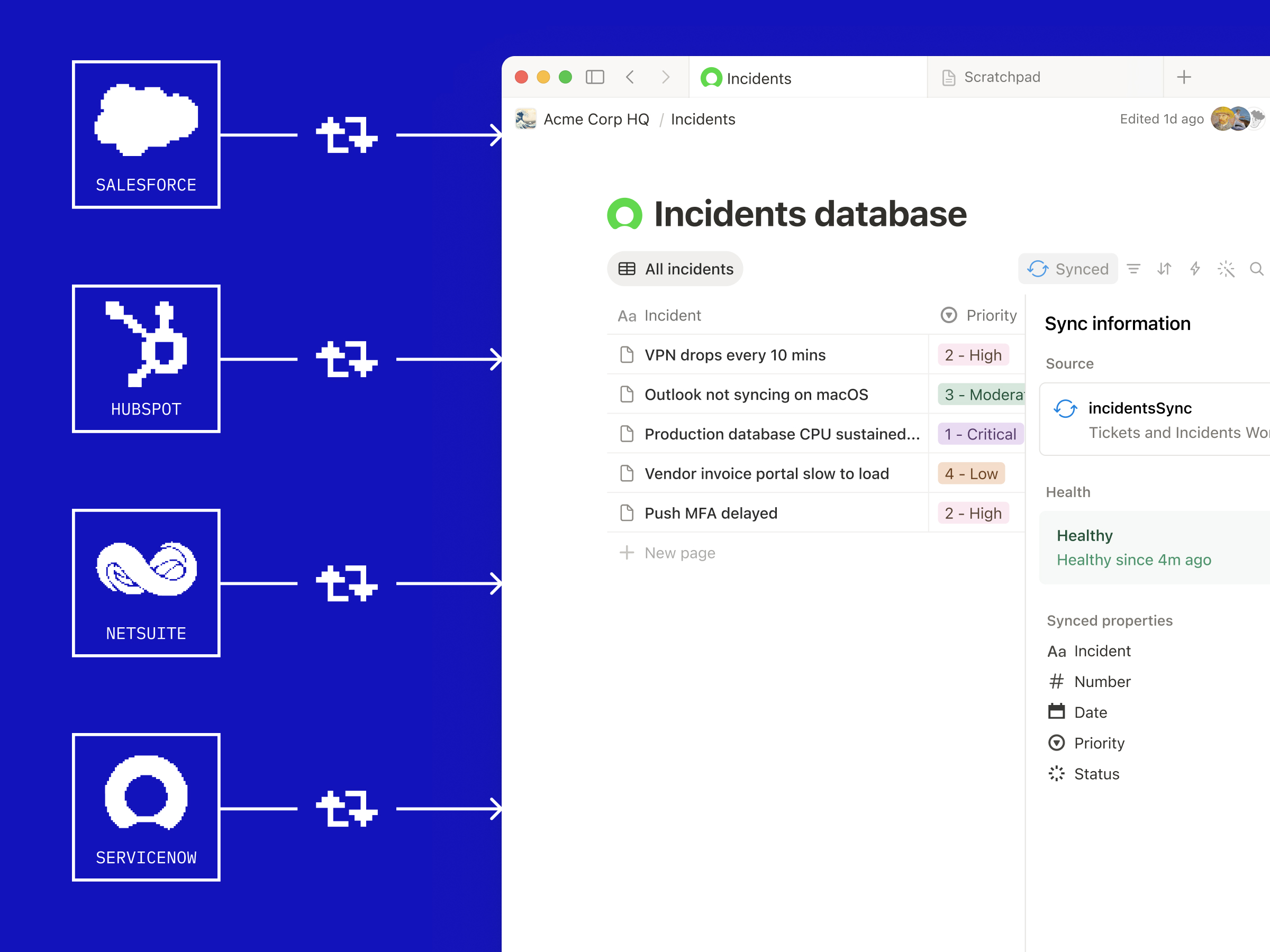
Image from: Introducing Notion's Developer Platform
Verification: After the first deploy, run
ntn workers logs salesforce-sync to confirm the Worker executed without errors. Check your Notion database — new rows should appear. If you see HTTP 429 errors in the logs, your Salesforce query is returning too many records per run; add a LIMIT 50 to the SOQL query and use a OFFSET-based pagination loop.Gotchas before you ship this
Rate limit: The Notion API allows an average of 3 requests per second per integration token. 4 If your Salesforce query returns 200+ opportunities, calling
notion.pages.create in a tight loop will hit HTTP 429. Fix: batch your writes with a 350ms delay between calls (await new Promise(r => setTimeout(r, 350))), or use the upsert pattern with pages.update for existing records rather than creating duplicates on every run.Upsert, don't insert: The sample above creates a new page on every run. In production, query the database first for an existing row with the matching
SF ID property, then call pages.update if it exists. Otherwise your database doubles every day.Plan requirement: Workers require Business ($20/user/month) or Enterprise. 5 The standalone AI add-on no longer unlocks this — full Business plan only.
Pricing window: Workers are free through August 11, 2026, after which they consume Notion Credits at $10 per 1,000 credits. 2 A daily sync of 100 records is well within a reasonable credit budget, but monitor usage in Settings → Notion Credits once billing begins.
Add more perspectives or context around this content.