UI/UX Pro Max: a searchable design database your agent can actually reason from
90K-star design intelligence skill — BM25 design system generator for 19 agents.

研究速览
Today's pick:
nextlevelbuilder/ui-ux-pro-max-skill — a design intelligence skill that gives your agent access to 67 UI styles, 161 color palettes, 161 industry-specific reasoning rules, and a BM25-powered Design System Generator across 15 tech stacks. 90,700 GitHub stars, 212,300 installs on skills.sh. 1| Field | Value |
|---|---|
| Repo | nextlevelbuilder/ui-ux-pro-max-skill |
| Maintainers | mrgoonie, viettranx (Next Level Builder) |
| License | MIT |
| Latest version | v2.5.0 (Mar 10, 2026) |
| Stars / forks | 90,700 / 9,400 1 |
| skills.sh installs | 212,300 2 |
| Supported agents | 19 (Claude Code, Cursor, Windsurf, Copilot, Kiro, Codex CLI, Gemini CLI, Roo Code, and more) |
| Tech stacks | 15 (React, Next.js, Vue, Nuxt, Angular, Svelte, Astro, SwiftUI, Flutter, and more) |
| Runtime dependency | Python 3.x |
What it does
Most design-focused agent skills work as aesthetic guardrails: a list of dos and don'ts, a color philosophy, a style manifesto. UI/UX Pro Max approaches the problem differently — it ships a searchable database that your agent queries at the start of any UI task.
The database covers five dimensions: product type (161 industry categories), UI style (67 named styles), color palette (161 palettes), landing page pattern (24 structural layouts), and typography (57 font pairings with 1,923 Google Fonts indexed). 1 When you ask Claude Code to build a landing page for a SaaS security tool, the skill tells the agent which style fits that product category, which palette fits that style, and which typography reinforces both — before a single line of code gets written.
Each product-type entry carries an explicit reasoning rule: recommended patterns, color mood, typography mood, key effects, and a short list of anti-patterns. The banking category, for example, blocks "AI purple/pink gradients." 3 As Medium writer Abhinav Dobhal put it: "The AI doesn't pick designs randomly — it picks them scientifically." 4
The flagship feature, introduced in v2.0.0, is the Design System Generator. Run a single command and the agent produces a complete output: layout pattern, UI style, color scheme, typography system, key effects, anti-pattern checklist, and pre-delivery checklist — all pinned to your project name. 3
python3 .claude/skills/ui-ux-pro-max/scripts/search.py "beauty spa wellness" \
  --design-system -p "SerenityApp"
v2.1.0 added a
--persist flag that writes the output to design-system/MASTER.md plus per-page override files. 3 That solves one concrete problem: without persistence, a Claude Code session that runs 20 turns can silently drift away from the design decisions made in turn 1.Which agent ecosystems it supports
Two operating modes depending on the platform:
Skill mode (natural language, auto-triggers): Claude Code, Cursor, Windsurf, Antigravity, Codex CLI, Continue, Gemini CLI, OpenCode, Qoder, CodeBuddy, Droid, KiloCode, Warp, Augment. Talk to your agent normally — the skill fires when you describe a UI task. 5
Workflow mode (slash command): Kiro, GitHub Copilot, Roo Code, KiloCode. Prefix your request with
/ui-ux-pro-max. 5Tech stacks with first-class support: HTML + Tailwind, React, Next.js, shadcn/ui, Vue, Nuxt.js, Nuxt UI, Angular, Laravel, Svelte, Astro, SwiftUI, Jetpack Compose, React Native, Flutter. 1
正在加载内容卡片…
How to install
Prerequisites: Python 3.x must be on your machine — the Design System Generator's search engine (
search.py) runs on it. 1# macOS
brew install python3
# Ubuntu / Debian
sudo apt install python3
# Windows
winget install Python.Python.3.12Three ways to install the skill itself:
Option 1 — CLI (recommended)
npm install -g uipro-cli
uipro init --ai claude          # installs into .claude/skills/
uipro init --ai claude --global # installs into ~/.claude/skills/ (all projects)
Option 2 — skills.sh one-liner
npx skills add https://github.com/nextlevelbuilder/ui-ux-pro-max-skill --skill ui-ux-pro-maxOption 3 — Claude Marketplace
/plugin marketplace add nextlevelbuilder/ui-ux-pro-max-skill
/plugin install ui-ux-pro-max@ui-ux-pro-max-skill
Supported
--ai values for uipro init: claude, cursor, windsurf, copilot, kiro, codex, gemini, roo, continue, and more. 1Usage examples
Basic usage (Skill mode): describe your UI task to the agent in natural language.
Build a landing page for a fintech SaaS — I need a hero section, feature grid, and pricing table.The skill intercepts the request, looks up "fintech saas" against its 161 product-type rules, and instructs the agent to avoid overly playful palettes, prefer structured typography, and skip AI gradient clichés before writing code.
Design System Generator:
# Generate and display a design system
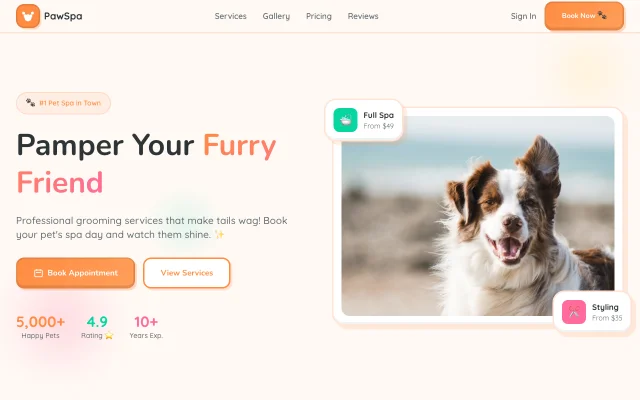
python3 .claude/skills/ui-ux-pro-max/scripts/search.py "pet grooming service" \
  --design-system -p "PawSpa"

# Generate, persist, and format as markdown for CLAUDE.md or DESIGN.md
python3 .claude/skills/ui-ux-pro-max/scripts/search.py "pet grooming service" \
  --design-system -f markdown --persist -p "PawSpa"
The
--persist flag writes output to design-system/MASTER.md so every subsequent agent turn in the same project can reference the same design decisions.Here's what that persisted design system looks like when applied to a real build:
Search individual dimensions (without generating a full system):
# Find styles for a keyword
python3 .claude/skills/ui-ux-pro-max/scripts/search.py "healthcare dashboard" --domain style

# Find color palettes
python3 .claude/skills/ui-ux-pro-max/scripts/search.py "healthcare dashboard" --domain color

# Search Google Fonts
python3 .claude/skills/ui-ux-pro-max/scripts/search.py "modern humanist" --domain google-fonts
v2.3.0–v2.5.0 also shipped four standalone sub-skills for more granular control:
brand, design, design-system, and ui-styling. 3 Invoke them by name in Skill mode or with /brand, /design, /design-system, /ui-styling in Workflow mode.What the community says
Community response follows a consistent split: the floor-raising effect is real, but the skill alone doesn't solve taste consistency.
The positive case: stevengonsalvez on DEV Community described it as a skill that "gives your agent real design taste," working best in combination with Impeccable and Google Stitch. 7 In Dobhal's words: "We're moving from 'human designs, AI implements' to 'human directs, AI designs and implements.'" 4
The limits surface quickly for anyone who relies on it across a long project. A Reddit post in r/ClaudeAI from May 2, 2026 — 16 upvotes, 24 comments — summarized months of real usage: 8
"The output got good fast. Code-wise. Layout-wise. What didn't get good was the taste." 8
The same thread produced a sharper critique from u/brewcast_ai:
"The model will keep reaching for the same archetypes no matter what you write, unless you pin it down with actual reference material." 8
The practical fix that emerged from the thread: pair the Design System Generator's
--persist output with a DESIGN.md file that contains actual reference URLs. The skill sets the vocabulary; the reference URLs break the statistical pull toward generic archetypes. One commenter, u/mcdouscherstein, went further and built a separate design system auditor sub-agent that runs on every new file at commit time. 8On X, @Skiipy88 put the homogeneity concern directly: "You save time, but produce the same output as the other 500k users." 9
正在加载内容卡片…
Known limitations
Five things to know before committing this to your workflow:
- Python 3.x is required and controversial. Issue #352 (opened Jun 12, 2026) explicitly requests removing the Python dependency in favor of pure JS/Node.js. 10 If your environment can't run Python or your team has a no-Python policy, the Design System Generator won't work. The aesthetic guardrail layer (the SKILL.md instructions to the agent) still runs without Python — you lose the search-and-rank engine, not the entire skill.
- Installation issues are actively reported. At least three separate GitHub issues filed in June 2026 (issues #347, #338, #334) report installation failures across different setups. 10 Uninstall issues have also appeared (#318, #304), with at least one user reporting that uninstalling the skill disrupted other AI agent client configurations.
- No cross-session taste memory without
--persist. The skill applies its rules at generation time but doesn't retain the choices your agent made — or rejected — in a previous session. Without--persistand an explicitDESIGN.md, every new session starts from the same neutral default. 8 - No new releases for ~3 months. v2.5.0 shipped March 10, 2026. As of June 12, 2026, no further releases have appeared. 3 The project is still receiving GitHub issues, but development velocity has dropped from the near-daily release cadence seen in January–March.
When NOT to use this
Skip it if:
- You already have a project-specific
DESIGN.mdwith reference screenshots, brand tokens, and visual examples pinned to CLAUDE.md. The skill's value is getting from zero to a coherent design vocabulary quickly — if you've already done that work manually, the overlap is high. - Your team uses a design system like Radix Themes, shadcn/ui presets, or a proprietary token library that your agent must follow strictly. The skill will recommend its own system and may conflict with your existing constraints.
- You need deterministic output across thousands of agent invocations and can't tolerate variation. The skill's recommendations are ranked and weighted but not hardcoded — the same prompt may produce slightly different outputs across sessions.
- You're on a team with strict no-Python policies or a locked-down environment where
brew install python3isn't available. - You're building forms, dashboards, admin panels, or mobile apps. The skill's current data is weighted toward marketing and landing-page patterns. It has no explicit mobile viewport guidance. 5
Use it if:
- You're starting a new product and need to go from blank canvas to coherent design system in one command. The
--persistoutput gives you a committedMASTER.mdto pin to your project. - You regularly prototype landing pages for different product types and want industry-appropriate defaults rather than the same generic template each time.
- You want your agent to enforce anti-patterns actively (like blocking AI gradient clichés for finance or healthcare) rather than relying on vague style instructions in CLAUDE.md.
- Your current AI-generated UI looks fine but indistinguishable — the kind where five different Claude sessions for five different products all produce the same dark hero with a blue CTA. This skill at minimum breaks that default.
Install it now
# Prerequisites
brew install python3   # macOS; see above for Linux/Windows

# Install via CLI (recommended)
npm install -g uipro-cli
uipro init --ai claude

# Or skills.sh one-liner
npx skills add https://github.com/nextlevelbuilder/ui-ux-pro-max-skill --skill ui-ux-pro-max

# Run the Design System Generator on your first project
python3 .claude/skills/ui-ux-pro-max/scripts/search.py "your product type" \
  --design-system -f markdown --persist -p "YourProjectName"
Official site: uupm.cc
Full repo: github.com/nextlevelbuilder/ui-ux-pro-max-skill
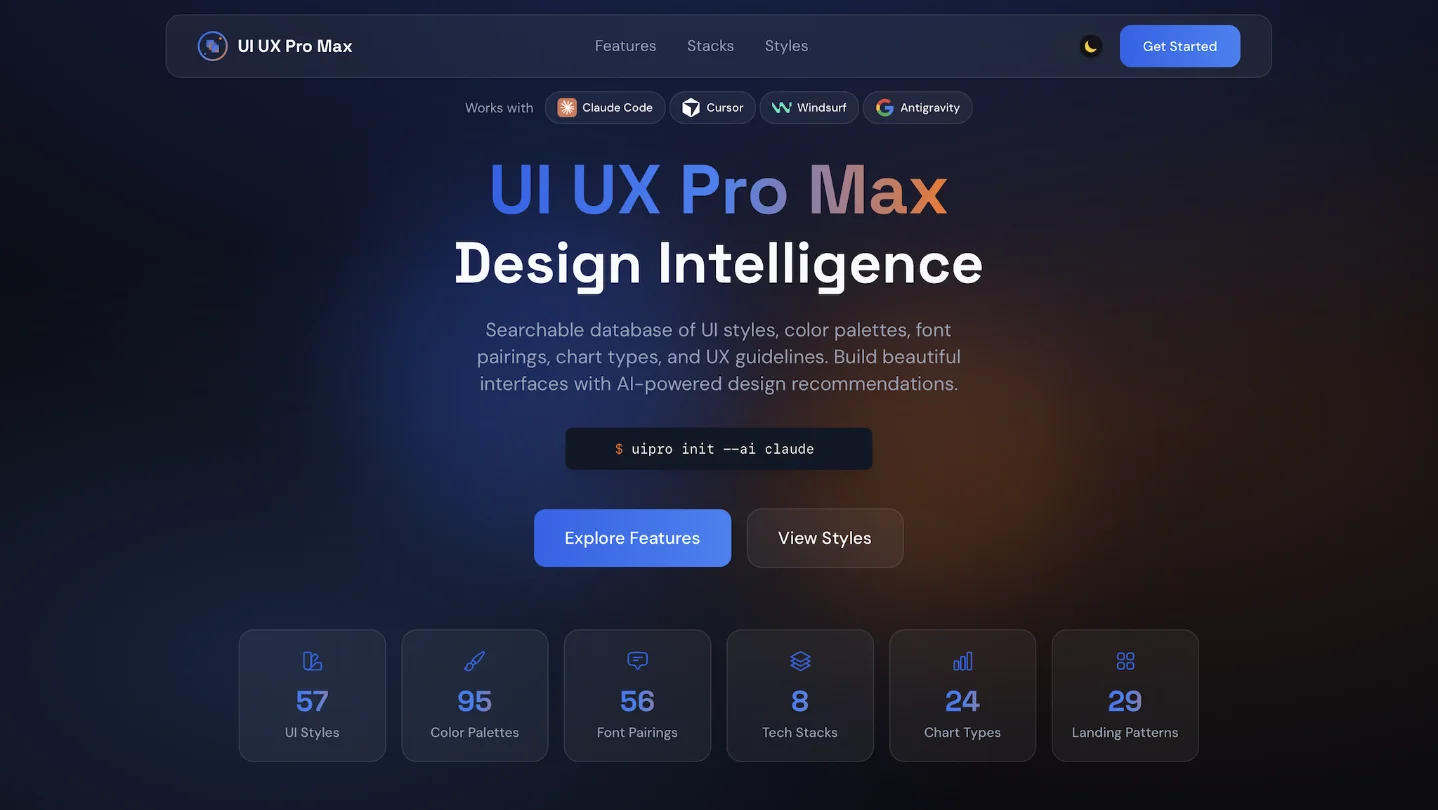
Cover image: UI UX Pro Max official website screenshot (nextlevelbuilder / MIT)
参考来源
- 1GitHub — nextlevelbuilder/ui-ux-pro-max-skill
- 2ui-ux-pro-max — skills.sh
- 3Releases — nextlevelbuilder/ui-ux-pro-max-skill
- 4The End of 'AI Slop': How UI/UX Pro Max is Solving the Design Crisis in AI-Generated Code
- 5SKILL.md — UI/UX Pro Max Skill Definition
- 6UI/UX Pro Max — Official Website
- 7UI/UX Pro Max: Stop Your AI Making Everything Look the Same
- 8r/ClaudeAI: Few months of /frontend-design + ui-ux-pro-max-skill + custom system prompts
- 9@Skiipy88 on X — UI/UX Pro Max criticism
- 10Issues — nextlevelbuilder/ui-ux-pro-max-skill
围绕这条内容继续补充观点或上下文。