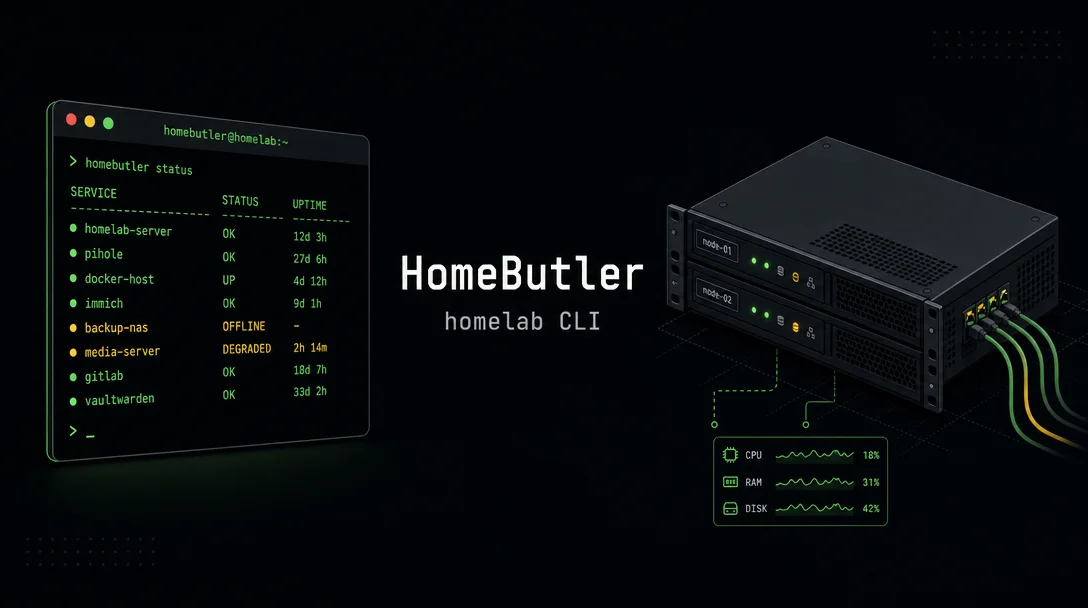
HomeButler: a homelab CLI that knows what changed
HomeButler (v0.19.0, 160★, Go, MIT) snapshots your homelab's container states, ports, and processes, then diffs them automatically so you know exactly what changed the next time something crashes at 3 AM — no monitoring stack required.

It's 3 AM. Something crashed. You SSH in, poke around
systemctl, check docker ps, restart the offending container, and go back to bed — with no record of what broke, what the system looked like before, or whether anything else changed while you weren't watching.HomeButler (v0.19.0, 160★, Go, MIT) is a single binary that adds a thin diagnostic layer on top of your homelab. Its core loop: take a health snapshot, compare it to the last one, and tell you exactly what changed — containers that stopped, ports that disappeared, processes that spiked. The author, who goes by
swq115 on Hacker News, put it plainly: "I got tired of the same 3 AM routine — SSH in, check what crashed, restart a container, go back to sleep." 1正在加载内容卡片…
Install
HomeButler ships as a single ~15 MB binary with no runtime dependencies and no daemon to manage. Five install paths: 2
Homebrew (macOS/Linux):
brew install Higangssh/tap/homebutlerGo toolchain:
go install github.com/Higangssh/homebutler/cmd/homebutler@latestnpm (if Node is handy but Go isn't):
npm install -g homebutlerCurl installer (Linux, no dependencies):
curl -fsSL https://raw.githubusercontent.com/Higangssh/homebutler/main/install.sh | bashOr build from source. All paths land the same binary.
A real scenario: post-crash forensics without guesswork
Run
homebutler report on a regular cadence — say, nightly via cron — and HomeButler snapshots container states, open ports, top processes, and disk health. The first run creates a baseline under ~/.homebutler/reports/snapshots/; every subsequent run compares against the latest snapshot automatically. The next time something breaks at an inconvenient hour:homebutler reportThe output tells you which container stopped, which port vanished, and what the system looked like the last time everything was healthy. No manual before/after comparison required.
The
doctor command (added in v0.19.0) does a read-only pre-flight check before you make changes: resource pressure, stopped containers, public port exposure, backup hygiene, and whether your notification hooks are actually wired up. 3homebutler doctor --strict--strict exits non-zero on any warning, so it can block a deployment script if something looks off.For ongoing monitoring,
homebutler watch handles multi-backend crash detection with jitter detection across Docker containers, systemd units, and pm2 processes — useful if you have flapping containers that restart themselves before you notice.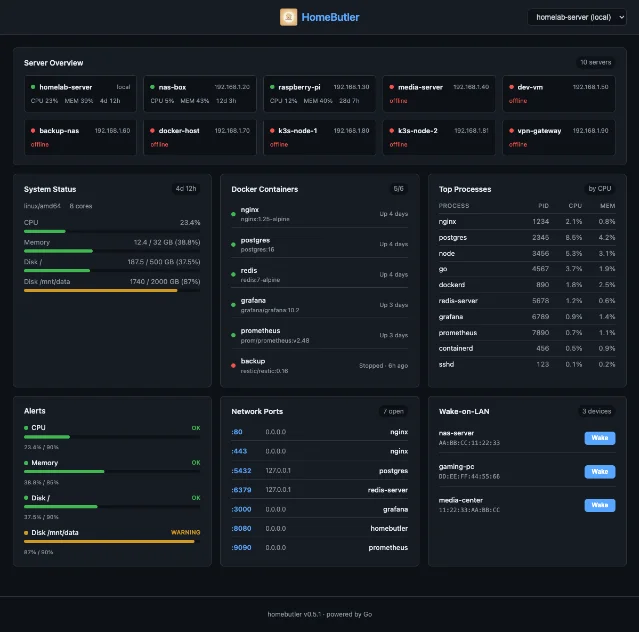
How it's built
HomeButler also ships a TUI and a web dashboard that expose the same data — container states, port map, process table, alerts, Wake-on-LAN controls. Both are optional; the CLI works without either.
The MCP server integration gets prominent billing in the README, but it's a side feature. The CLI runs entirely without AI agents. When
swq115 posted about it, the design rationale was specific: "The AI only talks to homebutler through structured JSON, it never gets a raw shell. Felt important given how agents have been behaving lately." 4 Whether you care about AI agent integration or not, the security boundary is a reasonable constraint for a tool that manages production-adjacent infrastructure.The project started in February 2026 and reached v0.19.0 in May — 34 releases across 257 commits in about three months. 2 3 The CHANGELOG follows Conventional Commits, which at minimum signals the author cares about traceability.
Community signal
160 stars, zero external comments across three HN posts. HomeButler has appeared on Show HN three times since April 2026 and attracted no replies from anyone other than the author. No Reddit threads, no Lobsters discussion, no independent write-up anywhere. 1 4 5
正在加载内容卡片…
That's a real gap. The tooling quality is ahead of the community validation. You'd be an early adopter with no forum to turn to if something breaks.
Caveats
- No independent validation. Every data point about HomeButler originates from the author or the repository itself. The three HN posts generated no outside commentary — no bug reports, no "I tried this and here's what happened" replies.
- Single-maintainer project at v0.19.0. Three months old, 34 releases, active commit pace — but no external contributors visible. Bus factor is 1.
- Go codebase with a Svelte web UI. If the web dashboard breaks on your setup, debugging it requires familiarity with both.
- MCP server prominence. The README title says "Manage your homelab from chat." That framing may attract or repel depending on your tolerance for AI-adjacent tooling. The CLI itself doesn't require any of that.
- No existing homelab community adoption signal. r/homelab, r/selfhosted, and similar communities have not picked this up yet. For a tool that manages home infrastructure, that absence matters more than for a pure developer utility.
Install:
brew install Higangssh/tap/homebutler or go install github.com/Higangssh/homebutler/cmd/homebutler@latestCover image: AI-generated
围绕这条内容继续补充观点或上下文。