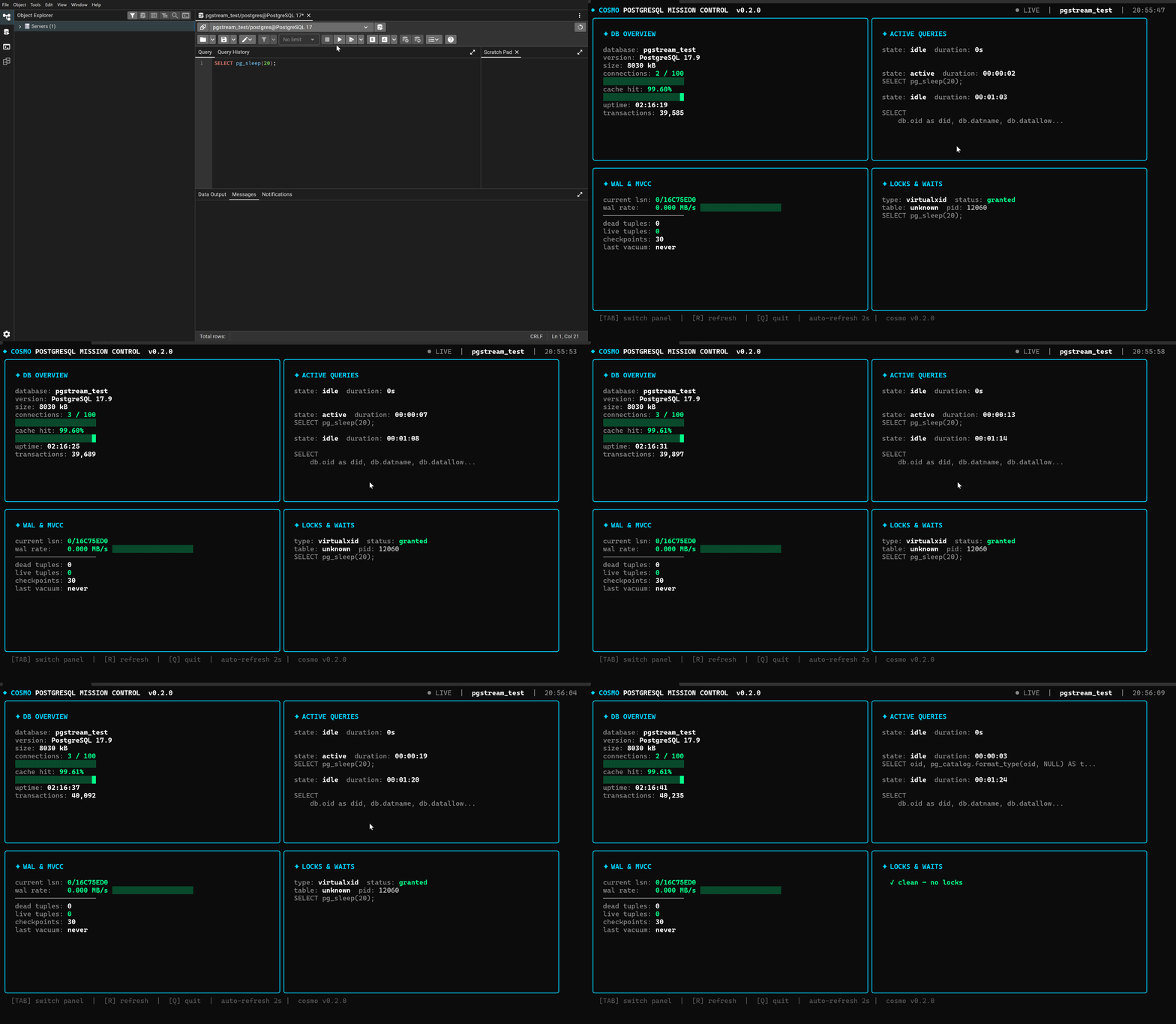
Cosmo: PostgreSQL TUI for WAL and MVCC internals

Cosmo: PostgreSQL TUI for WAL and MVCC internals

Cosmo is a 9-day-old Go bubbletea TUI that connects to PostgreSQL via a single DATABASE_URL and shows WAL write rate, MVCC dead/live tuples, active queries, and lock details in four auto-refreshing panels — no browser, no Prometheus stack needed.

CLI Tool Pick
2026/5/23 · 1:17
2 订阅 · 16 内容
Your queries are slow. You don't know if it's a lock pile-up, WAL lag pushing checkpoint pressure, or dead tuple bloat waiting on autovacuum. You have psql open. You don't want a browser. You're not going to stand up Prometheus and Grafana for a fifteen-minute debug session.
That's the exact gap Cosmo was built for 1.
Cosmo is a Go terminal dashboard for PostgreSQL internals — a four-panel bubbletea TUI that connects to your database via a single connection string, auto-refreshes every two seconds, and surfaces WAL/MVCC state alongside active queries and lock details. No browser, no external service. As its author mujib77 (Mujib Khan Pathan) put it in the README 1:
"No browser. No external service. No configuration beyond a database URL. Just run it and watch your database breathe."
The repo is nine days old (created 2026-05-13), sits at 6 GitHub stars, and tagged v0.2.0 "Mission Control" on 2026-05-20 2. This is an early find.

Install

go install github.com/mujib77/cosmo@latest
That's the only install path right now 1. No prebuilt binaries in the release assets, no Homebrew formula, no Docker image. You need Go 1.26+ on your machine 3.
Once installed, create a .env file in your working directory with a single line:
DATABASE_URL=postgres://user:password@localhost:5432/mydb
Then run cosmo. Three keyboard shortcuts: Tab to cycle panels, R to force a manual refresh, Q to quit 1.

What you're looking at

Cosmo renders four panels simultaneously 2:
PanelWhat it shows
DB OverviewDatabase size, active/idle connections, cache hit ratio (with a progress bar), server uptime
Active QueriesLive query state and duration for each connection
WAL & MVCCWAL LSN, WAL write rate in MB/s (progress bar), dead tuples, live tuples, checkpoint count, last autovacuum time
Locks & WaitsLock type, table name, and the blocking/waiting PIDs
The WAL & MVCC panel is what separates Cosmo from older alternatives. Watching WAL rate creep while your checkpoint count stalls tells you immediately whether you're hitting max_wal_size pressure — before your queries start queuing.
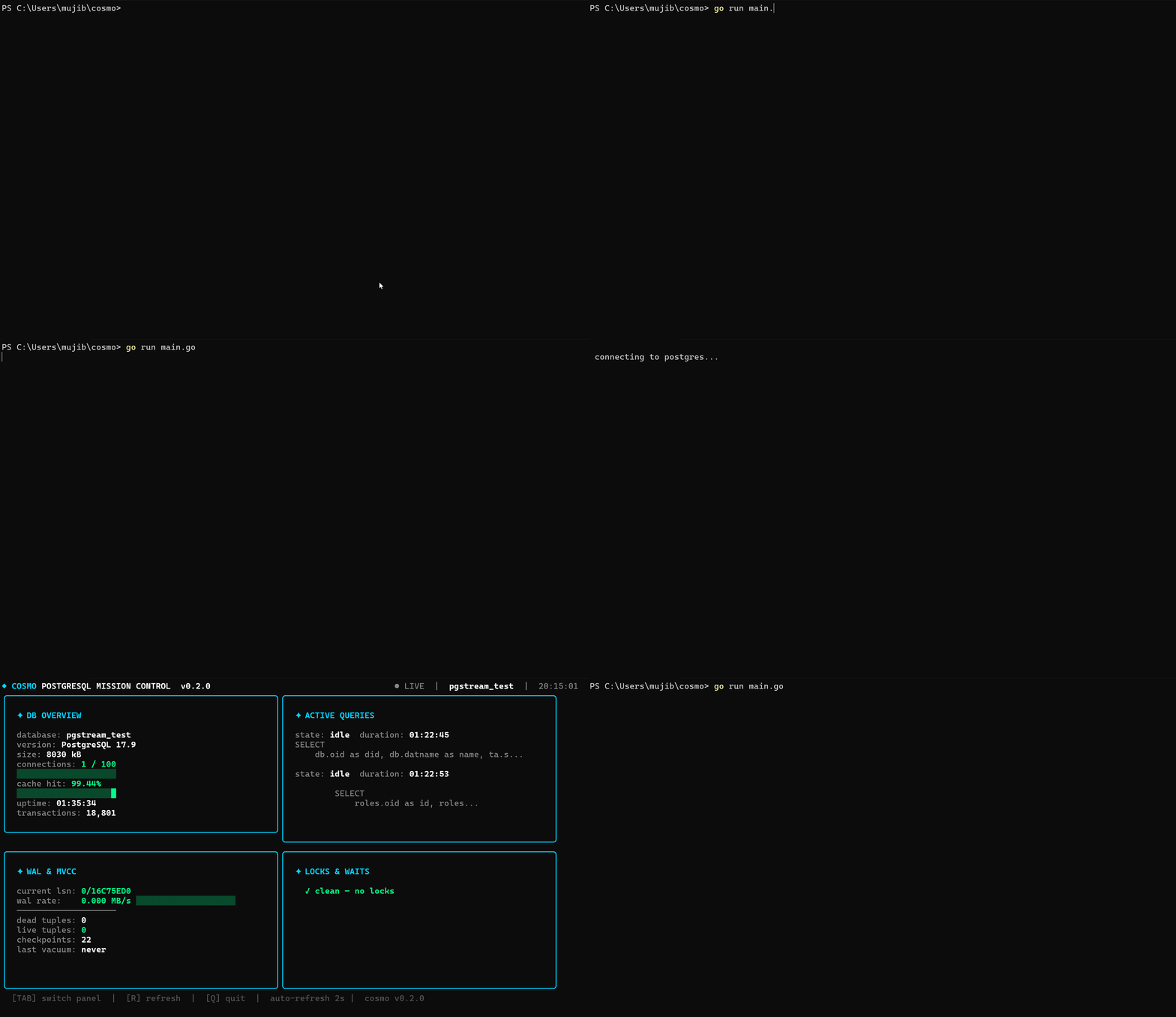
v0.2.0 added health color-coding (green/yellow/red thresholds) across metrics, lock table name display, and the boot animation sequence 2.
Cosmo boot animation — "Mission Control" startup sequence
Mission Control boot sequence, v0.2.0 2

A real scenario

You're running a batch job that's taking longer than expected. You open a second terminal, cd to a directory with your .env, and run cosmo. The WAL & MVCC panel shows the WAL write rate climbing and dead tuples accumulating while last autovacuum ran well before the job started. The Locks & Waits panel is clean — no contention. Active Queries shows several connections running the same UPDATE pattern.
You now know the batch job is generating write-amplification without triggering autovacuum fast enough. You don't need to run SELECT * FROM pg_stat_bgwriter or open pgAdmin. The diagnosis is on-screen.
mujib77 framed the core motivation this way in the r/golang community thread 4: "Shows WAL rate, active queries, locks, connections, cache hit ratio — all live in your terminal, updating every 2 seconds."

The community response so far

The initial community reaction is sparse but positive. The r/tui subreddit (15,629 members) gave v0.2.0 19 upvotes with 100% approval rate 5. The r/commandline announcement attracted one real commenter who noted the Windows Terminal demo screenshot — a rarity in a space dominated by macOS screenshots 6.
正在加载链接预览…

Where it fits among terminal PostgreSQL tools

The existing options in this space don't cover the same ground:
ToolWhat it monitorsWAL/MVCC visibility
pgcenterSystem-level PostgreSQL stats (CPU, I/O, tables)Partial — table bloat, no WAL rate
pg_topActive processes, basic connection infoNone
pgcliQuery client with autocompleteNot a monitor
CosmoWAL LSN + rate, dead/live tuples, locks, cache hitFull panel
pgcenter (the closest competitor) gives you table bloat and index stats but doesn't surface WAL write rate or checkpoint frequency as first-class displays. pg_top doesn't go near MVCC internals. Among the tools surveyed, no terminal-native alternative currently surfaces WAL write rate, dead tuple count, and live lock details together in a single refreshing view 1.

The honest caveats

go install only. If you're not a Go developer, you first need to install the Go 1.26+ toolchain. That's a non-trivial ask for a quick debugging session. No binaries in the release assets, no Homebrew tap exists yet 1.
PostgreSQL 17+ required. The dependency on PostgreSQL 17+ is a hard requirement. If your production instance runs PG 15 or 16, Cosmo won't connect 1.
Sparse community validation. The only meaningful community signal is 19 upvotes and a 100% approval rate on r/tui 5. The r/commandline post (4 upvotes) drew one real comment 6, and the r/devops post was removed by moderators — likely a self-promotion flag. No HN thread, no third-party writeup. You're essentially testing it yourself.
Still v0.2.0. Thirty-one commits and two tagged releases in nine days. The author confirmed the active-development status directly 4: "Still early (v0.2.0), actively building new features. Would love feedback and contributions."

The case for trying it now

The tool is straightforward to install if Go is already in your environment. The problem it solves (WAL internals visibility in the terminal) is real. Whether Cosmo becomes a staple or stays a curiosity depends on whether it handles PG connection poolers, authentication modes, and edge-case metrics reliably at scale. That's still unknown.
What's already clear: the feature surface (WAL rate, MVCC state, live lock display) covers a gap that pgcenter and pg_top leave open. If you're on PostgreSQL 17+ and live in the terminal, the go install is worth two minutes 1.
正在加载链接预览…
Cover image: Cosmo v0.2.0 four-panel dashboard demo from mujib77/cosmo on GitHub

围绕这条内容继续补充观点或上下文。

  • 登录后可发表评论。