Turn meeting notes into action items automatically with Notion Workers + Claude
Notion Workers (launched May 13, 2026; free beta through August 11) lets you deploy a ~100-line TypeScript webhook that fires whenever a meeting notes page is updated, sends the content to Claude Sonnet 4.6, and writes structured action items — task, due date, priority, source back-link — directly into a Notion database. No external servers, no Zapier, no Make. Total cost: ~$0.0038 per meeting note. Requires Notion Business or Enterprise plan. Covers full 7-step implementation, prerequisites table, idempotency guard, nested-block caveat, and cost-cliff warning for August.
Plan required: Notion Business or Enterprise ($20/user/month minimum). 1
Beta window: Workers are free through August 11, 2026, then $0.0023 per run on Notion credits. 2 Build this now — the meter hasn't started.
Every PM has the same post-meeting ritual: scan the notes page, identify action items buried in prose, copy them into a task database, fill in owner and due date. This tip eliminates that loop. A Notion Worker — serverless TypeScript running on Notion's own infrastructure — fires when a meeting notes page is updated, sends the content to Claude, and writes each extracted action item directly into your Notion database. No Make.com, no n8n, no external server.
As of May 19, 2026, no community implementation of this exact pattern has been published. 3
Prerequisites
| Requirement | Details | Where to get it |
|---|---|---|
| Notion Business or Enterprise plan | Workers deployment is unavailable on Free and Plus plans | notion.com/pricing |
Notion Internal Integration Token (ntn_...) | Authenticates the Worker to read/write pages and databases | app.notion.com/developers → Create integration |
| Integration capabilities | Read Content + Update Content + Insert Content | Set in the integration's Capabilities tab |
Anthropic API key (sk-ant-...) | Authenticates Claude API calls from the Worker | console.anthropic.com → API Keys (funded account required) |
Notion CLI (ntn) | Scaffolds, deploys, and manages Workers from your terminal | curl -fsSL https://ntn.dev | bash |
| Node.js 18+ | Workers runtime requirement; also needed for local development | nodejs.org or nvm install 18 |
| Action Items database ID | 32-character hex from the database URL | notion.so/workspace/DATABASE_ID?v=… |
| Pages shared with the integration | Notion integrations have no blanket workspace access | Each page → Connections menu → Add integration |
| Notion credits (post-Aug 11) | $0.0023/run, ~4,348 runs per $10/1,000 credits 1 | Workspace settings → Add-ons |
Windows users: thentnCLI requires WSL as of mid-May 2026. Native Windows support is listed as "coming soon." 4
How it works
The Worker registers a
worker.webhook() endpoint inside Notion. You register that endpoint with your Notion integration to receive page.updated events. When the event fires, the Worker fetches the page's block content via notion.blocks.children.list, converts the blocks to plain text, posts that text to the Claude Sonnet 4.6 API with an extraction prompt, parses the JSON response, and calls notion.pages.create for each action item — all on Notion's hosted runtime. 4 3Cost per meeting note: ~$0.0015 in Claude API fees (Sonnet 4.6 at $3/$15 per million input/output tokens, ~500 in + ~200 out tokens) + $0.0023 per Worker run = ~$0.0038 total. At 20 meetings per week, that's roughly $0.30/month during beta and $0.52/month after. 5
Step-by-step
Step 1: Set up the Action Items database
Create a Notion database called Action Items with these properties:
| Property | Type |
|---|---|
| Task Name | Title |
| Owner | Person |
| Due Date | Date |
| Priority | Select (High / Medium / Low) |
| Source Meeting | Rich Text |
| Status | Select (To Do / In Progress / Done) |
Copy the database ID from its URL (the 32-character hex segment before
?v=).Step 2: Create the Notion integration
Go to
app.notion.com/developers, click New integration, name it meeting-action-extractor, and enable Read Content, Update Content, and Insert Content. Copy the Internal Integration Token.Share both your Meeting Notes database and the Action Items database with this integration: open each database, click ··· → Connections → select your integration.
Step 3: Install the Notion CLI and scaffold the Worker
curl -fsSL https://ntn.dev | bash
ntn --version
ntn workers new meeting-action-extractor
cd meeting-action-extractor
npm install @notionhq/client
Step 4: Write the Worker (src/index.ts)
Replace the scaffolded
src/index.ts with the following. The worker.pacer() call keeps Notion API calls under the 3-requests-per-second rate limit. 6import { Worker } from "@notionhq/workers";
import { Client } from "@notionhq/client";
const worker = new Worker();
export default worker;
const notionPacer = worker.pacer("notionApi", {
allowedRequests: 3,
intervalMs: 1000,
});
worker.webhook("onMeetingNotesUpdated", {
title: "Meeting Notes → Action Items",
description: "Extracts action items when a meeting notes page is updated",
execute: async (events) => {
const notion = new Client({ auth: process.env.NOTION_TOKEN });
const ACTION_ITEMS_DB = process.env.ACTION_ITEMS_DATABASE_ID!;
for (const event of events) {
const pageId = event.body?.entity?.id;
if (!pageId) continue;
// Fetch page blocks
await notionPacer.wait();
const blocks = await notion.blocks.children.list({ block_id: pageId });
const text = blocks.results
.map((b: any) => extractText(b))
.filter(Boolean)
.join("\n");
if (!text.trim()) continue;
// Check for existing action items to prevent duplicate writes
await notionPacer.wait();
const existing = await notion.databases.query({
database_id: ACTION_ITEMS_DB,
filter: {
property: "Source Meeting",
rich_text: { equals: pageId },
},
});
if (existing.results.length > 0) continue; // idempotency guard
// Extract action items via Claude
const actionItems = await callClaudeForActionItems(text);
// Write each item to the database
for (const item of actionItems) {
await notionPacer.wait();
await notion.pages.create({
parent: { database_id: ACTION_ITEMS_DB },
properties: {
"Task Name": { title: [{ text: { content: item.task } }] },
"Due Date": item.dueDate ? { date: { start: item.dueDate } } : {},
"Priority": item.priority ? { select: { name: item.priority } } : {},
"Source Meeting": {
rich_text: [{ text: { content: pageId } }],
},
"Status": { select: { name: "To Do" } },
},
});
}
}
},
});
function extractText(block: any): string {
const types = [
"paragraph", "heading_1", "heading_2", "heading_3",
"bulleted_list_item", "numbered_list_item", "to_do",
];
for (const t of types) {
if (block.type === t && block[t]?.rich_text) {
return block[t].rich_text.map((r: any) => r.plain_text).join("");
}
}
return "";
}
async function callClaudeForActionItems(text: string): Promise<Array<{
task: string;
dueDate?: string;
priority?: string;
}>> {
const res = await fetch("https://api.anthropic.com/v1/messages", {
method: "POST",
headers: {
"Content-Type": "application/json",
"x-api-key": process.env.ANTHROPIC_API_KEY!,
"anthropic-version": "2023-06-01",
},
body: JSON.stringify({
model: "claude-sonnet-4-6-20250514",
max_tokens: 1024,
system: `Extract action items from meeting notes. Return a JSON array only.
Each item: { "task": string, "dueDate": "YYYY-MM-DD" | omit, "priority": "High"|"Medium"|"Low" | omit }`,
messages: [{
role: "user",
content: `Extract all action items, decisions, and assigned tasks:\n\n${text}`,
}],
}),
});
const data = await res.json();
try {
return JSON.parse(data.content?.[0]?.text ?? "[]");
} catch {
return [];
}
}WhyOwneris omitted here: Claude returns names as strings ("Alice"), but Notion's Person property requires a Notion user ID (UUID). To populate Owner, maintain aname → user_idlookup table in a separate Notion database and add a query step. Writing owner as Rich Text is the simpler starting point — you can promote it to Person once the lookup layer is in place.
Step 5: Deploy
ntn workers env set ANTHROPIC_API_KEY=sk-ant-...
ntn workers env set NOTION_TOKEN=ntn_...
ntn workers env set ACTION_ITEMS_DATABASE_ID=<your-32-char-id>
ntn workers deploy
Deployment takes under 30 seconds. 5
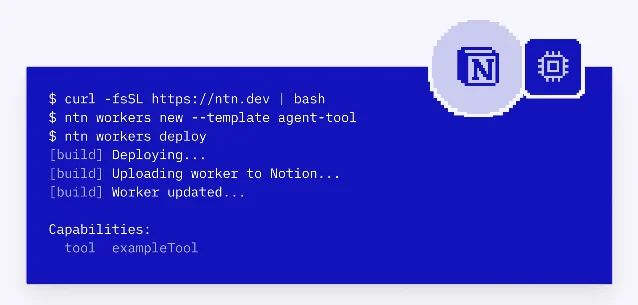
Image from: Notion Developer Platform release notes
Step 6: Get the webhook URL and register it
ntn workers webhooks list
# → https://www.notion.so/webhooks/worker/{spaceId}/{workerId}/{id}/onMeetingNotesUpdated
Copy the URL, then go to
app.notion.com/developers → your integration → Webhooks tab. Register the URL for page.updated events filtered to your Meeting Notes database.Step 7: Test it
Paste this into a meeting notes page and save:
"Alice will ship the onboarding redesign by Friday. Bob to follow up with legal on the data retention policy. Confirm Q3 OKR targets with design lead before EOW — high priority."
Check execution logs:
ntn workers runs logs <runId>Within seconds, three rows should appear in your Action Items database.
Expected outcome
Every time a meeting notes page is saved, the Worker fires, Claude parses the prose, and structured rows land in your Action Items database — task description, inferred due date, priority, and the source page ID as a back-link. No human in the loop between "meeting ends" and "tasks exist in your tracker."
Gotchas
Rate limits hit on long notes. Notion's API is capped at 3 requests per second per integration. 6 The
worker.pacer() call handles this, but meetings with many action items (10+) will take a few seconds to write. Don't abort early.Nested blocks are invisible to a shallow fetch.
blocks.children.list only returns first-level block children. Toggle lists, indented bullets, and collapsed sections require recursive fetches with additional API calls. For meetings where notes are nested inside toggles, add a recursive fetchAllBlocks wrapper before the extraction step.Duplicate action items on rapid saves. If someone saves a meeting notes page twice in quick succession, the webhook fires twice. The idempotency guard in Step 4 (querying existing rows by
Source Meeting page ID before writing) prevents duplicate creation. Don't remove it.Claude rate limits matter at scale. Anthropic's free tier allows 5 requests per minute; Tier 1 (requires $40 pre-paid credit) allows 50 RPM. 7 For teams processing more than 5 meetings concurrently, fund to Tier 1 before launch.
Cost cliff in August. Workers are free through August 11, 2026. After that: $0.0023/run. 1 At 20 meetings/week that's ~$0.52/month — acceptable. But if you attach this Worker to every page in a large workspace, the run count multiplies fast. Scope the webhook filter tightly to your Meeting Notes database.
Vendor lock-in is real. Workers code uses
@notionhq/workers — it won't run outside Notion's runtime without a rewrite. 5 If your team moves off Notion, this automation doesn't port. That's the trade-off for zero-infrastructure deployment.API content is sent to Anthropic. Meeting notes text passes through Anthropic's API. Anthropic does not use API data to train models by default, but confirm against your organization's data policy before deploying on confidential discussion notes.
Cover image from: Notion Developer Platform release notes
参考来源
- 1Notion: Understand pricing for Workers
- 2Notion: May 13 2026 – 3.5 Developer Platform release notes
- 3MindStudio: How to use the Notion Developer Platform with Claude and Codex Agents
- 4GitHub: makenotion/workers-template
- 5Thomas Wiegold: Notion Workers for small business — a hands-on guide
- 6Notion API reference: request limits
- 7FindSkill.ai: Connect Claude Code to Notion as an External Agent
围绕这条内容继续补充观点或上下文。