CMake C/C++ workflow in VS Code without cpptools — Kylin CMake Workflow v0.3.1
Kylin CMake Workflow (KylinIdeTeam.kylin-cmake-tools v0.3.1) is a community fork of Microsoft's CMake Tools extension that strips every cpptools dependency — making CMake configure/build/debug work on VSCodium, Cursor, and any clangd-first setup. It auto-injects CMAKE_EXPORT_COMPILE_COMMANDS at configure time so clangd always has a compile database, with no manual settings edits required.

If you've opened VS Code on VSCodium, Cursor, or any other VS Code fork recently and tried to install
ms-vscode.cmake-tools, you may have hit a wall: Microsoft's C/C++ extension (cpptools) stopped working on non-Microsoft builds in April 2025. 1 Even on plain VS Code, you might have wanted to drop cpptools entirely and switch to clangd — only to find that CMake Tools still expects cpptools to be present.Kylin CMake Workflow (
KylinIdeTeam.kylin-cmake-tools, v0.3.1) solves this by forking the official CMake Tools extension and surgically removing every cpptools dependency. The result is a complete CMake configure/build/debug workflow that runs purely on clangd and CodeLLDB — no Microsoft C/C++ extension required or wanted. 2Extension:
KylinIdeTeam.kylin-cmake-tools (v0.3.1) · ~6,767 installs · Free · VS Code Marketplace · Open VSXThe problem: cpptools is a hard dependency you can't easily escape
The standard VS Code C/C++ setup pairs Microsoft's CMake Tools extension with cpptools for IntelliSense. When Microsoft restricted cpptools to official VS Code builds starting with v1.24.5 (April 3, 2025), users of VSCodium, Cursor, Eclipse Theia, and similar forks lost both IntelliSense and the debugger in a single update. 1 Cursor CEO Michael Truell publicly committed to bundling open-source alternatives instead. 1
Even for users on official VS Code who aren't hitting the fork restriction, clangd has a well-documented speed advantage over Microsoft's IntelliSense. KDAB engineers found that identifier lookup and go-to-definition are "almost instantaneous with clangd" where the Microsoft extension "takes a second or two, requiring a progress bar." 3 The catch: clangd needs a
compile_commands.json file to work — and CMake only generates that file if you remember to pass -DCMAKE_EXPORT_COMPILE_COMMANDS=1 (or set it in CMakeLists.txt). Miss it, and clangd indexes nothing.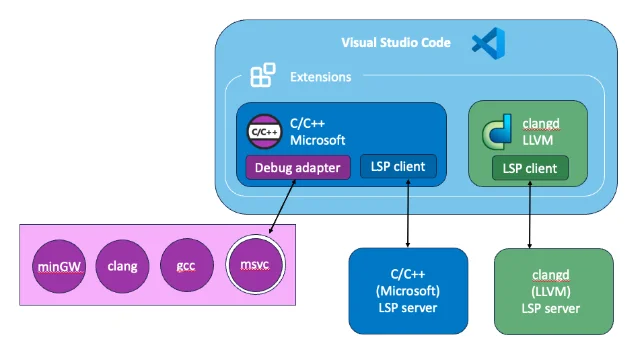
What Kylin CMake Workflow changes
The fork makes four changes compared to
ms-vscode.cmake-tools:1. No cpptools runtime dependency. KylinIdeTeam states it plainly: "No runtime dependency on ms-vscode.cpptools." 2 The extension installs and runs without cpptools present.
2.
compile_commands.json is always generated. The extension appends CMAKE_EXPORT_COMPILE_COMMANDS to every CMake configure invocation automatically — including when using CMake Presets — unless you've already set it in your preset or in cmake.configureArgs. 2 This eliminates the manual step that trips up most clangd setups.3. CodeLLDB guidance on Windows. When you hit "Quick Debug" on a project using an MSVC-style toolchain, the original CMake Tools would silently spin up a
cppvsdbg debugger configuration — which requires cpptools. Kylin intercepts that launch and shows a dialog offering to install CodeLLDB, write a CodeLLDB-based cmake.debugConfig to your workspace, or open the debug configuration docs. 24. Telemetry disabled. The fork sends no usage data to Microsoft. 2
There is one functional removal: CMake language services (syntax highlighting and IntelliSense for
.cmake and CMakeLists.txt files) were stripped out and moved to a companion extension, KylinIdeTeam.cmake-intellisence, which Kylin CMake Workflow auto-installs as part of its own extension pack. 2Setting up the full workflow
The recommended path is the kylin-cpp-pack bundle (
KylinIdeTeam.kylin-cpp-pack, v0.2.0, ~1,169 installs), which installs three extensions at once: 4| Extension | Role |
|---|---|
KylinIdeTeam.kylin-clangd | clangd language server (IntelliSense, go-to-definition, diagnostics) |
KylinIdeTeam.kylin-cmake-tools | CMake configure / build / test / launch (this extension) |
KylinIdeTeam.cppdebug | C/C++ debugger |
The integration bonus: Kylin Clangd can read the compile commands database directory directly from Kylin CMake Workflow, so you never have to manually point clangd at a
compile_commands.json path. 5Prerequisites:
- VS Code 1.88.0 or later (or a compatible fork at the same engine version)
- CMake installed and on PATH, or
cmake.cmakePathset in settings - Disable
ms-vscode.cmake-toolsbefore installing — the two extensions conflict on commands 2
Once the pack is installed, open any CMake project, select a kit, and run CMake: Configure. The extension generates
compile_commands.json in your build directory. Kylin Clangd picks it up automatically — no settings.json edits needed for the compile database path.For a project that previously used cmake-tools + cpptools:
// settings.json — disable cpptools IntelliSense, let clangd take over
{
  "C_Cpp.intelliSenseEngine": "disabled",
  "cmake.debugConfig": {
    "type": "codelldb"   // use CodeLLDB for all debug launches
  }
}
The
C_Cpp.intelliSenseEngine flag prevents cpptools from indexing the project even if it's still installed. Setting cmake.debugConfig.type to codelldb avoids the Windows dialog on every Quick Debug launch.正在加载内容卡片…
正在加载内容卡片…
Known limitations
These are real constraints to weigh before adopting the extension:
- Single maintainer, minimal community. The GitHub repository (
quanzhuo/vscode-cmake-tools) has 2 stars, 1 fork, 0 open issues, and Issues are disabled. There is no public bug tracker — problems have no official place to land. 6 - Version gap vs. upstream. The Marketplace version is 0.3.1; the official
ms-vscode.cmake-toolsis at 1.23.52 (released April 22, 2026). 7 Upstream features added after the fork point — FASTBuild generator support,cmake.postConfigureTask, CMake Presets v11,cmake.shell, and automatic source file add/remove inCMakeLists.txt— may not be present. The fork'sCHANGELOG.mdis a copy of the upstream Microsoft changelog with no fork-specific entries, making it hard to know exactly what was backported. 8 - CMake IntelliSense needs a separate extension. The auto-installed
cmake-intellisenceextension covers.cmakefile highlighting, but users moving from the standard CMake Tools setup may notice the language services are no longer built into the main extension. - VS Code fork compatibility is undocumented. The extension is confirmed to work on VS Code; compatibility with Cursor, Windsurf, or Eclipse Theia has not been tested or documented officially. The extension is published on Open VSX, which covers most VS Code forks.
- Fork-private API. The extension exposes
getApi(1000)withgetCompileCommand(uri)andonCompileCommandsChanged— a separate API slot from the upstreamgetApi(1.0). Third-party extensions that depend on the cmake-tools API may not work without changes. 2
Who should install this
The extension fits a specific gap. KylinIdeTeam's own description puts it plainly: "This extension is intended for teams that prefer a clangd-first C/C++ workflow." 2
Install it if you're using VSCodium or another VS Code fork where cpptools no longer runs, or if you've already committed to clangd and want CMake integration that doesn't pull cpptools back in as a side effect. Skip it if you need to stay on the latest upstream CMake Tools features, rely on a third-party extension that reads the cmake-tools API, or need a maintained issue tracker.
Quick reference
| Extension ID | KylinIdeTeam.kylin-cmake-tools |
| Version | 0.3.1 (updated 2026-06-05) |
| Publisher | KylinIdeTeam (verified) |
| Installs | ~6,767 |
| Rating | 4.45 weighted (no submitted reviews) |
| Minimum VS Code | 1.88.0 |
| License | MIT |
| Upstream fork of | ms-vscode.cmake-tools (upstream v1.23.52) |
| Recommended bundle | KylinIdeTeam.kylin-cpp-pack (clangd + debug + CMake) |
| Also on | Open VSX |
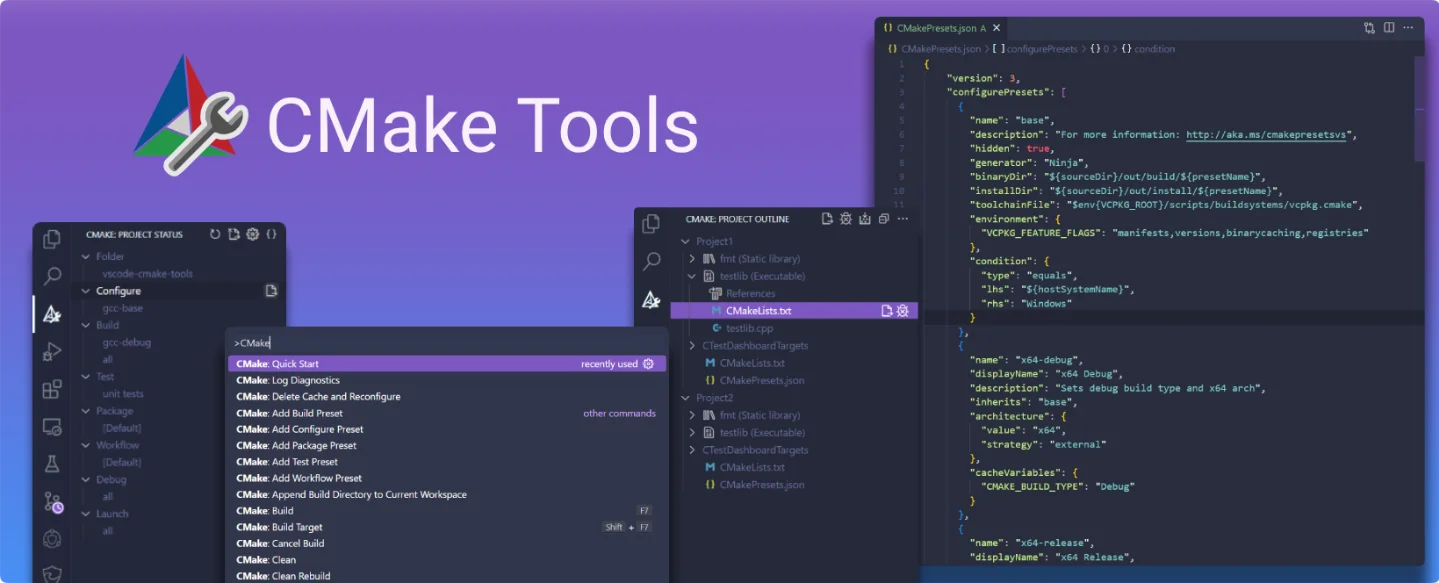
Cover image from the CMake Tools project repository (MIT license).
参考来源
- 1Devs sound alarm after Microsoft subtracts C/C++ extension from VS Code forks — The Register
- 2Kylin CMake Workflow — VS Code Marketplace
- 3Supercharging VS Code with C++ Extensions — KDAB
- 4Extension Pack for C/C++ — VS Code Marketplace
- 5kylin-clangd README — openKylin/Gitee
- 6quanzhuo/vscode-cmake-tools — GitHub
- 7CMake Tools — VS Code Marketplace
- 8CHANGELOG.md — quanzhuo/vscode-cmake-tools
围绕这条内容继续补充观点或上下文。