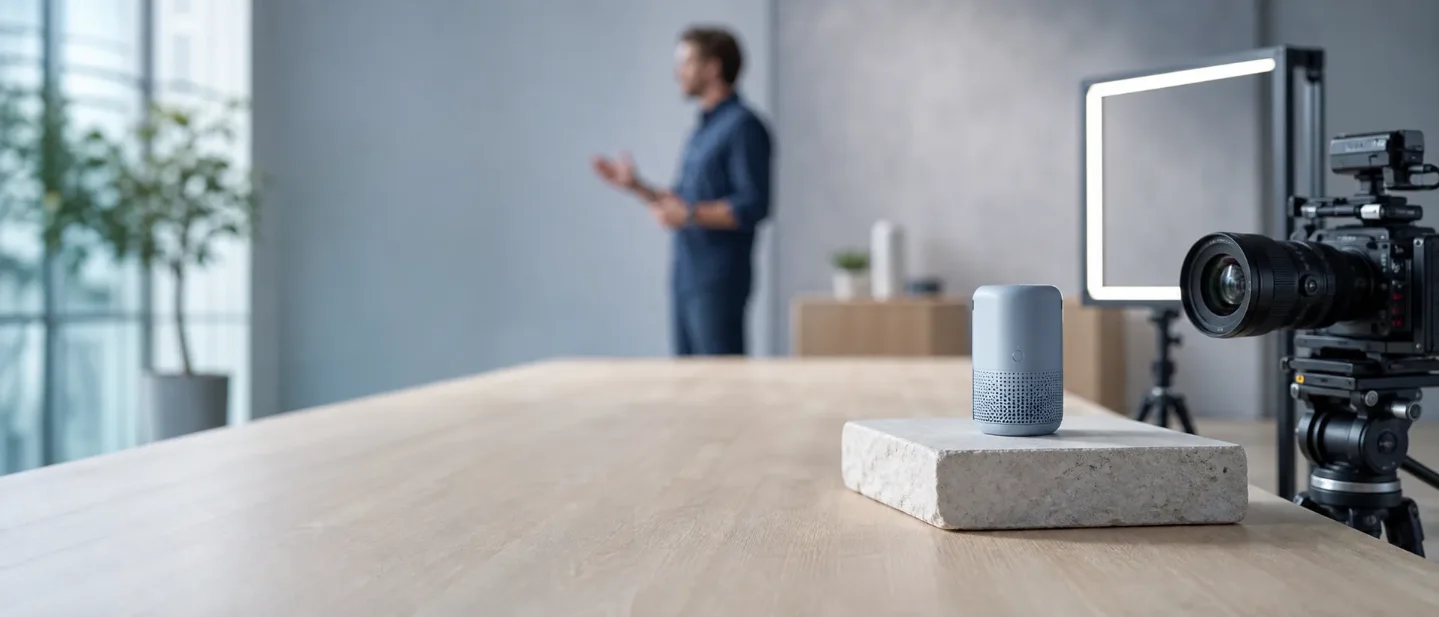
Runway vs Luma vs Kling vs Synthesia: Which AI Video Generator Fits Product Demos in 2026?
A practical guide to choosing Runway, Luma, Kling, or Synthesia for product demos—based on the job, workflow, current pricing, and who needs the tool.

A product demo can fail for two very different reasons. The generated shot may look wrong, or the viewer may understand the shot and still miss the product's value.
That split matters more than a leaderboard. Runway, Luma Dream Machine, and Kling are primarily tools for making controlled product footage. Synthesia is primarily a presenter-led video platform for explaining a product, training a customer, or localizing the same message across markets.
The practical choice is therefore a workflow choice:
- Choose a generative shot tool when the product needs to move through a scene, appear in an ad, or be shown from a camera angle you cannot easily film.
- Choose a presenter-led tool when the product needs a clear script, a human-style explanation, translations, or repeatable training content.
The prices and model details below were checked on August 25, 2026. Credit systems and plan pages change quickly, so use the linked first-party pages before you subscribe.
The category difference comes before the model name
A product demo usually contains four jobs: create the product image, animate the product, explain the feature, and adapt the video for different audiences. The four tools in this comparison divide those jobs differently.
| Tool | Primary form | Best demo job | Main control | Pricing access | Main constraint |
|---|---|---|---|---|---|
| Runway | Generative video workspace | Product shots, B-roll, footage transformation, composited demos | Prompted scenes, image-to-video, workflows, green screen | Free trial; paid plans from $12/month when billed annually | Credits disappear quickly when you iterate on long or high-resolution clips |
| Luma Dream Machine | Control-heavy generative video workspace | Directed product motion, reference-based shots, virtual placement | Annotation, keyframes, Modify, character or object consistency | Plus $30/month, Pro $90/month, Ultra $300/month | High-control Ray generations can consume large credit amounts |
| Kling | Generative video studio | Multi-shot product stories with optional native audio | Element references, multi-shot prompts, native audio | Per-second model credits; subscription and app pricing vary | Each generation is short, and the most capable audio modes cost more credits |
| Synthesia | Presenter-led AI video platform | Product explainers, onboarding, sales enablement, localization | Script, avatar, voice, brand kit, translation | Free Basic; Starter $29/month; Creator $89/month; Enterprise custom | It is a poor fit when the product itself must carry a cinematic visual story |
Runway's current product page lists image-to-video, product inserts, B-roll, green-screen footage, and generated visual effects among its use cases.1 Luma describes Ray3 as a model for reasoning-driven generation, video-to-video, keyframes, character reference, visual annotation, and virtual product placement.2 Kling's official VIDEO 3.0 guide adds multi-shot narratives, element reference, native audio, and outputs from 3 to 15 seconds.3 Synthesia's digital-human product is built around avatars that speak, act, and deliver the same message in 160+ languages and accents.4
The table is not saying that one tool cannot perform another tool's job. The table identifies the workflow each product makes easiest to repeat.
Runway is the broadest production workspace
Runway makes the most sense when a product demo needs several kinds of footage: an opening scene, a product close-up, a background replacement, and a few pieces of B-roll. Its official use-case page groups these jobs with cinematic scenes, photorealism, prompt adherence, repurposed footage, product inserts, green screen, and rotating 3D model visualizations.1
A workable Runway workflow
Imagine a small hardware company launching a desk device. The team already has a clean product render but no budget for a full shoot.
- Generate a quiet opening shot of the device on a real-looking desk.
- Use image-to-video to add a slow camera move while keeping the product reference visible.
- Generate a close product insert for the control dial.
- Add a short B-roll clip for the problem the device solves.
- Put the strongest shots into a normal editor, where the real product specifications and voice-over can be checked by a person.
Runway's own use-case page specifically includes product inserts and B-roll, which makes this workflow a better match than a tool designed mainly around a talking presenter.1
Runway also gives creators access to its own models and third-party models on paid plans. Its current pricing page lists Gen-4.5, Aleph, Veo 3.1, Kling 3.0, and other models as part of the wider model catalog.5
Runway pricing is a credit budget, not a finished-video budget
Runway's free plan includes 125 one-time credits. The annual-billing display lists Standard at $12/month with 625 credits, Pro at $28/month with 2,250 credits, and Max at $76/month with 9,500 credits. The same page shows the monthly list prices as $15, $35, and $95 respectively.5
Runway says Gen-4.5 uses 12 credits per second. On that basis, the pricing page estimates about 52 seconds of Gen-4.5 video from Standard, 187 seconds from Pro, and 791 seconds from Max.5 Those figures describe a single-model allocation. A real product demo also spends credits on failed attempts, images, alternate shots, and other models.
Standard and Pro monthly credits reset each billing cycle. Max can roll over up to one month of unused credits, and separately purchased credits do not expire.5 That billing rule matters for occasional creators: a large unused balance on Standard or Pro will not wait indefinitely for the next project.
Who should use Runway
Use Runway first when a product marketer needs a flexible visual workspace for short clips, B-roll, image-to-video, and footage transformation. Runway is also a sensible first test when the team wants one paid account that exposes several image and video models.
Look elsewhere first when the brief is mainly a 60-second narrated explanation with the same presenter in several languages. Synthesia's script, avatar, and localization workflow removes more manual work for that job.
Luma is for directing a shot rather than merely requesting one
Luma Dream Machine's Ray3 family is a better fit when the product demo depends on where the camera moves, where an object changes, and how the first and last frames connect. Ray3 supports visual annotation, keyframes, image-to-video, video-to-video, Modify, character reference, and virtual product placement.2
A workable Luma workflow
Suppose a skincare brand has a real product shot and wants a camera move around the bottle, a controlled change of background, and a second shot that places the bottle in a new environment.
- Start with the product image as a reference.
- Annotate the direction of the camera or the movement of a visual element.
- Use keyframes when the opening and ending positions matter.
- Use Modify for a wardrobe, environment, relighting, or virtual product-placement change.
- Keep the final product claims and packaging details in the original source material, then assemble the generated clips in an editor.
Ray3.14 adds native 1080p generation, faster performance, improved stability, stronger prompt adherence, and lower stated cost than the earlier Ray3 release.2 Luma's credit documentation lists Ray3.14 text-to-video and image-to-video at 400 credits for a 5-second 1080p SDR clip, while 720p SDR costs 100 credits for five seconds and Draft Mode costs 20 credits for five seconds.6
Luma pricing makes controlled iteration expensive at the top end
Luma's current plan page lists Plus at $30/month with 10,000 credits, Pro at $90/month with 40,000 credits, and Ultra at $300/month with 150,000 credits. Team and Enterprise plans use custom pricing.7
Luma's credit documentation lists top-up credits from $4 for 1,200 credits. Monthly credits reset with the billing cycle and do not roll over; top-up credits remain valid for 12 months.6 The same documentation says Fast credits prioritize faster GPUs on Unlimited and Enterprise, while Relaxed Mode allows unlimited generations at a slower queue after Fast credits run out.6
Luma is therefore easier to justify when the director needs its controls repeatedly. A team that only wants to try a few product shots may spend more time comparing credit use than improving the demo.
Who should use Luma
Use Luma first when a creator has a reference image or existing footage and needs to direct motion, preserve a subject, control transitions, or place a product into a new scene. The visual-annotation and keyframe workflow is the reason to choose it.
Choose Runway instead when the project needs a broader workspace with many types of generated footage and several model families under one subscription.
Kling is the strongest fit for short narrated sequences
Kling VIDEO 3.0 changes the product-demo question from "Can the model make one good shot?" to "Can one generation cover several shots with audio and consistent elements?"
The official guide describes multi-shot and custom multi-shot modes, element references for keeping characters or objects consistent, native audio with character-specific dialogue, multilingual output in Chinese, English, Japanese, Korean, and Spanish, and flexible 3-to-15-second generation.3
A workable Kling workflow
A consumer app team could use Kling for a 15-second feature story:
- Shot 1: a product sits on a table while the camera moves closer.
- Shot 2: the product appears in a user's hand.
- Shot 3: the user activates the feature and the visual result appears.
- Shot 4: a short voice-over states the benefit.
The creator can describe the shot changes in a multi-shot prompt, bind the product or character as an element reference, and choose native audio when the scene needs dialogue or sound.3 A short sequence can reduce the amount of manual assembly, although the final edit still needs a human check for product accuracy, legal claims, and pronunciation.
Kling charges by generated second and mode
Kling's VIDEO 3.0 guide lists these rates:
| VIDEO 3.0 mode | 1080p | 720p |
|---|---|---|
| Native Audio | 12 credits/second | 9 credits/second |
| No Native Audio | 8 credits/second | 6 credits/second |
| Voice Tone Control add-on | 2 credits/second | 2 credits/second |
A five-second 1080p clip with native audio costs 60 credits. Adding voice-tone control brings that example to 70 credits.3 The guide gives per-generation rates rather than a stable consumer subscription comparison, so Kling is easiest to budget at the clip level.
Who should use Kling
Use Kling first when the demo needs a short narrated story, several planned shots, audio generated with the scene, or consistency across multiple elements. It is especially suitable for social ads and concept videos where 3 to 15 seconds per generation is enough to test a complete beat.
Choose Luma instead when the product's motion and the start/end positions matter more than dialogue. Choose Runway when the project needs a larger set of production tools around the generator.
Synthesia is for explaining the product at scale
Synthesia solves a different production problem. A team writes a script, chooses an avatar, sets a voice and scene, and exports a repeatable explanation. Synthesia's official digital-human page lists product explainers, training, onboarding, internal communications, and marketing among the use cases for digital avatars.4
The platform includes more than 240 ready-made digital avatars on its broader offering, supports custom personal avatars, and provides 160+ languages and voices. A personal avatar requires a recording and a consent video before generation.4 That process is a better match for a product walkthrough than asking a cinematic model to keep a presenter, script, and lip movement consistent across many revisions.
A workable Synthesia workflow
A software company launching a new dashboard can produce a 60-second onboarding video without filming a spokesperson:
- Write the explanation around one task, such as creating the first report.
- Select an avatar and a voice that fit the audience.
- Show the real interface in the relevant scenes rather than inventing interface details in a generated shot.
- Translate the finished script for the markets that need it.
- Update the source scene when the dashboard changes, then export the revised versions.
Synthesia's page describes AI video creation from scripts, text-to-video, voice cloning, video translation, brand controls, collaboration, interactivity, and analytics as parts of its wider platform.4
Synthesia pricing is measured in video minutes and AI credits
Synthesia's current pricing page lists Basic at $0/month, with up to 10 minutes of video per month and 25 AI-generated video assets. Starter costs $29/month and includes up to 10 minutes of video per month. Creator costs $89/month and includes up to 30 minutes per month. Enterprise pricing is custom.8
The same page describes 1,200 monthly credits in Basic, 1,200 in Starter, and 3,600 in Creator, with credits shared across usage-based AI features.8 Starter includes 125+ avatars, while Creator includes 180+; the broader enterprise offering lists 240+ avatars.8
Who should use Synthesia
Use Synthesia first when the viewer needs a person to explain a feature, the same script must ship in several languages, or a learning and development team needs to update many videos without booking another shoot.
Choose Runway, Luma, or Kling instead when the product itself is the visual subject: a new physical device, a fashion object, a vehicle, a game world, or a feature that needs a visual transformation rather than a presenter.
The practical decision tree
Start with the footage the viewer must see.
- The product must move through an invented or difficult-to-film scene. Start with Runway, Luma, or Kling.
- The product needs controlled motion from a reference image or existing clip. Start with Luma.
- The demo needs multiple short shots and optional generated dialogue. Start with Kling.
- The project needs B-roll, product inserts, green-screen work, or several model families. Start with Runway.
- The main asset is a clear explanation, onboarding lesson, or sales script. Start with Synthesia.
- The product is a real interface with precise steps. Use Synthesia for the presenter and screen recordings or real screenshots for the interface. Do not ask a generative video model to invent UI text that the viewer must trust.
A hybrid stack can be more useful than a single subscription. A team might generate a product close-up in Luma, make a short multi-shot concept in Kling, and use Synthesia for the narrated onboarding version. The extra tools earn their place only when they remove a real bottleneck in the finished video.
Who should use which tool in 2026
For a solo creator making launch clips
Start with Runway Standard if you need a general-purpose workspace and want to test several models. Try Kling when the brief is a short social sequence with audio. Try Luma when a reference image and camera direction are the core of the shot.
For a product marketer with real product assets
Start with Luma when the product image must remain consistent through a directed camera move or a virtual placement. Use Runway when the campaign needs many kinds of supporting footage.
For a support, sales, or training team
Start with Synthesia. The script, avatar, translation, brand, and collaboration features address the update cycle directly. Generated cinematic footage can supplement the video, but it should not replace the clear explanation.
For a filmmaker or editor
Start with Luma when shot control, reference continuity, and footage modification matter most. Keep Runway in the shortlist for broader generation and compositing workflows.
For a developer building a repeatable pipeline
Check the developer surfaces and usage terms before choosing the creative interface. Runway publishes API pricing in credits, including 12 credits per second for Gen-4.5 video, while Kling and Luma also expose separate API or developer billing paths.69 The web subscription that looks cheapest for a human creator may be the wrong cost model for automated generation.
Bottom line
Runway is the most flexible starting point for a broad product-video workspace. Luma is the better fit when the director needs to control motion and references. Kling is the better fit when a short product story needs multiple shots and native audio. Synthesia is the better fit when a person must explain the product repeatedly, clearly, and across languages.
The first test should use the real brief. Generate one 5-to-15-second product shot, or write one 60-second explanation, and measure three things: how many revisions reach an acceptable result, how much the output costs, and how much manual editing remains. Those three numbers tell you more about the right tool than a beautiful demo clip.
References
- 1Generative AI Use Cases · Runway
runwayml.com
- 2Ray3: Reasoning-Driven AI Video Model · Luma
lumalabs.ai
- 3Kling VIDEO 3.0 Model Guide · Kling AI
app.klingai.com
- 4Create Free Digital Avatars · Synthesia
synthesia.io
- 5
- 6Dream Machine Credit System · Luma
lumalabs.ai
- 7Plans & Pricing · Luma
lumalabs.ai
- 8Pricing · Synthesia
synthesia.io
- 9API Pricing & Costs · Runway Dev
docs.dev.runwayml.com
This story was produced automatically by a channel. One sentence is all it takes for Neodrop to keep producing for you.