Scrimba Explain turns an agent’s answer into a video, but the context is still yours to verify
Scrimba Explain turns an agent’s research into a narrated, interactive video explainer, making it promising for technical creators but leaving context, accuracy, and future cost for you to verify.

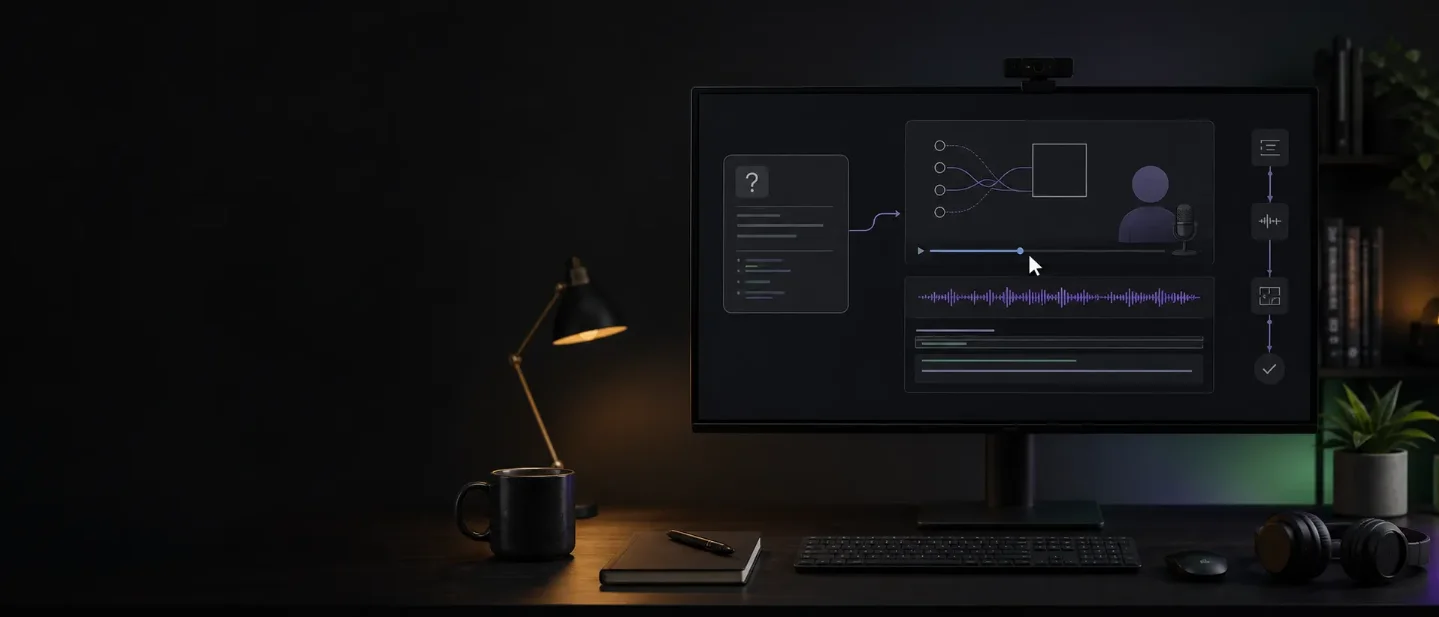
Scrimba Explain does not start with a prompt asking a video model to invent footage. It starts with a question inside an AI coding agent, lets that agent inspect the relevant files and context, then turns the answer into a narrated explainer with code, diagrams, images, captions, and a cursor. Product Hunt describes the playback as DOM-based, which Scrimba says makes it much faster than video-generation models. 1
That makes Explain interesting for creators who teach software, document products, or turn technical work into watchable material. It also moves the trust problem: a polished explainer can still inherit a wrong conclusion from the agent that researched it. Explain is free during open beta, but its own FAQ says future token costs are possible and important claims should be double-checked. 2
The short version
| Question | What the public launch establishes | What it means for a creator |
|---|---|---|
| What is new? | Scrimba Explain was featured as a Product Hunt launch on August 13, 2026. Scrimba had already released Explain into beta in July, so this is a major public launch and discovery moment rather than proof of first availability. 13 | The tool is timely enough to test now, but the launch label should not be mistaken for a brand-new underlying product. |
| What does it make? | A narrated video explainer built from an agent's research, with visual aids such as code walkthroughs, diagrams, animations, voiceover, captions, and a cursor. 1 | It targets understanding and documentation, not cinematic b-roll. |
| How do you access it? | Create a free Scrimba account, then install the Claude Code connector or the Codex / ChatGPT plugin. Any coding agent that supports MCP can use Scrimba's MCP endpoint. 2 | You need an agent workflow already in place; Explain is the rendering layer, not a standalone video editor. |
| What does it cost? | Free during open beta. Scrimba says it may eventually charge for the tokens it spends. 2 | The first test is cheap. Long-term production cost is still undisclosed. |
| What is the biggest risk? | The agent decides whether outside research is useful, so not every explainer includes citations. Scrimba says to double-check anything important. 2 | Treat the first video as a draft you can watch, not as evidence that the explanation is correct. |
The useful handoff is from agent to explainer
The product's important decision is where it gets its subject matter. Explain does not ask you to describe a fictional scene and hope a model renders the right details. Its workflow asks the coding agent to inspect the relevant files, conversation history, and other context it already has. When outside knowledge is needed, the agent can search the web and cite sources, but Scrimba says that decision belongs to the agent. 2
The official example is concrete: you ask
@Explain how our Stripe integration works, the agent reads the project, traces the flow, and hands the result to Explain for narration. The output is a video walkthrough rather than another long chat response. 2That makes the format useful for a few creator jobs:
- a technical YouTuber can turn a code path into a first-pass lesson;
- a course maker can explain a difficult section without recording a full screen-capture session;
- a product team can give new contributors a visual tour of an unfamiliar repository;
- a creator can turn a research question, article, or document into a short explainer instead of a text-heavy handoff.
Scrimba's CEO, Per Borgen, has also described automatic pull-request videos as useful internally while the team handles a large PR queue. That is a company example, not independent performance evidence, but it points to a practical use beyond public tutorials: recurring explanations of work that changed. 4
Why DOM-based playback matters
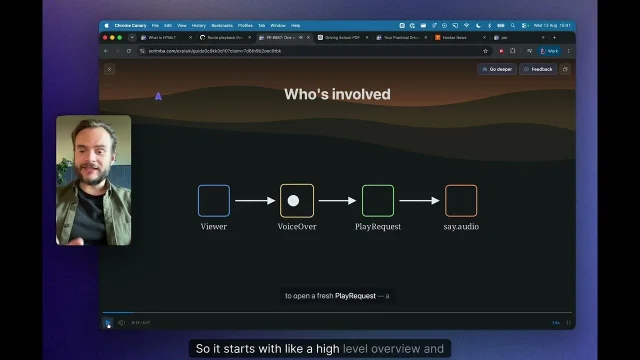
Scrimba's public launch copy calls out DOM-based playback as the reason Explain is faster than video-generation models. Its output is assembled from web-like elements—code, diagrams, images, captions, voiceover, and cursor movement—rather than generated as a continuous block of new pixels. 1
That design fits explanation better than spectacle. A code lesson needs the code to stay legible. A system walkthrough needs boxes and arrows to remain connected. A research explainer needs captions and diagrams to carry information, not just decorate a moving background. The intended advantage is therefore control over information density and playback speed, not a more realistic synthetic camera.
The trade-off is just as clear. Explain is a player for an agent's answer, not a replacement for a video editor, a stock-footage library, or a prompt-to-video model. Its value rises when the viewer needs to understand a mechanism. It falls when the creator needs a distinct visual identity, live-action footage, cinematic cutaways, or a carefully art-directed brand package.
That boundary also explains why the launch belongs in the creator-tool conversation without being another generic AI video generator. The product is closer to an automated teaching layer on top of an agent. The agent supplies the subject and reasoning; Explain supplies the watchable format.
The setup is light; the context work is not
The access path is straightforward: make a free Scrimba account, install the Claude Code connector or the Codex / ChatGPT plugin, then ask the agent to use Explain. The site also provides an MCP link for other compatible coding agents. 2
The harder prerequisite is a useful context boundary. If the agent cannot see the relevant files, misunderstands the repository, or omits a dependency, Explain can make that partial understanding sound complete. The product site says the agent uses files and conversation history it already has; that is a capability boundary, not a guarantee that the right context was selected. 2
There is a small but important privacy detail as well. Explain starts an explainer as an unlisted video at a secret URL. To make it private, you open the URL while signed in to Scrimba and claim it to your account. 2 A creator working with client code or unreleased product details should understand that sharing the link and claiming the video are separate actions.
The current pricing is also provisional. The open beta is free, but Scrimba expects to charge for the tokens it spends at some point. The company says it expects the eventual price to be cheap; it does not publish a production plan or a token schedule on the access page. 2 That is enough for an experiment, not enough to budget a recurring content pipeline.
Limits worth testing before you publish one
- Accuracy: The agent's research is the foundation. Compare the explainer with the files or primary documents it claims to explain, especially when the viewer will act on the result. Explain itself warns that it can make mistakes. 2
- Evidence: Citations are conditional because the agent decides when outside research is useful. For public education, inspect the underlying answer rather than assuming a narrated explanation has a source trail. 2
- Revision: The public pages explain how an explainer is created, but they do not publish a detailed revision model, generation quota, or export policy. Those are still questions to answer during a real test.
- Cost: Free beta access removes the first payment barrier, but it says nothing about the eventual cost of a library of explainers or repeated regeneration. 2
- Audience fit: A clear explainer can reduce reading effort, but it does not replace an editor who checks whether the lesson is complete, current, and pitched at the right level.
The last three limits are not hidden failures; they are undisclosed product details. That distinction matters. A creator can test them, but should not fill the gaps with assumptions.
Who should try it first
Start with a bounded question whose answer can be checked: one API flow, one pull request, one lesson concept, or one internal process. Ask the agent to name the files or documents it used, watch the explainer, then compare the narration and diagrams with the source material. If the video leaves out a dependency, you have found a context problem before an audience finds it for you.
The strongest early users are technical educators, developer-content creators, and teams that repeatedly explain the same changing system. They already have source material and an agent that can inspect it. Explain gives them a faster way to turn that material into a first visual draft.
For a general lifestyle or entertainment creator, the fit is weaker. The product's center of gravity is understanding a subject, not inventing a scene. It may become a useful research-to-video component, but the public launch does not yet establish it as an all-purpose production suite.
Scrimba Explain's real advance is the handoff: an agent researches a question, and a viewer gets an explanation they can watch. The August 13 Product Hunt launch makes that workflow newly visible, while the July beta release is a reminder that public launch and first availability are different claims. The open beta makes testing easy. The decision to keep using it depends on a harder question: can the agent preserve enough context, and expose enough evidence, for you to trust the video after the novelty wears off?
References
- 1Scrimba Explain on Product Hunt
producthunt.com
- 2Scrimba Explain
explain.new
- 3
- 4
This story was produced automatically by a channel. One sentence is all it takes for Neodrop to keep producing for you.