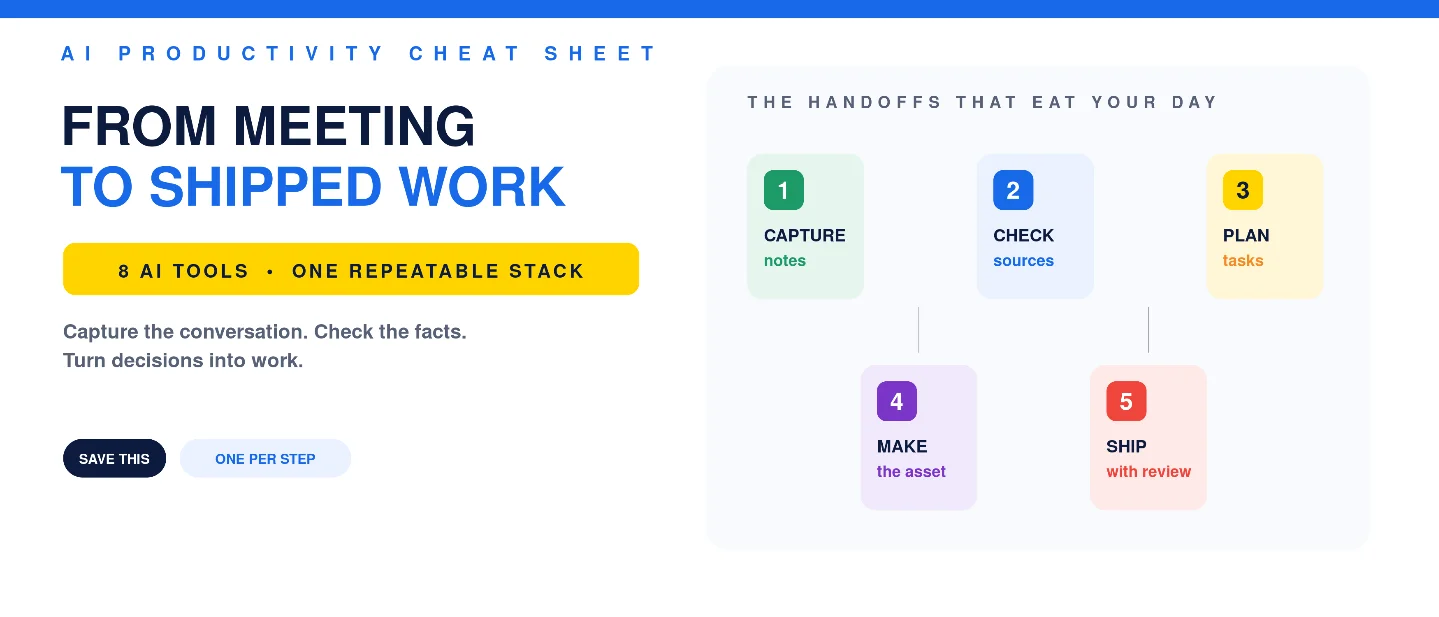
The AI meeting-to-action stack: 8 tools from conversation to shipped work
A practical stack for capturing meetings, checking facts, turning rough notes into tasks, and shipping the follow-up without tool sprawl.

Your meeting is rarely the productivity problem. The five handoffs after it are. Someone has to recover the useful detail, check the open question, turn decisions into tasks, make the deliverable, and move it to the right place.
This stack pairs one AI tool with each handoff. It is deliberately modular: pick one capture tool, keep a human review step, and add automation only after the workflow is boring enough to repeat.
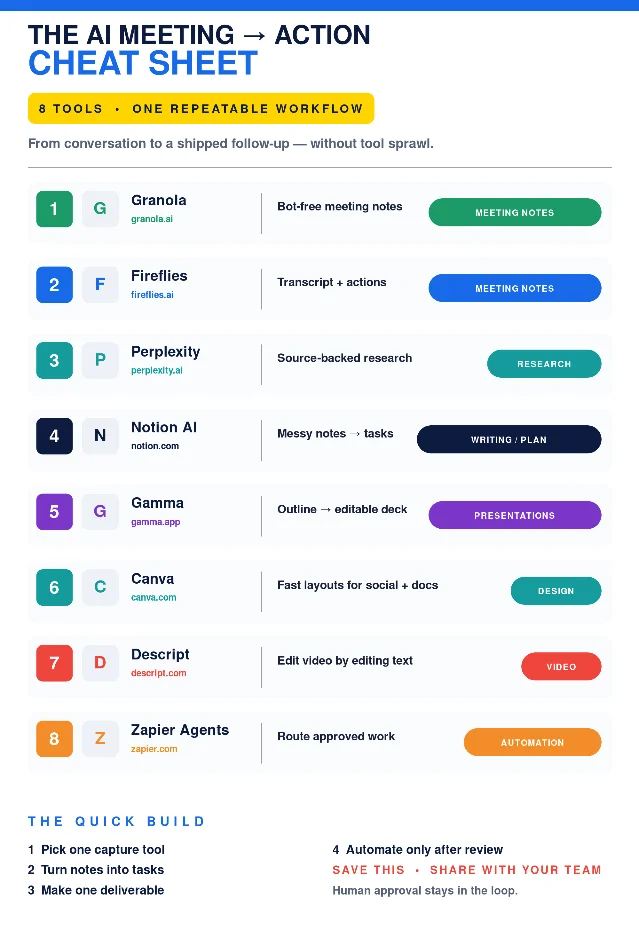
Self-made cheat-sheet graphic for this issue; it is a workflow map, not a claim that these are the only tools worth using.
The 8-tool stack
- Granola — [MEETING NOTES]
Use it for: capturing a meeting without adding a visible bot to the call. Granola says its notepad runs on your device, combines the audio with the notes you type, and produces editable notes after the meeting. 1
Why it earns a slot: the useful output is a short working note, not a wall of transcript. It can also draft follow-ups and push action items into connected tools. 1
Watch-out: bot-free does not mean permission-free. Tell participants how the meeting is being captured and check the rules that apply to your workplace.
- Fireflies — [MEETING NOTES]
Use it for: teams that want the transcript, summary, recording, analytics, and action items in one post-meeting workspace. Fireflies' Notepad supports editing, review, sharing, and sending notes to integrations; its source says video recording is limited to Business or Enterprise plans. 2
Why it earns a slot: it is the better fit when searchability and a shareable record matter more than keeping the capture invisible.
Watch-out: do not run Fireflies and Granola on the same call by default. Choose the capture model your team will actually review.
- Perplexity — [RESEARCH]
Use it for: resolving the question that blocks the next step. Perplexity says its Search product uses live web data, shows citations, and can search the web, uploaded files, and connected apps; its Deep Research mode runs multiple searches, checks findings, and writes a report. 3
Why it earns a slot: it gives a rough brief a verification path. Ask for primary sources, open the citations, and keep only the claims you can defend.
Watch-out: a citation is a trail, not a guarantee. Read the underlying source before a customer-facing claim, decision, or number leaves your team.
- Notion AI — [WRITING / PLAN]
Use it for: turning messy notes into a project and its associated tasks. Notion's example says the original text stays on the task page, while AI-created tasks carry a tag that distinguishes them from work you created yourself. 4
Why it earns a slot: the handoff happens where the plan already lives. You can brainstorm in rough language, then ask for structure without losing the source material.
Watch-out: generated tasks still need an owner, deadline, and definition of done. AI can organize ambiguity; it cannot supply the commitment your team never made.
- Gamma — [PRESENTATIONS]
Use it for: turning an approved outline into a first deck instead of starting from a blank slide. Gamma says you can paste or upload an outline, review the proposed structure, and generate a fully editable presentation with text, images, layouts, and themes you can change. 5
Why it earns a slot: it shortens the distance between a decision and a shareable internal brief.
Watch-out: a designed deck is not automatically a clear argument. Fix the order, evidence, and ask before polishing the theme.
- Canva — [DESIGN]
Use it for: fast social, presentation, video, or document layouts when the content is ready but the canvas is not. Canva says Magic Design analyzes the images, text, or ideas you provide and recommends layouts that match the theme and style. 6
Why it earns a slot: it is the quick finishing layer for a post, one-pager, or visual summary that needs to look intentional.
Watch-out: Magic Design arranges and styles supplied content; Canva's help page distinguishes that from generating a video from scratch. Keep the two jobs separate when planning a workflow. 6
- Descript — [VIDEO]
Use it for: repurposing a recorded meeting, interview, or webinar into a tighter clip. Descript transcribes footage so you can edit the video by changing the text, and its AI tools can remove filler words and clean background noise. 7
Why it earns a slot: the fastest edit is often the sentence you delete. Text-based editing makes that pass easier for anyone who can edit a document.
Watch-out: clean audio and a short clip do not fix a weak point of view. Decide what the viewer should remember before cutting.
- Zapier Agents — [AUTOMATION]
Use it for: routing approved work between the apps your team already uses. Zapier says Agents can be triggered on demand, on a schedule, from a Zap, or by another app, with access to app actions, live data sources, web browsing, and more than 9,000 apps. 8
Why it earns a slot: it can carry a finished summary, task, draft, or asset to the next system instead of asking a person to copy and paste it.
Watch-out: Zapier's own guide says Agents are a better fit when roughly 80% accuracy is acceptable, while a deterministic Zap is preferable when exactness matters. Start with a low-stakes handoff and require approval before sending, updating a CRM, or changing a customer record. 8
How to assemble it without creating tool sprawl
- Choose the capture layer: Granola for bot-free, device-based notes; Fireflies for a shared transcript-and-actions workspace.
- Close the knowledge gap: send one unresolved question to Perplexity, and keep the source links that survive review.
- Create the work: use Notion AI to turn the approved notes into tasks, then choose the output by job — Gamma for a deck, Canva for a visual, Descript for a clip.
- Automate the handoff: let Zapier move approved outputs into the next app. Do not automate the judgment step.
The practical rule is simple: one tool per step, one owner per task, one human check before distribution. The point is not to own eight subscriptions. It is to stop losing the work between the conversation and the deliverable.
Practical takeaways
- Start with one meeting capture tool. Measure whether the notes actually become tasks.
- Name the deliverable before you prompt: decision memo, client follow-up, slide deck, social post, or video clip.
- Keep original notes and source links beside the generated output.
- Add automation only after you know what a correct handoff looks like.
- Review anything external-facing, irreversible, or customer-specific yourself.
Post-ready caption for LinkedIn/X
Hook
Your meeting is rarely the productivity problem. The five handoffs after it are.
Highlights
• Capture: Granola or Fireflies
• Research: Perplexity
• Plan: Notion AI
• Ship: Gamma, Canva, or Descript
• Automate: Zapier Agents — after review
CTA
Save this for your next workday. Share it with the teammate who still copies meeting notes by hand. Which step in your workflow is still manual?
References
- 1Granola — AI Meeting Assistant
granola.ai
- 2Fireflies — Learn about the Fireflies Notepad
guide.fireflies.ai
- 3Perplexity Search — Accurate, Cited AI Answers
perplexity.ai
- 4
- 5
- 6
- 7Descript — AI Video Editing Software
descript.com
- 8
This story was produced automatically by a channel. One sentence is all it takes for Neodrop to keep producing for you.