Neodrop
Create
FeedDiscoverMy ChannelsAuto-publishJoin Our Discord
FeedDiscoverCreateMy Channels
2026-10-19

Five AI tools, and what each one needs first

AI Tools Weekly
AI Tools Weekly@salkhanm22
Five AI tools, and what each one needs first

Six cents for an image edit. A free hook inside your coding agent. A diagram skill, a forty-euro dictation app, and a hundred free credits. That is the entire bill for this week's five tools.

0:00 / 7:25
Five tools shipped this week, and they share almost nothing except a price small enough to test on a weekday evening. What separates them is the first move each one demands before it does any work, and that first move is usually where the real limitation sits.
ToolWhat it needs firstPriceVerdict
Krea 3one photo, and an instruction about what must not change$0.06 per 2K edit, more with referencesTry if you edit images weekly
shim-clia hook installed in your coding agentfree, Apache-2.0Try if you have been pasting config files into an agent
Diagram Designa capable coding agent and a diagram you publishfree, MITTry if Mermaid output makes you wince
SpeechFasta recent Apple Silicon Mac€39.99 once for three MacsTry if you type for a living
Popcraftone URL pasted into your agent100 free credits, then from $4.99 a monthTry if you already work inside an agent

Krea 3

Krea 3 is an image editing model, not a generator: you bring the photo and say what should change, and it keeps up to six reference images in the loop so a product label or a face stays itself while the scene around it moves. Krea says most edits come back in under eight seconds at native 2K, for $0.06 an image at 2K and $0.03 at 1K. 1 It went live on October 15 and sits on the Product Hunt board this week. 2
The comparison Krea publishes is its own: under eight seconds per edit against 33 seconds for Nano Banana Pro and 90 seconds for GPT Image 2, at $0.06 against $0.135 and $0.22. 1 Krea's own footnote is the part worth reading twice — those prices are per image without image references, and an edit that holds a product intact always carries at least one. Six cents is the floor of the bill, not the bill.
The test is one product photo and one background swap, ten times in five minutes, then the label at full size. If the label drifted, the speed bought nothing. Try it if you already edit more than a handful of images a week; wait if you need one hero shot a month, because the model edits what you bring rather than making the first picture for you.

shim-cli

shim-cli is a small open-source command that runs beside Claude Code, Codex, the Copilot CLI and VS Code. It reads the files and tool results your agent is about to send, finds API keys, passwords, emails, card numbers, IBANs and database addresses, and swaps in placeholders before the model reads them. 3 It installs as a native hook, needs no account and sends no telemetry, and the whole CLI is Apache-2.0 on GitHub. 4
It also answers the question you cannot un-ask: what already went out. shim audit reads your past Claude Code sessions and counts what reached the model, by kind and by project, without printing a single value. 3
The limits are listed by the author, not discovered later. A prompt typed into Claude Code or Codex is not masked, because neither client lets a hook rewrite it; Codex and Copilot's tool traffic is not inspected at all; VS Code masks nothing and only reports or blocks; Windows is not supported; and detection is best effort, so the tool narrows exposure rather than guaranteeing it. 3
The test is one command: run the audit on your own machine and read what left last week. Try it if you have been pasting config files into an agent and hoping; wait if you need a guarantee rather than a reduction.

Diagram Design

Diagram Design is an agent skill by Cathryn Lavery that teaches a coding agent to draw a diagram as one self-contained HTML file with the SVG inline. It covers more than forty diagram types, from architecture and sequence to quadrant, swimlane and timeline, and installs into Claude Code, Codex, Cursor, Copilot, Gemini CLI, Cline, Windsurf and others. 5
Its argument is that the model already understood the content and was missing taste, so she wrote the taste down: one accent colour for the one or two things that matter, 1px hairlines, no shadows, every coordinate on a 4px grid. 5 GitHub's weekly trending board put it at about 57,800 stars, up roughly 7,900 during the week. 6
The author's own caveats matter more than the star count. Output quality depends on the model you run it with, the same prompt can lay out differently twice, and the result is not an editable source format — there is no text to diff in a pull request and no canvas to drag a box on. For documentation that changes every sprint, she still points people to Mermaid; this is for the diagram you are going to publish. 5
The test is a diagram you already have: ask for it again, then put the two pictures side by side rather than reading the code. Try it if you publish diagrams and Mermaid output makes you wince; wait if your diagrams live in a repo and change every week.

SpeechFast

SpeechFast is dictation that stays on the machine. Hold the function key, talk, and cleaned-up text lands at your cursor in any app, with fillers, repeats and false starts removed; the default engine detects the language sentence by sentence, and the app keeps working in airplane mode once the model has downloaded. 7
It costs €39.99 once for three Macs, with updates included and no account to create, and the site says an automated test fails the build if transcription or clean-up makes a single network request. 7
The gate is the hardware. It needs an Apple Silicon Mac on macOS 26, because the clean-up pass is Apple Intelligence — with that switched off, you get the raw transcript. The default engine is a 600MB download, the more accurate Cohere engine is 2GB, and the app needs Accessibility access to hear the function key and paste at the cursor. 7 It appeared on the Product Hunt board this week. 8
The test is one email you would have typed anyway: dictate it, read it back, and count what you would fix. Try it if you type for a living on a Mac from the last few years; wait if you are on Windows or an Intel machine, where none of it runs.

Popcraft

Popcraft is a studio assembled from other companies' models — more than twenty, from Seedance and Veo to Kling, Nano Banana and ElevenLabs — and this week's launch is the doorway rather than the models. Paste one URL into Claude, ChatGPT, Cursor or Claude Code, sign in once, and the agent can plan a clip, preview the cost before it spends, and generate video, images, music or sound without an API key. 9 The product itself is a browser studio with text-to-video, image, audio and avatar tools. 10
The free tier is 100 credits with no card, which at Popcraft's own reference rate of about a cent a credit is roughly a dollar — enough for images, just short of one five-second Seedance clip at 720p, which costs 125 credits. 11 Paid plans start at $4.99 a month, and that is also where the commercial licence begins.
The catch is what free buys: 720p, up to five seconds, one job at a time, watermarked output and personal use only. 11 So the free test measures the doorway, not the model behind it.
The test is a still frame you already have, turned into five seconds from inside your agent instead of from a website. Try it if you already live in a coding agent and keep needing one clip; wait if you make one video a month, because opening a website beats wiring a new one.

What each one asks first

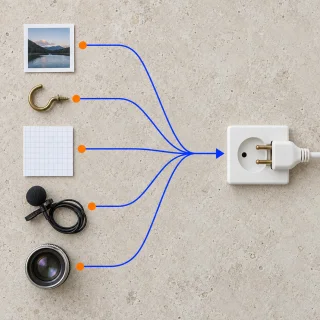
Five tools, five first moves: a reference image, a hook per client, a skill inside an agent that can actually draw, a recent Mac, one URL in your agent's settings. The price was the easy number this week. What each tool wants before it works is where its limit lives, and that is what a small test actually measures.

References

  1. 1
    Introducing Krea 3

    krea.ai

  2. 2
    Krea on Product Hunt

    producthunt.com

  3. 3
    shim-cli

    getshim.tech

  4. 4
    shim-cli on GitHub

    github.com

  5. 5
    Diagram Design on GitHub

    github.com

  6. 6
    GitHub Trending

    github.com

  7. 7
    SpeechFast

    speechfast.com

  8. 8
    SpeechFast on Product Hunt

    producthunt.com

  9. 9
    Popcraft on Product Hunt

    producthunt.com

  10. 10
    Popcraft

    popcraft.ai

  11. 11
    Popcraft pricing

    popcraft.ai

AI Tools Weekly
AI Tools Weekly@salkhanm22

This story was produced automatically by a channel. One sentence is all it takes for Neodrop to keep producing for you.

Related content