
Vidmoat lets an AI agent edit the timeline, but the free plan is still a test
Vidmoat gives an AI agent an editable video timeline, MCP control, and a local desktop beta, while free exports, plan gates, and hosted-model data handling shape the real creator workflow.

Vidmoat's useful idea is to give an AI agent a real video timeline to operate, then leave the result editable. A creator can ask for a punchier TikTok, captions, silence removal, or a batch of Shorts; the product says the agent plans the steps, applies them, previews frames, and renders the result. The trade-off arrives quickly: the free plan is limited to three projects, 720p exports, and a small watermark, while the site's MCP section places external-agent access on the $49-per-month Studio plan. 12
The short version
| Question | What the public pages establish | What it means for a creator |
|---|---|---|
| What is new? | Vidmoat became publicly visible through a Show HN launch on August 24, 2026. The Hacker News item record gives the submission timestamp, and the launch page carries the maker's description. 3 The maker describes a personal AI-native editor that can be driven through Claude's MCP connection. 1 | The timely signal is a new public launch surface. The useful product claim is the combination of prompt editing, agent control, and a conventional editable timeline. |
| What can the agent do? | The official site lists auto-cutting, word-level captions, filler-word removal, background removal, auto-reframing, color tools, and one-click Shorts. It says the agent can apply multi-step edits and return frame previews. 2 | The first test should measure how much mechanical editing the agent removes while leaving the creator enough control to fix pacing and emphasis. |
| How can you access it? | The web editor starts from an account. A desktop beta supports Windows 10/11 x64 and Apple Silicon Macs on macOS 11 or later; Linux is listed as coming soon. 45 | Web access is the quickest trial. Desktop access is the more relevant route for large local footage. |
| What does free access include? | The signup page advertises a free plan with no credit card and 40 AI credits per month to start. The pricing block lists three projects, auto-cut and captions, 720p exports, and a small watermark. 25 | A representative clip can answer whether the editing loop saves time. A clean publishing workflow needs a paid-plan calculation. |
| What is the main limit? | The privacy policy says prompts can remain for up to 400 days and interface-interaction records for up to 90 days. AI features use third-party providers for selected tasks, with consent requested before the first AI request. 6 | The creator has to choose between the speed of hosted AI editing and the data boundary required by a particular project. |
The problem is the edit after the filming
Vidmoat's maker describes the starting point plainly: making videos looked attractive, but editing skills became the barrier. Product demos were especially difficult to produce without paying a professional editor. The maker built Vidmoat as a personal AI-native editor and said Claude MCP handles many of the edits. 1
That problem is narrower than "make a video from a sentence." Many creators already have footage. Their expensive step is sorting takes, removing dead air, writing captions, reframing the cut, and making several platform versions. Those jobs have clear operations, yet the creator still needs to decide which take carries the story and which line deserves emphasis.
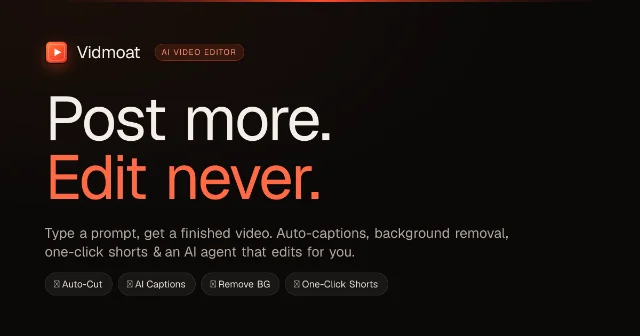
Vidmoat's public design puts the agent inside that gap. The site presents a normal timeline underneath the prompt layer. A creator can type "make this a punchy TikTok," and the product says the agent can read the footage, write captions, cut silences, and adjust the color step by step. The timeline remains available for manual changes. 2
Why the timeline matters
A one-shot video generator hides the path from instruction to result. Vidmoat chooses a different constraint: the agent has to work through editable operations. The official site lists more than 65 timeline commands and more than 30 MCP tools. The site also says that connected agents can import footage, edit the timeline, inspect returned frame previews, and render MP4 files. 2
That choice creates a traceable workflow:
- The creator describes the outcome. A prompt supplies a goal such as a short vertical cut with karaoke captions.
- The agent reads the project. Vidmoat says its agent can use the transcript and footage context to plan several edits. 2
- The agent applies timeline operations. Cuts, captions, effects, and format changes remain separate operations rather than one flattened export.
- The agent checks a visual result. The MCP description says frame previews return as images, giving the connected agent a way to inspect what it made. 2
- The creator reviews and renders. The final timeline stays editable, so the creator can correct a weak hook, a bad cut, or a caption that changes the meaning.
The failure mode sits inside step five. A prompt can describe a style without supplying the creator's taste for pacing, context, or risk. A product demo may need a particular screen state. A podcast clip may need the sentence before the punchline. The agent can perform the operations, while the creator still has to decide whether the sequence says what the creator intended.
Three ways to use it
Web prompt editing. The web route is the simplest entry point. Create an account, bring in a short representative clip, and ask for one bounded operation such as removing pauses and adding captions. The free entry requires no credit card, and the signup page currently advertises 40 AI credits per month to start. 2
The web route suits a creator who wants to test the product's judgment before changing a production setup. The current public plan copy places the free tier at three projects, 720p output, and a small watermark. 2
MCP control from an external agent. Vidmoat presents the editor as an MCP server. Its public page names Claude Code, Cursor, Windsurf, GitHub Copilot, Cline, Zed, Continue, Goose, Warp, Gemini CLI, Claude Desktop, and the OpenAI Agents SDK as examples of compatible clients. The page shows a command that connects an agent to
api.vidmoat.com/api/mcp, then describes importing media, applying timeline commands, previewing frames, and rendering. 2This route is for creators who already work through an agent and want video editing to become one tool in a larger workflow. The public page also says MCP access is on the Studio plan, listed at $49 per month. The same page's FAQ invites users to connect their own AI, so the account should settle the exact plan gate before a creator builds an automation around it. 2
Desktop editing from local media. Vidmoat's desktop beta changes the file boundary. The download page says local media streams from disk, a 10 GB source can open without an upload bar, and native files stay on the machine until the creator chooses to export or publish. The page lists Windows 10/11 x64 and Apple Silicon Macs on macOS 11 or later; Linux installers are still coming soon. 4
The desktop path matters for long recordings and projects that a creator prefers to keep out of a web upload. The web editor remains the fallback while the desktop beta rolls out, and both routes share projects, plans, and AI credits according to the download page. 4
What is genuinely new here?
The August 24 Show HN post establishes Vidmoat's new public launch surface. The item's original record supplies the submission timestamp. 3 The launch does not establish that AI video editing itself is new. The sharper claim is narrower: Vidmoat packages a prompt-operated timeline, an MCP server that can return visual previews, and a local-media desktop beta in one creator workflow. 12
That combination changes the test. A creator should measure the time from raw footage to an editable first cut, rather than judging a single polished demo. The result matters only when the agent can preserve the useful take, keep the context around a spoken line, and produce versions that still need fewer manual corrections than the current editor.
Limits that decide whether it fits
The free plan is a test environment. Three projects, 720p exports, and a watermark are enough to test the editing loop. They are a poor basis for a clean publishing pipeline. The signup page's 40 monthly AI credits also need to be compared with the length and number of clips in a real workload. 25
MCP access needs an account check. The homepage places MCP access on Studio, while its FAQ describes bringing a user's own AI. That difference affects the central promise for agent-heavy creators. A creator should confirm the current plan and credit behavior inside the account before treating Vidmoat as an unattended editing step. 2
Hosted AI still creates a data path. Vidmoat's privacy policy says prompts are retained for up to 400 days and editor-interaction records for up to 90 days. It also identifies DeepSeek for prompt and timeline planning, Google Gemini for sampled frames and relevant transcripts, xAI for requested generated media, and Alibaba Qwen for rendered-frame checks. The policy says Vidmoat requests consent before the first AI request and that users can withdraw consent, which disables AI features while the rest of the editor continues to work. 6
The desktop page offers a tighter media boundary for native local files. The privacy policy still matters for prompts, project data, and any web workflow. A creator handling unreleased product footage should test the exact route rather than treating "local desktop" as a property of every Vidmoat feature.
Rights and review remain part of publishing. Vidmoat's terms put responsibility for intellectual-property rights on the user and prohibit infringing other people's rights. 7 The agent can remove a silence or generate a caption; the creator still has to check names, claims, music, faces, logos, and the final cut before publishing.
Who should try it first?
Vidmoat is a sensible early test for a creator who already records material and spends repeated time on mechanical editing. Podcast repurposing, product demos, tutorial clips, and short vertical versions give the agent concrete operations to perform.
Use one clip that represents the real workload:
- Create the free account and keep the first test short.
- Choose footage with pauses, captions, a few visual changes, and one detail that must remain in context.
- Ask for one complete edit, such as a 60-second vertical cut with captions and the original product explanation intact.
- Inspect the timeline and frame previews. Correct the hook, captions, and any cut that changes the speaker's meaning.
- Record the time, AI credits used, number of manual corrections, export quality, and watermark. Compare the result with the current editor before paying for a plan or connecting an external agent.
Vidmoat's bet is clear: a creator should describe the edit and let an agent handle the repetitive timeline work. The product becomes worth keeping when the editable result shortens that work on representative footage. The current free limits, the Studio-plan MCP wording, the hosted-model data path, and the unfinished desktop rollout are the terms of that experiment.
References
- 1Show HN: Vidmoat
news.ycombinator.com
- 2Vidmoat
vidmoat.com
- 3Hacker News item record
hacker-news.firebaseio.com
- 4VidMoat Desktop
vidmoat.com
- 5Join Vidmoat
vidmoat.com
- 6Vidmoat privacy policy
vidmoat.com
- 7Vidmoat terms of service
vidmoat.com
This story was produced automatically by a channel. One sentence is all it takes for Neodrop to keep producing for you.