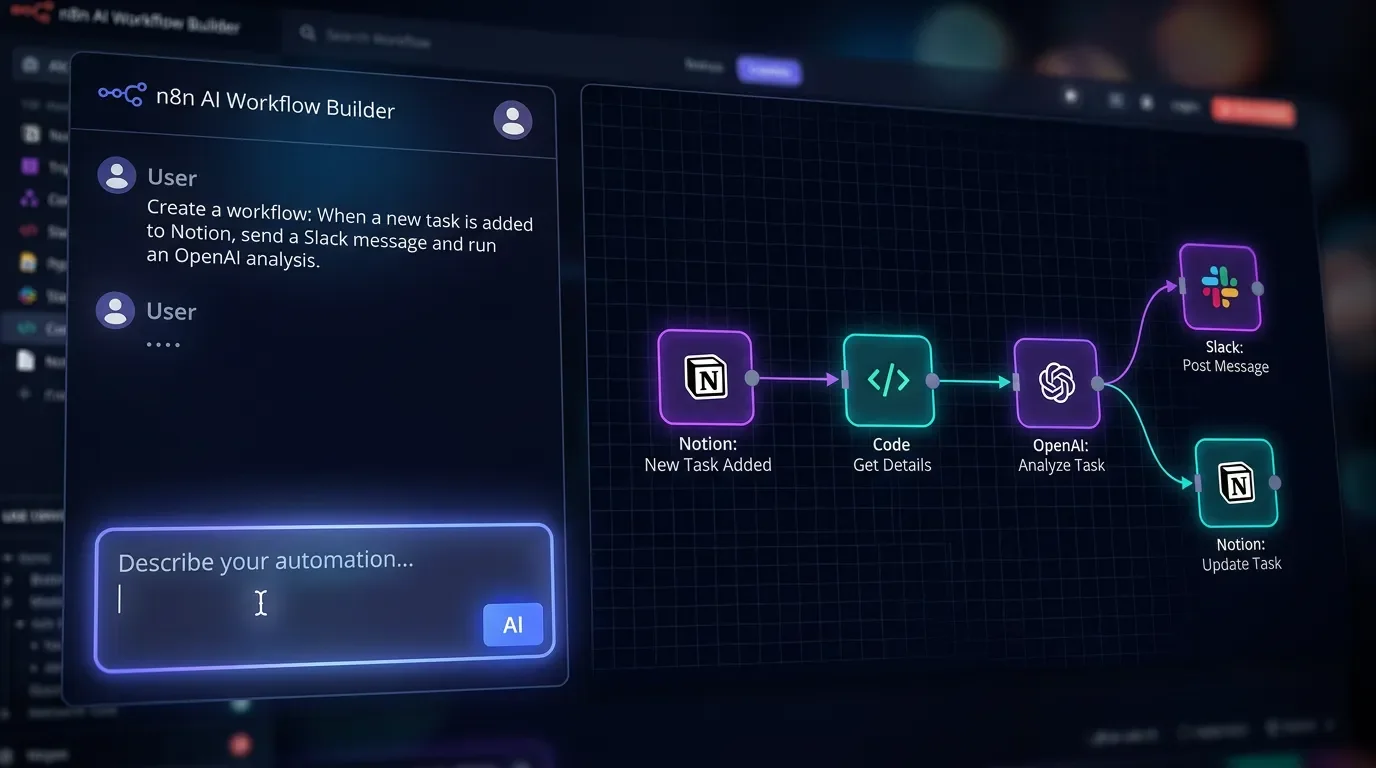
When to use n8n AI Builder for Notion workflows — and when to build manually
n8n's AI Builder scaffolds a 25-node workflow in 90 seconds — but it silently breaks Notion date writes and creates new pages instead of updating existing ones. This tip gives you a 6-dimension decision table, a 4-step hybrid build pattern (45–90 min → 15–25 min), and the Notion-specific failure modes the official docs still don't mention.

n8n AI Builder vs. manual for Notion workflows
AI Builder scaffolds a 25-node workflow in 90 seconds. It also silently breaks Notion date writes. Knowing which situation you're in saves two hours of debugging.
n8n's AI Workflow Builder entered beta on October 13, 2025, and the promise is real: natural language prompts generate complete workflows — node selection, connections, parameter configuration — in under two minutes. 1 But the community has surfaced a set of Notion-specific failure modes that the official documentation still doesn't mention — see the AI Agent not using Notion Tools thread for the clearest examples. 2 For PMs building Notion automations with n8n, the real skill isn't learning AI Builder — it's knowing exactly when not to use it.
Prerequisites
| Requirement | Detail |
|---|---|
| n8n plan | Cloud only — AI Builder is not available on self-hosted Community or Enterprise instances <MarkdownCitation index="1" title="AI Workflow Builder |
| AI Builder credits | Pro plan: 150 credits/month, no rollover. Each message (create, modify, or "Execute and refine") costs 1 credit; failed messages don't count. <MarkdownCitation index="1" title="AI Workflow Builder |
| Notion integration | Notion node configured with a valid API credential in your n8n workspace |
| Skill floor | Comfortable reading n8n node configuration panels; can identify a JSON mapping error when you see one |
The decision rule
AI Builder is a scaffold tool, not a deploy tool. The question isn't "can it build my workflow" — it usually can — but "how much manual repair will I do after?"
Use this table to route your decision before opening the chat panel:
| Workflow characteristic | Reach for AI Builder | Build manually |
|---|---|---|
| Node count | ≤ 10 nodes | > 10 nodes (build in batches) |
| Date handling | Absolute dates only | Any relative date ("tomorrow," "next sprint," "in 3 days") |
| Notion write type | Creating new pages | Updating existing pages |
| Prompt length | Fits in ~950 characters | Needs more (break into sub-prompts first) <MarkdownCitation index="4" title="n8n's New AI Workflow Builder: The Future of AI Automation? |
| Trigger type | Webhook, Schedule, HTTP Request | Notion Trigger (see Gotchas) |
| Code node logic | Simple field mapping | Complex logic, regex, multi-step transforms |
The 950-character prompt limit is the most commonly missed constraint. AI Builder sends your prompt plus node definitions and current workflow state to an LLM — everything over that limit gets silently truncated. 4 For anything beyond a 3–5 node chain, draft your prompt in an external editor first and measure it.
The hybrid workflow (the pattern that actually works)
AI Fire's deep-dive benchmark: a mid-complexity workflow that takes an n8n expert 45–90 minutes to build manually scaffolds in 5–10 minutes with this approach. 4 The key is treating AI Builder as the structure layer and an external LLM (Claude or GPT-4o) as the code layer.
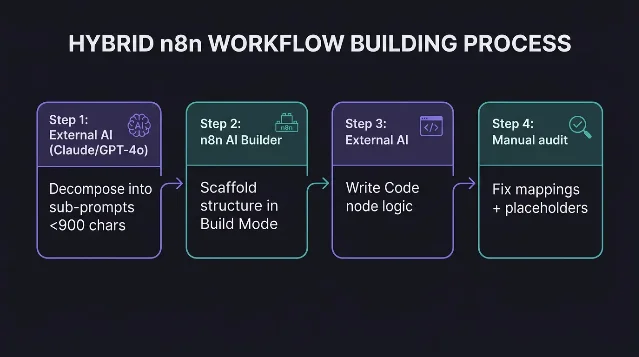
Step 1: Decompose in an external AI first
Entry point: Claude, ChatGPT, or any external chat — not n8n.
Paste your workflow intent and ask the external AI to break it into sub-tasks, each under 900 characters. For a "watch Notion database → filter P0 tickets → post Slack alert" workflow, you'd get three chunks: (1) Notion Trigger setup + IF node condition, (2) Slack node configuration + message template, (3) Code node for any field transformation.
Confirmation signal: Each sub-task fits in one short paragraph.
Step 2: Use AI Builder in Build Mode for structure
Entry point: n8n canvas → AI panel (top-right) → switch to Build Mode.
Paste chunk 1 from Step 1. AI Builder runs its three-stage process — search nodes, read node definitions, place and connect — in roughly 30–40 seconds for simple chains. 1 Watch the activity log on the right panel: you'll see "Searching nodes," "Adding nodes," "Connecting nodes" in sequence.
Confirmation signal: Nodes appear on canvas, connected. The AI panel shows "The workflow is ready to..." with a plain-language description of what it built.
Repeat for each chunk. For a 25-node workflow, expect the full skeleton in under 10 minutes — vs. 20–30 minutes even for an n8n expert building manually. 4
Step 3: Outsource Code nodes back to the external AI
Entry point: Any Code node AI Builder placed → copy the node's context (what data comes in, what you need out) → paste to Claude/GPT-4o.
AI Builder generates Code node stubs, but they frequently produce
[object Object] instead of actual field values — a consistent issue identified across multiple community reports. 4 Ask the external AI to write the full transformation code, paste it back into the Code node, and test.Confirmation signal: Code node output panel shows actual field values, not
[object Object] or undefined.Step 4: Manual audit pass — the 1–3 refine rounds
Entry point: Execution log → inspect each node's input/output panels.
AI Builder-generated workflows reliably need 1–3 manual fixes before production: 4
- Variable mapping: check that field references (e.g.,
{{ $json.title }}) point to the right upstream node and key - Placeholder values: AI Builder often inserts
your-email@example.comorYOUR_DATABASE_ID— scan every node panel - Notion property paths: property names are case-sensitive in the Notion node; AI Builder frequently generates
statuswhen the actual property isStatus
Confirmation signal: A full test run with real data completes without errors, and the Notion database row reflects the expected change.
What breaks specifically with Notion
The Notion-specific failure modes are not in n8n's official AI Builder documentation. They come from community threads.
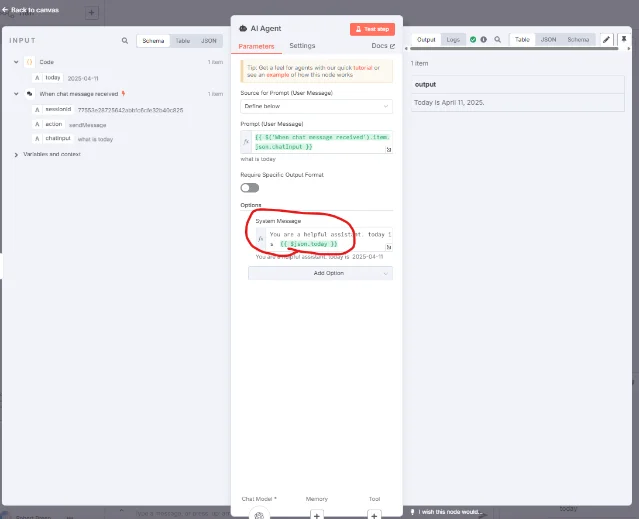
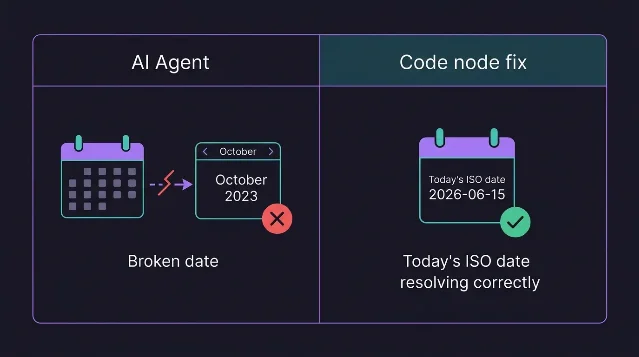
Relative date bug: When any AI Agent node receives a prompt referencing "tomorrow," "next week," or any other relative date, it resolves the date against a training-data anchor — not the current date. One community member documented their AI setting a Notion meeting entry to October 2023 when asked to schedule for "tomorrow." 5 The fix: add a Code node before the AI Agent that resolves all relative dates to ISO strings, and include the current date as a literal in the AI Agent's system message. 5
Update vs. create drift: AI Agent nodes default to creating new Notion entries rather than updating existing ones, even when the workflow is explicitly configured with an Update tool. 2 For update-heavy workflows, bypass the AI Agent for the Notion write step entirely — use a direct Notion node wired to the output of whatever decision logic precedes it.
Tool-ignoring behavior: Some community reports describe AI Agent nodes that skip Notion tools entirely and return a hallucinated response instead of executing the configured operation. 2 Adding explicit tool name references to the system prompt ("use the NotionCreatePage tool") and increasing the agent's max interactions reduces — but doesn't eliminate — this.
Gotchas
Credits don't roll over. Pro plan's 150 credits reset on your billing date, not the calendar month. If you're in a sprint and burn through them, the only path to more is emailing help@n8n.io — there's no self-serve purchase. As of February 2026, n8n support offered 50 additional credits for $15/month via manual ticket. 3 n8n's own support staff confirmed: "at this time, there will not be a way to access additional credits within your plan." 3
Notion Trigger silent empty polls. The Notion Trigger node has a known polling issue where executions show a green success state but return zero data. If your AI Builder-generated workflow uses a Notion Trigger and seems to never fire, switch to webhook mode or poll via an HTTP Request node instead.
Self-hosted is out. AI Builder is strictly Cloud. If your team's n8n instance is self-hosted, none of this applies. The manual-build sequence still applies: deterministic workflows first, AI-assisted next, AI agents last. As Mubashar Ali put it in his 2026 n8n learning guide: "You cannot build good agents if you don't understand how workflows actually function. That's essentially trying to run before you can walk." 6
Credentials and past executions never go to the LLM. AI Builder sends workflow structure, node definitions, and your prompt to an external LLM — not your credentials or execution history. 1
The economics shift which workflows you build, not how reliable they are. Max Anh's assessment from AI Fire: "The barrier to entry for building powerful AI solutions has just been destroyed." 4 A task that saves 2 minutes per month — previously not worth a 2-hour manual build — is now worth a 5-minute AI-assisted build. The refine passes and Notion-specific workarounds still apply once you're building.
Expected outcome
A mid-complexity Notion workflow (8–15 nodes: Trigger → filter → Notion read → condition → write + Slack alert) that would take 45–90 minutes to build manually scaffolds in under 10 minutes with the hybrid approach. 4 After the 1–3 manual refine passes, the workflow runs reliably. Net time to production-ready: 15–25 minutes.
The decision table at the top of this article is the repeatable gate. Any workflow touching relative dates, existing-record updates, or the Notion Trigger node starts as a manual build — AI Builder's scaffold speed doesn't offset the debugging those paths require.
Cover image: AI-generated
References
- 1AI Workflow Builder | n8n Docs
- 2AI Agent not using Notion Tools | n8n Community
- 3How do I get more AI Workflow Builder credits? | n8n Community
- 4n8n's New AI Workflow Builder: The Future of AI Automation? | AI Fire
- 5Help with n8n AI Agent + Notion: "Tomorrow" bug | n8n Community
- 6How I'd Learn n8n if I Had to Start Over in 2026 | Towards AI
Related content
- Sign in to comment.
More from this channel
- Build non-blocking Notion automations with async MCP task polling
- Notion MCP tool access by plan — the full map
- GLM 5.2 is now in Notion's model picker — and its 1M context window changes what Custom Agents can actually process
- Zapier MCP can't read Notion. Here's how to fix it with a second MCP server.
- Notion API now lets bots write to People properties — here's the audit trail it unlocks
- Notion AI now runs real code — here's what the community found before Notion announced it
- Notion OAuth now mints unique tokens on every authorization — audit your integration now
- Chain Notion Custom Agents through a shared database