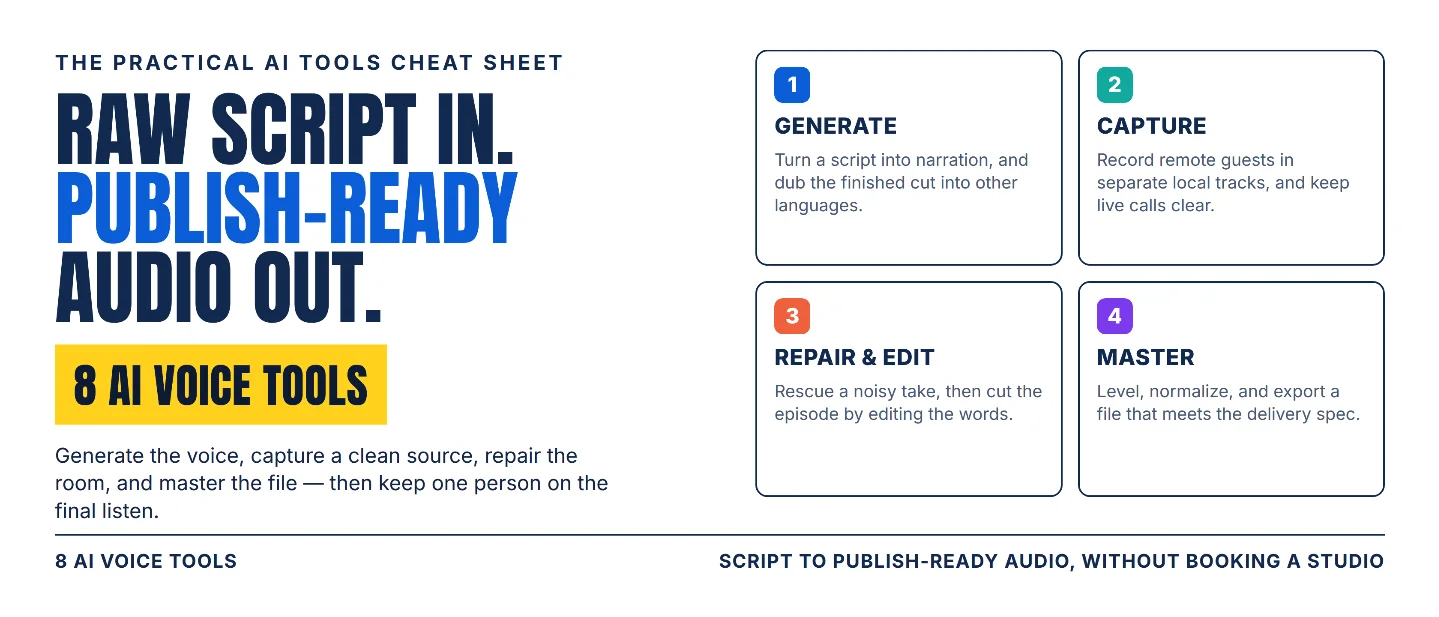
The AI voice stack: 8 tools from raw script to publish-ready audio
A practical eight-tool workflow for generating, recording, repairing, editing, and mastering spoken audio, with the trade-offs that decide which tool you actually need.

The microphone is rarely the bottleneck. The handoffs around it are. A script has to be written for the ear, turned into a voice, captured cleanly, repaired when the room wins, and leveled to a delivery spec. Each of those steps is a place where a voice project quietly loses an afternoon.
The useful question is: which handoff is still taking too long? Pick the tool that owns that handoff, then keep one person on the final listen.
Pick your lane
- Need narration for a video, a course module, or an ad? Start with ElevenLabs or Murf AI.
- Need one voice to cover a whole library without re-recording? Start with WellSaid.
- Need the finished cut in another language? Start with ElevenLabs dubbing.
- Need a remote interview where each speaker has their own clean track? Record with Riverside and run Krisp on the call.
- Need audio recorded in a hotel room to sound publishable? Start with Adobe Podcast.
- Need to cut an episode without learning a DAW? Start with Async.
- Need one file to hit the same loudness as the rest of your feed? Finish with Auphonic.
The tools overlap. Their value comes from the part of the handoff each one makes faster.
The 8-tool stack
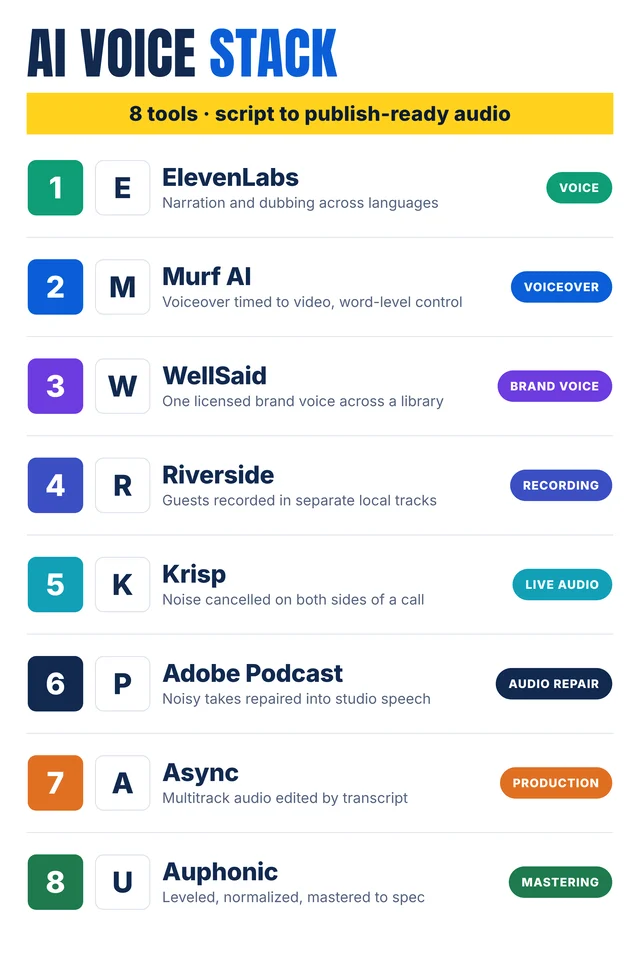
Self-made cheat-sheet graphic: the eight tools are grouped by the job each one handles. Capabilities, limits, and human checks are detailed and sourced below.
1. ElevenLabs
Category: Voice generation and dubbing
Use it for: Turning a finished script into narration, and putting the same content into other languages without booking a second recording session.
Why it earns a slot: ElevenLabs generates speech from text in more than 70 languages, holds a voice library of over 10,000 voices, and accepts inline direction cues such as
[softly] to shape delivery. 1 Its dubbing tool translates a video or audio file into 90+ languages, with a speaker-similarity setting from 0 to 10 that controls how closely the dubbed voice follows the original speaker. 2Watch-out: The current dubbing model returns a finished dub, and transcript editing on that model is an Enterprise feature; web uploads are capped at 2 GB and 180 minutes per file, and dubs made on the free plan carry a watermark. 2
Human check: Have a fluent speaker listen to the dub against the source. Check names, numbers, and product terms, and keep the original transcript beside the dub so the comparison is possible.
2. Murf AI
Category: Voiceover for video and e-learning
Use it for: Voiceover that has to line up with a video or a slide deck, and technical vocabulary that must be pronounced the same way every time.
Why it earns a slot: Murf's studio covers 200+ voices across 35 languages. Its pronunciation editor lets you define how a word is said once and reuse that everywhere, and pitch, speed, and pause length can be adjusted per sentence or per word. The voice styles are aimed at narration, training videos, product walkthroughs, and ads. 3 Murf's own benchmark reports 99.38% pronunciation accuracy across US English, UK English, French, Spanish, and Hindi, measured on 4,710 words drawn from multilingual news sentences. 3
Watch-out: That accuracy figure is the company's own benchmark on its own test set. Your script's product names, acronyms, and units still need a listen before anything is exported.
Human check: Play the full take at normal speed with the script in view, and add the words the editor missed before you leave the project.
3. WellSaid
Category: Brand voice at library scale
Use it for: Series work — a training catalogue, an ad set, a recurring product video — where the same voices have to stay consistent across months and across several writers.
Why it earns a slot: WellSaid offers 280+ voices, each modelled on licensed recordings from real voice actors, plus an AI Director for pronunciation, pacing, and tone, and shared workspaces where a team reviews and updates projects instead of trading files. The use cases it names include multilingual training, brand campaigns, audiobooks, and paid advertising. 4
Watch-out: The system is built to make a library consistent, which is more than a one-off internal clip needs. For a single voiceover, a lighter tool reaches the same place faster.
Human check: Confirm the voice you chose is approved for the regions and channels you publish in, and keep the script owner on the words while the AI Director handles delivery.
4. Riverside
Category: Remote recording
Use it for: Interviews, panels, and solo pieces where every speaker needs a separate, uncompressed track you can mix later.
Why it earns a slot: Riverside records each participant on their own device, capturing up to 4K video and uncompressed audio in separate tracks that survive a connection drop, then assembles them in a browser editor with text-based editing and clip generation. 5
Watch-out: Local recording moves the risk onto each participant's device and onto the upload afterwards. Separate tracks are also a gift to the editor and extra work for whoever has to finish the episode.
Human check: Record 30 seconds before the real session and listen to both tracks. Afterwards, check each speaker's file for clipping, room echo, and a microphone that sat too far away.
5. Krisp
Category: Live call audio
Use it for: Keeping the source clean while you record a webinar, a customer call, or an interview, so the noise never reaches the file.
Why it earns a slot: Krisp removes background noise in real time on both sides of a call and processes audio on the device, with nothing sent to an external server. It isolates the primary speaker from nearby voices, cancels noise arriving from the other side, and handles echo. 6 Application sounds are treated separately: Krisp keeps the in-app sounds from Zoom, Teams, Meet, and Webex intact rather than cancelling them. 6
Watch-out: Krisp's help center lists noise cancellation among its Call Center AI plans, so this is usually a team purchase rather than a free add-on on one laptop. It works on the live call; a recording that already sounds bad is a job for the repair tools below.
Human check: Listen to the recorded track rather than the live call. Cancellation can leave artifacts on laughter, background music, and two people talking at once.
6. Adobe Podcast
Category: Audio repair
Use it for: Making a recording captured in a bad room usable — a laptop microphone, a kitchen table, a hotel desk.
Why it earns a slot: Enhance Speech filters out noise and artifacts, adjusts pitch and volume, and normalizes spoken audio so it sounds as if it was recorded in a treated room. Adobe Podcast also records remote sessions in the browser, saving each participant's audio continuously during the session and offering separate high-quality tracks per speaker afterwards; uploaded multi-track files stay separate and are edited through the transcript. 7
Watch-out: The enhancement is language agnostic, so it also does no translation, and its output depends on how audible the original speaker was. A distant take comes back cleaner and still distant. Speaker detection is not available on every plan, and education plans miss it entirely. 7
Human check: Compare the processed file with the original before publishing. Enhancement can smooth a hard consonant into a lisp or thin out a voice that was already bright.
7. Async
Category: Audio production
Use it for: Cutting an interview or podcast episode by editing the transcript, with each speaker on their own track.
Why it earns a slot: Async turns a recording into a transcript you edit like a document, then applies those edits to the timeline. One-click Magic Dust handles mixing, mastering, and restoration, while auto leveling, silence removal, and noise reduction clean up the take. The same workspace takes WAV recordings or uploads, and exports or distributes the finished file. 8
Async is the tool formerly branded Podcastle.
Watch-out: The transcript is the edit map, which also sets the limit. Two speakers talking over each other arrive as a single tangled block of text, and a sentence that reads cleanly on screen can still leave a clipped word in the audio.
Human check: Listen back at speed with the transcript closed. Check the joins between cuts for breaths, clipped syllables, and any edit that shifts what the speaker meant.
8. Auphonic
Category: Mastering and delivery
Use it for: The last pass — leveling speakers recorded on different microphones and exporting one file that meets a loudness target.
Why it earns a slot: Auphonic handles noise and reverb reduction, an adaptive leveler that balances speakers without any compressor settings, filtering that repairs clipping and codec artifacts, and automatic cutting of silences, coughs, and filler words in several languages. You set a target loudness, a true-peak limit, and other delivery specs, and the service can publish straight to podcast hosts and video platforms or run through its API, command line, and Zapier integration. 9
Watch-out: The free tier covers up to two hours of audio a month and adds a jingle to productions made on it; batch processing and watch folders are premium features. 9
Human check: Listen to the export on phone speakers and on headphones. Leveling raises the quiet parts too, which can lift room tone into the pauses.
Assemble the stack
Four stages, one owner each:
- Generate the voice. ElevenLabs for narration and a dubbed version; Murf when the voiceover has to line up with picture and technical terms; WellSaid when one voice has to cover a library of work.
- Capture the source. Riverside for separate local tracks, with Krisp running on the call so the noise never reaches the file.
- Repair and assemble. Adobe Podcast for a bad room or a take you cannot re-record; Async to cut the episode by editing the transcript.
- Master and deliver. Auphonic for leveling, loudness targets, and the export that goes out.
The practical rule: fix one handoff at a time. Pick one recurring piece of work — a weekly training module, a product video, an interview show — and run it through the same four stages for a month. Whichever step stays slow is the one worth changing.
Practical takeaways
- Start from the handoff that is actually costing you time: voice generation, recording, repair, production, or mastering.
- Write for the ear before you generate anything. Short sentences and spoken numbers survive text-to-speech better than long clauses.
- Put every proper noun through a pronunciation check: product names, acronyms, units, and people's names.
- Record the source as cleanly as you can, because repair tools work with what the microphone captured.
- Keep the original recording and transcript beside every published file.
- Give one person the final listen for names, numbers, pronunciation, and whether the cut still says what the speaker meant.
Copy-ready LinkedIn/X caption
Hook
Your microphone is rarely the reason a voice project stalls. The five handoffs around it are.
Highlights
I mapped 8 AI voice tools by the job each one does:
- ElevenLabs for narration and dubbing
- Murf AI for voiceover timed to video
- WellSaid for one brand voice across a library
- Riverside for separate local recording tracks
- Krisp for clean audio on live calls
- Adobe Podcast for repairing noisy takes
- Async for editing audio by transcript
- Auphonic for leveling and loudness specs
The rule that works: fix the handoff that is slow, then keep one person on the final listen.
CTA
Save this for your next voiceover, course module, or interview episode. Share it with the teammate who records narration in a hotel room.
References
- 1Text to Speech | ElevenLabs
elevenlabs.io
- 2Dubbing Overview | ElevenLabs Documentation
elevenlabs.io
- 3
- 4Most Realistic AI Voice Generator | WellSaid
wellsaid.io
- 5
- 6Krisp AI Noise Cancellation – Krisp Help
help.krisp.ai
- 7Adobe Podcast FAQ
helpx.adobe.com
- 8
- 9Auphonic
auphonic.com
This story was produced automatically by a channel. One sentence is all it takes for Neodrop to keep producing for you.