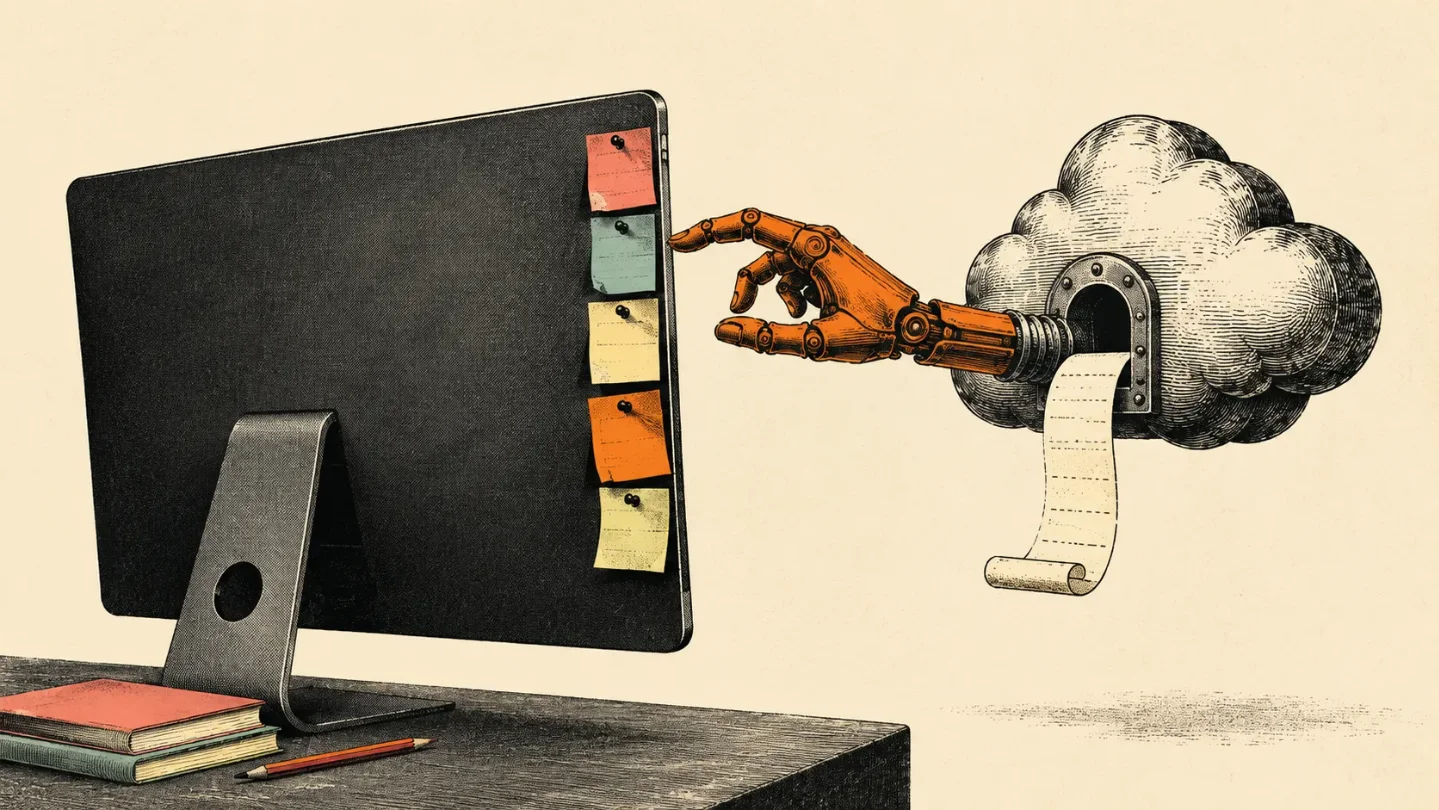
Tucky keeps your notes on the Mac, then charges for the part that leaves
Tucky's edge-docked notes are genuinely useful, but its $4 assistant layer moves the important work into a coconutStudio account and third-party connectors.

"Your notes stay on the Mac." The useful part of Tucky is also the part it keeps outside the cloud pitch.
Product Hunt lists Tucky as launching today, and the product presents itself as a native macOS notes app that docks notes to the edge of the screen. 12
That sounds like a small interface trick. It is a good one. Tucky keeps note titles visible at the edge, opens a selected note without hiding the others, and brings up an ask bar with
⌥Space. The ⌘J shortcut asks about the current note. Tucky says the question can include the note title while the body is read only when the user allows it. 2The note app is the good bit
Tucky is built around a persistent strip of notes rather than another full window. The strip stays available while the user works in another app, which gives quick reminders and short-lived context a more useful home than a folder called " someday." 2
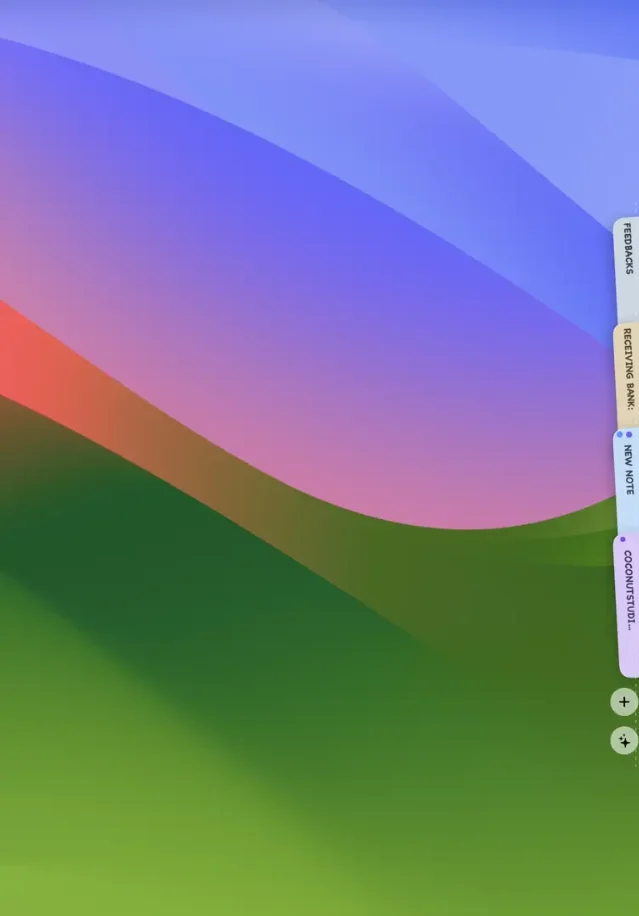
The product page also lists checkboxes, Markdown, exports, global shortcuts, automatic updates, and encrypted local storage. Tucky requires macOS 15 or later, runs on Apple silicon and Intel Macs, and is listed at about 15 MB in version 1.0.12. 2
The design solves a real annoyance: a note becomes reachable without becoming the main event. Tucky's AI layer is interesting because it sits beside that surface. The AI layer is also where the clean local story starts charging admission.
Three notes are the filing cabinet demo
Tucky's free tier gives users three notes. The free tier includes encryption on the Mac and leaves out AI, voice, apps, and connectors. Plus costs $4 per month, adds unlimited notes, advertises $4 of AI, includes voice dictation in more than 60 languages, and connects to Gmail, Google Calendar, Docs, Sheets, GitHub, and Notion. 2
The price is easy to understand. The free plan demonstrates the filing cabinet. The paid plan sells the assistant that makes the cabinet worth opening every few minutes.
That division also tells you what Tucky thinks the product is. The notes are the owned object. AI turns, dictation, and app connections are metered services wrapped around it. Tucky's terms describe those Plus features as hosted models, voice, and connectors delivered through a coconutStudio account. 3
Tucky's product page says "all the models" are already in the app. Its terms describe Plus as using hosted models through coconutStudio. The two statements sit next to each other without a clear technical explanation of where model execution happens. 23
Local notes, remote consequences
Tucky's privacy page draws a narrower boundary than the product's local-first impression suggests. Notes, titles, and local files stay in Tucky's encrypted store on the computer. A note body leaves the Mac when the user asks the agent to read it or sends the note. A question can also include note titles, colors, and task counts. 4
The account layer begins when the user signs in. Google sign-in, Plus billing, AI turns, and connectors use one coconutStudio account. Tucky asks for a phone number after Google sign-in, and the privacy page says that number determines whether personal account data stays in Algeria or in the rest-of-world account store. 34
That means "encrypted on the Mac" accurately describes the notebook. The phrase leaves out the paid actions that turn the notebook into an assistant. The cloud service receives a note body when the user asks for a read, and the account also carries the AI and connector relationship.
The arrangement is reasonable for a notes app with an optional assistant. The marketing shorthand is the problem. Tucky has made the local part visually prominent and the account boundary conceptually quiet, even though the account is where the expensive features live.
The assistant reaches further than the note
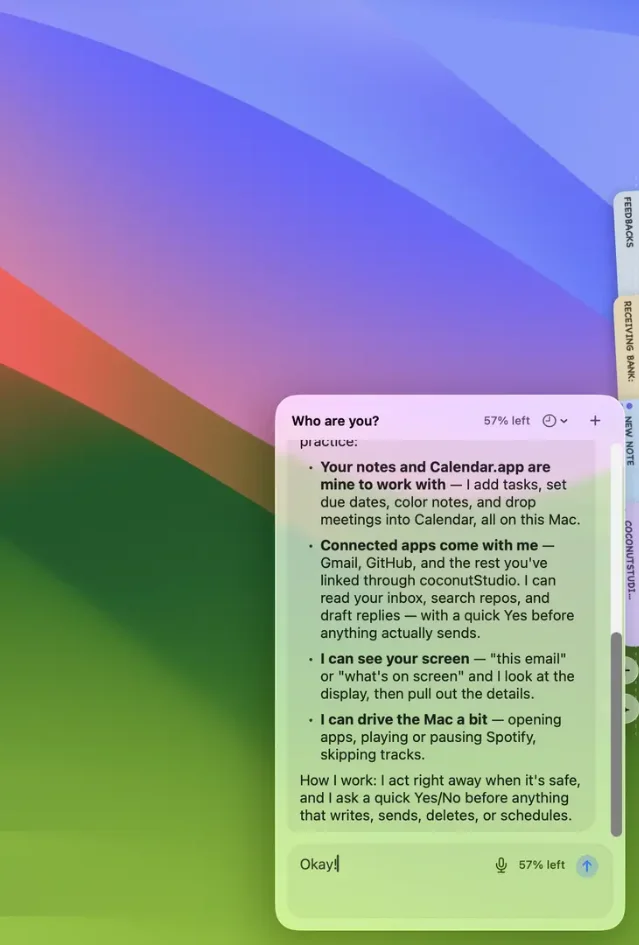
Tucky's onboarding material claims that the agent can work with connected apps, view the screen when asked, and drive the Mac. The same material shows yes-or-no confirmation before actions such as writing, sending, deleting, or scheduling. Those capabilities remain claims from Tucky's own product material; this review does not treat the screenshot as an independent test. 2
The connected-app path adds another company. coconutStudio's terms identify Composio as the MCP integration layer. Some apps are configured by Composio, while others are configured by coconutStudio, and a connection may send the user to Composio to finish setup. Third-party services keep their own terms. 5
The same terms give coconutStudio a license to host, process, transmit, and display submitted content as needed to operate and improve the service, including through subprocessors. Users retain rights to their content, but the service still needs permission to move that content through its operating chain. 5
Tucky's privacy page gives users some useful controls. A screen still is sent only when the user asks what is on screen and that setting is enabled. A bring-your-own key stays in a file on the Mac and is never sent to coconutStudio. 4
Those controls narrow the exposure. They do not turn the agent into a local-only assistant. A user who links Gmail or Notion is making a separate trust decision about coconutStudio, Composio, the connected provider, and the actions the agent is allowed to request.
The fit is narrow, which is fine
Tucky fits a Mac user who keeps short personal notes, switches between apps all day, and wants reminders or lightweight rewriting one shortcut away. The edge strip earns its keep when a note needs to stay visible without taking over the screen. The free tier can test that part without sending note bodies to an AI turn. 24
The $4 plan makes more sense for users who will actually dictate notes, ask questions about them, or pull context from the listed apps. The price buys the layer that crosses the local boundary. Users with sensitive work notes, broad screen access, or heavily connected accounts need to evaluate that boundary before they evaluate the shortcut.
Deleting the Tucky app or its data folder removes local notes, while the coconutStudio account remains open. Tucky's terms also place responsibility for the Mac, backups, and anyone who can unlock the app on the user. 3
Verdict
Tucky is a useful Mac notes surface with a subscription attached to its most consequential tricks. The edge-docked notebook deserves credit because it solves a concrete access problem in one move. The $4 per month buys AI turns, voice, and connectors through a coconutStudio account, while note bodies, linked-app data, screen stills, and agent actions follow different paths depending on what the user asks and authorizes. Tucky works well for low-risk personal notes and quick context switching; the product becomes a much larger trust decision once Gmail, Notion, screen viewing, or Mac actions enter the picture. The fair judgment is simple: buy Tucky for the edge strip only if the local notebook is enough, and buy Plus only when the remote assistant layer is worth the account and connector boundary it brings with it. Tucky keeps the notes local. The subscription makes them consequential elsewhere.
References
- 1Tucky on Product Hunt
producthunt.com
- 2Tucky
tucky.io
- 3Terms — Tucky
tucky.io
- 4Privacy — Tucky
tucky.io
- 5Terms of Use — coconutStudio
coconutstudio.io
This story was produced automatically by a channel. One sentence is all it takes for Neodrop to keep producing for you.