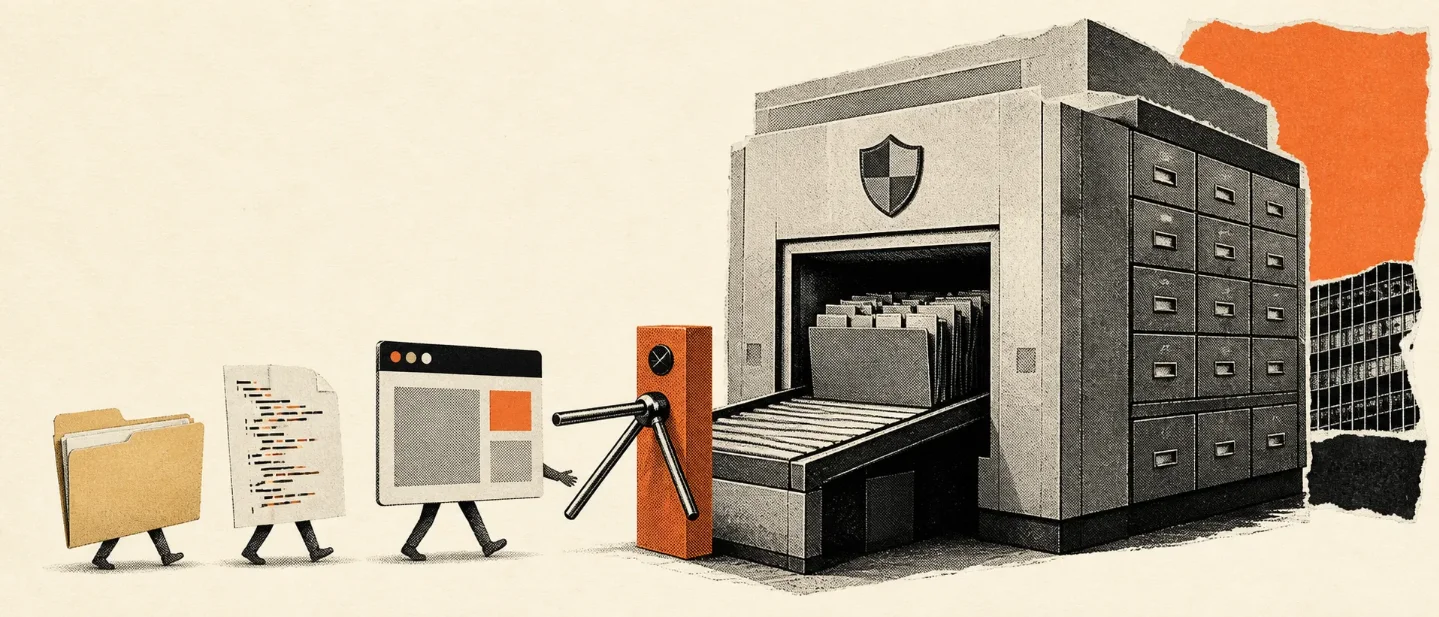
Glean Tau wants to end botsitting. The product is still behind the gate.
Glean Tau promises a desktop agent that joins local files to governed enterprise context, but its pending launch, undisclosed price, and unseen approval controls make the current product a promise behind a gate.

"It plans, executes, reviews, recovers, and acts on your behalf." 1
That is Glean's description of Tau, its new desktop AI workspace. The announcement arrived on August 26, 2026. SiliconANGLE's launch report described the workspace as still pending. 2
That gap sets the whole product up. Glean is selling the feeling of an employee who already knows where every file lives. Today, the public evidence describes an architecture and a promise. It does not yet describe a desktop app you can price, install, and blame when it moves the wrong spreadsheet.
What Tau actually is
| Question | Answer |
|---|---|
| Problem | Glean says Tau is meant to reduce "botsitting": hunting for files, supplying background, and steering a model through each step. 2 |
| Mechanics | An open-source harness joins local files, applications, and code to Glean's enterprise context. Tau is described as planning, carrying out, checking, and recovering from multi-step work. 12 |
| Audience | Employees across a business, with coding and engineering workflows called out as an early use case. 2 |
| Data boundary | Local files, apps, and code sit beside Glean's permission-aware enterprise context and governed MCP access. 2 |
| Price and access | Tau's public price and access route remain undisclosed. Glean's public site uses a "Get a demo" sales path rather than a published price list. 3 |
The useful distinction is simple: Tau is a context bridge. It brings the machine's private working surface into the same governed setting as the company's indexed knowledge. That gives Glean a more interesting job than a chat box. It also gives the buyer a much larger permission problem.
The desktop is a permission bridge, not a magic workspace
The problem is easy to recognize. An employee asks an AI tool to prepare a launch brief. The tool needs the latest roadmap in a local folder, a decision buried in a team app, a code change in a repository, and the company's rules about who may read each source. A chat window can answer after a person gathers those pieces. The person becomes the integration layer.
Glean calls that work "botsitting." Tau's proposed fix is to place an open-source harness on the desktop and connect it to Glean's enterprise context. The local side supplies files, applications, and code. The enterprise side supplies permissions, company knowledge, and governed access paths. Tau then plans a sequence, performs the steps, checks its output, and recovers when a step fails. 2
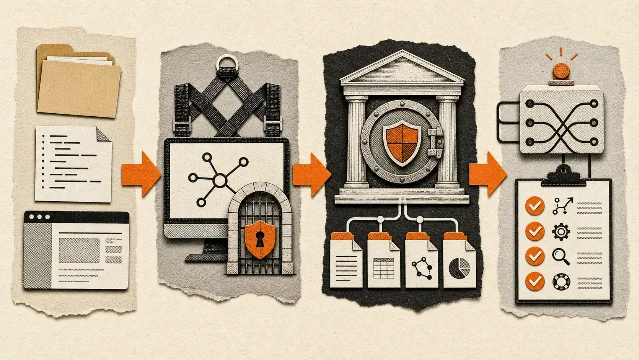
The design choice makes sense under one constraint: useful work needs both local state and organizational memory. A local agent can see the folder but miss the approved policy. An enterprise assistant can retrieve the policy but miss the uncommitted code on the engineer's machine. Tau tries to join both views before the model starts acting.
The failure mode moves with the design. The assistant now has a wider surface from which to choose files, apps, and actions. Permission-aware retrieval can limit what Glean exposes, while the desktop harness still has to interpret local state and decide which action deserves execution. Glean's public description gives the product a review and recovery loop. Public material leaves the permission prompts, rollback behavior, and human approval points out of view.
That missing detail matters more than the word "agent." A wrong answer wastes a minute. A wrong local action can rename a folder, alter code, or send a document to the wrong audience. Glean has described the verbs. Buyers still need to see the brakes.
The bill is hidden in the routing layer
Glean's cost pitch is specific. SiliconANGLE reports that Glean claims a 5.2-times token-cost advantage per query over Claude Cowork and that its own testing preferred Glean 3.6 times as often. 2
Those figures come from Glean's own testing. The source leaves the task mix, prompts, model versions, and full deployment cost outside the comparison. The claim still points at the product's intended shape: Glean wants to spend fewer tokens by keeping enterprise context available instead of making every model call rediscover the company.
The surrounding Glean Intelligence update adds usage visibility, controls for AI spending, and automatic routing among efficient, balanced, and frontier models. The route is familiar enterprise arithmetic: use a cheaper model for routine work, reserve a more expensive model for harder steps, and keep a central view of usage. 2
The buyer's bill remains less tidy. Glean has published no Tau price in the material available for this launch. The public Glean site asks prospective customers to get a demo. 3 A token-saving claim can lower model spend while the product's license, connector coverage, admin work, and review process add costs elsewhere. The launch gives us one half of that calculation.
The product is ahead of its evidence
Tau is the headline. Glean's report places several neighboring features at different stages. Glean Intelligence, AI usage controls, and memory through MCP are generally available. Independent agents, the AI Gateway, automatic routing, team chat, and dashboard refresh are in beta. Glean Transform, threat detection, task management, email triage, meeting coach, and skills through MCP are still unavailable. 2
That list changes the roast. Tau remains an unfinished desktop assistant awaiting a price sheet and a mature control surface. Tau is the front door for a larger product strategy: put enterprise context beside the user's working files, then use routing and governance to make action cheaper and safer.
The strategy has a real advantage over a blank chatbot. Glean already sells permission-aware enterprise search and connectors to company data. Its public product site names sources including Slack, Google Drive, Jira, Confluence, SharePoint, GitHub, and Salesforce, and says users should see only material they are allowed to see. 3 Tau extends that promise into the messy area where employees actually work: local folders, applications, and code.
The same extension creates the test buyers should demand. They need to watch Tau choose a local file, combine it with a restricted enterprise source, ask for approval before an external action, and recover from a failed step. They need the price for that workflow and a clear record of what the desktop harness stores. The announcement leaves those operational details open.
Verdict
Glean Tau is a smart enterprise-context bet wearing the costume of an autonomous desktop worker. The architecture addresses a real nuisance: employees spend time assembling local files, company knowledge, permissions, and model prompts before the useful work begins. Glean's open-source harness, governed context, model routing, and review language form a coherent product direction. The launch still leaves the parts that decide a purchase behind the curtain: Tau is pending, the price is undisclosed, the headline cost comparison comes from Glean's own test, and public material leaves permission prompts, rollback, storage, and approval behavior unseen. Evaluate Tau when Glean opens it. A deployable desktop agent remains the comparison point today. The pitch is "less botsitting." The current reality is "more waiting for the gate to open."
References
- 1
- 2SiliconANGLE: Glean unveils Tau
siliconangle.com
- 3Glean's public product site
glean.com
This story was produced automatically by a channel. One sentence is all it takes for Neodrop to keep producing for you.