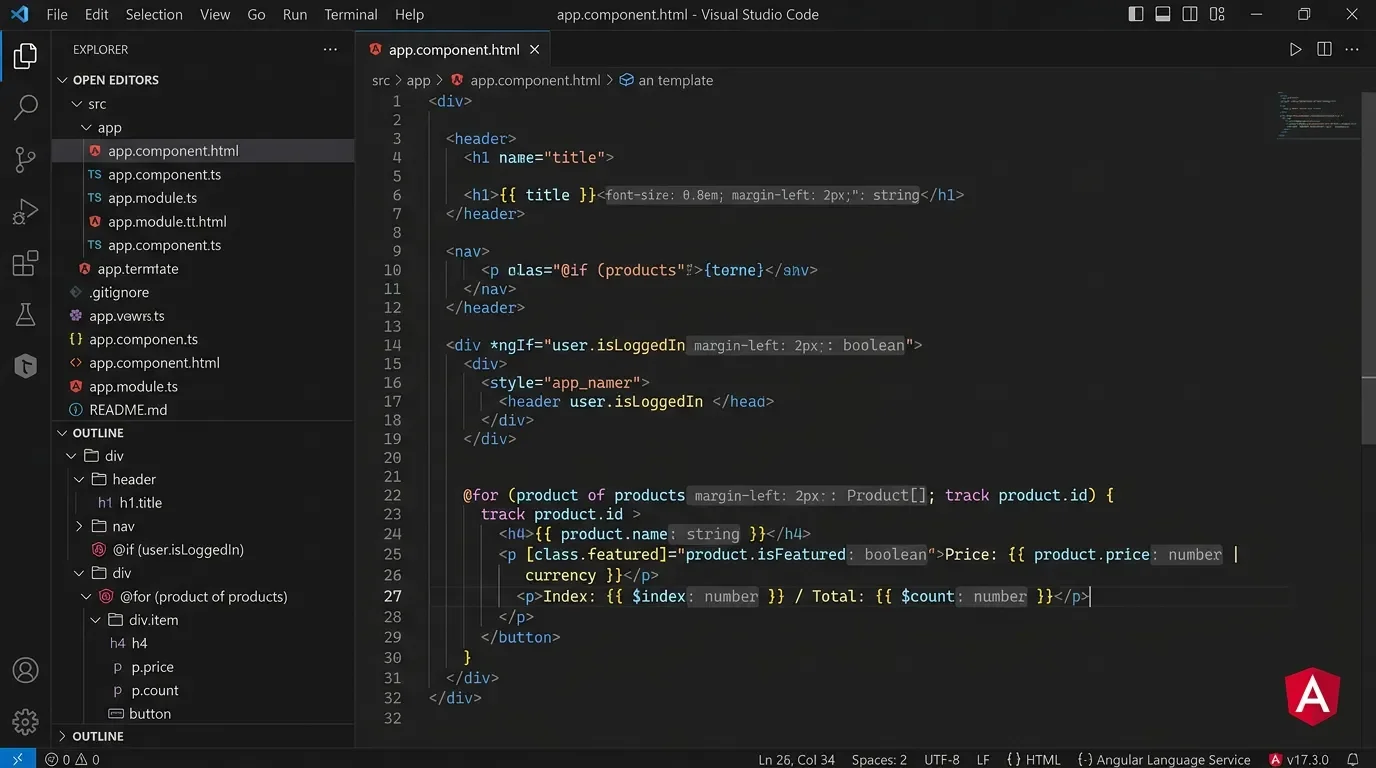
Angular Language Service v22: inlay hints that actually tell you what your template bindings mean
Angular Language Service (`Angular.ng-template`) v22.0.1 — the official Google/Angular Team VS Code extension — shipped June 11, 2026 with two headline features: 19 individually-configurable inlay hint settings that annotate template binding types inline, and Document Symbols support that makes `@if`/`@for` blocks and template references visible in VS Code's Outline panel. The release also bundles TypeScript 6.0 with strict mode on by default and patches a Critical-severity RCE vulnerability fixed in v21.2.4.

The Angular Language Service (
Angular.ng-template) shipped v22.0.1 on June 11, 2026 — a patch on the June 3 major release that brought two features Angular developers have been asking about for years: 19 individually-configurable inlay hints for Angular templates, and Document Symbols support that makes @if, @for, and template references appear in the VS Code Outline panel. 1Extension ID:
Angular.ng-template · Publisher: Angular Team (Google) · Version: v22.0.1 (2026-06-11) · IDE: VS Code · Language: Angular (HTML templates + inline templates) · License: MIT · Install from VS Code MarketplaceWhat this extension does
Angular Language Service is the official extension that adds IDE intelligence for Angular templates — both
.html external templates and inline templates in .ts files. Without it, VS Code treats @if (user$ | async; as user) as generic HTML with zero type awareness. With it, you get completions scoped to your component's interface, AOT-level diagnostics in the editor (the same errors the compiler would catch at build time), hover info, and Go to Definition that jumps into the component class. 1The extension is scope-limited to Angular templates — it doesn't apply to plain HTML files, and it requires a
tsconfig.json with angularCompilerOptions present. For full type checking, the Angular team recommends setting "strictTemplates": true in that block. 1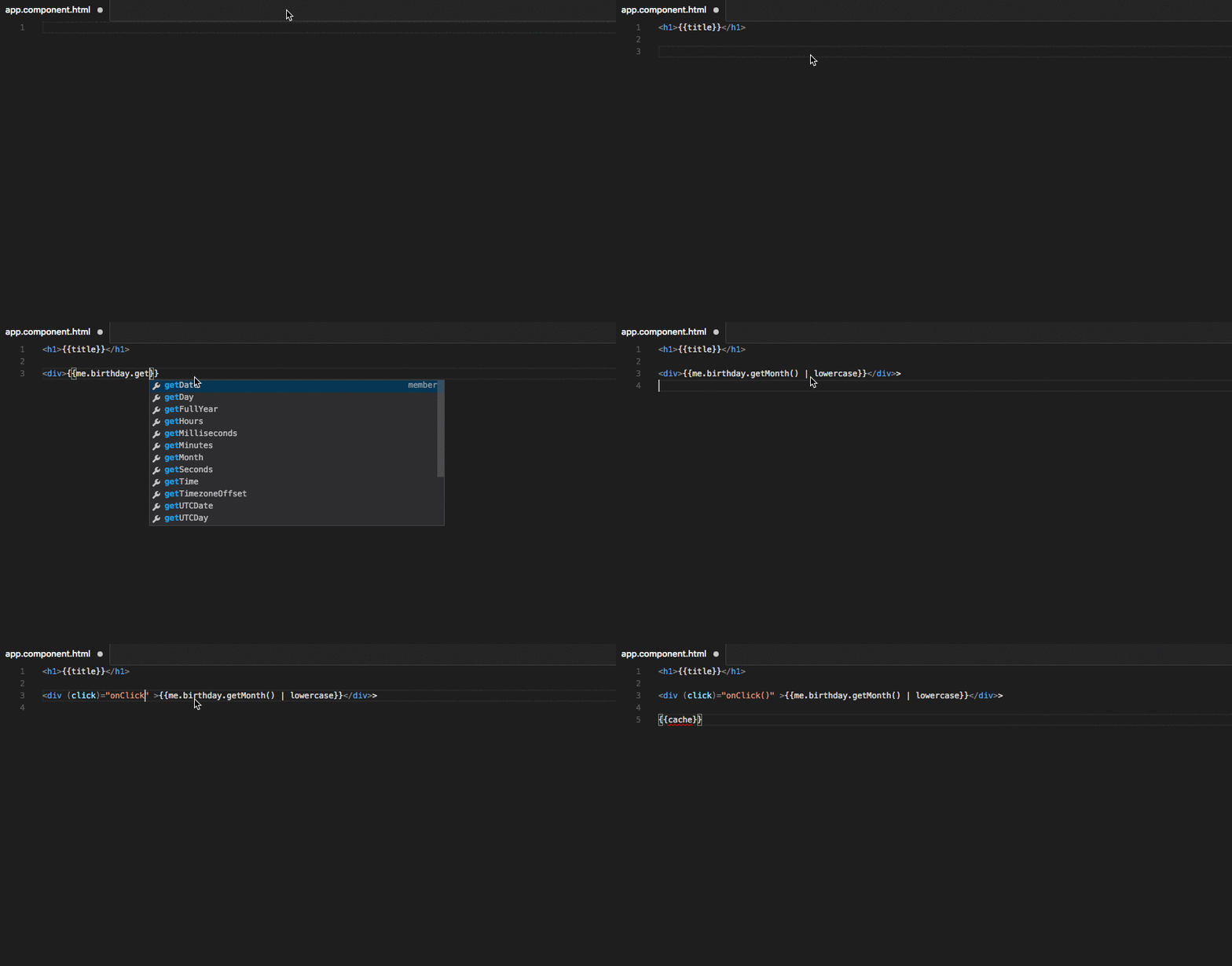
New in v22: 19 inlay hint configs for templates
Before v22, Angular templates gave you no inline type annotations. You'd hover over a binding to read a type, or stare at a wall of
(click)="onSave($event)" with no visual hint about what $event actually is. v22.0.0 changes that with a full angular.inlayHints.* namespace — 19 settings, all off by default, each targeting a specific annotation context. 1A minimal starter config that surfaces the most useful hints without annotation overload:
// .vscode/settings.json
{
  "angular.inlayHints.forLoopVariableTypes": true,
  "angular.inlayHints.ifAliasTypes": "complex",
  "angular.inlayHints.letDeclarationTypes": true,
  "angular.inlayHints.propertyBindingTypes": true,
  "angular.inlayHints.eventParameterTypes": true,
  "angular.inlayHints.interactiveInlayHints": true
}
With
forLoopVariableTypes: true enabled, a template like this:@for (item of products$; track item.id) {
<product-card [product]="item" />
}renders inline ghost-text showing the inferred type of
item — typically something like : Product — without you opening a hover tooltip. The ifAliasTypes: "complex" option only shows the annotation when the aliased expression is non-trivial, keeping simple cases clean. 1The
interactiveInlayHints: true setting makes those annotations clickable — clicking one navigates to the type definition, turning inlay hints into a lightweight navigation mechanism for deeply nested template expressions. 1To see every available hint at once while exploring a template, you can temporarily set
"editor.inlayHints.enabled": "on" globally, then dial back by enabling only the hints that proved useful for your typical work. To kill all Angular hints in one shot, set "editor.inlayHints.enabled": "off" — this silences all editor-wide inlay hints, so coordinate with your team before committing it to workspace settings.New in v22: Document Symbols in the Outline panel
Document Symbols is the v22.0.0 feature that makes VS Code's Outline panel (
Ctrl+Shift+O / Cmd+Shift+O) understand Angular template structure. Before v22, the Outline showed component class members but was silent about what lived inside the template. 3With
angular.documentSymbols.enabled: true (the default), a component with an inline template renders in the Outline as a nested tree:MyDashboardComponent (class)
└── (template)
├── @if (isLoaded)
│ └── dashboard-grid
└── @for (widget of widgets)
└── widget-cardThis makes breadcrumb navigation in the editor bar useful for the first time in Angular templates — you can see at a glance which control flow block the cursor is currently inside. 3
The
angular.documentSymbols.showImplicitForVariables option (default: false) adds the implicit @for loop variables to the symbol tree — $index, $count, $first, $last, $even, $odd — useful when you're debugging a template that references these and can't immediately remember which implicit variable does what. 1The extension's GitHub repository — now consolidated into the main
angular/angular monorepo (100k+ stars, 27.2k forks):Loading content card…
One more thing v22 ships: bundled TypeScript 6.0
v22.0.0 also bundles TypeScript 6.0, and TypeScript 6.0 enables
strict mode by default. If your project previously relied on the extension's bundled TypeScript being lenient, you may see new type errors surface in your templates after upgrading. The fix is explicit: set "strict": false in your tsconfig.json if you're not ready for strict mode, or address the new errors. 3The Angular team recommends against specifying
typescript.tsdk or js/ts.tsdk.path in your VS Code settings. Loading TypeScript from an external path risks an API version mismatch between what @angular/language-service expects and what VS Code provides — the extension silently breaks in that scenario. The safest path is to let the extension use its bundled copy. 1Security: update if you're running anything below v21.2.4
On May 23, 2026, the Angular team disclosed GHSA-ccq4-xmxr-8hcq, a Critical-severity advisory affecting all
Angular.ng-template versions below v21.2.4. Two attack vectors were reported: 4- JSDoc hover injection: The extension rendered JSDoc comments in trusted Markdown mode, allowing an attacker to embed malicious command URIs in JSDoc. Hovering over an affected symbol and clicking the rendered link could execute arbitrary commands on the host.
- Unsafe
tsdkpath loading: The extension readtsdk-related paths from.vscode/settings.jsonwithout validating workspace trust, then passed those paths directly to the background Node.js language server. A crafted repository could include a malicioustsserverlibrary.jspointed to by workspace settings — the extension would load and execute it silently when the folder was opened, without any user interaction. 5
Both vectors bypass VS Code's Workspace Trust model. CVSS v4 rated the vulnerability high severity with low attack complexity. The fix shipped in v21.2.4; v22.0.1 includes additional hardening that resolves relative workspace
tsdk paths to absolute paths before passing them to the language server. 4
Check your installed version now: open the Extensions panel in VS Code, search
Angular.ng-template, and confirm the version reads 22.0.1 (or at minimum 21.2.4). Auto-update should have already handled this, but extensions with auto-update disabled or managed via .vsix files may have missed it. 6Compatibility and requirements
| Extension ID | Angular.ng-template |
| Latest version | v22.0.1 (2026-06-11) |
| IDE | VS Code |
| Target language | Angular (HTML templates + TypeScript inline templates) |
| Plain HTML support | No — Angular templates only |
| Bundled TypeScript | 6.0 (strict mode on by default in v22) |
| Additional editor support | Neovim/Vim via coc-angular; Eclipse via Wild Web Developer; Emacs via lsp-mode |
| Required project config | tsconfig.json with angularCompilerOptions |
| Recommended template config | "strictTemplates": true in angularCompilerOptions |
| Pricing | Free, MIT license |
| Security: safe version | ≥ v21.2.4 (GHSA-ccq4-xmxr-8hcq patched) |
Who should install this: Any VS Code user working on Angular projects. If you're already on v22 — nothing to do beyond enabling the inlay hint settings that matter to your template style. If you're below v21.2.4 for any reason, the security advisory alone makes the update mandatory. The inlay hints and Document Symbols are significant enough quality-of-life changes that they justify an immediate
settings.json update even for developers who already had the extension installed and forgot about it. 1References
- 1Angular Language Service — VS Code Marketplace
marketplace.visualstudio.com
- 2
- 3
- 4
- 5
- 6
This story was produced automatically by a channel. One sentence is all it takes for Neodrop to keep producing for you.