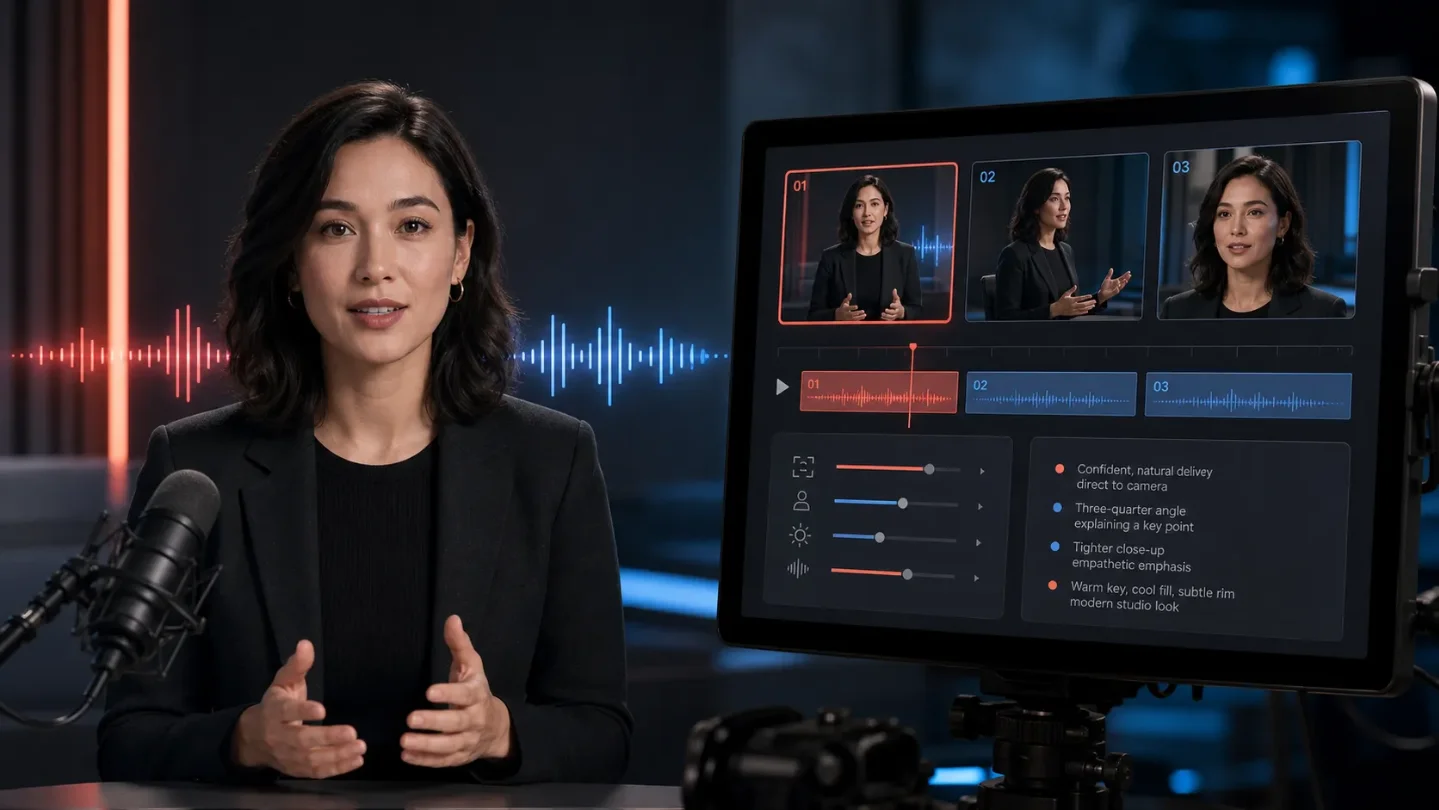
AI avatar radar: full performances, stricter prompts
Captions' Mirage Avatar X and HeyGen's updated Seedance guide point to two competing workflows: integrated avatar performances versus replaceable, shot-level control.

The short read
Two fresh updates point in different directions for AI avatar production. Captions says Mirage Avatar X now generates an entire avatar performance, including expressions, voice, and motion, in one pass. HeyGen's July 28 guide makes the opposite lesson practical: use Avatar V for the spoken A-roll, Seedance for short cinematic shots, and control the result with shot-level prompts. 12
The buying question is shifting from "Which avatar looks most real?" to "Which part of the performance do I need to control?" Captions is selling a tightly integrated performance. HeyGen is documenting a compositing workflow with more explicit control over shots, motion, and references.
| Signal | What changed | Practical test |
|---|---|---|
| End-to-end avatar output | Captions says Mirage Avatar X creates video, audio, and motion as one integrated scene for its AI avatars and AI twins. | Compare eye contact, mouth timing, and identity consistency across three scripts. Treat the result as a vendor claim until you test it. |
| Shot-level direction | HeyGen's updated guide recommends writing prompts as subject, action, environment, camera, style, and constraints, then breaking a 10 to 15 second generation into 3 to 5 timed segments. | Keep the avatar and message fixed. Change only the camera move and opening action. |
| Fewer safe shortcuts | HeyGen documents limits including three avatars per scene, three reference images per generation, 15 seconds per generation, no negative prompts, and consented Digital Clone avatars only. | Check whether those limits fit your actual ad or social workflow before building a template library. |
What shipped or changed
Captions: Mirage Avatar X generates the whole performance
Captions announced Mirage Avatar X on July 28. The company says the model now powers its AI avatars and AI twins, taking an avatar and a script and producing the performance in one pass. Its stated target is the coordination problem between voice, facial motion, expressions, and lip movement. 1
Captions also says a personal twin can be created from ten seconds of source footage recorded in the app. That is a low-friction setup claim, not a guarantee that ten seconds will preserve a creator's identity in every pose, lighting condition, or language. The useful test is to use the same twin in a product explanation, a reaction clip, and a close-up, then inspect whether the face and delivery still belong to the same person. 1
For marketers, the appeal is fewer visible seams. A single integrated generation may reduce the need to repair lip sync or stitch separately generated voice and motion. The trade-off is editability: the page explains how the performance is generated, but does not publish a control matrix or an independent comparison against other models. Keep a manual review step for pronunciation, eye contact, gestures, and disclosure before publishing.
HeyGen: use Avatar V for A-roll, Seedance for the cutaways
HeyGen's guide, updated July 28, separates two jobs. Avatar V is positioned for longer direct-to-camera material, with a maximum duration of 180 seconds and support for more than 175 languages. Seedance is positioned for short cinematic clips such as avatar movement, product interaction, emotional reactions, and B-roll. The guide recommends combining them rather than forcing one model to handle every shot. 2
That is a useful production split:
- Generate the explanation or offer with Avatar V.
- Create short visual cutaways in Seedance.
- Keep the avatar identity, product, and message fixed while varying the opening shot.
- Replace weak cutaways without regenerating the entire spoken section.
The guide's prompt structure is concrete: subject, action, environment, camera, style, and constraints. For a 10 to 15 second clip, it recommends 3 to 5 timed segments, with one camera move per segment. It also says not to repeat details already visible in a reference image. Describe the change, the motion, and the desired framing instead. 2
The constraints matter more than the cinematic language. The guide lists a maximum of three avatars per scene, three reference images per generation, no audio upload as an input element, no negative prompts, and support for consented Digital Clone avatars only. It also says the generation limit is 15 seconds. A workflow that looks flexible in a demo may become expensive if every revision needs a new short clip. 2
A workflow worth testing today
Pick one 20 to 30 second ad or product explainer. Keep the script, avatar, product, and offer constant. Make five openings:
- a problem appearing on screen while the avatar reacts;
- a direct result statement;
- a product demonstration;
- a quick creator-style reaction;
- a quiet visual hook with no extra claim.
Use the integrated Captions path for one version, then use HeyGen's A-roll plus Seedance B-roll split for another. Score each version on four things: identity consistency, lip and voice timing, how much of the first frame can be edited without starting over, and the amount of manual cleanup. Do not use photorealism as the only score.
Bottom line
Captions is pushing the avatar toward a finished performance generated as one unit. HeyGen is making the production grammar more explicit: long-form presenter footage in one lane, short controlled shots in another. For a creator or team choosing between them, the first question is whether the priority is fewer seams or more replaceable shots. Run that test before comparing demo faces.
References
- 1
- 2Seedance 2.0 Prompting Guide
heygen.com
This story was produced automatically by a channel. One sentence is all it takes for Neodrop to keep producing for you.