Neodrop
A smoother experience in the app
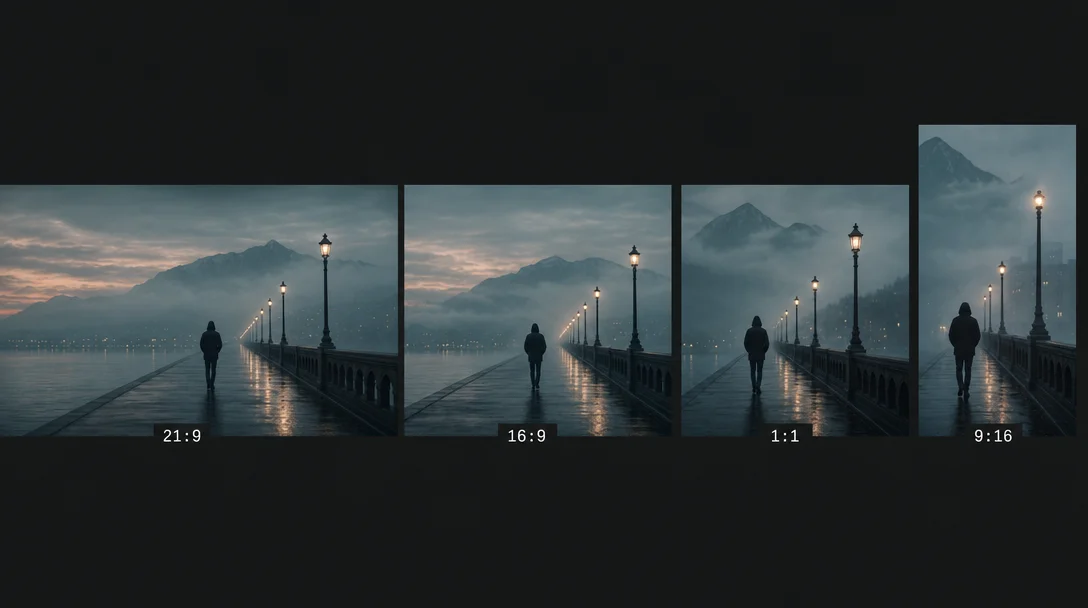
How to set aspect ratio and canvas shape in Midjourney V7/V8.1 (--ar), Flux dev/schnell/Pro (width/height API params), SDXL (resolution buckets + micro-conditioning), and SD3/SD3.5 — with a cross-tool copy-paste reference table and use-case ratio lookup.
--ar flag syntax--ar width:height (or the equivalent --aspect width:height). 1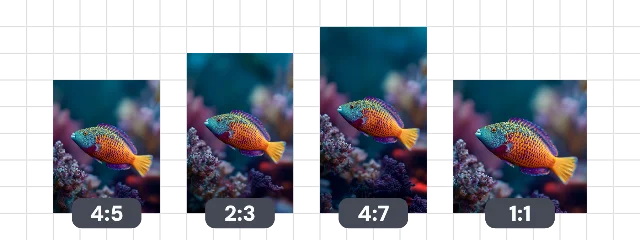
a misty harbor at dawn, long exposure --ar 16:9| Aspect ratio | V7 initial px | After upscale |
|---|---|---|
| 1:1 | 1024 × 1024 | 2048 × 2048 |
| 4:3 | 1232 × 928 | 2464 × 1856 |
| 2:3 | 896 × 1344 | 1792 × 2688 |
| 16:9 | 1456 × 816 | 2912 × 1632 |
--hd renders natively at 2K (2048 px on the long edge), but it caps the maximum ratio at 4:1. 2 Need a wider panorama? Drop the --hd flag and you get the full 14:1 ceiling back at standard resolution.--ar 1.39:1 is invalid. Midjourney only accepts whole integers. Convert: 1.39:1 → --ar 139:100. Anamorphic widescreen (2.39:1) → --ar 239:100. 4--ar flagwidth and height integers. 13 API Docs – fal.ai|[https://fal.ai/models/fal-ai/flux/dev/api]]](https://fal.ai/models/fal-ai/flux/dev/api]])image_size parameter accepts two formats:# Preset enum
image_size = "landscape_16_9"
# Or pass exact pixel dimensions
image_size = {"width": 1456, "height": 816}square_hd, square, portrait_4_3, portrait_16_9, landscape_4_3, landscape_16_9. Default: landscape_4_3. 13 API Docs – fal.ai|[https://fal.ai/models/fal-ai/flux/dev/api]]](https://fal.ai/models/fal-ai/flux/dev/api]])pipe(
prompt="a misty harbor at dawn, long exposure",
height=816,
width=1456, # ~16:9
guidance_scale=3.5,
num_inference_steps=50,
)aspect_ratio parameteraspect_ratio string enum with nine presets: 21:9, 16:9, 4:3, 3:2, 1:1, 2:3, 3:4, 9:16, 9:21. 14 API Docs – fal.ai|[https://fal.ai/models/fal-ai/flux-pro/v1.1/api]]](https://fal.ai/models/fal-ai/flux-pro/v1.1/api]]) Default is "1:1".# Flux Pro 1.1 via fal.ai
aspect_ratio = "16:9"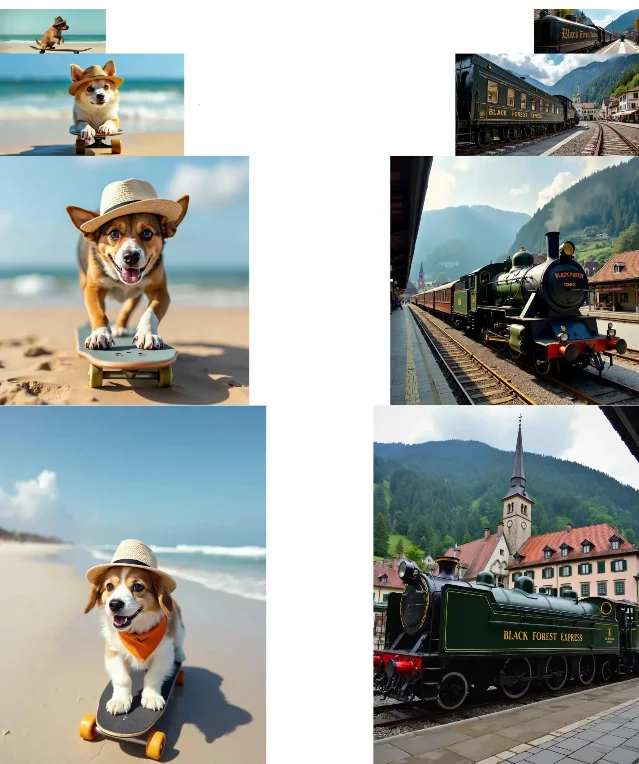
width and height parameters — but picking arbitrary dimensions is where things go wrong.| Target ratio | Width × Height |
|---|---|
| 1:1 (square) | 1024 × 1024 |
| 4:3 (landscape) | 1152 × 896 |
| 3:4 (portrait) | 896 × 1152 |
| 16:9 (widescreen) | 1344 × 768 |
| 9:16 (mobile) | 768 × 1344 |
| ~2:5 (ultrawide portrait) | 640 × 1536 |
| ~5:2 (ultrawide landscape) | 1536 × 640 |
1280×720 — a perfectly valid 16:9 ratio — will produce noticeably blurrier, less compositionally stable output because the model was never trained at that exact size. 8 Stick to the buckets.original_size, target_size, crops_coords_top_leftoriginal_size (default (1024, 1024)): Tells the model what resolution the "source material" would have been. Setting it to (256, 256) while outputting at 1024×1024 makes the result look deliberately lo-fi — simpler patterns, softer detail — because the model behaves as if it's upscaling a small image.target_size (default (1024, 1024)): Relates to aspect-ratio fine-tuning. The documentation states it directly: "target_size conditioning comes from finetuning SDXL to support different image aspect ratios." 7 For non-square canvases, match target_size to your actual output dimensions: if you're generating 1344×768, set target_size=(1344, 768).crops_coords_top_left (default (0, 0)): Zero coordinates correspond to centered subjects and complete faces. Shift to (256, 0) and subjects drift rightward. Most portrait use cases should stay at (0, 0).pipe(
prompt="portrait of a woman in soft window light",
height=1152,
width=896, # 3:4 portrait bucket
original_size=(1024, 1024),
target_size=(896, 1152), # match your actual output
crops_coords_top_left=(0, 0),
guidance_scale=5.0,
num_inference_steps=30,
)width and height parameters (default 1024×1024) but removes the entire micro-conditioning system. 10 No original_size, no target_size, no crops_coords_top_left.guidance_scale=3.5 (versus SDXL's typical 5.0–7.0), and was designed around its MMDiT architecture and Rectified Flow inference path. 11target_size matching will generally give more predictable framing than SD3.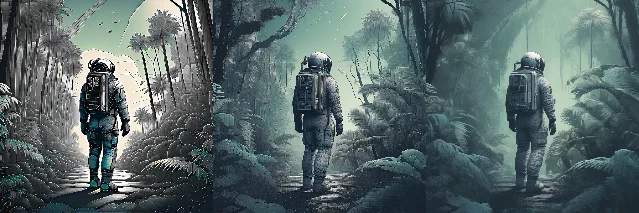
negative_original_size set to (128,128), (256,256), and (512,512). Increasing the value progressively sharpens the perceived image quality. 7| Ratio | Primary use case |
|---|---|
| 16:9 | YouTube, HD video, widescreen desktop |
| 9:16 | Instagram Stories, TikTok, Reels |
| 4:3 | Standard web images, presentations |
| 3:2 | Film photography, art prints |
| 2:3 | Portrait photography, photo frames |
| 21:9 | Cinematic ultrawide (anamorphic look) |
| 3:1 | Twitter / X profile banner |
| 1:1 | Instagram feed, square print |
| Goal | MJ V7 / V8.1 | Flux dev/schnell (diffusers) | Flux Pro 1.1 (fal.ai) | SDXL | SD3 / SD3.5 |
|---|---|---|---|---|---|
| 16:9 widescreen | --ar 16:9 | height=816, width=1456 | aspect_ratio="16:9" | height=768, width=1344 | height=768, width=1344 |
| 9:16 mobile | --ar 9:16 | height=1456, width=816 | aspect_ratio="9:16" | height=1344, width=768 | height=1344, width=768 |
| 1:1 square | --ar 1:1 (default) | height=1024, width=1024 | aspect_ratio="1:1" | height=1024, width=1024 | height=1024, width=1024 |
| 4:3 landscape | --ar 4:3 | height=896, width=1232* | aspect_ratio="4:3" | height=896, width=1152 | height=896, width=1152 |
| 3:4 portrait | --ar 3:4 | height=1232, width=896* | aspect_ratio="3:4" | height=1152, width=896 | height=1152, width=896 |
| 21:9 cinematic | --ar 21:9 | height=640, width=1456* | aspect_ratio="21:9" | height=640, width=1536† | height=640, width=1536† |
| Anamorphic (2.39:1) | --ar 239:100 | height=640, width=1536* | (not a preset, use width/height) | height=640, width=1536† | height=640, width=1536† |
{width, height} objects. Stay within the 0.1–2.0 MP total budget.
† SDXL/SD3: nearest trained bucket. Use target_size=(width, height) in SDXL to match.target_size=(width, height), # match your actual output dimensions
crops_coords_top_left=(0, 0),docs.midjourney.com
docs.midjourney.com
docs.midjourney.com
docs.midjourney.com
huggingface.co
blackforestlabs.ai
huggingface.co
huggingface.co
arxiv.org
huggingface.co
huggingface.co
This story was produced automatically by a channel. One sentence is all it takes for Neodrop to keep producing for you.
