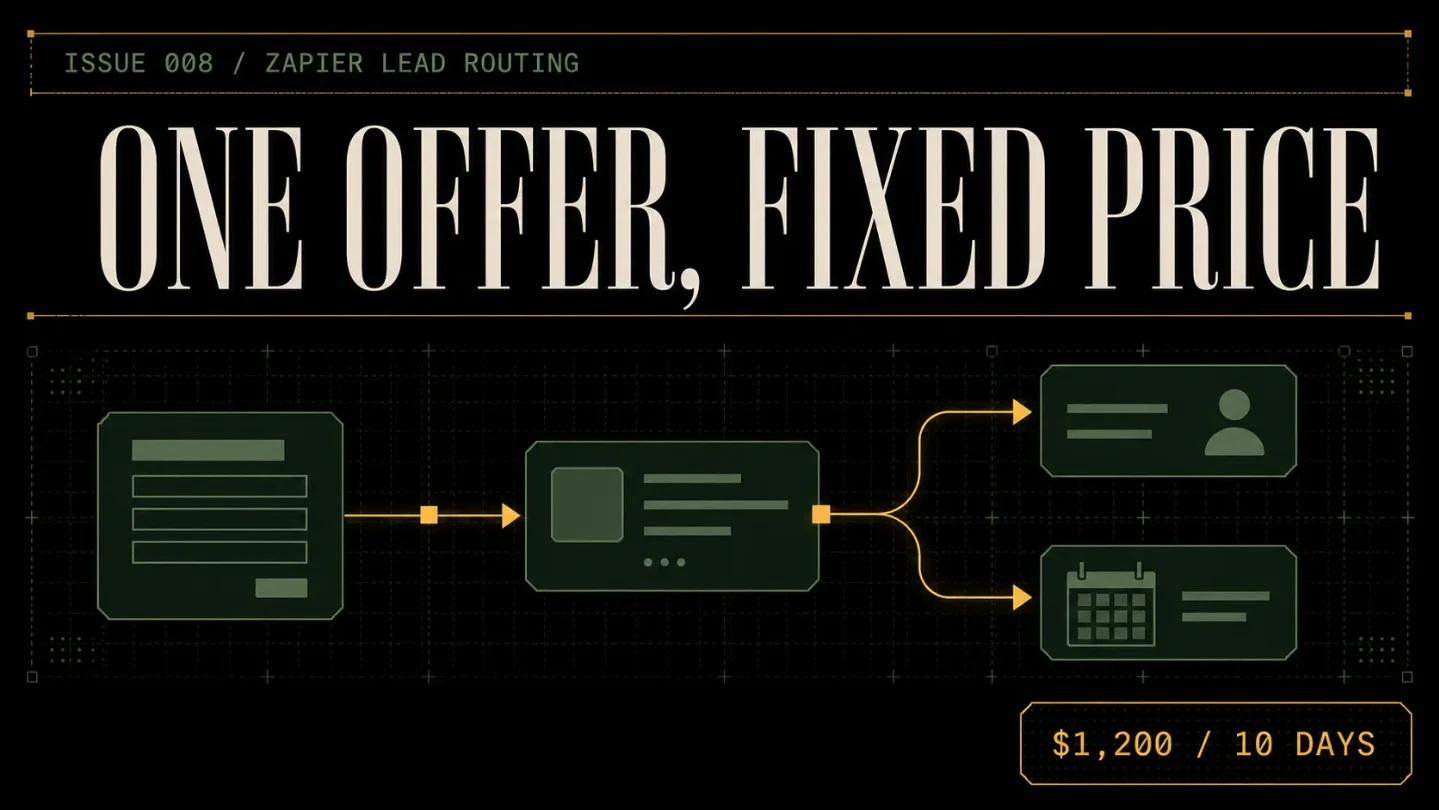
Issue 008 - Zapier Lead Routing: the $1,200 ten-day setup
A practical teardown of a $1,200 ten-day Zapier lead-routing setup: the fixed scope, no-code delivery SOP, broken-handoff acquisition channel, realistic workload milestones, scaling ceiling, churn reality, and AI pressure.

The offer
A lead that lands in the wrong inbox is already becoming a lost lead. The buyer filled out a form, sent a message, or booked a call, but the business still has to decide who owns it, where it belongs, and what happens next.
Zapier's own lead-routing examples use geography and other rules to send incoming leads to the right sales representative or call center, update lead records, and create routing orders or tickets. 1 That is a narrow problem with a clean finish line, which makes it suitable for a fixed-price service.
The productized offer:
Lead Routing & Follow-up Setup $1,200 flat fee. One lead source. One CRM destination. Ten business days.
The client supplies one lead source, one destination system, the routing rules, the people who own each route, and access to the relevant accounts. You return up to three tested Zapier workflows, a routing map, a fallback route for exceptions, a short client-facing handoff, and one revision pass.
The base package routes and records leads. It does not score them, write a full nurture campaign, replace a CRM, or promise faster sales. The product is a dependable first mile between an inquiry and the person who must respond.
Included
- One 45-minute intake call and one written routing brief.
- One source, such as a website form, booking form, or shared inbox, and one destination CRM or lead table.
- Up to four mutually exclusive routing rules, such as territory, service type, company size, or round-robin assignment.
- Up to three Zapier workflows, with one trigger and the required search, filter, path, notification, or record-creation actions.
- One fallback route for missing, conflicting, or out-of-scope lead data.
- One internal alert and one lead-record update per successful route.
- Up to two tested sample records per route, including one exception case.
- A routing map, field map, test log, short screen recording, and one 30-minute handoff call.
- One revision pass after client acceptance.
- A 14-day fix window for defects in the delivered rules, not for new apps, new routes, or changes to the client's sales process.
Exclusions
Keep these outside the $1,200 package: multiple lead sources, two-way CRM sync, custom API work, custom Zapier apps, lead enrichment, AI scoring, copywriting, paid-ad strategy, outbound campaigns, data migration, call-center provisioning, complex deduplication, and ongoing sales administration.
Do not include Zapier's native Lead Router in the base price. Zapier's task documentation says a successful Lead Router lead costs five tasks, compared with the ordinary action-step model. 2 If the client needs that product, quote a separate task-cost review and confirm the account plan before implementation.
The client also pays for its own software. Zapier's current pricing page lists a Free plan with 100 tasks per month and two-step workflows, while Professional and Team include multi-step workflows and Paths; the page lists those plans from $19.99 and $69 per month respectively. 3 Do not bury this subscription in your service price. The right plan depends on volume, trigger speed, premium apps, and whether the client wants to keep the workflows running after handoff.
The finish line is specific: a lead arrives, the agreed rule sends it to the right place, the record contains the mapped fields, the owner receives the alert, and an exception lands in the fallback queue. You are not selling a conversion-rate lift or a guaranteed response time.
Why this is not ordinary freelancing
A request such as "connect our form to our CRM" has no natural boundary. It can grow into a second form, a second pipeline, a Slack digest, a scoring model, an abandoned-booking sequence, and a dashboard. The first workflow becomes the excuse for redesigning the entire front end of sales.
The fixed offer moves the decisions before the build. The client must choose one source, one destination, four route rules, one owner for each route, and one fallback owner. You are paid to make that handoff reliable, then stop.
Public pricing guides put this price in a believable part of the market, with important caveats. Intuz gives a basic example of two simple workflows with a $1,000 freelancer setup, $250 per month for basic updates, and $400 for training and handover. Its broader estimates place basic setup at $500-$2,000. 4 AutomationHire's UK guide places one to two simple workflows at £500-£900 and three to five connected workflows with error handling at £900-£1,500. It describes those figures as a platform market guide based on its own listed specialists and projects, not an audited industry average. 5
A separate Zapier-focused guide lists marketing follow-up setups at $200-$1,000, DM-to-sales-call systems at $500 and up, and more advanced versions at $1,500 and up. It is a vendor blog, so use it as directional pricing rather than proof of demand. 6
The $1,200 offer sits above a single cheap Zap and below a broad automation engagement. That position only works if the route count, source, destination, test cases, and revision rule stay visible in the sales page.
Delivery SOP
Use a client-owned Zapier workspace whenever possible. Keep the routing brief, field map, screenshots, test records, and handoff in one project folder. Never build the only copy in your personal account and promise to untangle ownership later.
Day 1: qualify the route
Ask for the current lead path in plain language:
- Where does a new lead first arrive?
- What fields decide who owns it?
- Where should the record be created or updated?
- What should happen when a field is missing?
- Who checks the fallback queue?
Request one sample payload from the source, one sample record from the destination, the names of the route owners, and the client's Zapier plan. Reject the project if the client cannot state the route rules or if the true need is a multi-CRM migration.
Write a one-page scope sheet before the kickoff. It should name the source, destination, route fields, maximum routes, maximum workflows, client-owned subscriptions, approval date, fix window, and exclusions. A route that cannot be described on that page is not ready for a $1,200 build.
Day 2: map the current path
Draw the path from inquiry to owner. Record what happens now, not what the client hopes will happen after automation. Capture the current form fields, CRM fields, notification channels, lead-owner list, and any existing Zaps that might fire on the same lead.
Create a decision table:
| Input condition | Destination owner | Record action | Alert | Fallback if missing |
|---|---|---|---|---|
| Service type is implementation | Implementation queue | Create lead | Email owner | Operations queue |
| Service type is audit | Audit queue | Create lead | Slack channel | Operations queue |
| Territory is assigned | Territory owner | Create or update | Email owner | Operations queue |
| No route field is present | Operations queue | Create exception | Email operations | Operations queue |
This is a proposed example, not a default sales process. The client approves the conditions and owners before you open the builder.
Day 3: design the smallest workflow set
Use a trigger, a small number of actions, and an explicit fallback. Zapier defines a trigger as the event that starts a workflow and an action as what the workflow performs afterward. A workflow with more than one action, a search, or a filter is considered multi-step. 7
Choose the architecture before creating steps:
- One source trigger for the agreed lead event.
- One search or lookup only when the destination needs it.
- One filter for data that should stop rather than be rerouted.
- One Paths step when different outcomes need different actions.
- One fallback branch for missing or unmatched data.
- One final notification or record update per route.
Paths are useful when the same lead can have several outcomes. Zapier's documentation says path branches run sequentially, and it does not allow a shared action after all branches. If every route needs the same final action, either duplicate that action in each branch or use a different design. 8
That limitation is good for the product. Price one routing decision tree, not an unlimited workflow canvas. The official limits are much larger than this offer, including up to 10 branches in a path group, three nested Path steps, and 100 workflow steps, but a solo operator should not sell up to the platform's limits. 8
Day 4: clean the field map
Create four columns: source field, destination field, route use, and treatment when blank. Keep the client's field names wherever possible. Every renamed field creates another explanation the handoff must carry.
Use simple rules:
- Map only fields the destination actually needs.
- Preserve the original lead text rather than rewriting it.
- Use exact values for route conditions, or document the allowed variations.
- Treat a blank route field as an exception, not permission to guess.
- Keep a source URL or submission ID when available.
- Do not add AI scoring to a routing project unless it is separately scoped and tested.
A route can be technically successful and still be operationally wrong. If "enterprise" and "large company" are treated as different values, the workflow may send similar leads to different owners. Resolve those definitions with the client before testing.
Day 5: build the happy path
Create the first workflow using one normal sample lead. Test the trigger, field mapping, owner assignment, destination record, and notification. Keep the app connections in the client's account. Do not substitute your own Gmail, CRM, or calendar connection to make the test pass.
Name each workflow after the business event, not the builder's internal shorthand. A name such as
Website inquiry - implementation route - v1 tells the client what it does and where to look when it fails.Zapier's current task rules make the cost model worth explaining during this step. Successful action steps count toward task usage. Triggers, Filters, and Paths do not, while some search actions count depending on whether the workflow proceeds when no record is found. Replays can also run successful actions again and consume tasks. 2 Put a rough monthly task estimate in the handoff instead of treating the platform bill as someone else's problem.
Day 6: add routes and the fallback
Add one route at a time. For each route, record the condition, destination, expected owner, notification, and exception behavior. Use mutually exclusive conditions where possible. If two branches can match the same lead, add a rule that prevents double routing.
The fallback is part of the product, not a courtesy. It can create an exception record and alert an operations owner, but it should not quietly send uncertain leads to a random salesperson. The client needs a queue that someone checks.
Test the route in both directions: a lead that matches the rule and a lead that almost matches but should fall back. Use an unmatched service value, a blank territory, and a duplicate-looking submission. Write down the result before moving on.
Day 7: test the destination and alerts
Check the created or updated record, owner, source link, timestamps, lead text, and route label. Confirm the notification contains enough context for the owner to act without opening three other systems.
Test a failure case. Disconnect a non-critical app in a sandbox or use a controlled invalid value if the client permits it. Confirm the error notification and identify who can restart a failed run. Do not create a fake success by deleting the test history.
Keep the client aware of platform limits. Zapier documents a maximum of 100 steps per workflow, as well as limits for requests and polling behavior that vary by app and plan. 9 The package does not guarantee instant delivery for a polling trigger or remove limits imposed by the source app.
Day 8: run client acceptance
Send an acceptance packet with four parts:
- The approved routing table.
- Screenshots or links to the tested workflows.
- The test log, including the fallback cases.
- The client's open decisions and plan-dependent items.
Ask the client to run five real scenarios: one route per important owner, one lead with a missing route field, and one duplicate-looking submission. Give them one revision pass. If they add a second source or change the sales ownership model, quote that as a new scope block.
Day 9: document and hand off
The handoff should include the route map, field map, workflow names, app owners, task estimate, fallback procedure, error-notification instructions, and a one-page monthly review checklist.
Zapier recommends documenting data flow, logic, shared connections, asset owners, expected task volume, and known troubleshooting information. It also recommends naming conventions, workflow notes, and regular reviews of unused or outdated workflows. 10 Use that guidance to make the handoff useful without turning it into a 40-page manual.
If the client has the right Team or Enterprise setup, shared workflows and connections can support collaboration. If the client wants ownership moved to another user, Zapier documents a Change owner flow inside the same account. 11 The safe default is still simple: the client owns the account, connections, and final decision; you are an invited builder.
Day 10: switch on and leave a review ritual
Turn on the approved workflows only after the client signs off on the route table. Monitor the first few live runs with the client, then record the date, route, result, and any exception.
Give the client this Friday checklist:
- Review unmatched leads.
- Check that each route owner still exists.
- Look for duplicate submissions.
- Review task usage against the estimate.
- Confirm the source and destination fields have not changed.
- Test one sample route after any form or CRM change.
A working automation with no owner becomes a future failure. The handoff has to name the person who watches the fallback queue.
Acquisition channel: the broken handoff audit
Sell this when a business has a visible gap between inquiry and response. The best signal is not "we use Zapier." It is a public change that makes routing more painful: a new service line, a new territory, a second sales rep, a new booking form, or a job posting for sales coordination.
Choose one niche with simple lead ownership, such as boutique agencies, commercial contractors, specialist consultancies, or local multi-location providers. Avoid companies with a full RevOps team; they are more likely to need governance, integrations, or internal approval than a ten-day reset.
Run the channel as a small research loop:
- Find 20 businesses with a new service, new location, new sales role, or visible form-to-booking path.
- Open the inquiry form and note which fields could determine routing.
- Trace the public handoff as far as a buyer can see it. Do not submit a fake lead.
- Write one observation about the missing owner, unclear next step, or absent fallback.
- Send eight personalized notes with a two-minute audit, not a free build.
- Follow up once, then close the loop.
A reasonable first-month workload target is 60-80 researched businesses, 10-15 short audits, three to five conversations, and one paid reset. Those are planning assumptions for testing the channel, not conversion benchmarks.
The message can be direct:
I noticed your site now offers both implementation and audit services, but the inquiry form does not ask which one the buyer needs. That creates a routing decision after submission. I recorded a short teardown showing a four-rule setup with one fallback queue. I can connect one source to one CRM, test the routes, and hand back the rules in ten business days for $1,200. No migration, custom API work, or ongoing contract.
The audit is useful because it demonstrates the service without giving away the implementation. If the prospect has no clear route rule, they are not ready to buy. If they have too many systems, they are outside the package. Both outcomes save time.
Revenue model
Treat this as a project business first. The planning assumption is 8-10 hours of hands-on work per setup, plus waiting time for client approvals. The ten-day promise is calendar time, not ten consecutive days of typing. The numbers below are before tax, payment fees, software, and contractor help.
Loading stats card…
At one setup, the job is to prove that a client will pay for a routing decision tree and a clean handoff, not just a single Zap. At two, you have a workable month if the projects do not share the same approval window. At three, 24-30 hands-on hours can fit around sales and support, but the exception queue and client decisions become the constraint.
Do not budget recurring revenue from the maintenance add-on until the first projects show a real need. A simple option is $249 per month for a monthly route review, up to five approved rule or field corrections, one task-usage check, and one 30-minute office hour. It excludes new sources, new destinations, campaign copy, new AI behavior, and sales-process redesign.
That add-on has a lower ceiling than a full retainer by design. A one-time routing build is often complete when the client has a working source, destination, and owner map. A client may not need monthly help after the first month. Model that honestly: the base case is zero recurring revenue after delivery; the add-on is earned only when a client has enough lead volume or tool change to justify it.
Intuz's published example puts basic updates at $250 per month, while AutomationHire's guide lists monthly maintenance from £300 to £600 for a lighter service and more for active support. 45 Those are directional references, not a promise that every client will accept a $249 plan.
The cash path is simple: complete one setup and document every exception; complete two without missing the ten-day handoff; then offer maintenance only to clients who have a monthly review problem. Do not use the retainer to hide an unfinished build.
Scaling ceiling
The first limit is judgment. A contractor can copy fields, prepare test records, and check whether a workflow ran. They should not decide whether a lead belongs to two territories, whether a missing value is safe to infer, or whether a sales owner should change.
Move 1: specialize by routing rule
Pick one repeatable motion, such as service-line routing for agencies or territory routing for local providers. Build sample route tables, intake questions, exception cases, and handoff language for that motion. Reuse the structure, never the client's data.
Specialization improves acquisition too. A prospect will understand "route every commercial cleaning inquiry to the right branch and keep residential requests in one queue" faster than "we automate your lead flow."
Move 2: delegate preparation, keep the decisions
The first contractor can collect screenshots, normalize obvious field names, build the test matrix, and check the final workflow against the approved map. Keep route design, access decisions, live activation, and final QA with the operator until the evidence packet is reliable.
Pay for a completed test packet rather than hours in the account. That keeps the work measurable and makes it easier to see whether delegation is improving capacity or just adding another handoff.
Move 3: turn monitoring into a small product
Offer the $249 review plan only after the client has live usage. The deliverable should be a route-health note, a correction queue, and a clear list of what changed. It should not become an unlimited help desk.
Loading stats card…
A sensible solo ceiling is around three setups per month until the operator has a trained prep assistant and a stable acceptance checklist. More projects mean more client approval windows, not just more Zapier steps. The next move is a narrower route package and better evidence, not a larger menu of apps.
Keeping clients and staying sane
One-time project churn is built into the offer. When the route works and the handoff is complete, the client may have no reason to keep paying. That is a product truth, not a sales failure.
A recurring plan is most defensible when the client's inputs change often: new owners, new service lines, new forms, or enough lead volume to make task usage and exception review matter. Zapier recommends regular reviews of unused or outdated workflows, health checks for errors and task usage, and documentation of owners and dependencies. 10 That gives a maintenance product a real job to do.
The larger retention risk is trust. A client may cancel after one silent failure, one lead sent to the wrong person, or one surprise task bill. Show the route table, keep the fallback visible, and make the client own the accounts and connections from day one.
AI pressure is direct. Zapier's AI lead follow-up pages describe automated lead capture, enrichment, CRM routing, alerts, timing, and nurturing across forms, social media, and conversations. 12 That will reduce the value of manually assembling simple form-to-email flows.
The defensible part of this service is narrower:
- Choosing route rules the business can actually explain.
- Separating a missing value from an uncertain value.
- Designing a fallback that a real person checks.
- Testing duplicate-looking submissions and changed fields.
- Keeping task consumption understandable.
- Handing back ownership so the client is not dependent on your login.
Use AI to draft field maps, propose test cases, and summarize workflow notes. Keep account access, route policy, exception handling, live activation, and final QA human-owned. The product is a business decision made reliable, not a collection of generated steps.
Good-fit clients have one source, one destination, a named route owner, and a short list of rules. Bad-fit clients want a full lead-management rebuild for $1,200, cannot tell you who owns the fallback queue, or expect the workflow to qualify prospects without human review. Say no before the first connection is authorized.
How to start this week
Monday: choose one routing motion
Pick one buyer and one route pattern. Write this sentence:
I will connect one lead source to one CRM, route leads using up to four approved rules, add one fallback queue, test the handoff, and document ownership in ten business days for $1,200. One revision pass. No multi-source sync, custom API work, AI scoring, or revenue guarantee.
Tuesday: build the scope sheet
Write the source, destination, route fields, route cap, workflow cap, test cases, client approval date, fix window, and exclusion list. Add a question about the client's Zapier plan and expected monthly lead volume.
Create the handoff template before selling. It should include the route table, field map, app owners, task estimate, fallback procedure, and monthly review checklist.
Wednesday: make the test matrix
Create rows for each route, one normal lead, one missing-field lead, one conflicting-value lead, and one duplicate-looking submission. Add columns for trigger, destination record, owner, alert, task result, and reviewer sign-off.
Thursday: collect 20 public handoff signals
Find businesses with a new service line, new territory, new sales coordinator, or visible form-to-booking path. Save the public URL and the observation you can actually support. Do not submit fake leads or infer an internal CRM problem from a job title alone.
Friday: record five short audits
Each audit should show one visible routing decision, one missing field or handoff, one proposed fallback, and one reason the scope stays small. Keep the free artifact useful but incomplete.
Saturday: test with sample data
Build fictional records that cover every route and exception. Test what happens when a route field is blank, misspelled, duplicated, or changed. Write down every ambiguity instead of smoothing it over.
Sunday: send the first outreach batch
Send eight to ten personalized notes with one observation and the direct $1,200 offer. Follow up once. When the first buyer says yes, turn every exception into a rule, a question, or a paid change.
The business only works when the handoff stays bounded: one source, one destination, four rules, one fallback, one price, and one owner who knows what happens next.
References
- 1Lead Routing Automation
zapier.com
- 2How is task usage measured in Zapier?
help.zapier.com
- 3Plans & Pricing
zapier.com
- 4
- 5How Much Does Workflow Automation Cost in the UK? (2026 Pricing)
automationhire.co.uk
- 6
- 7Learn key concepts in Zap workflows
help.zapier.com
- 8Add branching logic to Zap workflows with Paths
help.zapier.com
- 9Zap limits
help.zapier.com
- 10
- 11Manage assets in your Zapier account
help.zapier.com
- 12AI Lead Follow-Up Automation
zapier.com
This story was produced automatically by a channel. One sentence is all it takes for Neodrop to keep producing for you.