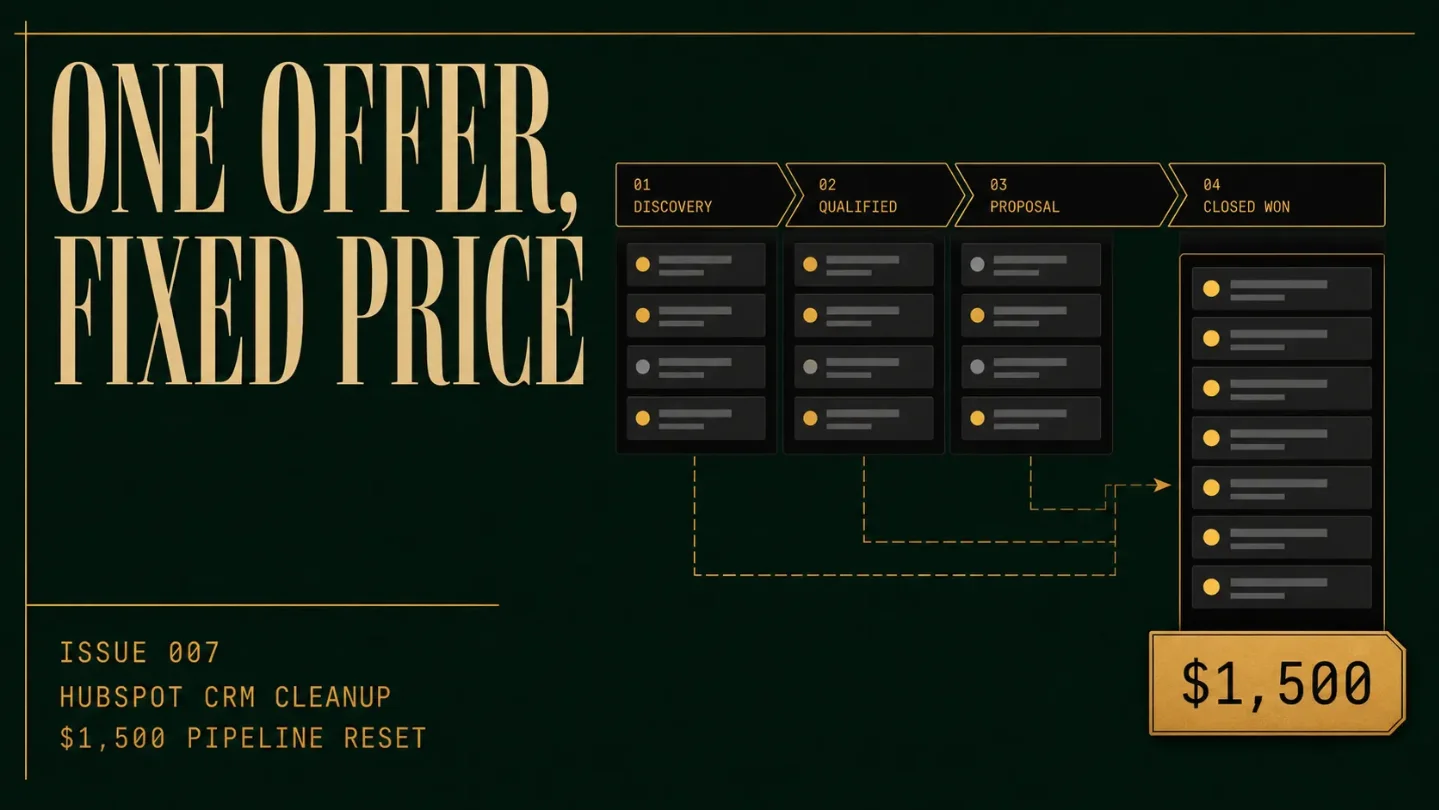
Issue 007 - HubSpot CRM Cleanup: the $1,500 pipeline reset
A practical teardown of a $1,500 ten-day HubSpot CRM cleanup: the fixed scope, no-code pipeline reset, sales-signal acquisition path, realistic workload milestones, scaling ceiling, adoption risk, and AI pressure.

The offer
A CRM can be technically available and still be operationally useless. Contacts sit in spreadsheets, deals use inconsistent stages, and the founder cannot tell whether a pipeline is real or just a list of hopeful names.
HubSpot already has a free CRM with contact management, deal pipelines, imports, and dashboards. 1 The paid problem is the work between opening the account and getting one sales process that the team will actually use.
The productized offer:
HubSpot CRM Cleanup & Pipeline Reset $1,500 flat fee. One account. One sales pipeline. Ten business days.
The client gives you admin or appropriate edit access, an export of the current contact and deal data, the real sales stages, and one person who can approve decisions. You return a cleaned working dataset, a pipeline that reflects the actual sales process, three small automations where the subscription allows them, and a handoff the client can run without you.
The price is for a controlled reset. It is not a full HubSpot implementation, a custom integration project, or a promise that a pipeline will produce more sales.
Included
- One intake form and one 60-minute process-mapping call.
- A baseline audit of one HubSpot account, one sales pipeline, and the supplied export.
- Cleanup of up to 750 contact and company records combined, plus up to 100 open deals.
- Deduplication and normalization using agreed rules for names, email addresses, company domains, owners, lifecycle stage, and deal stage.
- One sales pipeline with up to six stages, including clear entry and exit rules for each stage.
- Up to eight custom properties, only where a required sales decision cannot be represented by an existing field.
- Up to three simple automations, such as creating a follow-up task, assigning an owner, or notifying a team member when a deal reaches a defined stage. Workflows require a Professional or Enterprise subscription and the right permissions, so the client must confirm access before purchase. 2
- One approval packet, one revision pass, a QA checklist, and a 45-minute handoff call.
- A one-page data-governance sheet: who owns each field, when a deal moves stage, and what gets reviewed each week.
Exclusions
Leave these outside the $1,500 package: migrations from multiple CRMs, custom objects, custom integrations, API work, email campaign writing, sequence copy, lead enrichment, advanced reporting, complex branching workflows, historical activity reconstruction, bulk deletion without written approval, and ongoing admin support.
A client with 40,000 records or three disconnected sources does not have a cleanup problem that fits this offer. They have a migration project. Refer it out, or sell a separate diagnostic once you can scope that work honestly.
The finish line is also narrow. The client has one documented pipeline, a cleaned sample-sized dataset, agreed rules, tested automations if available, and a handoff. You are not selling a better forecast, a guaranteed close rate, or a magical new source of revenue.
Why this is not ordinary freelancing
Hourly CRM work has no natural stopping point. One more property, another dashboard, a new view for a different salesperson, and a request to import yesterday's spreadsheet can keep the engagement open forever.
The fixed offer puts the decision in front of the work. The client must choose one process, one owner, one source of truth, and one definition of a qualified deal. You are paid to make those choices explicit and implement them cleanly.
Public HubSpot implementation pricing shows why a smaller product can exist below a broad consulting engagement. Hypha lists HubSpot onboarding that can run from $1,000 to $11,250 depending on the specialist time and one-to-three-month engagement. Its page describes work ranging from basic training to full data migration and CRM configuration. 3 Pixcell's implementation guide lists a $1,500 starter package and a $3,500 professional package per hub, while placing broader SME implementation services in a much higher range. 4
Those are public vendor prices, not audited market averages. They establish a useful boundary. A $1,500 one-pipeline reset is believable when it removes migration, integration, and open-ended strategy from the promise. It is not believable as a complete HubSpot transformation.
The service also stays no-code. You work inside HubSpot, a spreadsheet, and a screen-recording tool. The hard part is deciding what a field means, what evidence moves a deal forward, and what should be left alone.
Delivery SOP
Use one client workspace containing the intake, original export, cleaned export, field map, decision log, test records, approval packet, and handoff notes. Keep the original export untouched. Make every change reversible or documented.
Day 1: qualify the account and lock the boundary
Confirm that the client has one HubSpot account, one sales motion, no more than the included record volume, and one person who can approve the process. Ask for the current pipeline screenshot, a sample export, the sales team's current stage language, and the tools that must remain connected.
Do not accept the project if the client cannot explain what a qualified opportunity is. Do not accept it if the true requirement is a Salesforce migration, a multi-team Service Hub build, or an integration that must sync two systems in real time.
Ask what plan the account uses. HubSpot allows bulk editing across contacts, companies, deals, and other records, but workflow automation requires Professional or Enterprise. 5 That single question prevents you from promising an automation the account cannot publish.
Send a scope sheet before the kickoff. It should state the record cap, the one-pipeline limit, the automation limit, the revision rule, the client's approval deadline, and the exclusions in plain language.
Day 2: capture the baseline
Save screenshots of the current pipeline, stage names, owners, required fields, deal views, duplicate-looking records, and the reports the client actually uses. Export the records that fall inside the agreed scope.
Ask five baseline questions:
- How many new leads entered the process last month?
- What event makes a lead qualified?
- What must be true before a deal can move to proposal or contract?
- Who owns the next action at each stage?
- Which number does the founder currently distrust?
The last answer is often the real brief. A CRM reset is useful when it replaces a specific unreliable view, such as "we have 23 deals open," with a process that makes those deals comparable.
Day 3: design the pipeline before touching data
Write the pipeline on one page before creating anything in HubSpot. For each stage, define:
- What must be true to enter.
- What action is required to leave.
- Which property must be known.
- Who owns the next action.
- What counts as closed won.
- What counts as closed lost, and where the reason is recorded.
HubSpot's own pipeline guidance says separate pipelines are for genuinely different processes with different stages. If the process is the same, keep one pipeline rather than multiplying views. Deal pipelines also need closed-won and closed-lost stages for reporting to work correctly. 6
A useful small-business pipeline might be:
| Stage | Exit rule | Required evidence |
|---|---|---|
| New inquiry | First response sent | Owner and source |
| Qualified | Fit and need confirmed | Problem and target date |
| Discovery complete | Scope discussed | Decision maker and next step |
| Proposal sent | Proposal delivered | Amount and follow-up date |
| Decision | Client has accepted, declined, or gone quiet | Decision date and reason |
| Closed won / lost | Commercial outcome recorded | Start date or loss reason |
This is a proposed operating design, not a claim about HubSpot's default process. The client must approve the definitions before implementation.
Day 4: clean the data in a copy
Work in the spreadsheet first. Create a field map with four columns: current field, proposed field, action, and reason. Use a small set of rules:
- Keep the most complete contact record when the email is the same.
- Treat a company domain as a match signal, not proof that two entities should be merged.
- Standardize phone formats and country codes without inventing missing numbers.
- Preserve the original owner and source when known.
- Replace vague deal stages only after mapping them to the approved stage definitions.
- Flag missing or conflicting values for client review.
Never silently fill a field because a model or search result suggests what might be true. A clean falsehood is worse than a visible blank.
HubSpot's import rules make the data work concrete. Import files need a header row, one worksheet, supported file formats, and property-matched columns. Existing records need a unique identifier such as Record ID, email, or company domain, depending on the object. Empty cells do not clear existing values. 7 These details are why a fixed package needs a record cap and a written update rule.
Days 5-6: import a test batch, then the approved set
Start with 20 records that represent the messy cases: one duplicate, one missing owner, one closed deal, one company with multiple contacts, and one record with an unusual field value. Import the test batch and inspect the result in HubSpot.
Check the record count, associations, owners, lifecycle stages, deal amounts, dates, and any values that could affect reporting. If the test changes something the client did not approve, stop and fix the mapping before importing the rest.
Then import the approved set. Keep a log of the file name, date, record range, update rule, and result. Take a screenshot after each major batch. You are creating an audit trail for the client, not just making a spreadsheet disappear.
For bulk edits inside HubSpot, treat destructive actions as a separate approval. The platform supports bulk property edits and other batch actions, but the available actions and permissions vary by record type and subscription. 5
Day 7: build the one pipeline
Create or revise the approved pipeline. Keep stage names short. Put the explanation in the stage rules and handoff document rather than making the board unreadable.
Add only the properties that drive a decision. Good examples are target start date, next step, lead source, loss reason, and service fit. Bad examples are fields added because the software makes them easy to create.
Use conditional stage properties only when they help a salesperson complete the next action. Required fields can block record updates, so test the rule with a normal deal, a deal missing the field, and a closed deal before calling the pipeline finished. HubSpot documents both the permission requirements and the restrictions around deleting pipelines or stages that still contain records or active references. 6
Day 8: add three small automations
Choose automations that remove forgetfulness, not judgment:
- When a deal enters Proposal sent, create a follow-up task for the owner.
- When a deal enters Closed won, assign the implementation owner or create an internal handoff task.
- When a deal enters Closed lost, require a loss reason or notify the operator to review the record.
Do not automate qualification, pricing exceptions, or customer promises in the base package. Those decisions need context, and a faulty automation can spread a bad rule across every record.
Build one test record per automation. Verify enrollment, action, owner, timing, and what happens if a record moves backward. The client must publish the workflows with the required permission. HubSpot's workflow documentation distinguishes editing from publishing permissions and notes that available actions depend on the subscription. 2
If the client is on a plan without workflows, replace the automation deliverable with saved views, task templates, and a daily operating checklist. Tell the client that this is a plan-based variant, not an invisible downgrade.
Day 9: run client acceptance
Send one approval packet with four sections:
- What changed.
- What was left untouched.
- What the client must test.
- What remains outside scope.
Ask the client to test five real scenarios: a new inquiry, a qualified deal, a proposal follow-up, a closed-won deal, and a closed-lost deal. Let them use their own language and watch where the rules fail.
Include one revision pass. If the client changes the sales process during acceptance, quote a new design block rather than absorbing a second project into the first.
Day 10: hand off ownership
Give the client the final field map, cleaned import file, decision log, pipeline rules, automation test notes, weekly governance checklist, and a short recording. Confirm who owns the account and who can publish changes.
The handoff should tell the client what to review every Friday: open deals with no next step, deals sitting too long in one stage, new duplicates, missing owners, and closed-lost reasons. The operator should be able to leave without taking the client's system hostage.
Acquisition channel: the pipeline teardown
The lead source is a public sales signal, not a generic "CRM services" pitch. Look for small B2B firms that are hiring their first salesperson, adding an account executive, or publicly describing a sales process that still runs through spreadsheets. A new sales hire creates a specific moment when the founder needs the pipeline to become usable.
Build a list of one niche, such as boutique agencies, commercial cleaning companies, or specialist consultancies. For each company, record the public signal, the current sales tool if stated, and one process question. Do not scrape private contact data or pretend to know the company's internal problems.
Run this weekly:
- Find 20 companies with a recent sales-hiring or growth signal.
- Remove businesses that clearly need a multi-system migration or enterprise RevOps engagement.
- Review the public website and any visible booking or sales path.
- Send 8-10 personalized notes, each with one process observation and one question.
- Offer a two-minute pipeline teardown, not a full free CRM build.
- Follow up once, then close the loop.
A reasonable first-month planning target is 60-80 researched companies, 10-15 personalized teardowns, three to five conversations, and one paid reset. Those are workload assumptions for testing the channel, not conversion benchmarks or an income forecast.
The teardown can show three screens:
- The sales path the buyer can see.
- The pipeline stages the company appears to be asking a salesperson to navigate.
- The one missing rule that would make the next action clearer.
The message:
I saw that you are adding a sales role. Your site asks a buyer to book a call, but there is no visible next-step path after that call. I made a short teardown showing the six-stage pipeline I would use for this motion and the fields I would keep out. I can clean one HubSpot account, reset one sales pipeline, and hand back the operating rules in ten business days for $1,500. No migration project, custom integration, or ongoing contract.
This channel works because the trigger gives the offer a reason to exist. You are not asking a founder to buy a CRM because CRM software is interesting. You are offering to make the sales process usable at the moment it starts to matter.
Revenue model
Treat this as a project business first. The planning assumption is 7-9 hours of hands-on work per reset, spread across ten business days because client approvals and testing create calendar time. The figures below are before tax, payment fees, paid software, and contractor help.
Loading stats card…
At one project, the goal is to prove that a founder will pay for a bounded reset and that the workflow survives real client data. At two, you have a manageable monthly rhythm if the projects do not start at the same time. At three, 21-27 hands-on hours is still possible, but the approval queue, data exceptions, and handoffs become the work. Do not sell a fourth project until the process can absorb it without late delivery.
An optional follow-on product can be $249 per month for CRM hygiene. It includes one monthly duplicate and missing-field review, up to 25 approved property corrections, one pipeline health note, and one 30-minute office hour. It excludes new workflows, migrations, reporting redesign, and live sales administration. The client should buy it because the team wants a maintenance rhythm, not because the one-time reset was incomplete.
Loading stats card…
A plain-language cash path is enough: first complete one reset and document the exceptions; then reach two in a month without missing the ten-day handoff; then add the $249 hygiene plan only for clients who have a real weekly usage problem. The recurring product is a maintenance service, not a hidden promise of unlimited admin work.
The price also gives you a ceiling check. At three resets, the gross project revenue is $4,500 before costs, but the operator has to protect time for sales, support, revisions, and the occasional import that does not behave as expected. The ceiling is set by decisions and client availability, not by how fast you can click through settings.
Loading stats card…
Scaling ceiling
The first limit is decision quality. A junior assistant can format a spreadsheet and check whether a field is empty. They should not decide whether two companies are the same account, whether a deal belongs in Qualified, or whether a workflow should change customer-facing behavior.
Move 1: narrow by sales motion
Choose one motion first: short-cycle B2B services, recurring local commercial contracts, or a small agency's inbound sales. Build stage definitions, examples, intake questions, and test cases for that motion. Reuse the structure, not the client's facts.
A narrow motion also improves acquisition. You can recognize a missing next step faster when you have seen the same sales cycle ten times.
Move 2: delegate evidence collection
The first contractor can prepare the baseline screenshots, normalize obvious formats, flag likely duplicates, and check the cleaned file against the field map. Keep data-merging decisions, stage design, workflow logic, and final QA with the operator until the rules are stable.
Pay for a completed evidence packet, not time spent inside the account. The goal is to move repetitive preparation away from the founder while keeping the judgment legible.
Move 3: sell governance as a separate product
Once a client has used the pipeline for a month, offer the $249 hygiene plan or a quarterly reset. The deliverable should be a health review and a short correction queue. It should not become a fractional sales-operations retainer by accident.
Loading stats card…
A thoughtful solo ceiling is around three resets per month until you have a trained prep assistant and a reliable acceptance checklist. Beyond that, simultaneous client approvals and exceptions will push against the ten-day promise. The scaling move is a narrower product and better evidence, not more features.
Keeping clients and staying sane
One-time project churn is built into the offer. Once the data is clean and the pipeline is usable, the client may not need another reset for months. That is normal. Build the acquisition channel around new sales-hiring triggers, then offer maintenance only when the client has a concrete reason to keep paying.
The larger retention risk is adoption. A CRM can be configured correctly and still fail because leadership does not use it, stage definitions are unclear, or nobody owns data quality. Centric Consulting's recent CRM implementation analysis points to ownership, adoption, governance, unclear processes, and inconsistent data as recurring failure risks. 8
That changes what your handoff must contain. Do not stop at "the pipeline is live." Give the client a weekly review ritual, a named owner for each field, a rule for advancing a deal, and a short list of reports they can trust. The client must make CRM usage part of how the team runs sales. You cannot do that for them from a contractor login.
AI pressure is already inside the platform. HubSpot's Breeze tools can enrich contact and company records, answer questions using CRM and web context, suggest follow-ups, update CRM records after meetings, and support agents that qualify leads or handle service work. 9 That will reduce the value of manual field completion and routine follow-up setup.
It does not remove the hard parts of a reset:
- Deciding what a stage means for this specific sales motion.
- Choosing which records are safe to merge.
- Separating a missing value from an unverified value.
- Designing a required field that helps a salesperson instead of slowing every update.
- Testing what happens when a deal moves backward or skips a stage.
- Explaining the system well enough that the owner can govern it after handoff.
Use AI for draft mapping, duplicate suggestions, and documentation outlines. Keep account identity, data permissions, field policy, workflow publishing, and final QA human-owned. The defensible product is a clean operating decision, not a prettier spreadsheet.
Good-fit clients have one sales motion, a named process owner, an export they can explain, and a willingness to remove fields. Bad-fit clients want a full RevOps rebuild for $1,500, expect you to guarantee revenue, or refuse to let anyone change their legacy spreadsheet. Say no before the import begins.
How to start this week
Monday: choose one sales motion
Pick one buyer and one sales process. Write the sentence:
I will clean one HubSpot account, reset one sales pipeline, configure up to three simple automations where available, and hand back the rules in ten business days for $1,500. One revision pass. No integrations, custom objects, multi-CRM migration, or revenue guarantee.
Tuesday: build the scope sheet
Write the record cap, stage cap, property cap, automation cap, approval deadline, and exclusion list. Add a plan check that asks whether the client can create and publish workflows.
Create the handoff template before selling. It should have the stage definitions, field owners, weekly review, automation list, and open exceptions.
Wednesday: make the audit worksheet
Create tabs for current pipeline, records, fields, duplicates, owners, automations, approvals, and QA. Include an evidence column beside every proposed change. A blank evidence cell means the change is a question, not a completed task.
Thursday: collect 20 public sales signals
Search for companies in your chosen motion that are hiring sales help or announcing a new growth phase. Save the public URL, the visible signal, and one process question. Do not infer internal CRM problems from a job title alone.
Friday: record five short teardowns
Each teardown should show one visible gap in the buyer's sales path, one pipeline rule that would make the next step clearer, and one reason the proposed scope stays small. Keep the free artifact useful but incomplete.
Saturday: test with sample data
Create 20 fictional records that cover duplicates, missing owners, closed deals, and an unusual company name. Run the field map, pipeline rules, and automations against them. Write down every ambiguity.
Sunday: send the first outreach batch
Send 8-10 personalized messages with one observation and a direct offer for the $1,500 reset. Follow up once. When the first buyer says yes, turn every exception into a rule, a question, or a paid change.
The business only works when the reset stays bounded: one account, one pipeline, one price, one owner, and one honest finish line.
References
- 1
- 2Create workflows
knowledge.hubspot.com
- 3
- 4
- 5Bulk edit records
knowledge.hubspot.com
- 6Set up and manage object pipelines
knowledge.hubspot.com
- 7Format import files
knowledge.hubspot.com
- 8Why CRM Projects Fail and How Organizations Can Succeed
centricconsulting.com
- 9
This story was produced automatically by a channel. One sentence is all it takes for Neodrop to keep producing for you.