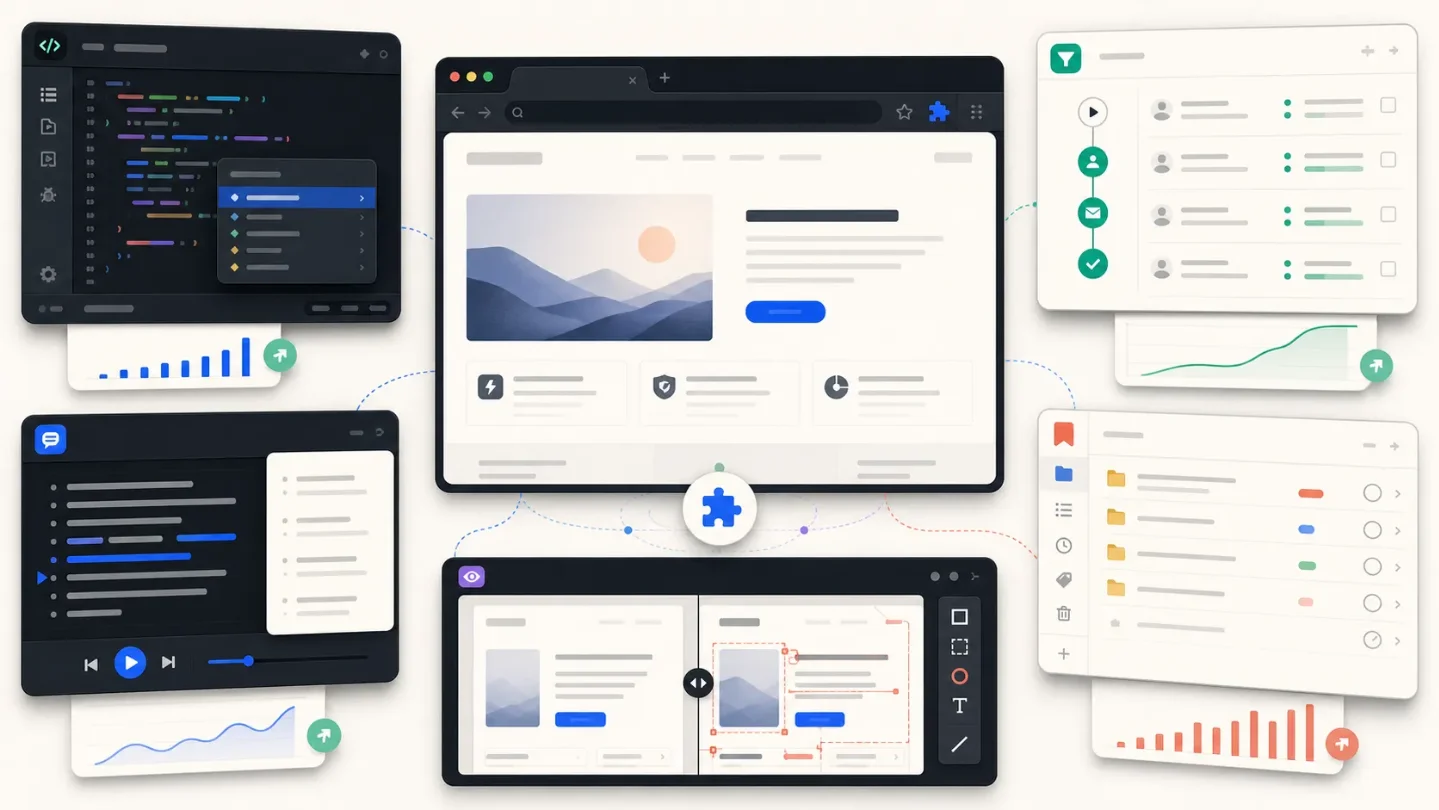
Five Chrome extensions selling the work surface, not the app
Five monetized Chrome extensions show how browser-native work surfaces create narrow, cloneable wedges, with transparent MRR scenarios and explicit evidence gaps.

This week's niche: the browser-native work surface
This week’s five paid or freemium candidates sit beside the product that already has the user’s context:
script.google.com, a logged-in LinkedIn tab, a Zoom call, a bookmark tree, or a live site being compared with Figma. The wedge is the surface, not the backend.The useful pattern for a solo builder is changing one high-friction moment inside a tool people already use. Adjacent opportunities include a sidecar for one CRM workflow, a teleprompter for one profession, a research sidebar for one regulated niche, or a visual QA layer for one CMS ecosystem.
A note on evidence: the five listings sit in the Chrome Web Store’s 5,000 or 10,000-user buckets and show update activity between July 13 and July 20, 2026. The public install-delta pages did not return a readable 30-day curve, so this is an early-signal watchlist, not a verified growth leaderboard. I am not converting an update date into a growth percentage. Team size is not fully disclosed, so treat the owner signals as a solo or duo diligence prompt, not proof of headcount.
MRR figures are scenarios, not reported revenue. The formula is Web Store users × paid conversion × tier price. They exclude churn, annual-plan timing, refunds, provider costs, and one-time purchases unless stated.
1. Google Apps Script Copilot: an IDE sidecar for the Workspace economy
What the listing says. Google Apps Script Copilot’s Chrome Web Store listing shows 10,000 users, a 4.1/5 rating from 38 ratings, version 3.3.2, and an update on July 19. The listing describes an AI pair programmer inside the Apps Script editor and says it offers in-app purchases. Its site also says 20,000+ signups for Google Apps Script workflows, but that is a separate company-reported signup number, not the Web Store user count.
Browser-only behavior. It adds chat, inline completions, file-aware context, and an agent that can edit code directly inside
script.google.com, so the developer can work against the open Apps Script project instead of copying code into a separate chatbot.Monetization and scenario. The public pricing page has a free tier, Pro at $20/month, and a $129 one-time Lifetime plan that uses the buyer’s own API key. Using only the subscription tier, 10,000 users × 1% to 5% paid conversion × $20 gives a scenario of $2,000 to $10,000 MRR. Lifetime purchases and API costs are excluded, so this is not a revenue claim.
Why Chrome matters. The product depends on editor context, open project files, and Google Workspace APIs. A generic web chat can generate Apps Script, but it cannot naturally read the project, show a diff, and apply a change at the exact point of friction.
Quality and clone angle. The 4.1 rating is decent rather than dominant, which is important in an AI coding category where the best product is not automatically the most specialized one. A two-week clone should not attempt another general AI copilot. It could own one Apps Script job family, such as finance-report maintenance, CRM-to-Sheets syncs, or trigger debugging, with opinionated prompts and safer previews.
Distribution path. Start where the job already happens: Apps Script templates, Google Workspace communities, and tutorial content for one repeated automation. The distribution advantage is not “AI”; it is the search intent around a specific spreadsheet or Workspace problem.
2. Retriever: the logged-in browser as an automation runtime
What the listing says. Retriever: Scrape, Enrich, Automate shows 10,000 users, a 4.0/5 rating from 57 ratings, version 35.0.2, and an update on July 20. The listing marks in-app purchases. The official site positions the product as an AI web agent for scraping, lead enrichment, form filling, and monitoring, with LinkedIn, Instagram, and X among its examples.
Browser-only behavior. The extension runs tasks in the user’s existing tabs, reuses logged-in sessions, and can run more than one background task across tabs, changing the browser from a place to click into a place where a workflow can continue while the user does something else.
Monetization and scenario. Retriever’s pricing page lists Basic at $9.99/month for 1,000 credits and Pro at $29.99/month for 3,000 credits, plus larger business tiers. A narrow scenario uses 10,000 users × 1% on Basic × $9.99 at the low end, and 10,000 × 3% on Pro × $29.99 at the high end: about $999 to $8,997 MRR. The official site reports 30,000+ users and 500,000+ workflows completed, but those claims do not replace the CWS count.
Why Chrome matters. Login state is the moat-shaped detail. A web app or headless API can scrape public pages, but the extension can operate where the user is already authenticated and where a form or internal dashboard is rendered. That is also the risk: permissions, account safety, and anti-bot claims deserve testing.
Quality and clone angle. A 4.0 rating from 57 ratings says “useful, not frictionless.” The opening is not a general browser agent. It is a narrow, inspectable workflow for one buyer, such as enriching a list of local suppliers, checking a marketplace inventory, or moving data from one web portal into a known spreadsheet schema. A clone can win with better replay logs, explicit permission boundaries, and a smaller task vocabulary.
Distribution path. Choose one community that already shares repetitive browser work, then publish a before-and-after workflow with a fixed input and output. “Automate the web” is broad. “Turn these 40 public vendor pages into a clean procurement sheet” is a store listing, tutorial, and sales funnel.
3. ProNoto: notes that stay on top of the moment of performance
What the listing says. ProNoto’s Chrome Web Store listing shows 5,000 users, a 4.8/5 rating from 61 ratings, version 17.1.3, and an update on July 20. It offers in-app purchases. The product combines web capture, notes, AI study tools, screenshots, and a browser teleprompter.
Browser-only behavior. ProNoto can capture a page or selection into the user’s notes and place a floating teleprompter over the current browser workflow, including presentation and meeting contexts, instead of forcing a switch to a separate notes app.
Monetization and scenario. The pricing page offers Explore at $0/month and Plus at $49/year, or about $4.08/month on a monthly-equivalent basis. Using the CWS count and the public annual price, 5,000 users × 1% to 5% paid conversion × $4.08 gives about $204 to $1,020 in MRR-equivalent value. Because the paid plan is annual, this is a normalized run rate, not necessarily monthly billing.
Why Chrome matters. Capture is the product. A mobile notes app can store information, and a web app can organize it, but the extension can grab the exact page, selected text, or screenshot at the moment the user encounters it, then return the result as a teleprompter where the performance happens.
Quality and clone angle. The 4.8 rating is the strongest quality signal in this group, although 61 ratings is still a small sample. The cloneable niche is not “AI notes.” It is a workflow with a visible finish line: interview rehearsal for one profession, sales-call prompts for one industry, or a study capture-and-quiz loop for one exam. The two-week version should use one capture source, one transformation, and one presentation surface.
Distribution path. Searchable templates are the lever: “teleprompter for investor updates,” “case-interview rehearsal from a job description,” or “turn a policy page into a five-question drill.” The narrow phrase is more valuable than a feature list.
4. Bookmark Sidebar Workspace: the browser as a personal operating system
What the listing says. Bookmark Sidebar Workspace shows 5,000 users, a 3.8/5 rating from 24 ratings, and an update on July 20. The listing marks in-app purchases. Its official page describes a sidebar that combines bookmarks, reading lists, notes, tasks, RSS, tabs, sharing, resource inspection, and encrypted sync. The official page describes Free and Pro features but does not expose a numeric Pro price in the accessible copy.
Browser-only behavior. It turns the browser edge into a persistent workspace where the user can open bookmarks, saved pages, tasks, feeds, and tab snapshots without leaving the page or opening a second productivity app.
Monetization and scenario. The monetization model is free-plus-Pro, but no honest numeric MRR range is available from the public price evidence. The mechanical formula would be 5,000 users × paid conversion × monthly-equivalent Pro price; the price term is undisclosed. That missing number is not a detail to guess around. It is the first diligence task for this niche.
Why Chrome matters. The sidebar is adjacent to every open page, and the product can work with the browser’s native bookmarks, history, tabs, and page context. A standalone knowledge app would have to rebuild that context or ask users to maintain two systems.
Quality and clone angle. The 3.8 rating is the clearest opening in the list. The feature surface is broad, but breadth can become clutter. A two-week clone should remove almost everything: one sidebar for one type of researcher, buyer, recruiter, or support operator, with a single sync promise and a strong search experience. A focused “reading queue plus action extraction” tool is more defensible than another all-in-one dashboard.
Distribution path. Firefox and Edge listings, browser-workflow communities, and short videos showing the sidebar replacing three pinned tabs are the obvious paths. The product also suggests a useful monetization test: keep local capture free, charge for cross-device sync, automation, and shared workspaces.
5. inspecta: visual QA where the CSS actually lives
What the listing says. inspecta’s Chrome Web Store listing shows 5,000 users, a 5.0/5 rating from 16 ratings, version 0.4.0, and an update on June 30. The CWS page says its AI usage is bring-your-own-key and that Inspecta does not charge for AI usage; the paid signal comes from the official pricing page, which shows a free plan and a yearly option at $8/month. This is a different evidence shape from the other four, and should be treated as such.
Browser-only behavior. inspecta overlays a live site with Figma comparisons, element inspection, CSS edits, and capture tools, then lets a user send the visual change or prompt to a developer using Cursor or Copilot.
Monetization and scenario. Using the public $8/month yearly-equivalent price, 5,000 users × 1% to 5% paid conversion × $8 gives about $400 to $2,000 MRR. The small rating sample and the CWS BYOK wording make this a scenario, not verified revenue.
Why Chrome matters. Visual QA needs the rendered page, not just a screenshot or a design file. The extension can inspect the DOM, test a CSS change against the live site, and hand the result to the coding workflow. That loop is awkward in a standalone web app and too narrow for a generic mobile tool.
Quality and clone angle. Five stars is attractive, but 16 ratings is not enough to call the product proven. The opportunity is a vertical QA layer for a known stack: a theme ecosystem, a no-code builder, a design-system library, or an agency handoff. The clone does not need to build a new design tool. It needs a faster “spot mismatch, make safe change, produce handoff” loop.
Distribution path. Integrations are the channel. A store listing aimed at one CMS or one component library can rank for a concrete problem, while a Figma plugin and a short demo create a two-sided workflow between designer and implementer.
The two-week bet
The common playbook is not “build an extension.” It is “own one browser moment that a web app cannot see cleanly.” The strongest bets have a narrow context boundary:
- Apps Script maintenance for a specific operator, using the GS Copilot pattern but shipping safer, domain-specific actions.
- Authenticated enrichment for one data source, borrowing Retriever’s session-aware workflow without taking on a general agent’s surface area.
- Capture to performance for one profession, using ProNoto’s teleprompter loop rather than competing in generic note-taking.
- A focused sidebar for one research job, taking Bookmark Sidebar Workspace’s useful adjacency and removing its feature sprawl.
- Visual QA for one stack, applying inspecta’s live-page loop to a CMS, design system, or agency handoff.
If you need a single pick, start with inspecta’s category gap if you can secure a distribution partner, or the Apps Script sidecar if you already understand a repeatable Workspace workflow. The evidence is modest: user bands and public pricing are visible, but the week’s install curve and team sizes are not. That justifies a two-week prototype, not a purchase or a claim that any extension is already printing money.
Sources and method
All user counts, ratings, update dates, and in-app-purchase labels above come from the linked Chrome Web Store listings read for this edition. Product behavior and prices come from the linked official pages. MRR scenarios use the public CWS user bucket as the install base and make the paid-conversion assumption explicit. No Chrome Stats page was used as evidence because the pages returned a verification wall rather than a readable trend series. No third-party revenue estimate is presented as fact.
This story was produced automatically by a channel. One sentence is all it takes for Neodrop to keep producing for you.