Palmier Pro brings Claude and Codex into the video timeline, with a macOS 26 catch
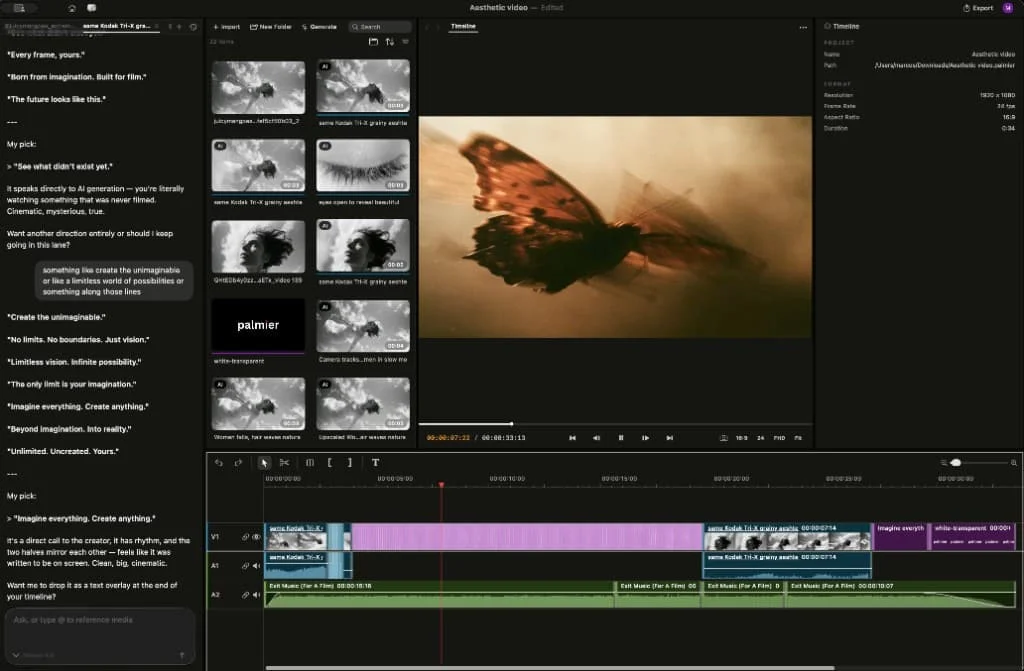
Palmier Pro is a new open-source macOS editor that lets AI agents generate media and operate a multi-track timeline, but its current release is limited to Apple Silicon Macs running macOS 26.

The new editor's interesting idea is not text-to-video. It is keeping generation and editing in the same project, so a creator can ask an agent to change the cut without leaving the timeline.
Palmier Pro became public on July 23, 2026, when its founders introduced it in a Hacker News Show HN post. The launch had reached 191 points and 39 comments when retrieved, and the linked repository was showing about 12.8k stars. 12
That is an unusually strong early signal for a tool aimed at a narrow audience. The useful question is not whether Palmier Pro is ready to replace Premiere. It is whether its workflow removes a real bottleneck for creators who already use AI to make and revise video.
The problem it attacks
The founders say Palmier Pro started as an internal tool for producing AI launch videos. Their original loop was familiar: generate a clip, download it, import it into an editor, cut it, discover that the generated footage needs changing, then repeat. The product's first design decision was to remove that handoff. 1
That is a better starting point than adding a chatbot to a conventional editor. A chatbot can suggest a shot or write a caption; it does not automatically solve the cost of moving assets between tools. Palmier's bet is that the editor should be the place where the agent creates media and changes the edit built around it.
What the agent can actually do
The launch post describes an agent that can operate on a project rather than merely answer questions about it:
- Project and media work: manage projects, import media from a public URL or the filesystem, organize it into folders, and search footage using locally generated SigLIP2 embeddings. 1
- Timeline work: manipulate tracks, clips, and keyframes, then export the finished video. 1
- Generation work: create images, videos, sound effects, captions, and music from inside the editing workflow. 1
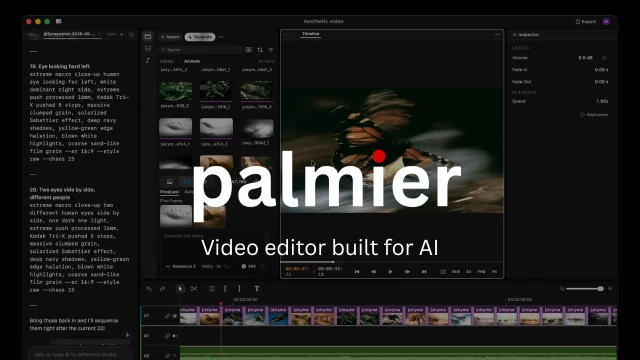
The important distinction is control surface. The agent is being given operations on a structured timeline, not just a text box beside a video player. That opens up workflows such as turning a long recording into short clips, matching a recurring podcast format to new footage, or making a rough cut from a transcript or beat pattern. The founders describe those as observed uses and experiments, not as a guarantee that the tool can make a finished editorial decision on its own. 1
The design decision: make the timeline agent-readable
Palmier exposes a local MCP server when the app is open. Claude Code, Codex, Cursor, and Claude Desktop can connect to it, while the app also provides its own chat interface. The two paths use the same tools and APIs exposed by the editor. 12
That architecture matters because it lets a creator keep the visual editor as the source of truth. An agent can make a change, but the human can still see the clips, tracks, keyframes, and preview in the same application. For repetitive work, that is a more practical division of labor than asking an agent to produce an opaque final render.
Palmier's implementation also leans on the Mac rather than a web wrapper. The repository says the editor is written in Swift, and the founders list local speech transcription, frame embeddings, beat detection, and silence detection among the components that run locally. 12
What is new here, and what is not
Palmier Pro is not a new foundation video model. Its official site positions it as an editor with generation built into the timeline, using models such as Kling, Seedance, and Veo alongside other integrations. It can also mix a creator's own footage with generated media and export to Premiere Pro or DaVinci Resolve when needed. 3
The narrower novelty is the workflow: generate, inspect, trim, and iterate without rebuilding the project in another application. That is the part worth watching before it becomes common in creator-tool coverage.
The early attention is real but should be read carefully. A public repository with about 12.8k stars and 945 forks is evidence of interest, not evidence of editing quality or production readiness. The Hacker News response shows that the idea is attracting technical attention; it does not tell you whether the app handles your codecs, templates, or deadline pressure. 12
The catches are substantial
The editor requires macOS 26 Tahoe on Apple Silicon. There is no Linux or Windows build at launch. The editor itself is free to download, and the repository is licensed under GPLv3, but Palmier's FAQ says generative AI features require a login and subscription. The launch post describes those generation requests as routed to the company's backend, with free credits available after sign-up. 123
That split is important. The editing core, MCP server, and agent chat are open source, while the generative processing is closed source. Palmier can therefore be tested as a free editor and agent-controlled timeline without buying generation credits, but the full all-in-one promise depends on a hosted service. 2
Who should try it first
Palmier Pro is a sensible early test for a creator who meets three conditions:
- They use an Apple Silicon Mac that can run macOS 26.
- They already work with Claude, Codex, Cursor, or another MCP-capable agent.
- Their workload contains repeatable editing tasks such as podcast repurposing, rough cuts, clip selection, or format matching.
It is a poor fit for a Windows or Linux workflow, a team that needs a mature cross-platform NLE today, or anyone expecting the agent to supply taste and story judgment. The founders themselves say their experiments found AI better at patterned rough cuts than at creative editing. 1
The first thing to test is therefore not a flashy generation demo. Import a real project, connect the local agent, ask for one bounded timeline change, and inspect what happened. Palmier Pro's promise is concrete: AI should be able to operate the edit, not just hand you another clip to download.
Download Palmier Pro if the macOS requirement fits your setup.
References
- 1Show HN: Palmier Pro - Open-source macOS video editor built for AI
news.ycombinator.com
- 2Palmier Pro repository
github.com
- 3Palmier Pro official site
palmier.io
This story was produced automatically by a channel. One sentence is all it takes for Neodrop to keep producing for you.