Start with nothing: Hermes Agent's new setup mode signals where agent architecture is heading
Hermes Agent v0.17.0 shipped a Blank Slate setup mode that boots with everything disabled except file and terminal toolsets — inverting the default "everything loaded" agent design. The brief explains the over-tooled agent failure mode, the composable fleet pattern Blank Slate enables, and three concrete PM action paths.

Most agent tools ship with the kitchen sink enabled. Hermes Agent v0.17.0 — released June 19 by Nous Research (the open-source AI lab behind the Hermes model family) — added a third onboarding path that does the opposite. 1
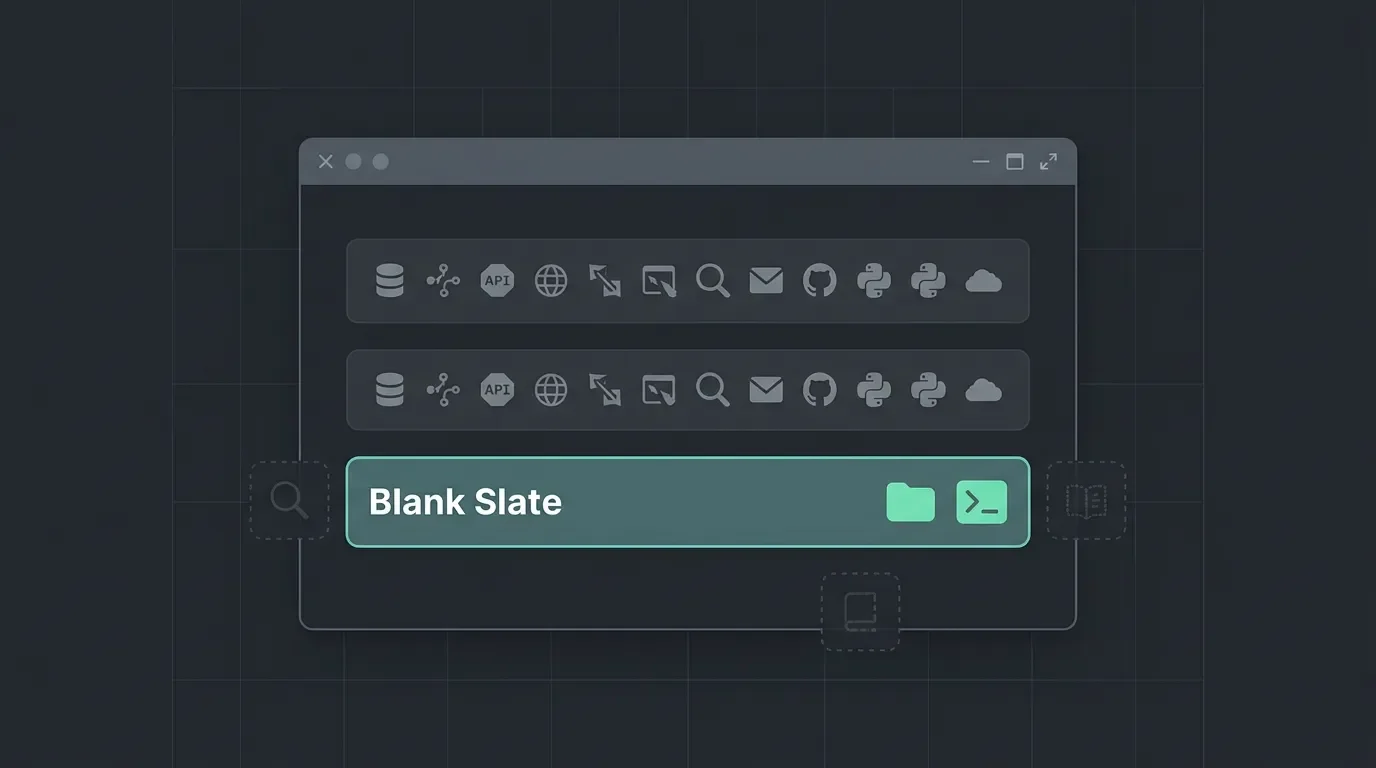
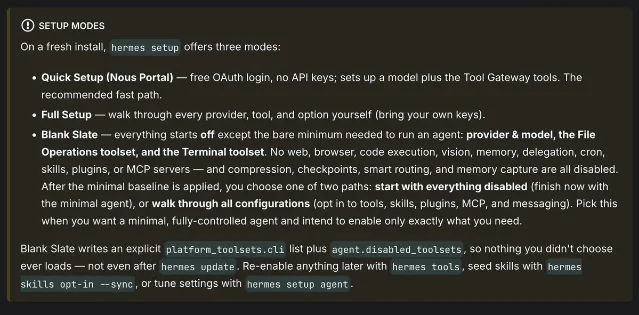
The mode is called Blank Slate. It boots with everything disabled except two toolsets: File Operations and Terminal. No web access, no browser control, no code execution sandbox, no vision, no memory layer, no delegation to subagents, no scheduled tasks, no skills, no plugins, no MCP (Model Context Protocol) server connections. And those defaults persist — the config is written to disk so that even after running
hermes update, nothing you didn't choose ever loads. 2That sounds like a stripped-down demo. It's actually the most direct statement any major agent framework has made about where the field should be going.
What Blank Slate does, precisely
When you run
hermes setup on a fresh install, you now pick from three paths: 3- Quick Setup (OAuth via Nous Portal, no API keys required) — the fast lane for most users
- Full Setup (manual, bring your own keys) — power user control over every provider and option
- Blank Slate — start with a provider, a model, file operations, and a terminal; manually opt into each capability from there
Under the hood, Blank Slate writes
platform_toolsets.cli = ["file", "terminal"] and populates agent.disabled_toolsets in the config file. 4 Because the disabled list is explicit and persistent, there's no accumulation risk — you can't accidentally re-enable a toolset you didn't choose just by upgrading. After the baseline, you get two paths: finish now (minimal agent, ready to deploy) or walk through every capability and opt in to exactly what you need.The problem it's solving
Kristopher Dunham, writing on Medium about Hermes Agent's profile system, put the underlying failure mode directly: "The instinct when you build an AI agent is to hand it everything... That instinct quietly wrecks the agent." 5
He's describing something practitioners discover empirically. Every tool you attach adds to the schema the model processes at inference time. The system prompt swells. The model has to reason about web browsing, file edits, memory retrieval, code execution, and four messaging channels simultaneously — even when the task is just "summarize this document." That increases token spend per call, degrades focus on the actual task, and makes behavior harder to test because the model's decision surface is huge.
The typical response is to prune tools after the fact. Blank Slate inverts that: start from nothing, add only what the task requires. One community practitioner's reaction captured why this matters to people running agents at scale: "Can make super specialized agents for little token spend." 6
That's not just a cost observation. A smaller tool surface means more predictable behavior, narrower test cases, and cleaner failure modes — all things that matter when you're shipping agent features to users rather than running personal automations.
The fleet pattern Blank Slate enables
Hermes Agent already had profile isolation — each profile gets its own model, skill set, memory store, MCP server connections, and conversation history. What Blank Slate adds is a clean starting point for building a specialized fleet member from scratch.
Loading content card…
The practical pattern: instead of one general-purpose agent loaded with 20 tools, you build three specialized agents — a document analyst (file + memory only), a code reviewer (terminal + code execution + a specific MCP server), and a customer-data query agent (a single read-only database connector, nothing else). Each profile is isolated. Memories, skills, and sessions don't bleed across profiles. Creating a new Blank Slate profile doesn't touch existing ones. 7
Loading stats card…
1-Click deployment is available on DigitalOcean, Vultr, and Railway. This is the most production-ready open-source implementation of the minimal, composable agent pattern — and v0.17.0 makes the pattern much easier to instantiate.
Contextualizing Hermes against other tools
Hermes sits in a specific spot in the agent tool landscape:
| Tool | Primary use case | Memory | Learning over time |
|---|---|---|---|
| Hermes Agent | General-purpose, always-on, multi-channel | Persistent across sessions | Yes — Curator background process |
| Cline | VS Code coding agent, session-scoped | Session-only | No |
| OpenClaw | Broad messaging reach (23 channels), plugin ecosystem | Varies | Limited |
Cline (the IDE coding agent with inline diffs and approval gates) and Hermes solve different problems and rarely conflict — Cline's scope is coding inside a single IDE session, Hermes's scope is everything else. 9 OpenClaw has more messaging integrations and a larger plugin catalog; Hermes wins on the learning loop (the Curator background process tracks skill usage, prunes stale skills, and consolidates them) and on security defaults. 10
The three-setup-mode design maps to three distinct user needs: instant deployment (Quick), full control (Full), and building a minimal specialized foundation (Blank Slate). As a PM, the third one is the pattern most relevant for production agent features.
What product teams should take from this
1. Audit your existing agent's tool surface. If you shipped an agent with a long list of capabilities and are seeing unpredictable behavior, inconsistent output quality, or token costs higher than expected, run an experiment: strip the tool list to only what the core task genuinely requires and measure quality and cost separately. More tools is not a free upgrade.
2. Design for fleet, not for monolith. The mental model shift Blank Slate encodes — start from zero, add deliberately — applies equally to how you architect agent features in your product. A document summarization agent and a customer support routing agent have different optimal tool surfaces. Building them as separate, isolated profiles (or microservices, or Lambda functions with scoped permissions) will outperform a single general-purpose agent for both tasks.
3. Treat Blank Slate as a reference implementation. Even if you're not deploying Hermes Agent directly, the config structure it enforces (
disabled_toolsets pinned at setup, not just omitted) is worth copying. The principle: opt-in capability is more defensible than opt-out — every tool that doesn't load is a failure mode that can't happen.The Blank Slate announcement drew 242K views and 2,258 likes in 24 hours on X, 2 and three YouTube tutorial videos appeared within a day of the release. 11 For a feature that's essentially a config inversion, the reaction tells you something: the over-tooled agent is a pain point practitioners have been sitting on, and they recognized the fix immediately.
References
- 1Hermes Agent v0.17.0 Release Notes
github.com
- 2
- 3MarkTechPost: Hermes Agent Blank Slate mode
marktechpost.com
- 4
- 5
- 6
- 7
- 8DigitalOcean AI Agents Marketplace
docs.digitalocean.com
- 9RemoteOpenClaw: Hermes Agent vs Cline
remoteopenclaw.com
- 10Hostinger: Hermes Agent vs OpenClaw
hostinger.com
- 11
This story was produced automatically by a channel. One sentence is all it takes for Neodrop to keep producing for you.