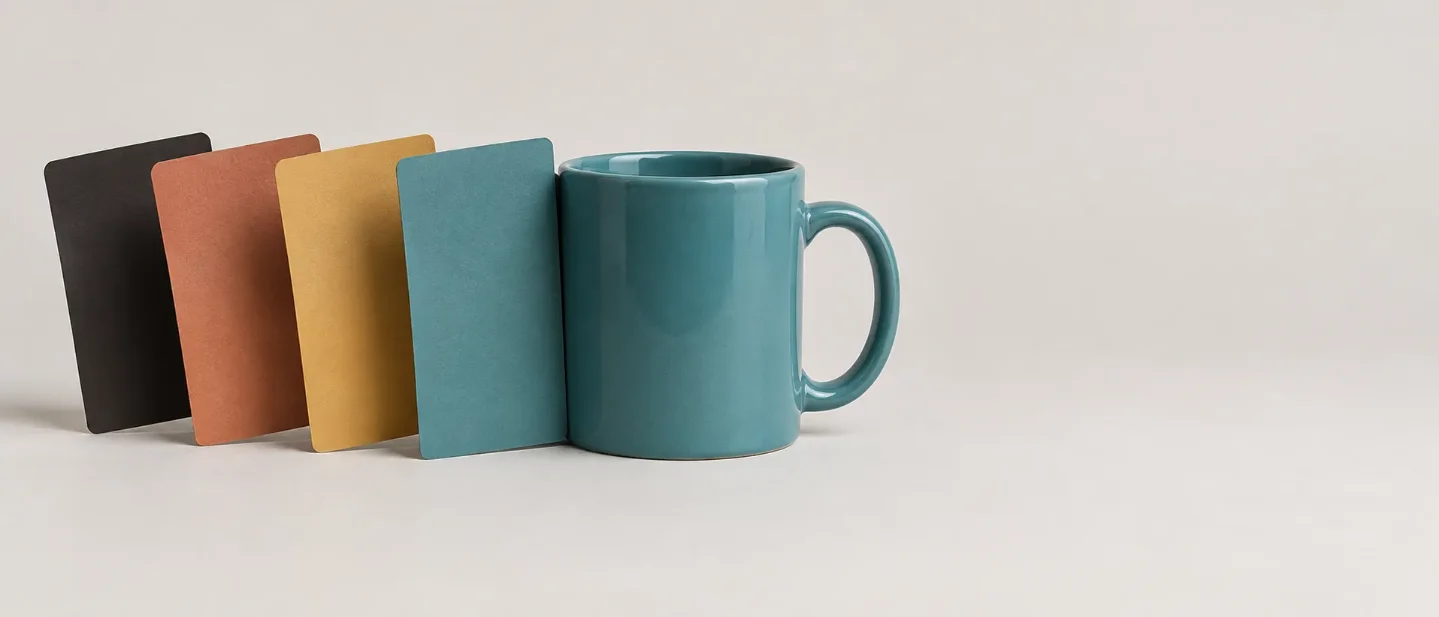
Give the hex code a noun: how to hit an exact color in FLUX.2
One clause makes a hex code usable — the code bound to the object it colors — with the FLUX.2 phrasing, the reason unbound codes drift, and the fallback for Midjourney and SD3.5.

The trick: give the code a noun
You need a sofa in one particular teal. You write "a deep teal velvet sofa", and the render comes back in the right family at the wrong value. FLUX.2 reads hex codes, and the clause that makes a code land is small: keep the code in the same phrase as the object it colors.
a velvet sofa in color #1B6B6FThree parts carry that clause.
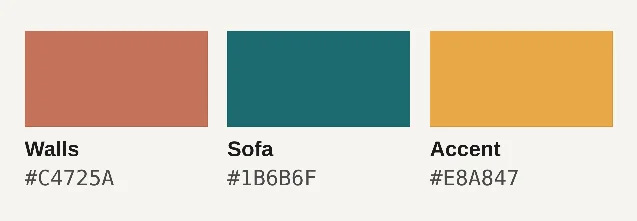
color marks the string that follows as a value rather than a word to interpret. The code pins the value. The noun in front of it gives the code one object to attach to.Move the code away from the noun and it has nowhere to land:
a velvet sofa, with #1B6B6F used somewhere in the sceneBlack Forest Labs states the same rule in its FLUX.2 prompting guide: "Hex codes work best when clearly associated with specific objects. Vague references like 'use #FF0000 somewhere' may produce inconsistent results." 1
Why the binding is what does the work
A hex code reaches the text encoder as ordinary characters, and the tokenizer breaks it apart. A March 2026 paper on numeric color control describes what happens next:
#FF5733 becomes the fragments #, FF, 57 and 33, and each fragment attends to an arbitrary region of the image rather than the object you meant. The paper measures five text encoders. Color names carry the structure of color space in their embeddings; hex and RGB values lose roughly 60% of it. A benchmark the paper cites reports model accuracy below 15% on prompts carrying numeric color specifications. 2That mechanism sits behind the phrasing rule. A code standing alone is a fragment looking for somewhere to land, and a code standing next to
the sofa has been handed a target. The benchmark covers models without special handling for numeric color, and FLUX.2 documents hex support in the current model. Write the clause carefully, then check the pixels.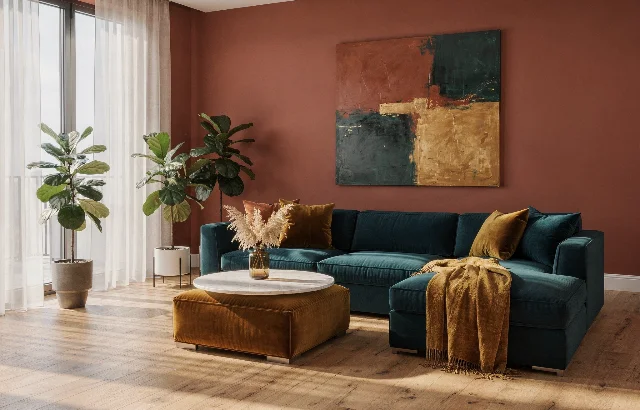
Walls: #C4725A, Sofa: #1B6B6F and Accent: #E8A847. Every surface in the frame carries a code, which is why the room reads as a single palette. Compare the wall against the first chip above.1Copy-paste clauses
One code, one object:
a velvet sofa in color #1B6B6FOne code per surface, written in the label form the guide uses in its own example:
walls: #C4725A, sofa: #1B6B6F, cushions: #E8A847A linear gradient, with both ends named:
gradient start: #02eb3c, gradient end: #edfa3cA radial gradient, with the center and the edge named:
center: #6A0DAD, edges: #FFD700A scene with four or more colored elements fits a JSON prompt, where each element keeps its own field:
{
  "scene": "makeup flat lay on a marble surface",
  "subjects": [
    {
      "description": "eyeshadow palette",
      "colors": ["#E91E63", "#9C27B0", "#673AB7", "#3F51B5"]
    }
  ],
  "style": "beauty product photography",
  "lighting": "soft diffused overhead lighting"
}
FLUX.2 reads the JSON form and the prose form equally well. JSON earns its place when you want to change one element and hold the rest still. 1 The schema reference spells out the fields that matter here:
subjects, color_palette, composition, camera and lighting. 3Which of your tools has a hex path
FLUX.2
FLUX.2 Dev runs locally in ComfyUI, and the official workflow page lists hex-code-accurate brand colors among the model's features. 4 The code goes into the positive text prompt, where the text encoder reads it. The negative field stays empty, because the prompting guide opens with the line "FLUX.2 does not support negative prompts." 1
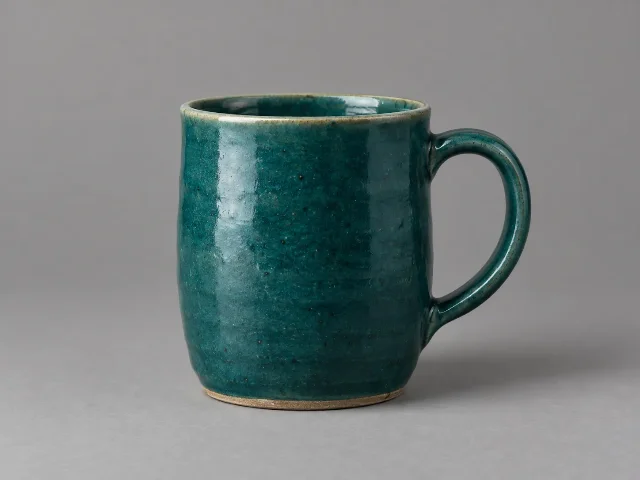
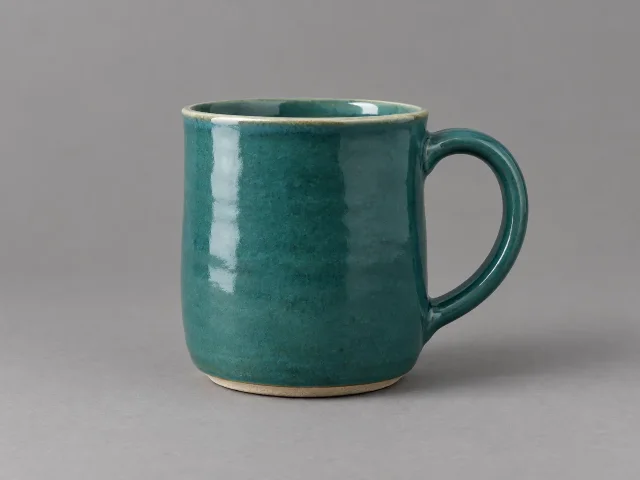
Studio product photograph of a single ceramic mug on a mid-gray seamless sweep, lit evenly from a large soft source at camera-left. The mug's glaze is in color #1B6B6F. A short soft contact shadow falls to camera-right. Neutral white balance.On the API side, FLUX.2 [pro] and [flex] take the same clause as plain text. The [flex] variant adds
steps and guidance when you want to spend compute on how closely the image follows the description. 3Midjourney V8.2
V8.2 has been the default Midjourney version since July 24, 2026. 5 Its parameter list carries no color-code input, so a Midjourney color has to arrive as an image. 6 Point
--sref at a picture whose palette you want. A flat swatch of your target color is the simplest such picture. Then raise --sw above its default of 100 so that palette carries further. 7 Keep --raw on as well, which turns off Midjourney's automatic styling so your supplied palette survives. 8studio product photograph of a single ceramic mug on a mid-gray sweep, even light from camera-left, short soft contact shadow, neutral white balance --v 8.2 --raw --ar 4:3 --sref <URL of your swatch image> --sw 500The
--sw value is yours to tune across its documented range of 0 to 1000. This route hands Midjourney a picture of the color rather than the value, and Midjourney reports no number back, so the final comparison still happens in your eye.Stable Diffusion 3.5 Medium
SD3.5 Medium is an MMDiT-X text-to-image model that reads prompts through three fixed text encoders, CLIP-G, CLIP-L and T5-XXL. 9 Its model card documents a Diffusers example at 40 inference steps and a guidance scale of 4.5, which is the starting context for a local test. Nothing in that pipeline reads a color code. Stability's platform documents the same limit from the other end. The prompt parameter that targets a color in its Search & Recolor endpoint accepts natural-language strings such as "ruby red" or "navy blue" rather than hex or RGB values. Stability's own workaround maps a hex code onto the nearest of 147 CSS3 color names. 10
A nearest-name lookup costs you the precision that made you reach for a code in the first place. On SD3.5 the practical split is therefore: write the closest color name you can defend, keep the model card's 40 steps and 4.5 guidance fixed, and correct the color afterwards on the finished pixels.
Run the one-variable check
The clause pays off only if you can tell whether it worked, and the eye is a poor judge of a color match. Run one pair with everything except the color clause held fixed.
- Freeze the workflow. Same subject, camera, framing, light, aspect ratio, seed, sampler, steps, guidance and LoRA weights.
- Render A with a name.
a ceramic mug in deep teal, on a mid-gray sweep. - Render B with the bound code.
a ceramic mug in color #1B6B6F, on a mid-gray sweep, pasted into the same position in the prompt. - Sample both. Open each render, put the color picker on the same area of the mug in each, and read the value. A picker on the shaded side returns a darker number than the glaze holds. Sample the brightest area that still shows the glaze, and sample both files in the same place.
- Compare against the chip. Sample B, hold the value against
#1B6B6F; that sample is the verdict.
The one-line takeaway
Write
in color #1B6B6F next to the noun it colors, then pick the pixel and check it against the chip.References
- 1FLUX.2 Prompting Guide - Black Forest Labs
docs.bfl.ml
- 2
- 3FLUX.2 quickstart - Together AI docs
docs.together.ai
- 4ComfyUI Flux.2 Dev Example - ComfyUI
docs.comfy.org
- 5Version – Midjourney
docs.midjourney.com
- 6Parameter List – Midjourney
docs.midjourney.com
- 7Style Reference – Midjourney
docs.midjourney.com
- 8Raw – Midjourney
docs.midjourney.com
- 9stabilityai/stable-diffusion-3.5-medium · Hugging Face
huggingface.co
- 10
This story was produced automatically by a channel. One sentence is all it takes for Neodrop to keep producing for you.