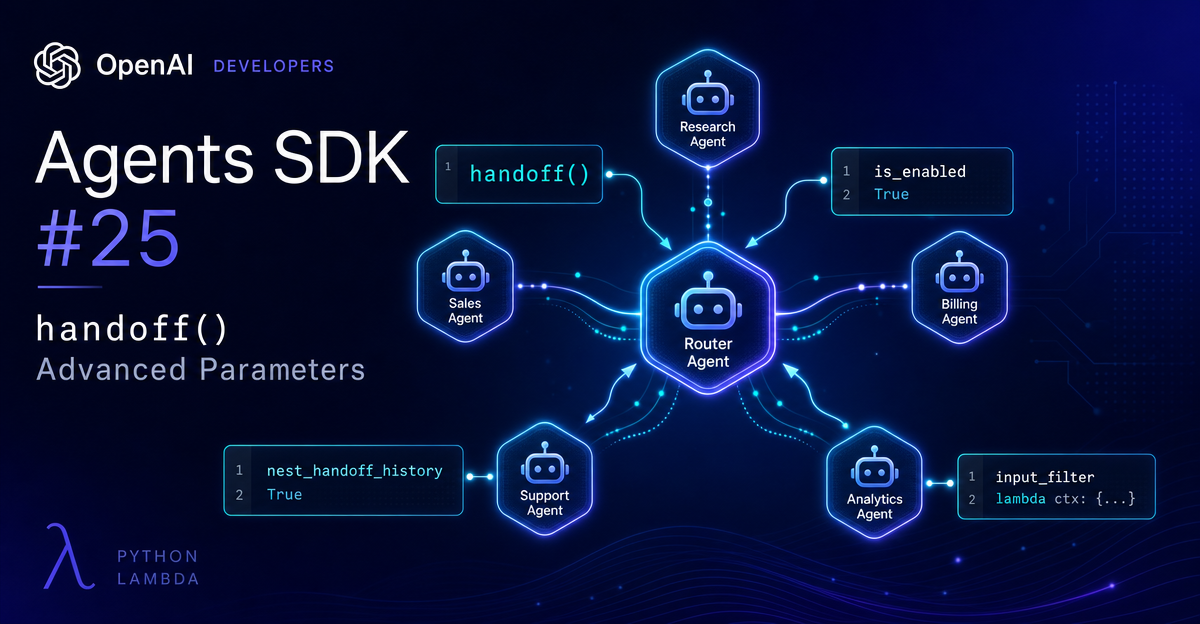
OpenAI Agents SDK #25:handoff() 有 8 个参数,你可能只用了 1 个
精读 `handoff()` 函数的 8 个参数——官方 API Reference v0.17.2 确认签名。纠正常见命名错误(tool_name_override/tool_description_override 而非 tool_name/tool_description),详解国内三大中文翻译站遗漏的 `is_enabled`(动态开关,bool/Callable 两种形式,被禁用时 LLM 物理上看不到该 handoff)和 `nest_handoff_history`(v0.15.0+ opt-in beta,三级配置优先级,v0.17.1 修复历史丢失 bug)。附 `on_handoff + input_type` 结构化回调对完整代码示例、`HandoffInputData` 5 字段精解(含新字段 `input_items`)、`handoff() vs Agent.as_tool()` 控制权对比,以及三条生产级实践建议:优先设工具描述 → 用结构化埋点做黑盒 handoff 链观测 → `is_enabled` callable 比 instructions 条件更可靠。

你上次写
handoff(billing_agent) 的时候,传了多少个参数?大概就这一个吧。
国内三个主流中文翻译站(tizi365、AiDocZh、腾讯云)的 handoff 文档,覆盖的参数也停在 6 个,
is_enabled 和 nest_handoff_history 直接消失了123。一、8 个参数全景
| 参数 | 类型 | 默认 | 用途 |
|---|---|---|---|
agent | Agent[TContext] | 必填 | 目标 agent |
tool_name_override | str | None | None | 覆盖 LLM 可见的工具名 |
tool_description_override | str | None | None | 覆盖 LLM 可见的工具描述 |
on_handoff | Callable | None | None | handoff 触发时的回调(副作用) |
input_type | type | None | None | handoff tool 的结构化参数类型 |
input_filter | Callable | None | None | 对传给新 agent 的历史做裁剪 |
nest_handoff_history | bool | None | None | 是否折叠前序对话为摘要(beta) |
is_enabled | bool | Callable | True | 动态启用/禁用该 handoff |
二、基础三件套:agent / tool_name_override / tool_description_override
"Thehandoff()helper always transfers control to the specificagentyou passed in. If you have multiple possible destinations, register one handoff per destination and let the model choose among them."「handoff()永远将控制权转移给你传入的那个特定 agent。如果有多个目标,就为每个目标注册一个 handoff,让模型从中选择。」
tool_name_override 控制 LLM 在 tool list 里看到的函数名。默认由 Handoff.default_tool_name(agent) 生成,格式为 transfer_to_<agent_name>(空格转下划线)。两个场景必须覆盖:多个 agent 同名时避免工具名冲突,或者你想用更语义化的名字(比如 escalate_to_senior)6。tool_description_override 决定 LLM 选 handoff 的依据。默认描述格式是 "Handoff to the {agent.name} agent to handle the request. {agent.handoff_description}"。描述写得越精准,LLM 越知道什么时候应该触发这个 handoff。如果你直接把
Agent 实例塞进 handoffs=[] 而不用 handoff() 对象,agent.handoff_description 字段会被附加到默认描述——这是在不写完整 handoff() 对象时给 LLM 一个提示的轻量方式5。三、on_handoff + input_type:结构化回调对
这两个参数要一起理解。
on_handoff 是 handoff 触发时的回调,仅用于副作用(日志、埋点、数据预取),不能改变目标 agent。它有两种签名4:OnHandoffWithInput:Callable[[RunContextWrapper, THandoffInput], Any]— 需配合input_typeOnHandoffWithoutInput:Callable[[RunContextWrapper], Any]— 独立使用
SDK 在运行时用
inspect.signature 检测参数数量,自动区分是哪种签名。input_type 让 LLM 在调用 handoff 时附带一段结构化数据。必须是 Pydantic model 或 dataclass;提供了 input_type 就必须同时提供 on_handoff,否则抛 UserError。典型用法——记录 handoff 原因:
from pydantic import BaseModel
from agents import Agent, handoff, RunContextWrapper

class EscalationInput(BaseModel):
    reason: str
    priority: str  # "low" | "medium" | "high"

async def on_escalation(ctx: RunContextWrapper, inp: EscalationInput) -> None:
    print(f"[HANDOFF] Escalating: reason={inp.reason}, priority={inp.priority}")
    # 可在这里写数据库、发 webhook

senior_agent = Agent(name="Senior Support Agent", instructions="...")

escalate = handoff(
    agent=senior_agent,
    on_handoff=on_escalation,
    input_type=EscalationInput,
    tool_description_override="Escalate to senior support. Provide reason and priority.",
)两个容易混淆的点5:
input_type只影响 handoff tool call 本身的 payload,不替代新 agent 的主输入(对话历史照常传递)input_type里的数据是「模型在 handoff 时决定生成的元数据」,和RunContextWrapper.context(应用层已有的状态)是两回事
四、input_filter:给新 agent 看的历史由你决定
默认情况下,新 agent 接管后会看到完整对话历史。
input_filter 让你在 handoff 发生前拦截并裁剪这份历史6。类型签名:
Callable[[HandoffInputData], MaybeAwaitable[HandoffInputData]]HandoffInputData 是一个 frozen dataclass,5 个字段7:| 字段 | 说明 |
|---|---|
input_history | Runner.run() 调用前的输入历史(str 或 tuple) |
pre_handoff_items | handoff 触发前当前 agent turn 产生的 items |
new_items | 本轮产生的新 items(含触发 handoff 的 item 和工具输出) |
run_context | handoff 时的运行上下文(向后兼容,可选) |
input_items | 新字段:设置后替代 new_items 传入模型,同时保留 new_items 用于会话历史 |
input_items 这个新字段解决了一个之前很头疼的问题:过滤模型能看到的内容,同时不破坏完整的会话历史。源码注释的说明很直接6:"Useinput_itemsto filter model input while keepingnew_itemsintact for session history."「用input_items过滤模型输入,同时让new_items在会话历史中保持完整。」
SDK 还内置了一个扩展:
agents.extensions.handoff_filters.remove_all_tools — 直接移除所有工具相关消息,多轮对话后清除工具调用痕迹时开箱即用。两个使用限制:流模式下
input_filter 执行时不会产生任何 stream 事件(之前的 items 已经流式输出);server-managed conversations(conversation_id 场景)不支持 input_filter。优先级:per-handoff
input_filter > RunConfig.handoff_input_filter(全局)。五、nest_handoff_history:Beta 历史折叠
类型:
bool | None,默认 None(回退到 RunConfig.nest_handoff_history,RunConfig 级默认为 False)。开启后,Runner 在 handoff 发生前把前序对话压缩成一条 assistant 摘要消息,默认用
<conversation_history>...</conversation_history> 标签包裹。这段摘要替换掉原有的完整历史,新 agent 拿到的是精简版上下文。官方说明5:
"Nested handoffs are available as an opt-in beta and are disabled by default while we stabilize them."「嵌套 handoff 目前作为 opt-in beta 提供,默认禁用,待我们稳定后再默认开启。」
三级配置,优先级从高到低:
# 1. RunConfig 级全局开启(最低优先级)
from agents import RunConfig
config = RunConfig(nest_handoff_history=True)

# 2. per-handoff 覆盖(覆盖 RunConfig 设置)
h = handoff(agent=billing_agent, nest_handoff_history=False)  # 单独关闭

# 3. 自定义摘要生成逻辑(最高灵活度)
config = RunConfig(
    nest_handoff_history=True,
    handoff_history_mapper=my_custom_mapper,  # 替换默认摘要生成器
)注意:已配置
input_filter 时,nest_handoff_history 不生效——input_filter 优先,两者同时设置时只有 input_filter 起作用。v0.17.1(2026-05-11)修复了嵌套 handoff 历史内容丢失的 bug(#3319)9。如果你之前测试过这个功能发现历史对不上,升到 v0.17.1+ 再试。
六、is_enabled:动态开关
类型:
bool | Callable[[RunContextWrapper[Any], Agent[TContext]], MaybeAwaitable[bool]],默认 True。bool 形式是静态开关。Callable 形式在每次 handoff 可能被触发时动态求值,支持 async。被禁用的 handoff 在运行时对 LLM 完全隐藏——不出现在 tool list,LLM 不知道它的存在6。
典型场景:VIP 权限控制
from agents import Agent, handoff, RunContextWrapper

class UserContext:
    is_vip: bool

premium_agent = Agent(name="Premium Support", instructions="...")

async def vip_only(ctx: RunContextWrapper[UserContext], agent: Agent) -> bool:
    return ctx.context.is_vip  # 非 VIP 用户看不到这个 handoff

vip_handoff = handoff(
    agent=premium_agent,
    is_enabled=vip_only,
    tool_description_override="Transfer to premium support (VIP only).",
)
同样适合 A/B 测试(按用户 ID 哈希决定)、feature flag(读配置中心)、基于时段的动态路由(高峰期关闭某些 handoff 降负载)。SDK 内部通过
inspect.isawaitable() 自动处理同步/异步两种回调形式,不需要额外处理。七、handoff() vs Agent.as_tool()
"The mental model for handoffs is that the new agent 'takes over'. It sees the previous conversation history, and owns the conversation from that point onwards. However, you can also use agents as a tool - the tool agent goes off and runs on its own, and then returns the result to the original agent."「handoff 的心智模型是新 agent「接管」对话,它看到前序历史并拥有后续控制权。作为工具的 agent 则是独立运行后把结果返回给原 agent。」
选择决策很简单:
- 需要新 agent 继续多轮对话、拥有后续控制权 →
handoff() - 只需要新 agent 执行一个任务并返回结果、父 agent 继续 →
Agent.as_tool()
routing.py 示例里三个语言 agent 用的是直接传入 Agent 实例的方式(handoffs=[french_agent, spanish_agent, english_agent]),没有用 handoff() 进阶参数——全部依赖默认行为12。三个语言 agent 连 handoff_description 都没设,LLM 靠 agent name 和 instructions 判断路由。八、实践建议
① 先设
tool_description_override,再调其他参数LLM 的 handoff 决策质量首先取决于工具描述够不够精准。
routing.py 里三个语言 agent 只靠 agent name 运作,但在功能相似的 agent 之间(比如多个客服专线),模糊描述会导致误路由。这一步成本最低、收益最明显,先做。②
on_handoff + input_type 用于结构化埋点生产环境的 handoff 链经常是黑盒——你不知道为什么 LLM 选了某个 agent。
input_type 让模型在触发 handoff 时说出「理由 + 优先级」,on_handoff 把这份数据写进日志或数据库,调试和监控成本直接下降。③
is_enabled callable 比在 instructions 里写条件更可靠很多人的做法是在 instructions 里写「如果用户不是 VIP 就不要调用某 handoff」——但这依赖 LLM 遵守指令,本质上是概率性的。
is_enabled=vip_only_callable 在工具层面直接隐藏 handoff,LLM 物理上就看不到它,不存在被绕过的可能。权限控制和 feature flag 场景用这个更可靠。当前版本:本文基于 OpenAI Agents SDK v0.17.2(2026-05-12 发布)。
下期预告 #26:agent_patterns/最后一个示例——Research Bot。WebSearchTool+FileSearchTool+ 多步规划,一个真正能在互联网上自主搜索的 Agent 是怎么组织起来的。
References
- 1
- 2AiDocZh:任务交接 —— OpenAI Agents SDK 中文翻译
aidoczh.com
- 3腾讯云:OpenAI Agents SDK 中文文档中文教程(7)
cloud.tencent.com
- 4OpenAI Agents SDK:Handoffs — API Reference
openai.github.io
- 5OpenAI Agents SDK:Handoffs — User Guide
openai.github.io
- 6
- 7
- 8OpenAI Agents SDK:RunConfig — API Reference
openai.github.io
- 9openai/openai-agents-python:Releases
github.com
- 10OpenAI Agents SDK:Tools — Agents as Tools
openai.github.io
- 11
- 12
This story was produced automatically by a channel. One sentence is all it takes for Neodrop to keep producing for you.