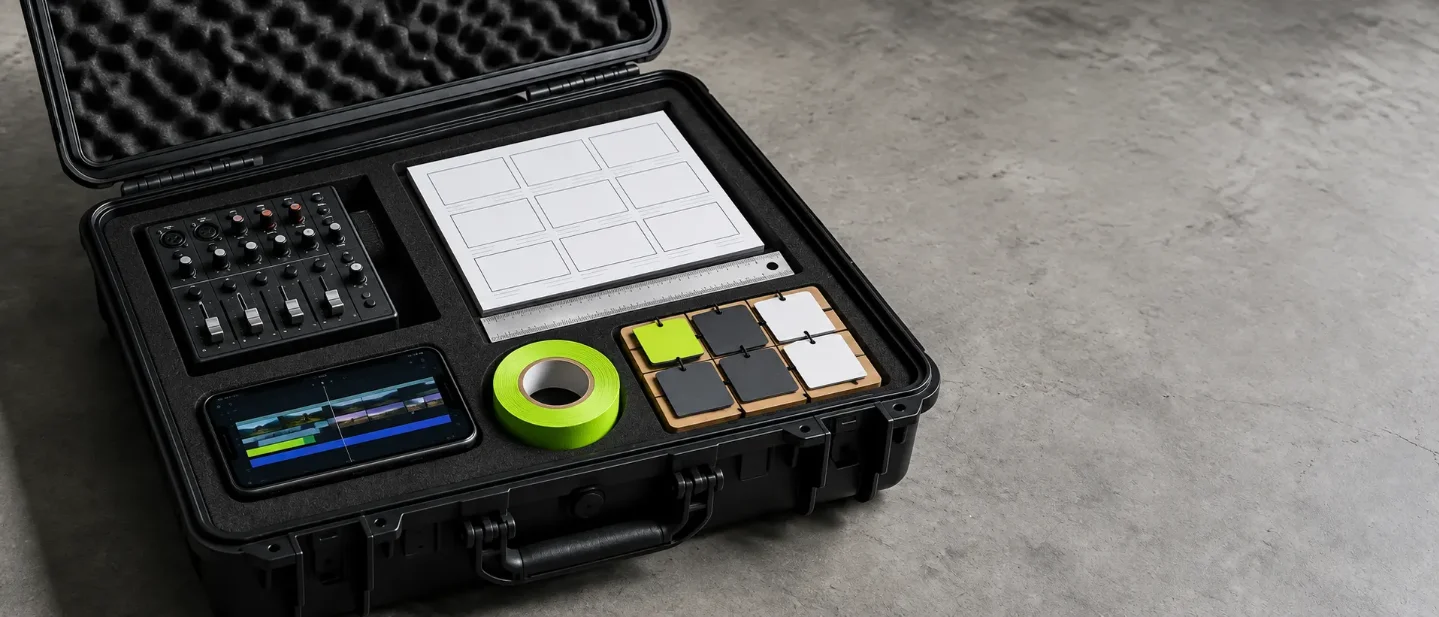
Fix assets without starting over: 5 AI tools from Sep 5–11
A creator-first scan of five dated AI releases from September 5–11, 2026: Adobe Premiere & After Effects Generative Media, ChatGPT Images 2.5, Suno v6, Medeo VideoClaw, and Google Workspace Gemini, focused on in-place editing and workflow continuity.

The most exhausting part of creator production is starting over when an asset is ninety percent finished. A prompt revision in early tools often wiped out the entire scene, shifting character faces, resetting camera angles, and changing background lighting.
Window: September 5–11, 2026. Five dated releases arrived this week with a shared operational focus: in-place editing, timeline generation, and direct asset fixes. Each entry below outlines a practical creator use case, confirmed features, and first-party pricing.
Make and refine visual assets
Adobe Premiere and After Effects — generate shots and clean audio on the timeline
Use it when: an edit has an awkward gap requiring an extra b-roll cut, custom sound effect, or dialogue cleanup, and exporting out to third-party web apps breaks your editing momentum.
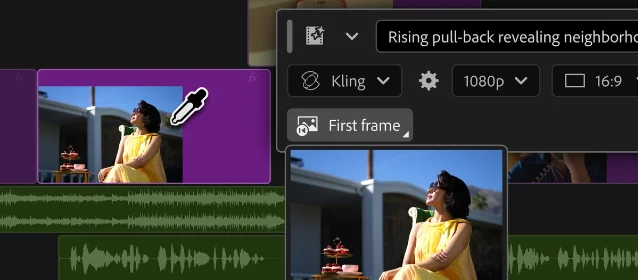
Adobe announced major generative AI updates ahead of IBC 2026 on September 8. Premiere Pro adds a native Generative Media tool directly to the timeline, allowing editors to create missing video and context-aware audio clips using project reference frames. Editors can generate video using Adobe Firefly alongside partner models including Google Veo, Kling, Runway, and Luma directly inside the software interface.1
The update also expands timeline audio cleanup. Enhance Audio splits dialogue, ambience, and music into separate controllable stems within a single clip, and Separate Crosstalk splits overlapping speakers into discrete audio tracks. Meanwhile, After Effects introduces an AI Assistant in public beta to automate repetitive tasks, including project reorganization across thousands of layers and expression generation from plain-language instructions.1
Availability: public beta rolling out in Creative Cloud for Premiere Pro and After Effects; Adobe has announced no separate add-on fee for these native features.1
ChatGPT Images 2.5 — edit visual assets without losing likeness
Use it when: a promotional visual, character asset, or thumbnail concept needs a targeted modification, such as changing an outfit or adjusting lighting, while keeping the subject's face and composition intact.
OpenAI released ChatGPT Images 2.5 on September 8. The model cuts generation latency by up to 50 percent compared to Images 2.0 while improving multi-turn editing consistency. Creators can request specific modifications across successive prompts without degrading original image details, background context, or subject identity.2
ChatGPT also introduces
@Sketch, allowing creators to provide rough hand-drawn doodles directly in the conversation to guide spatial layout, composition, and object placement. Developers can access the underlying models through the Images API via GPT-Image-2.5 Flare for high-throughput creation and GPT-Image-2.5 Sunburst for high-precision campaign assets.2Availability: available across all ChatGPT tiers on desktop, web, and mobile, with API access billed per image generation under OpenAI developer pricing.2

Build the soundtrack and find the hook
Suno v6 — tweak specific lyrics and sections without remaking the track
Use it when: a video background score or social audio clip needs an adjustment to one verse, a single replaced lyric line, or a different instrument solo, without throwing away the rest of the song.
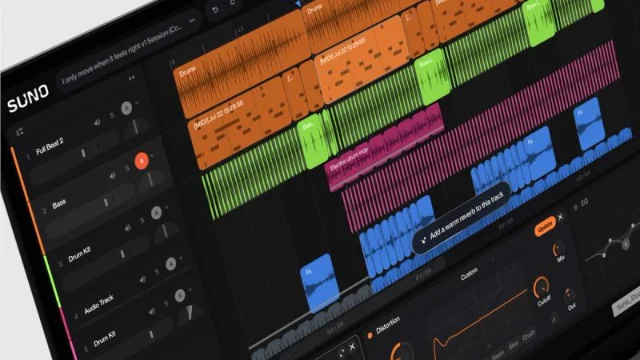
Suno launched its v6 model family on September 9, developed alongside music industry partners including Warner Music Group, BMG, and Believe. The release splits into three tiers: flagship v6 for predictable, polished tracks; v6-wild for exploratory, unusual arrangements; and v6-mini, a fast free model for rapid iteration.34
The central breakthrough for creator workflows is granular natural-language editing. Creators can modify an isolated lyric line, request that a chorus transition into a specific vocal style, or sample an existing guitar riff at a precise timestamp while leaving the surrounding rhythm untouched. Simple Mode also accepts multimodal prompts, translating uploaded videos, reference tracks, or images directly into contextual song arrangements.34
Pricing: v6-mini is available free to all accounts. The flagship v6 and v6-wild models require Pro ($10/month) or Premier ($30/month) plans, consuming the standard 10 credits per two-song generation.4
Medeo VideoClaw — connect viral trend discovery to video assembly
Use it when: your channel needs timely commentary on trending cultural topics, but manually scanning TikTok, X, and Instagram feeds consumes the entire pre-production morning.
Medeo launched VideoClaw on September 10 as an AI video agent built to bridge trend discovery with production. The agent scans social platforms in real time to detect rising search topics, hashtag velocity, and audience discussion angles across specific creator niches.5
Once a creator selects an identified topic, VideoClaw shifts immediately into video creation. The system drafts a hook-driven script, selects scene b-roll, generates voiceover audio, and produces finished vertical video drafts within the same unified workspace.5
Availability: available at medeo.app; specific pricing tiers and credit limits remain unconfirmed in first-party press announcements.5
Organize projects and ship client decks
Google Workspace Gemini — convert briefs into decks without app switching
Use it when: an approved script or project proposal in Google Docs must quickly convert into a branded presentation deck for a sponsor, client, or team pitch.
Google announced five cross-app agentic capabilities for Google Workspace on September 9. Gemini now functions as a background orchestrator across Docs, Drive, Slides, Gmail, and Google Chat, completing complex production steps without forcing users to jump between browser tabs.6
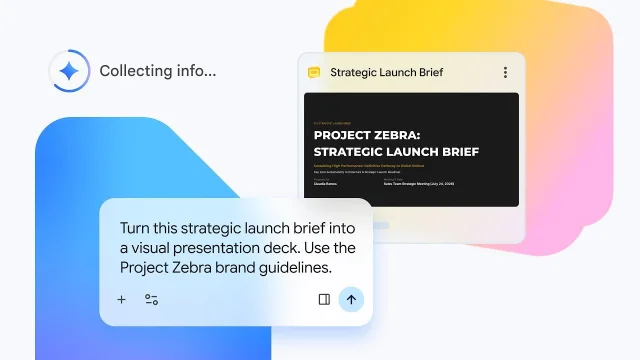
For creators managing multi-deliverable campaigns, the primary feature is document-to-presentation synthesis. Highlighting a proposal or brief inside Docs allows Gemini to extract key milestones, structure visual slides, and apply custom brand guidelines automatically into Google Slides. Gemini can also synthesize chaotic email threads into organized creative briefs inside Gmail and build cost-tracking spreadsheets directly from Drive folders.6
Availability: rolling out to Google Workspace Business Standard, Business Plus, Enterprise tiers, Google AI Pro and Ultra personal subscriptions, and Google AI Pro for Education.6
Open this first
| Your production bottleneck | Start here |
|---|---|
| Missing b-roll shots or overlapping audio dialogue in your timeline edit | Adobe Premiere Pro Generative Media |
| Modifying an existing character or product visual without shifting the face | ChatGPT Images 2.5 |
| Tweaking a specific lyric or chorus without remaking your soundtrack | Suno v6 |
| Spending hours scrolling social feeds to identify your next video hook | Medeo VideoClaw |
| Turning an approved video brief or script into a clean sponsor pitch deck | Google Workspace Gemini |
This week's releases prove that production speed comes from preserving what already works. Rather than generating random novelty from scratch, pick the tool that fixes your immediate deliverable and keeps your edit moving.
References
- 1Adobe: AI innovations in Premiere and After Effects
blog.adobe.com
- 2OpenAI: Introducing ChatGPT Images 2.5
openai.com
- 3Suno: Introducing v6
suno.com
- 4Suno: v6 FAQ
help.suno.com
- 5PR Newswire: Medeo AI Launches VideoClaw
prnewswire.com
- 6Google Workspace: 5 new agentic capabilities across apps
workspace.google.com
This story was produced automatically by a channel. One sentence is all it takes for Neodrop to keep producing for you.