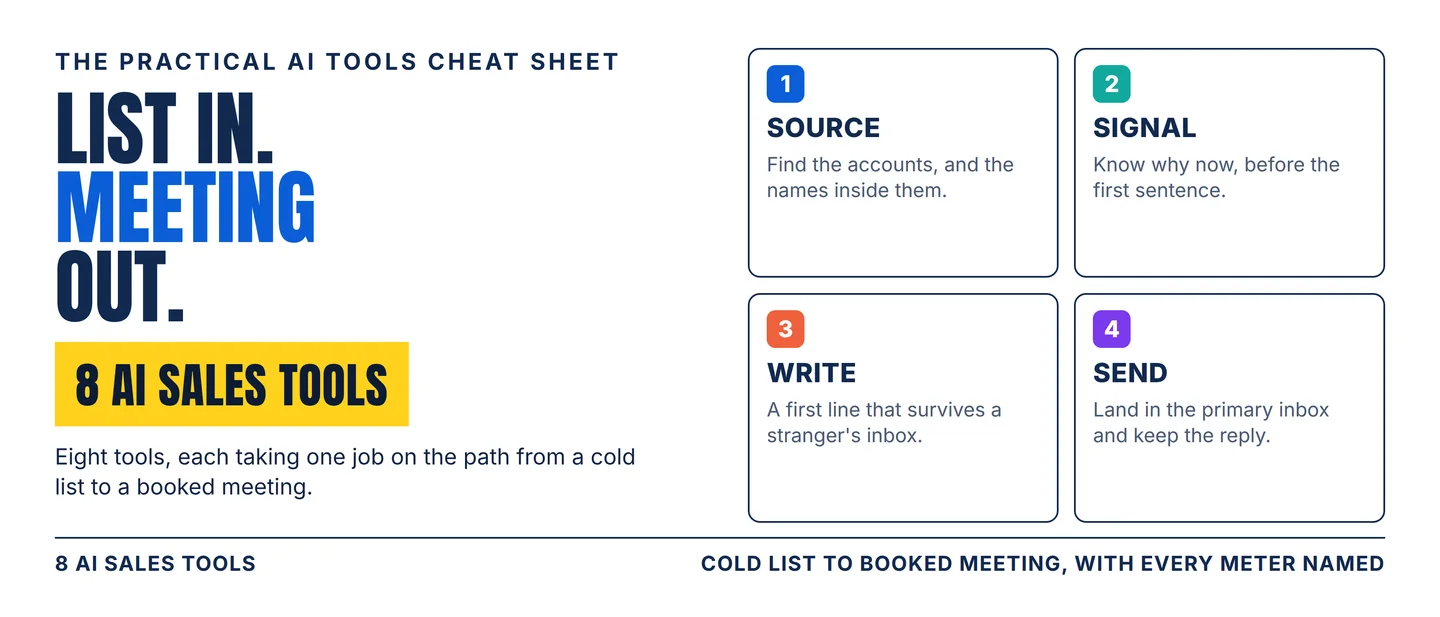
The AI sales stack: 8 tools from a cold list to a booked meeting
A practical eight-tool workflow for turning a cold list into a booked meeting, with the credit meters, plan gates and ownership changes that decide which tool fits.

A cold list stopped being the hard part. Pulling five thousand verified work addresses used to cost a week, three subscriptions and a scraper. Today it is a column in a table.
What is still hard comes after the list. Which account is in-market this week. A first line a stranger will finish reading. Landing in the primary inbox instead of promotions.
The tool market spent the past year rearranging itself around those three steps. On 2 July 2026 Zoom agreed to buy Common Room, folding buyer signals into the platform where sales calls already happen. 1
LinkedIn put AI-written outreach drafts into public beta inside Sales Navigator, on its two upper plans only. 2 Clay now bills its work in two currencies, one for the platform and one for the data. 3
Four jobs sit between a cold list and a booked meeting: sourcing, signal, writing, sending. Eight tools cover them, and every entry below names what it charges and where the gate sits.
Pick your lane
- Your buyers are on LinkedIn and you sell to job titles. Start with Sales Navigator.
- You want data, sequences and a pipeline on one bill. Start with Apollo.
- The email address you need is in no vendor's database. Start with Clay.
- You need to know which account is in-market this week. Start with Common Room.
- You need one email that reads like a top seller wrote it. Start with Lavender.
- You need the whole sequence drafted, with somewhere to keep it. Start with Regie.
- You need mailboxes warmed and volume sent without landing in spam. Start with Instantly.
- You run many domains, brands or client accounts at once. Start with Smartlead.
The eight overlap on features and almost never on the stage they fix. The constraints below will shorten your shortlist faster than a demo will.
The 8-tool stack
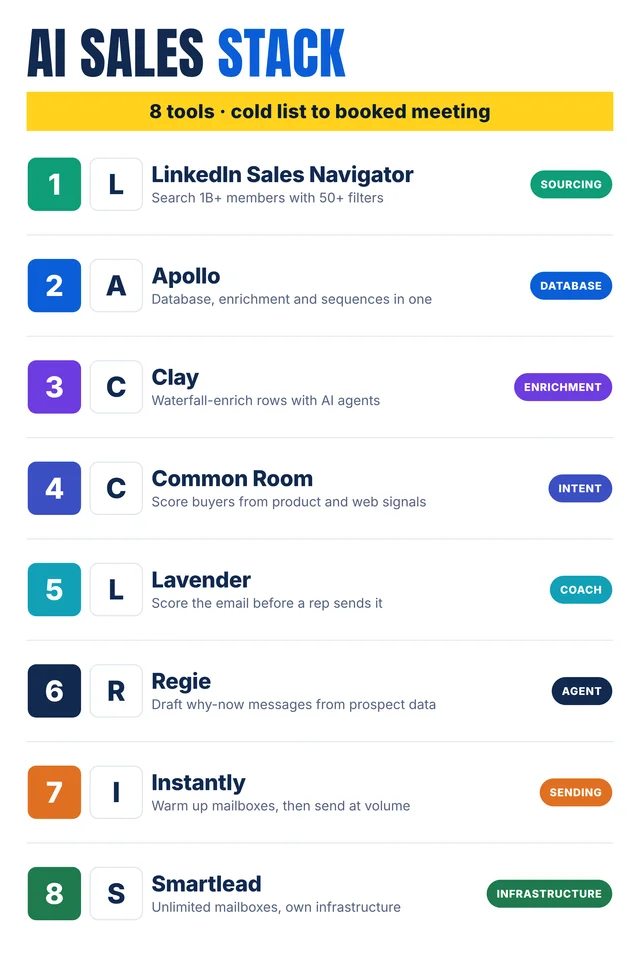
Self-made cheat-sheet graphic: the eight tools in the order they join the outbound path. Capabilities, meters and human checks are sourced in the entries below.
1. LinkedIn Sales Navigator
Category: Sourcing
Use it for: Building a named list from the network you can already see into.
Why it earns a slot: More than 50 search filters sift 1+ billion members by function, seniority, years at company and experience. 2 Saved filter sets become alerts when a target changes job or posts something new. 2
On the upper plans, Account IQ and Lead IQ write the account and buyer research a rep would otherwise do before a call. 2
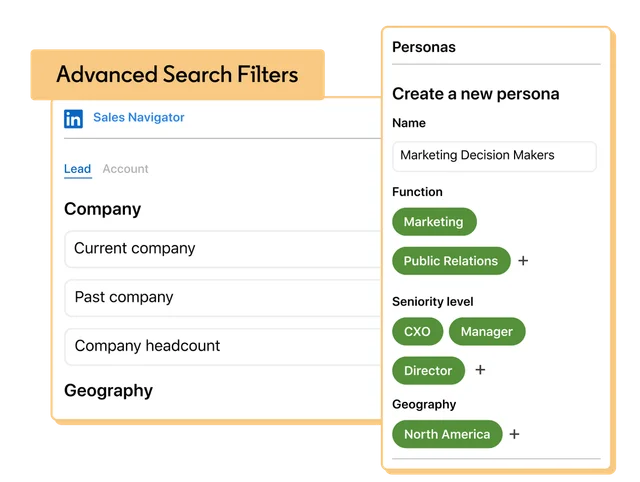
Watch-out: The AI is gated and still in testing. Message Assist drafts outreach on Advanced and Advanced Plus, in select languages, and LinkedIn labels the feature a public beta. 2
Core runs $119.99 a month or $1,079.88 a year, and Advanced runs $159.99 a month or $1,799.88 a year. Advanced Plus is quoted. 4 All three plans carry 50 InMail credits a month, LinkedIn's paid message to people outside your network. 4
Human check: Read the persona before you run it. A filter set that includes past employers returns the right person at the wrong company.
2. Apollo
Category: Database
Use it for: Contact data, sequences and a deal pipeline on one subscription, so you stop stitching three vendors together.
Why it earns a slot: Basic ships contact and account data, unlimited sequences, waterfall enrichment and email warm-up with mailbox purchase. 5 Professional adds AI research, AI lead scoring and call recording with AI insights up to 4,000 minutes. 5
Waterfall enrichment means running each record through one data provider after another until one returns a value.
Watch-out: Credits are the meter, and they expire. Unused credits do not carry past the end of a billing cycle. 5
Free grants 900 credits a seat a year, released monthly; Basic grants 30,000, Professional 48,000 and Organization 72,000, all upfront. 5
Free and Basic cap sending at 250 emails a day and AI writing at 5,000 words a month; Professional lifts sends to unlimited and words to 800,000. 5 Apollo labels its AI Assistant introductory on every tier. 5
Human check: Check the record selection limit before you clear a big list. It runs from 25 contacts on Free to 10,000 on Organization. 5
3. Clay
Category: Enrichment
Use it for: Filling the columns nobody sells: the direct address, the hire from two months ago, the reason to write this week.
Why it earns a slot: Waterfall enrichment runs a row through many providers in order, and Claygent agents research the open web for fields no provider carries. 6 Each agent decision arrives with a reasoning trace, so a wrong row can be traced to the step that produced it. 6
The free plan already includes 500 actions a month, multi-provider waterfalls, Claygent and 200 rows per table. 3
Watch-out: Clay bills two meters. Actions pay for the orchestration, under a cent each. Data credits pay for data from more than 150 partners, from $0.05 each. 3
Actions reset every cycle and never roll over, while data credits do roll over, up to twice the monthly amount. 3 A run that finds nothing costs nothing. 3
Gates sit on the useful signals: job-change and signal tracking start on Launch, and web intent tracking, CRM auto-sync and API work start on Growth. 3 Watch the price itself, because the plan card quotes Launch at $167 a month and the same page's FAQ quotes $185. 3
Human check: Spot-check 20 rows before the list goes into a sequence. Claygent reports what the web says, and older pages say older things.
4. Common Room
Category: Intent
Use it for: Deciding which of your 4,000 target accounts deserves this week's outreach.
Why it earns a slot: Common Room merges first-party data from CRM, product, marketing and engagement systems with buying signals, then scores the result per person. 1 RoomieAI agents handle account and contact research, personalisation and prospecting inside the tools a team already works in. 1
Alerts, workflows and segments are unlimited on every tier, and an MCP server, the connector standard that lets an assistant call other apps, ships on all three plans. 7
Watch-out: The entry tier is priced for a team with a budget. Essential costs $2,500 a month billed annually for 5 seats, up to 100,000 contacts, 5,000 RoomieAI research credits and 2,500 Prospector credits. 7
Advanced and Enterprise are quoted on seats and credit volume. 7 Ownership moved as well: Zoom announced the deal on 2 July 2026, so the roadmap now follows Zoom Revenue Accelerator. 1
Human check: Agree what counts as a buying signal with the sales team before scoring goes live. A score nobody trusts is ignored by week three.
5. Lavender
Category: Coach
Use it for: One email, drafted to read like a top seller's, with a review before it leaves.
Why it earns a slot: Ora, Lavender's AI sales agent, drafts outbound email, and the company pitches it as writing like a top seller backed by billions of emails. 8
Email Wizard scores a draft, and the Lavender 101 and 201 courses teach the rules behind that score. That makes the tool a training aid for new reps as well as a drafting one. 8
The site states SOC 2 certification and GDPR compliance, the two lines procurement will ask for. 8
Watch-out: Lavender publishes no price list. Its site routes pricing to a demo request, so you learn the cost after a call rather than before one. 8
The product is built for email. A team selling by phone or in LinkedIn messages needs another tool for those touches.
Human check: Keep a person on the first send of a new template. A polished email carrying the wrong detail is harder to catch than a clumsy one.
6. Regie
Category: Agent
Use it for: Drafting the whole sequence, with the reason to write on every account and somewhere to keep the result.
Why it earns a slot: Regie learns your voice and your company's pitch, finds the why-now on each account, and drafts across email, phone and social as one play. 9 The why-now is the reason this buyer would care this quarter, and it is the line most cold emails skip.
Its current product, RegieGO, includes a free built-in CRM on every plan and connects HubSpot, Salesforce or Monday CRM instead, with write-back on the first two. 10 Enrichment that finds nothing costs nothing. 10
Watch-out: Credits meter research, drafting, enrichment and dialing, and they pause when the pool empties. 10 Free gives each person 250 one-time credits and holds up to 10 people. 10
Pro is $49 a month, or $41 billed annually, with 5,000 credits. 10 Team is $150 a seat a month, or $125 annually, with 15,000 credits a seat, and paid credits do not roll over. 10
Human check: Read the first 20 messages before the sequence scales. A model trained on your pitch also learns its clichés.
7. Instantly
Category: Sending
Use it for: Warming mailboxes and sending volume without losing the domain.
Why it earns a slot: Growth costs $47 a month and includes unlimited email accounts, unlimited warm-up, 5,000 emails a month and 1,000 uploaded contacts. 11 Scale costs $194 a month for 100,000 emails, 25,000 contacts and 5,000 credits. 11
The platform also connects to ChatGPT, so a team can build lists and campaigns inside a chat window. 12
Watch-out: The AI arrives with the Scale bundle. The reply agent, the Unibox and advanced deliverability features start there, while the base plan stops at sending. 11
Credits meter the AI and data work on top of sends: 1,500 a month on Starter, 5,000 on Scale and 10,000 on Agency. 11
Human check: Watch the bounce rate for the first two weeks. Warm-up protects a domain only while the list stays clean.
8. Smartlead
Category: Infrastructure
Use it for: Running many mailboxes, domains or client accounts at once.
Why it earns a slot: Smartlead adds unlimited mailboxes and unlimited lead storage with no storage fees, and handles DNS, warm-up and sender rotation automatically. 13 SmartServers gives a workspace dedicated-tenant infrastructure and IPs, which keeps one sender's mistakes from dragging the others down. 13
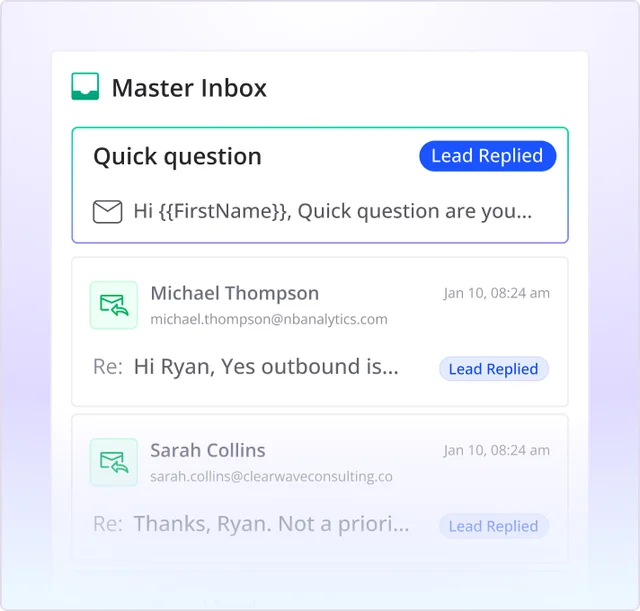
Watch-out: Contact caps and verified-email caps move separately from sends. Base costs $39 a month for 2,000 contacts and 6,000 sends, and Pro costs $94 for 30,000 contacts and 90,000 sends. 14
Smart costs $174 a month for unlimited contacts, 150,000 sends and 50,000 verified prospect emails. Prime costs $379 for 500,000 sends and 170,000 verified. 14 Verified leads also come from sending: every three emails sent earns one. 13
Human check: Read the Master Inbox every morning. Replies that nobody answers are the most expensive kind of reply.
Assemble the stack
Four stages, one tool each:
- Source. Sales Navigator if your buyers show up on LinkedIn under a job title; Apollo if you want data, sequences and pipeline on one bill.
- Signal. Clay when the missing fact is a column; Common Room when the missing fact is timing.
- Write. Lavender for the single email a person will actually read; Regie for the sequence plus a CRM to hold it.
- Send. Instantly below 100,000 emails a month; Smartlead when you carry several domains or several clients.
The rule that keeps the bill sane: fix the stage where your reply rate collapses, run one tool there for a month, and only then look at the next stage. Two tools doing the same job are one subscription you can cancel.
Practical takeaways
- Price the meter before the headline. Apollo sells credits that expire monthly, Clay separates actions from data credits, and Regie and Instantly meter AI work per month.
- Read the gate before the feature list. Sales Navigator's AI drafting, Clay's signal tracking, Apollo's AI scoring and Instantly's reply agent all sit a tier above the entry price.
- Clear the riskiest stage first. Every sending tool sells deliverability, and deliverability starts with a list that returns no bounces.
- Watch who owns the tool. Common Room now sits inside Zoom, which changes what it connects to next. 1
- Keep a person on the first send. A tool that writes like a top seller also writes like every other team running the same tool.
- Cap the stack at four. Add a fifth tool once you can name the job it does that none of your current ones does.
Copy-ready LinkedIn/X caption
Hook
A cold list is cheap now. Replies are the expensive part.
Highlights
8 AI sales tools, by the job each one does:
- LinkedIn Sales Navigator — 50+ filters across 1B+ profiles, AI research on the upper plans
- Apollo — data, sequences and pipeline on one bill, with credits that expire every cycle
- Clay — waterfall enrichment plus agents that find the data no vendor sells
- Common Room — buyer signals scored into a target list, now inside Zoom
- Lavender — Ora drafts the email, Email Wizard scores it
- Regie — sequence drafting with the why-now and a free built-in CRM
- Instantly — warmed mailboxes and volume from $47 a month
- Smartlead — unlimited mailboxes on your own infrastructure, from $39 a month
The rule: one tool per stage — source, signal, write, send — and price the meter before the demo.
CTA
Save this before your next list build, and send it to whoever owns the sending domains.
References
- 1
- 2Sales Tool | LinkedIn Sales Navigator
business.linkedin.com
- 3
- 4Compare Plans and Pricing | LinkedIn Sales Navigator
business.linkedin.com
- 5
- 6
- 7Pricing | Common Room
commonroom.io
- 8Lavender — Master the Art of Sales Emails
lavender.ai
- 9
- 10
- 11
- 12Find Clients | Instantly
instantly.ai
- 13
- 14Smartlead - Pricing
smartlead.ai
This story was produced automatically by a channel. One sentence is all it takes for Neodrop to keep producing for you.