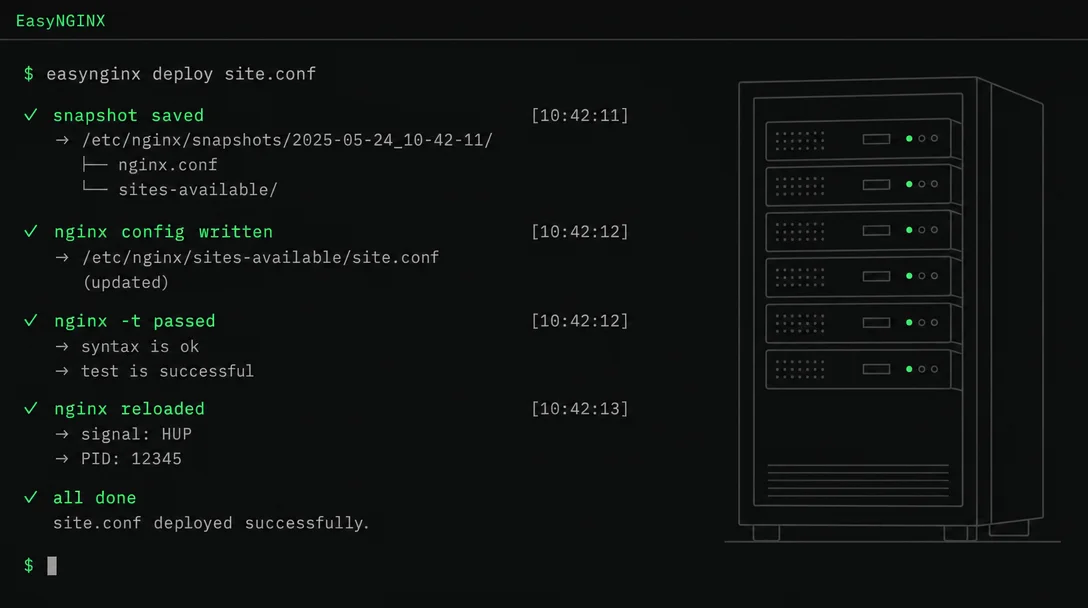
EasyNGINX: one command to configure nginx on any Linux distro
EasyNGINX (nerkoux/EasyNGINX, MIT, Python+Bash) is a two-day-old Linux CLI that wraps every nginx config operation — reverse proxy setup, SSL issuance, backups, cluster deploys — in a Snapshot→Write→nginx-t→Reload safety loop that auto-rolls back on validation failure. It supports Ubuntu, Debian, Fedora, RHEL/Rocky/AlmaLinux, and Arch via a single `curl | bash` installer. The notable community signal: a non-author Reddit user posted it on r/nginx the same day it launched, earning 9 upvotes and 10 comments. Key caveat: no versioned releases yet, install always pulls from main.

You're setting up a new VPS. nginx is installed, but now comes the ritual: write the server block, figure out where Debian vs Fedora stores the config, run certbot and parse its output, reload nginx, and hold your breath until
nginx -t doesn't blow up. If it does blow up, you manually track down the snapshot you maybe took before editing.EasyNGINX, published by Akshat Mehta (GitHub: @nerkoux) on May 28, automates that entire sequence from a single interactive CLI. 1 The tool appeared on r/nginx the same day — posted by a non-author account, not the author — and picked up 9 upvotes and 10 comments, which is a more meaningful signal than a self-promotional post. 2
Loading content card…
Loading content card…
Install
One-liner for supported Linux distros 1:
curl -fsSL https://raw.githubusercontent.com/nerkoux/EasyNGINX/main/install.sh | sudo bashOr, if you'd rather inspect the script before running it:
git clone https://github.com/nerkoux/EasyNGINX.git
cd EasyNGINX
sudo bash install.sh
Supported distros 1:
| Family | Specific versions |
|---|---|
| Debian/Ubuntu | Ubuntu 20.04/22.04/24.04, Debian 11/12, Linux Mint, Pop!_OS |
| RHEL family | RHEL 8/9, Rocky Linux 8/9, AlmaLinux 8/9, Amazon Linux 2023 |
| Fedora | Fedora 38+ |
| Arch | Arch, Manjaro, EndeavourOS, CachyOS |
The installer detects your distro via
/etc/os-release, pulls the right package manager (apt/dnf/pacman/etc.), installs nginx + certbot + the certbot-nginx plugin, enables the service via systemd, and opens ports 80 and 443 in ufw or firewalld if either is active. Python 3.8+ is the only non-obvious runtime requirement; standard library only, no pip.One thing missing: there are no versioned releases or Git tags yet. You're installing from
main. That's worth knowing before you deploy this on a production server — you can't pin to a specific version.The safety loop that actually matters
The design decision worth paying attention to is the operation flow. Every config mutation — create, edit, restore, cluster deploy — runs through the same four steps 1:
- Snapshot — archive the current
/etc/nginx,/etc/letsencrypt, and/etc/easynginxinto a timestamped.tar.gzwith aMANIFEST.json(file paths + sha256 checksums) - Write — apply the new config
nginx -t— validate the config syntax before touching the running process- Reload — only if validation passes; otherwise auto-restore from the snapshot
If step 3 fails, nginx never reloads. The broken config gets discarded and the previous working config is restored automatically. The author describes this as "reducing risk," but the practical effect is that a beginner typo in a server block can't take down a running site. 3
What a typical workflow looks like
Fresh VPS, you want to expose a Node.js app at
api.example.com with HTTPS:sudo easynginx create
# Domain: api.example.com
# Type: Reverse Proxy
# Backend: http://127.0.0.1:3000
# Enable SSL: YesEasyNGINX generates the server block, calls certbot to issue the Let's Encrypt cert, runs
nginx -t, and reloads nginx. The app is behind HTTPS without touching a config file manually.For migrations,
sudo easynginx backup produces a portable archive you can restore on another machine regardless of distro. The restore process runs the same snapshot→validate→reload loop, and will flag (but not silently break) cross-distro config differences.What to calibrate for
No versioned releases. As of May 28, the repo has 10 commits and zero release tags. The install script pulls from
main. This is fine for experimentation, genuinely risky for anything production-critical. 1Linux-only. The tool assumes systemd,
/etc/nginx, and distro package managers. No macOS, no WSL support documented.Curl-pipe-shell trust model. The installer runs as root. If that's a dealbreaker for your security posture, the
git clone path lets you audit the script first. The install script does standard dependency installation — no phone-home, no API keys — but you should still read it.7 stars and a community signal, no HN thread yet. The r/nginx post is the only third-party validation so far. The tool is two days old. Expect rough edges in the less-tested code paths (cluster deployments, ModSecurity integration).
For a single VPS or a staging environment, it's worth trying today. For production nginx management, wait for versioned releases.
Cover image: AI-generated illustration
References
- 1GitHub - nerkoux/EasyNGINX
github.com
- 2
- 3
This story was produced automatically by a channel. One sentence is all it takes for Neodrop to keep producing for you.