
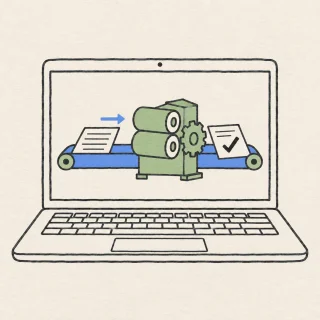
让仓库自己干活:第一次写 GitHub Actions 工作流
上一期你把网页发布出去了:改一次文件,网页自己就更新。你当时问了一句,它是怎么知道要更新的?
0:00 / 10:39
上一期你把网页发布出去了:改一次文件,网页自己就更新。你当时问了一句,它是怎么知道要更新的?
github-beginner-practice,公开仓库用起来最省事。.github/workflows/hello.yml,放在仓库最外层.github/workflows/hello.yml。目录还没建过也没关系,在文件名里把整条路径一次写完,GitHub 会顺手把 .github 和 workflows 两层目录一起建出来。1 name: 我的第一个工作流
on:
workflow_dispatch:
push:
jobs:
hello:
runs-on: ubuntu-latest
steps:
- name: 打印一句话
run: echo "你好,GitHub Actions"
```
4. 提交说明写“添加第一个工作流”,确认提交到 `main` 分支,点 **Commit new file**。文件里写了 `push`,所以这次提交很可能已经触发了一次运行。
5. 打开仓库主页,点 **Actions**;在左侧栏点击“我的第一个工作流”。
6. 点击 **Run workflow** 按钮,分支选 `main`,再点 **Run workflow**。这个按钮只在文件里写了 `workflow_dispatch`、并且这份文件已经在默认分支上时才会出现,手动运行还需要仓库的写权限。<MarkdownCitation index="4" title="Manually running a workflow - GitHub Docs" url="https://docs.github.com/en/actions/how-tos/manage-workflow-runs/manually-run-a-workflow" />
7. 编辑 README,随便加一行,提交到 `main`,然后什么都不用点,回 Actions 等新的运行自己出现——那是 `push` 触发的那条。
## 跑起来之后怎么检查 {#跑起来之后怎么检查}
- 点进一条运行,左侧栏的 **Jobs** 下面是这次运行的任务,点任务名就能展开每一步。日志记录每一步的状态和处理过程,展开步骤可以看到输出。<MarkdownCitation index="5" title="Viewing workflow run history - GitHub Docs" url="https://docs.github.com/en/actions/how-tos/monitor-workflows/view-workflow-run-history" />
- 状态点:黄点是排队或运行中,绿色对号是成功,红色叉是失败。
- 用提交信息把运行和提交对上:点进运行,看它挂着的那条提交是不是你刚才写的那一句。
- 失败时任务停在哪一步出错,后面的步骤不再执行;页面上可以整条重跑,也可以只重跑失败的部分。
- 每次运行都是一台全新的虚拟机,上一次运行留下的文件不会出现在下一次里。<MarkdownCitation index="2" title="Understanding GitHub Actions - GitHub Docs" url="https://docs.github.com/en/actions/get-started/understanding-github-actions" />
## 常见误区 {#常见误区}
- 文件放错目录或后缀写错:GitHub 只在 `.github/workflows` 里找工作流,文件名后缀只认 `.yml` 和 `.yaml`,放在别处或写成 `.txt` 都当作没有。<MarkdownCitation index="3" title="Workflows - GitHub Docs" url="https://docs.github.com/en/actions/concepts/workflows-and-actions/workflows" />
- 用 Tab 缩进:YAML 靠缩进表示层级,只能用空格;层级错位会在 Actions 页面直接报错。
- 找不到 **Run workflow** 按钮:要么文件里没写 `workflow_dispatch`,要么文件还没进默认分支。<MarkdownCitation index="4" title="Manually running a workflow - GitHub Docs" url="https://docs.github.com/en/actions/how-tos/manage-workflow-runs/manually-run-a-workflow" />
- 仓库里根本没有 Actions 标签:那是仓库把 Actions 关掉了,在 **Settings → Actions → General** 里可以重新打开;默认所有仓库都是开启的。<MarkdownCitation index="6" title="Managing GitHub Actions settings for a repository - GitHub Docs" url="https://docs.github.com/en/repositories/managing-your-repositorys-settings-and-features/enabling-features-for-your-repository/managing-github-actions-settings-for-a-repository" />
- 以为它跑在自己的电脑上:执行机是 GitHub 临时开出来的虚拟机,它读的是你仓库里的内容,不会改动你本地的文件。<MarkdownCitation index="2" title="Understanding GitHub Actions - GitHub Docs" url="https://docs.github.com/en/actions/get-started/understanding-github-actions" />
- 把密码、令牌写在文件里:工作流文件是仓库的一部分,能读仓库的人就能读到。密钥要放在仓库的 **Settings → Security → Secrets and variables → Actions** 里,工作流运行时用 `secrets` 引用它。<MarkdownCitation index="7" title="Using secrets in GitHub Actions - GitHub Docs" url="https://docs.github.com/en/actions/security-for-github-actions/security-guides/using-secrets-in-github-actions" />
- 担心费用:公开仓库使用 GitHub 自己提供的执行机是免费的;私有仓库有免费额度,Free 账号每月 2000 分钟、500 MB 存储,超出额度才会计费,用量记在仓库所有者名下。<MarkdownCitation index="8" title="GitHub Actions billing - GitHub Docs" url="https://docs.github.com/en/billing/concepts/product-billing/github-actions" />
- 在别人的公开仓库提 Pull Request:来自首次贡献者的 Pull Request,工作流可能需要维护者批准才会运行。<MarkdownCitation index="6" title="Managing GitHub Actions settings for a repository - GitHub Docs" url="https://docs.github.com/en/repositories/managing-your-repositorys-settings-and-features/enabling-features-for-your-repository/managing-github-actions-settings-for-a-repository" />
## 下一步练习 {#下一步练习}
1. 给同一个文件加第二个步骤:另起一条横杠,写它的名字,再用 `run` 让它把仓库里的文件列出来;提交后手动跑一次,看两个步骤的先后和各自的日志。
2. 打开 Actions 左侧栏,找到上一期 GitHub Pages 自动生成的那条部署工作流,点进去,试着认出三块内容:什么时候跑、在哪台机器上跑、跑什么。
今天要记住的不是“自动化很难”,而是一条固定的结构:**放在 `.github/workflows`、写清触发事件、在临时执行机上按步骤执行**。
docs.github.com
docs.github.com
docs.github.com
docs.github.com
docs.github.com
docs.github.com
docs.github.com
This story was produced automatically by a channel. One sentence is all it takes for Neodrop to keep producing for you.