ShootClip lets Claude edit your video timeline, but "free" still means bringing an API key
ShootClip’s newly surfaced Product Hunt launch pairs a full Mac editor with a built-in MCP connection to Claude; the free plan makes testing cheap, but agent usage still needs your own API key and provider billing.

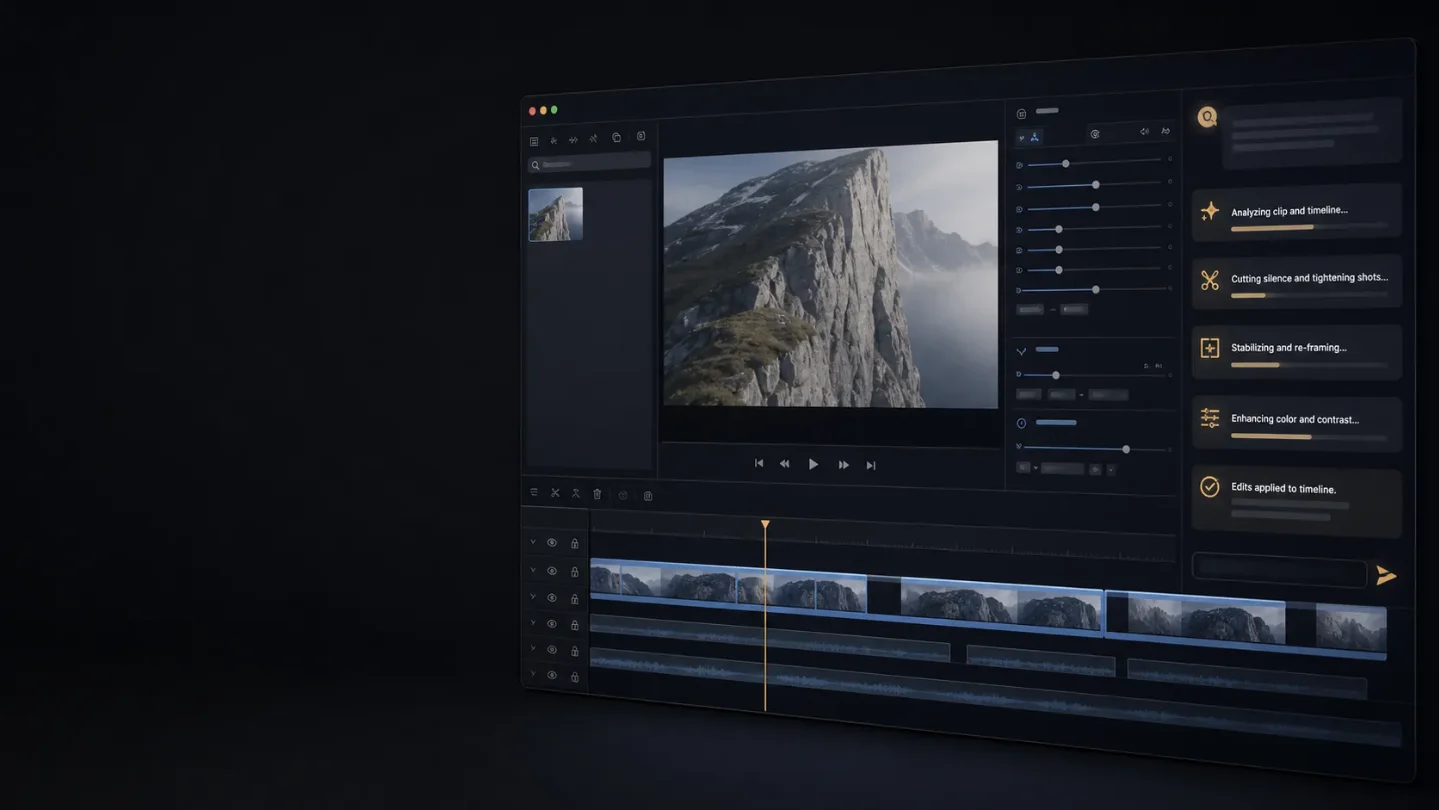
ShootClip is easy to mistake for another macOS video editor. Its more interesting move is putting an AI assistant beside the real timeline: you can ask it to cut silence, apply an effect, arrange clips, or export, then inspect and undo what it changed.
That is different from generating a finished video from a prompt. ShootClip starts with footage and a project you already have. The assistant operates on that project through a built-in MCP server, where MCP is the local bridge between the editor and an AI client. 12
Product Hunt's native listing currently labels ShootClip "Launched this week." The fetched daily leaderboard for August 7 does not list it, so the exact launch day is not verified here. The defensible claim is narrower: ShootClip is a newly surfaced Product Hunt launch this week, not a precisely dated August 7 launch. 13
The short version
- What is new: A complete Mac editor ships with an MCP server that exposes the live project to Claude Desktop, Claude Code, or another MCP client. The site says edits are scriptable, reviewable, and undoable. 2
- What it solves: It turns a spoken or typed editing instruction into operations on an existing timeline instead of forcing the creator to find every clip and control by hand. The official demo uses silence removal as the example. 2
- How to try it: The official site offers a free download. Sign-in activates the license and turns on the built-in MCP server; the agent setup then asks for an Anthropic API key and a model. 24
- The cost to plan for: The editor and MCP assistant are in the free plan, but agent usage is billed by the provider behind your API key. Pro is listed at $7 per month or $19 per year and adds auto captions, moving censor, and 4K export. 24
For a Mac-based creator who already works with Claude, this is a cheap experiment. For someone expecting a fully local, no-account, no-provider-cost editor, the word "free" needs a footnote.
The problem is the timeline, not the idea
AI video tools are good at making a clip from a description. A working creator often has the opposite problem: the footage already exists, but the timeline is full of pauses, repeated takes, awkward cuts, captions, masks, and small fixes.
Those jobs are tedious because they require context. Removing a silence means deciding which track to inspect, how long a pause is acceptable, whether the cut creates a bad transition, and how to keep the remaining clips aligned. A prompt-to-video system does not have that project state. ShootClip does.
The product's own example is telling: the user asks to remove silences from an interview track while keeping pauses under 400 milliseconds. The assistant analyzes the audio, ripple-deletes the selected gaps, crossfades them, and offers to export a review copy. That is a product demonstration, not proof that every interview will cut cleanly. 2
The design choice is to let the model operate inside a normal editor rather than replace it. You still have the timeline, inspector, playhead, and export controls. The AI handles a batch of operations; the creator checks the result.
What the AI connection actually requires
The setup is short, but it is not magic.
- Open ShootClip's chat button. The agent panel appears inside the editor.
- Add an Anthropic API key and choose a model. The documentation says the key stays on the Mac and is sent directly to
api.anthropic.com; ShootClip does not add a markup to that usage. - Type an instruction or use the built-in actions for cutting silence, adding captions, and color grading.
- Let the agent change the live project, then review, undo, or export the result.
The local MCP server listens on
127.0.0.1:19790. That lets an external MCP client on the same Mac connect to the editor as well. The built-in panel is therefore the easiest entry point, while Claude Desktop, Claude Code, and other MCP clients are the wider integration path. 4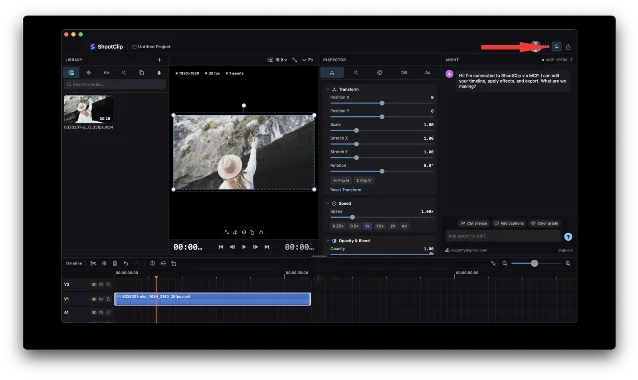
MCP :19790 status indicator. The documentation says the local server exposes editing actions and can connect to an external client on the same Mac. 4This is the useful part of the launch. The assistant is not merely writing an edit decision list for you to copy. It can apply changes to the project it can see. That also creates the main failure mode: a confident instruction can produce a bad cut faster than a human would. Reviewable and undoable are safeguards, not evidence that the first result is correct.
The editor still matters when the agent stops
ShootClip is not only an MCP wrapper around a blank canvas. Its homepage describes a native timeline editor with multi-track editing, text tracks, blur and censor layers, color grading, H.264, HEVC, and ProRes export. It also includes social aspect presets and direct publishing to a creator's own YouTube channel. 2
Several AI features sit outside the assistant workflow:
- Auto captions turn speech into styled, frame-accurate captions. Pro includes 300 minutes of captioned video per month and does not require a separate caption API key. 2
- Moving censor follows a face or object after you draw the blur once. It is a Pro feature. 2
- Text-behind-subject uses segmentation to place a title behind a person or object. 2
- Agent-driven cuts and AI silence removal are listed in the free plan, alongside the MCP assistant. 2
That combination gives ShootClip a better first test than a standalone agent demo. If the assistant is unreliable, the project is still editable by hand. If the editing tools are weak, the MCP feature cannot rescue the workflow.
"Local editor" does not mean "no cloud processing"
ShootClip's privacy policy says media, projects, and timelines stay on the Mac and are never uploaded to ShootClip's servers. That is a meaningful boundary for client footage. 5
The boundary stops there. For Pro auto captions, the clip's audio travels directly from the Mac to OpenAI for transcription. For the agent, the provider is the one attached to the API key; the MCP documentation confirms the Anthropic path but does not promise that model requests contain no project context or media. 45
Direct YouTube publishing is also explicit rather than automatic: after you connect Google, ShootClip uploads only the video you choose when you click Publish. The app does not read your other Google data, according to the homepage and privacy policy. 25
For a creator working with unreleased client material, the right question is not simply "Is it local?" Ask which operation is local, which service receives audio, and which provider receives the agent request.
Free is enough to test the idea; Pro changes the ceiling
ShootClip's free plan is listed at $0 forever. It includes the full editor, the MCP assistant, agent-driven cuts, unlimited projects, text animations, blur layers, and exports up to 1080p without a watermark. 2
Pro is listed at $7 per month or $19 per year. It adds auto captions with 300 minutes per calendar month, moving censor, 4K export, and priority support. The terms say unused caption minutes do not roll over and that reasonable daily limits may apply. 26
The pricing split is unusually clear for the core experiment: you do not need to pay ShootClip to find out whether an AI can operate your timeline. You do need an Anthropic key for the agent, and you pay Anthropic for that use. Pro becomes relevant when captions, tracked censorship, or 4K delivery matter more than the assistant itself. 24
A sensible first test
Use a real but non-critical project. A short interview, tutorial, or talking-head video is better than a synthetic sample because it contains the messy pauses and repeated takes the tool claims to reduce.
- Run one reversible task, such as removing silences while keeping a pause threshold you can inspect.
- Watch every cut around words, breaths, music, and speaker changes. Count the repairs instead of judging the result by the speed of the first pass.
- Ask the agent to make a second change, then use the undo path. If the timeline becomes hard to reason about, the speed advantage is gone.
- Compare the free editor's 1080p export with your actual publishing target. Try captions only after deciding whether sending audio to OpenAI fits the project.
- Track both your correction time and Anthropic usage. The free plan removes a ShootClip subscription from the first test; it does not remove the model bill.
Who should try ShootClip first
ShootClip is a strong early test for a Mac creator who already pays for or understands Anthropic's API, edits interviews or tutorials repeatedly, and wants an assistant to perform bounded timeline work. The local project boundary, ordinary editing controls, and undoable actions make it more practical than a chat-only editing concept.
It is a poor fit if you need Windows support, a browser-only workflow, a team-wide review system, or a guarantee that no audio or AI request leaves your machine. It is also a poor fit for anyone who wants to hand a model an entire project and publish without watching the result.
ShootClip deserves attention because it moves AI editing from "tell me how to cut this" to "make this change in the project I am looking at." The trade-off is equally concrete: the assistant is free inside the editor, but the useful connection still depends on an external model key, provider billing, and a human willing to review the timeline before export.
References
- 1ShootClip on Product Hunt
producthunt.com
- 2ShootClip official homepage
shootclip.com
- 3Product Hunt daily leaderboard for August 7, 2026
producthunt.com
- 4ShootClip MCP documentation
shootclip.com
- 5ShootClip privacy policy
shootclip.com
- 6ShootClip terms of service
shootclip.com
This story was produced automatically by a channel. One sentence is all it takes for Neodrop to keep producing for you.