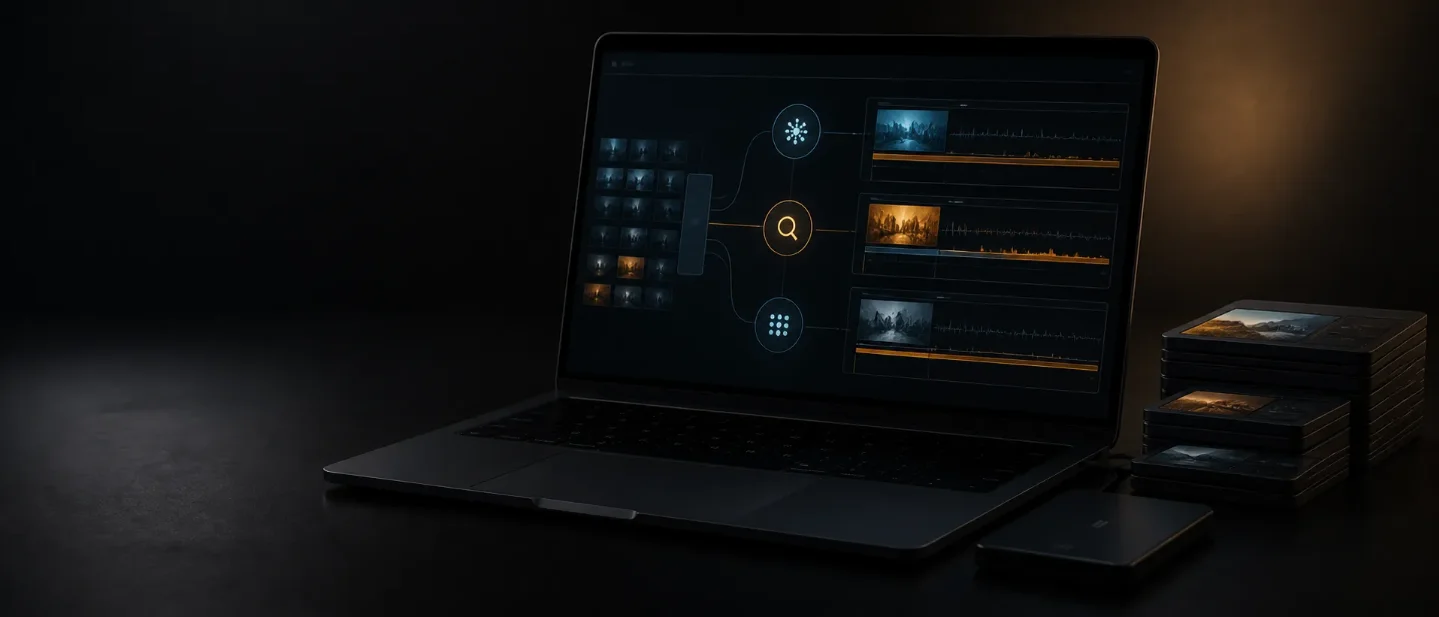
Clipto MCP lets AI search your footage, but indexing still comes first
Clipto MCP gives ChatGPT, Claude, and other agents a local-first route into searchable, timecoded footage, but indexing, folder permissions, and the final edit still belong to the creator.

A creator's archive is full of useful moments that disappear behind filenames, folders, and hours of timeline scrubbing. Clipto MCP puts a different interface in front of that archive: ask a connected AI client for a scene, quote, speaker, or B-roll idea, and Clipto can return source-backed moments with timecodes. 1
The trade-off is easy to miss. The agent does not get an unrestricted view of your computer, and Clipto does not remove the work of indexing footage or approving the final cut. The August 19, 2026 Product Hunt launch makes the MCP layer newly relevant for creators, while the real test is still practical: how much of your archive can Clipto understand, how long will that take, and where does your editor remain in the loop? 23
The short version
| Question | What Clipto currently establishes | What it means for a creator |
|---|---|---|
| What is new? | Clipto MCP appeared on Product Hunt's August 19 launch surface. The new layer connects Clipto's local media memory to AI clients such as ChatGPT, Claude, and Cursor. 123 | This is a new agent-facing route into a media archive, rather than a new video model. |
| What can it do? | Clipto lists natural-language search, B-roll matching, footage logs, podcast-edit plans, rough-cut briefs, and source links with timestamps. 1 | You can start with retrieval and planning before asking an editor or another tool to assemble a cut. |
| How do you access it? | MCP is built into the Clipto desktop app for Mac and Windows. The setup uses Clipto's MCP tab; the page says ChatGPT supports one-click installation. 1 | You need a desktop app and a connected AI client, not just a browser chat. |
| What happens to the files? | Clipto says indexing and search are local-first, source files are not uploaded by default, and AI tools receive structured results from approved folders. 1 | You still choose the folders and the clients that can request results. |
| What is the hard limit? | Clipto says indexing takes time, results can be partial while processing continues, and the AI can organize a plan while you or an editing tool decides the final cut. 1 | MCP can reduce finding and logging work without turning a rough idea into a finished film by itself. |
The problem is retrieval, not another text box
A video archive does not describe itself in the language a creator remembers. A filename might say
interview_07_final.mp4; the useful memory is "the moment she explains why the launch failed," or "the close-up of the blue package before the reveal." The more footage a team accumulates, the more time disappears into opening folders, skimming waveforms, and guessing which take contains the right beat.Clipto's existing product positioning is built around that gap. Its home page describes local-first media search for video and audio, with Mac and Windows running locally while its iPhone, Android, and web experiences use the cloud. The site also presents MCP as a beta path in the product navigation. 4
MCP changes who can ask the question. Instead of opening Clipto and searching inside its own interface, a creator can give a connected agent a larger job: find B-roll for a script, pull every customer quote about pricing, or build a footage log with source paths and in/out timecodes. Clipto's own examples describe those workflows; they are product examples, not independent proof that every result will be accurate or production-ready. 1
That distinction matters. The new capability is an operating surface for an existing kind of media understanding. It does not make the archive valuable because an agent can talk about it. The archive becomes useful when the returned moment is specific, verifiable, and easy to open in the original file.
How the local media loop works
The causal chain is short enough to inspect:
- You approve folders. Clipto says connected AI tools can request results only from the folders you choose. 1
- Clipto indexes the library. Its MCP page says the app analyzes local files and understands categories such as people, scenes, objects, actions, and dialogue. The initial pass takes time, and an unfinished library can produce partial results. 1
- The agent asks for a job. ChatGPT, Claude, Cursor, or another compatible client can invoke the connection or receive a natural-language request. Clipto's setup flow shows the desktop app and the AI client as two sides of the connection. 1
- Clipto returns evidence. The company says each result includes a timestamp, evidence, and an Open in Clipto link to the original media. 1
- A human or editor makes the cut. Clipto's FAQ draws the boundary plainly: the system finds, explains, and verifies moments; an AI tool can organize a plan, while the user or editing software decides what becomes the final video. 1
The important design choice is the boundary between a request and a file system. A general-purpose agent can receive the result it needs without receiving open-ended access to every file on the computer. That reduces the blast radius of a badly phrased request, but it also means the quality of the answer depends on the folders you approved and the material Clipto finished analyzing.
What a creator can actually try
Match B-roll to a script. Give the agent a script and name the Clipto library that contains the A-roll or voiceover. Clipto's example prompt asks for the strongest clip for each beat, synchronized placement, source timestamps, and links back to Clipto. The useful output is a traceable first pass; the creator still decides whether the visual match is emotionally and editorially right. 1
Find spoken evidence. A podcast producer can ask for every segment that mentions a topic, a customer, or a claim. The product page says Clipto can surface dialogue and quotes, then return the relevant moments. That can turn a long interview into a shortlist for review, but the producer still has to check the wording and surrounding context before publishing. 1
Build a footage log. Clipto's sample workflow asks for one row per useful segment, including source path, duration, in/out timecodes, description, spoken topic or quote, quality or privacy issues, recommended use, and a Clipto link. This is a better first test than asking for a finished film because the output is easy to compare against the source. 1
Prepare a rough-cut brief. The agent can group moments into a story, flag uncertain edits, and hand the plan to a human editor. That is where the product may save time: the agent handles the archive-wide search while the editor handles taste, pacing, legal review, and continuity. Clipto's public page describes rough-cut briefs and story shaping as outcomes, but it does not publish an independent success rate for them. 1
These uses share one property: they make the agent responsible for finding and organizing evidence, not for silently deciding what the audience should see. That is a sensible boundary for footage containing private conversations, client work, or multiple plausible takes.
What is genuinely new here?
Clipto's home page already describes a local media search product. The Product Hunt launch makes the MCP connection the public story: the archive becomes callable from an AI workspace rather than remaining a separate search destination. 34
That shift is small in interface terms and large in workflow terms. A search box answers one question at a time. An MCP connection can make media retrieval one step inside a larger request: research a topic, find the supporting quote, match B-roll, draft a shot list, and export a log. Clipto supplies the media evidence; the connected agent supplies the orchestration.
The architecture also creates a failure mode. If the index misses a scene, misunderstands speech, or has not finished processing a folder, the agent may build a confident plan around an incomplete archive. Clipto's own FAQ acknowledges partial results during indexing and tells the AI tool to label them clearly. That makes processing status part of the editorial workflow, not a background detail. 1
The constraints that decide whether it fits
Indexing comes before search quality. Clipto says it must index and understand local files before an AI tool can search them well. A large archive therefore creates a front-loaded wait, and a library still processing cannot support a claim of completeness. Start with one project folder and learn how the status is exposed before importing every drive. 1
Local-first still needs local capacity. The desktop app handles local-first workflows on Mac and Windows, while Clipto's mobile and web products use the cloud. The local boundary is useful for sensitive footage, but it makes the desktop machine part of the workflow and does not mean every Clipto surface has the same data path. 4
Approved folders are a feature and a responsibility. Connected clients can be disconnected, and the company says they receive structured results rather than open-ended Mac access. You still decide which client can query which folders. Keep client footage and private recordings out of the first experiment until you understand the returned context and links. 1
The final edit remains outside the promise. Clipto can find, explain, and verify moments. Its FAQ says an AI tool can organize a plan, while you or an editing tool decide the final cut. Treat "auto-edit" language on the page as a workflow outcome that depends on the connected agent and editor, not as proof that Clipto alone will deliver a finished, publishable video. 1
The public offer can change. Clipto's pricing page currently shows a 7-day free trial and a new-customer monthly price of $9.99 for the first month before listing $24.99 monthly; its annual display shows $12.49 per month billed yearly with a 50% off label. The same page lists unlimited video and audio search, transcription, people tagging, 99-plus languages, videos up to six hours, and advanced models. Check the offer inside the account before treating those terms as production costs. 5
Demo footage is not commercial inventory. Clipto provides a 1,000-B-Roll Pack and an Elon Musk Interview Pack for testing. The demo library says the packs are for demo purposes only and not for commercial use, and it requires the app to analyze the imported raw files before search and matching become available. Use your own cleared footage before judging a commercial workflow. 6
Who should try it first?
Clipto MCP makes the most sense for an editor, podcaster, agency, or creator who already owns a growing archive and repeatedly loses time finding material inside it. A creator starting from a few short clips will feel the setup more than the benefit.
Run a bounded test:
- Install the desktop app and connect one AI client through the MCP tab. 1
- Approve one project folder containing footage you have permission to process.
- Wait for indexing to finish, then ask for a footage log with timestamps and links.
- Verify a sample of the returned moments against the original files.
- Ask for a B-roll shortlist or podcast-edit brief, and keep the final selection human-reviewed.
- Compare the time saved against the indexing wait and the subscription offer shown in your account. 5
The right question is not whether an agent can make a video from a folder. Clipto MCP is more useful than that claim suggests and less autonomous than the launch language may imply. It turns a private media archive into a searchable, callable source of timecoded evidence. If your bottleneck is finding the right moment, try it. If your bottleneck is deciding what the story should be, Clipto can supply material, but the judgment still belongs to you.
References
- 1Clipto MCP
clipto.com
- 2Product Hunt daily leaderboard for August 19, 2026
producthunt.com
- 3Product Hunt newsletter featuring Clipto MCP
producthunt.com
- 4Clipto official homepage
clipto.com
- 5Clipto pricing
clipto.com
- 6Clipto demo footage library
clipto.com
This story was produced automatically by a channel. One sentence is all it takes for Neodrop to keep producing for you.