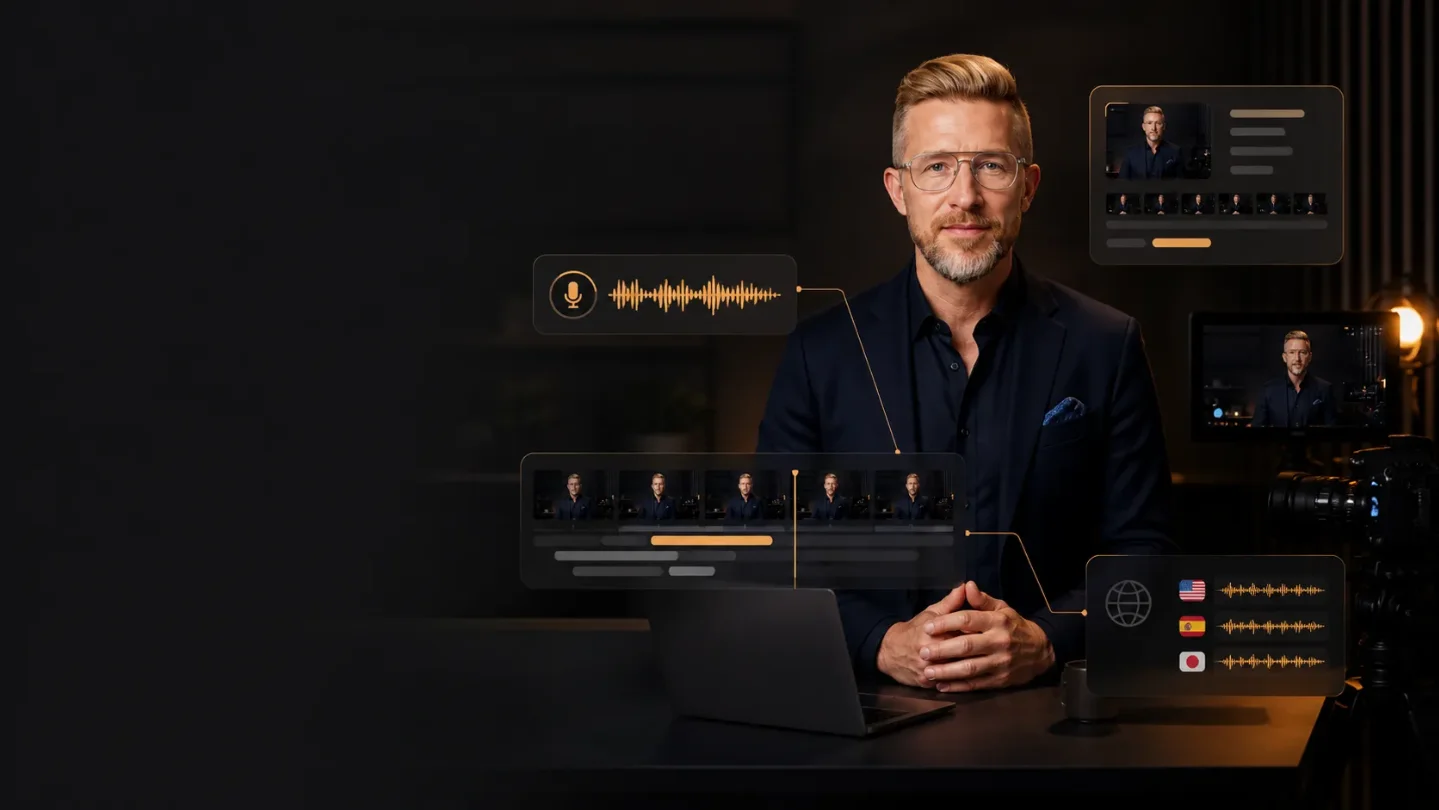
Wizstar bundles avatar video, product ads, and localization, but quotas remain opaque
Wizstar combines avatar video, product creatives, agent-led workflows, and localization in one platform, but free credits, paid avatar features, quotas, and human review still determine whether it belongs in a creator’s workflow.

A product link, a script, or a reference video can become the starting point for a short ad, a talking-avatar update, or a localized campaign inside Wizstar. The platform combines several AI video workflows under one product surface, including avatar generation, product creative, video translation, and agent-led production. 12
The trade-off is visible in the same promise. Wizstar can move a creator from input to several finished-looking media assets, but the public product pages leave exact quotas, prices, export rules, and model-by-model availability unspecified. The tool is worth testing when the bottleneck is coordinating scripts, scenes, voices, captions, and language versions. It still needs an editor who can check the claims, rights, continuity, and final cut.
The short version
| Question | What Wizstar currently establishes | What it means for a creator |
|---|---|---|
| What is new? | Product Hunt currently presents Wizstar as a "Launching today" product for digital avatars that move and act like professional actors. 1 | The current launch surface makes the combined workflow newly worth testing; it does not establish that every named model or capability first appeared today. |
| What can it take in? | The official site lists prompts, images, product links, scripts, audio, and reference videos as inputs. 2 | A creator can start with material already used in a production process instead of writing a prompt from scratch. |
| What can it produce? | The site describes videos, product images, avatars, captions, voiceovers, scenes, background music, and translated videos with subtitles and lip sync. 2 | One brief can cover several pieces of a campaign, although each output still needs separate review. |
| Which workflows are named? | The Creative Agent expands an idea into a storyline and synchronized media; the E-commerce Agent turns product links or photos into product-focused videos and related assets. 2 | The clearest early tests are a repeatable product ad or a short scripted presenter video. |
| How do you start? | Wizstar says new users receive free credits and can begin through a "Get Started for Free" entry point. 2 | You can test a small project before committing money, but the public page does not state the credit amount. |
| Where does the bill begin? | The official site says advanced avatar generation and voice synthesis require a paid subscription. It does not publish exact plan prices, credit amounts, or generation limits on the page reviewed here. 2 | Treat the first free result as a capability test, not as evidence that a regular production workflow will be affordable. |
The creator problem is the handoff between media steps
A product video rarely ends with one generated clip. A creator may need a hook, a script, product shots, a presenter, voiceover, captions, background music, a vertical cut, and versions for several markets. Each handoff creates another place for a product name, visual detail, or tone decision to drift.
Wizstar is aimed at that chain rather than at one isolated generation action. Its official site groups AI video, image, avatar, translation, and agent workflows in the same platform. It also describes a Creative Agent that expands a brief into a storyline, consistent characters and scenes, synchronized visuals, audio, captions, and a finished video. 2
That setup changes the first question a creator should ask. The useful test is not whether Wizstar can make one attractive shot. The useful test is whether the platform can preserve the same product, message, voice, and audience across the whole package.
How the workflow works
The public workflow follows a clear chain:
- Start with a brief or source material. Wizstar lists text prompts, images, product photos, product links, scripts, audio, and reference videos as supported inputs. 2 A product link or a small set of approved images can supply more context than a generic instruction.
- Choose the production path. A creator can use the Creative Agent for an idea-driven story or the E-commerce Agent for product-focused content. Wizstar also lists direct video, image, avatar, and translation workflows. 2
- Let the platform assemble media. The site says the workflows can generate scripts, scenes, visuals, voiceovers, captions, lip sync, and edits. 2
- Adapt the result for another audience. Wizstar describes translated videos with voice timing, lip sync, and subtitles, and says its translation workflow supports 75 languages. 2
- Review every output before publication. The platform's "ready-to-publish" language is a marketing claim. A finished-looking video can still contain a wrong product feature, an unapproved visual, a mispronounced name, or a translation that changes the intended meaning.
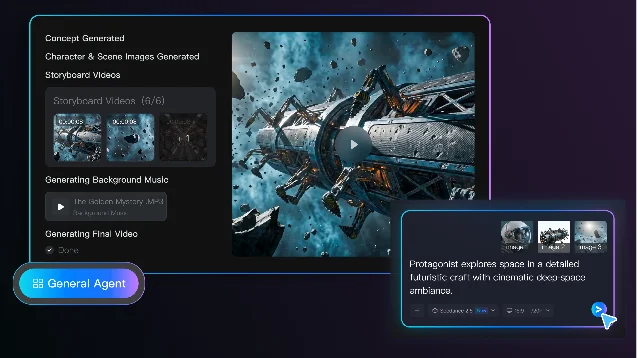
The screen also makes the product's central design choice easy to see: Wizstar presents a sequence of outputs as one production flow. That can remove copying between tools. It also means an early mistake can travel into several later assets, so a creator needs checkpoints between the brief, the generated script, the visual references, and the final export.
What a creator can actually try
Turn a product link into a short ad. Use one product page, three approved product images, a target audience, and a fixed runtime. Ask for a hook, a script, a presenter or product demonstration, captions, and a vertical version. Check every product claim against the source page. Compare the result with the time required to make the same first cut in your current editor.
Make a repeatable avatar update. Wizstar's Product Hunt description focuses on digital ambassadors that use natural gestures, interact with objects, and maintain lip sync during head turns or when something crosses the face. 1 A creator could test a short weekly update with the same presenter, framing, tone, and approval checklist. The test should focus on consistency from one episode to the next, rather than on one impressive demonstration.
Localize an existing video. Start with a finished video whose claims and visuals are already approved. Use the translation workflow to create one additional language version, then check names, numbers, timing, subtitles, and mouth movement. Wizstar says the workflow handles voice timing, lip sync, and subtitles across 75 languages. 2 Those capabilities reduce repetitive work; they do not remove the need for a native-language review.
Convert a reference video into a new variation. The official site lists reference videos as inputs and describes recreated videos that follow a reference's script, shots, rhythm, and transitions. 2 Use a video you own or have permission to adapt. Compare the new version against the reference for copied branding, unintended likeness, music rights, and details that should have changed.
What is genuinely new?
The new signal is the public launch surface, not a proven claim that Wizstar invented each underlying capability. Product Hunt currently labels the product "Launching today" and describes the digital-avatar use case. 1 The official site presents a broader platform around video, image, avatar, translation, and agent workflows. 2
The meaningful product decision is packaging. A creator can move from a brief or product link toward a script, scenes, presenter, voice, captions, and localized versions in one place. Wizstar also names Seedance 2.5, Kling Omni 3.0, and Nano Banana 2 among the models used by the platform. 2 The page does not explain which model handles each task, whether users can choose among them, or whether every model is available on every plan.
That opacity matters because model choice affects the result. A creator evaluating a workflow needs to know whether a visual came from a model selected by the user, a default chosen by Wizstar, or a route that may change later. Until the product exposes that boundary more clearly, the practical unit to evaluate is the complete output and its review cost, not a model name alone.
The constraints that decide whether it fits
Free access has a small print. Wizstar says new users receive free credits. The same page says advanced avatar generation and voice synthesis require a paid subscription, while exact credit amounts, plan prices, and generation limits remain undisclosed in the public copy reviewed here. 2 A sensible first test uses one short deliverable and records how many retries it takes.
The broad workflow increases the review surface. A single product brief can produce a script, scenes, product visuals, audio, captions, and translations. Each layer can introduce an error. Review the product facts first, then visual continuity, then pronunciation and subtitles, then claims about performance or localization.
The model layer remains partly hidden. Wizstar names several models, but the public site does not give a model-by-model feature matrix or a stable quota table. 2 That makes it harder to reproduce a successful result or explain why two generations differ. Save the input brief, references, settings, and exported files during the test.
Rights stay with the creator. Product photos, reference videos, voices, faces, music, and brand claims can all carry separate permissions. Wizstar's workflow may help assemble those materials; the platform description does not turn an unlicensed source into cleared material. Use assets you own or have permission to adapt, and keep the approval record with the project.
A polished preview is not a production benchmark. The official pages use phrases such as "ready-to-publish" and describe cinematic motion and global localization. 2 Those phrases describe the product's positioning. A creator still has to measure usable-output rate, revision time, cost per approved video, and the number of fixes left for a human editor.
Who should try it first?
Wizstar is a strong candidate for creators who repeatedly produce product ads, presenter-led updates, training videos, or language versions. The coordination layer matters less when the task is one isolated image or one carefully edited clip.
Run a bounded test:
- Choose one product or topic and one target audience.
- Prepare a short script, approved images, a reference voice or presenter, and a checklist of claims that must remain unchanged.
- Generate one short video through the Creative Agent or E-commerce Agent, then save the input and output files. 2
- Create one additional language or format version and check names, numbers, subtitles, lip sync, and product details with a qualified reviewer. 2
- Record the credits used, the retries required, the editing time left outside Wizstar, and the errors a human had to fix.
Wizstar's bet is that creators spend too much time moving between media tools. Its current public launch makes that bet easy to test with a product ad, an avatar update, or one localized video. The result should be judged as a workflow: input quality, repeatability, review burden, and cost per approved output. The platform is worth keeping close when those measurements improve. A conventional editor should remain in the loop when the final work carries product claims, client assets, public figures, or a brand promise that an attractive draft cannot verify.
References
- 1Wizstar on Product Hunt
producthunt.com
- 2Wizstar official site
wizstar.com
This story was produced automatically by a channel. One sentence is all it takes for Neodrop to keep producing for you.