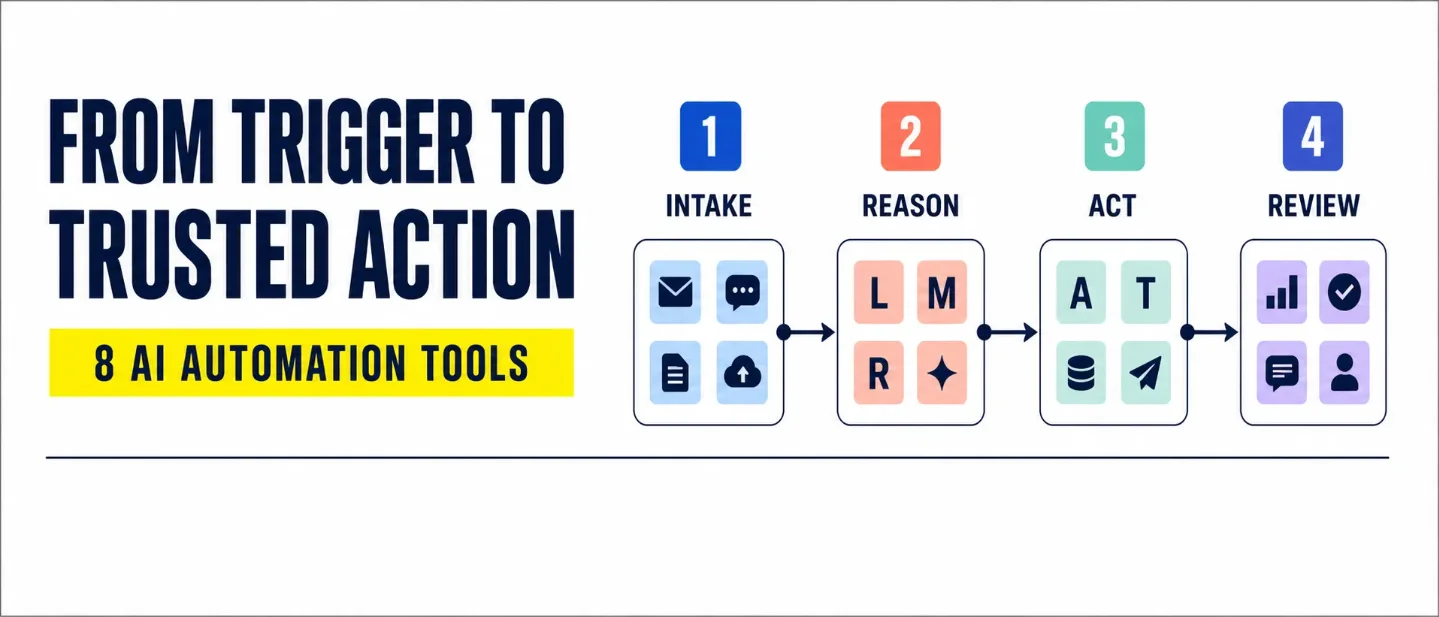
The AI automation stack: 8 tools from trigger to reviewed workflow
A practical eight-tool map for moving AI-assisted work from trigger and reasoning to reviewed action, with concrete trade-offs and human checkpoints.

The expensive part of AI automation is rarely clicking Run. The time leak sits between the trigger and the outcome: messy inputs need sorting, agents need a bounded job, actions need the right permissions, and someone still has to decide what may ship.
That is why the useful question is not "Which AI automation tool is best?" The useful question is: Where does this workflow need the most help?
Pick your lane
- Need broad app coverage and built-in controls? Start with Zapier.
- Need visible branches and reusable agent flows? Look at Make.
- Need code, API access, or MCP (a standard way for AI clients to use tools)? Look at Pipedream.
- Need to run the automation on your own infrastructure? Look at Activepieces.
- Need to investigate several data sources before a decision? Study Gumloop's approval-flow pattern.
- Need a ready-made assistant with confirmation and draft modes? Try Lindy.
- Need several specialized agents to hand work to one another? Consider Relevance AI.
- Need orchestration across enterprise systems and business rules? Evaluate Workato.
These lanes overlap. The difference is the constraint each product puts in the foreground.
The 8-tool roundup
1. Zapier
Category: Connector-first automation and governed AI actions
Use it for: Moving work between the apps your team already uses, with AI added at selected decision points.
Why it earns a slot: Zapier's current agent guidance describes AI work across 9,000+ apps, AI-powered steps inside workflows, scoped permissions, human approval before sensitive tools, content screening, activity monitoring, and reversible or draft-style actions. 1
Watch-out: A large app catalog can tempt you to give an agent access to everything. Start with the minimum apps, records, and actions needed for one job.
Human check: Require approval before customer messages, financial or legal actions, destructive record changes, or escalation decisions. Let low-stakes reads and status updates run automatically while you inspect the logs.
2. Make
Category: Visual branching and agent orchestration
Use it for: Workflows where the route changes according to the contents of an email, document, request, or other unstructured input.
Why it earns a slot: Make places AI Agents inside its visual canvas, where teams can see the workflow and the agent decisions together. Its page describes orchestration across 3,000+ apps, step-by-step visibility into decisions, reusable agents, manual approvals, and points where an agent can be stopped. 2
Watch-out: Visual clarity can disappear when one canvas carries too many branches, exceptions, and agent calls. Keep the first scenario narrow enough that a reviewer can follow every path.
Human check: Stop the agent after classification or before a side-effecting action. Ask the reviewer to inspect the chosen branch and the input that caused it.
3. Pipedream
Category: Code-first integrations, triggers, and MCP tooling
Use it for: Developer-owned workflows that need custom code, API calls, event triggers, or a large set of tools exposed to an AI client.
Why it earns a slot: Pipedream's documentation describes code steps, workflow triggers, managed authentication, and MCP connections to more than 10,000 tools across more than 3,000 APIs. The same documentation describes using those tools with AI apps and agents, with read/write annotations that help clients understand what actions do. 3
Watch-out: Code-level flexibility moves more responsibility into your engineering process. Authentication, retries, permissions, logging, and failure handling still need owners.
Human check: Review the tool schema and the write actions before an agent receives them. Keep destructive operations behind an explicit approval path and test with representative payloads.
4. Activepieces
Category: Open-source, self-hostable workflow automation
Use it for: Teams that want automation on their own infrastructure and need room to extend connectors or agent behavior.
Why it earns a slot: Activepieces says its automation platform is MIT licensed, can run on a user's own infrastructure with Docker, and includes AI agents, MCP servers, human approvals, and a connector library. The platform also describes custom TypeScript pieces for extending that library. 4
Watch-out: Self-hosting changes the work you own. Someone must maintain deployment, secrets, upgrades, backups, and access controls.
Human check: Name the person who approves infrastructure changes and the person who reviews business-side actions. Keep those roles visible when a workflow crosses from internal data into email, CRM, or customer systems.
5. Gumloop
Category: Data-heavy visual workflows and approval patterns
Use it for: Research and operations workflows that collect evidence from several sources, apply requirements, update a record, and send a report for oversight.
Why it earns a slot: Gumloop's published approval-flow template starts with an Airtable submission, asks an AI agent to examine online presence, company data, internal usage, and requirements in a Google Doc, then passes the assessment to another agent that updates Airtable and sends a formatted report to Slack. 5
Watch-out: This is a template pattern, not a guarantee that every research decision will be correct. Source quality, requirement wording, and the updater's permissions shape the result.
Human check: Keep the Slack report as a review surface. A person should inspect the evidence and the proposed database change before the workflow becomes a fully automatic approval process.
6. Lindy
Category: Prebuilt AI agents with confirmation and draft modes
Use it for: Personal or team assistants that handle routine work but pause when an action affects another person or an important record.
Why it earns a slot: Lindy's documentation describes confirmation toggles for side-effecting actions such as sending emails, updating records, and creating events. It also describes condition-based alerts when an agent is outside scope or stuck, plus Gmail draft mode for manual editing before sending. 6
Watch-out: An assistant can appear reliable during ordinary cases and still need help on the edge cases that matter most. Define the conditions that should trigger an alert before the agent goes live.
Human check: Use confirmation for external communications, data modifications, money, contracts, scheduling, and sensitive outreach. Use draft mode when tone or timing needs a human decision.
7. Relevance AI
Category: Multi-agent workforces and no-code orchestration
Use it for: Complex work where research, classification, drafting, and follow-up are separate jobs that can be handed between specialized agents.
Why it earns a slot: Relevance AI describes a low/no-code platform for agents and multi-agent teams. Its agents can use tools for email, CRM updates, web search, and APIs; connect knowledge from files and services such as Google Drive, SharePoint, and Notion; and link several agents on a visual canvas. The documentation also describes escalations, approval workflows, and triggers for deployment. 7
Watch-out: More agents create more handoffs to inspect. Give each agent one clear output contract so the next agent knows which fields are evidence, which fields are judgment, and which fields still need review.
Human check: Put the human checkpoint at the handoff where a recommendation becomes an external action. Review the evidence packet, the proposed action, and the escalation rule together.
8. Workato
Category: Enterprise-facing agentic orchestration
Use it for: Business-wide workflows that must connect multiple systems and follow established rules across departments.
Why it earns a slot: Workato positions its agentic offering around enterprise AI agents that combine reasoning, action, and orchestration. Its page describes agents that connect systems, use existing workflows, follow business rules, and operate across business processes. 8
Watch-out: Enterprise orchestration is a systems-and-ownership decision as much as an AI decision. Map the data owners, approval rights, and failure response before choosing a platform for a cross-department process.
Human check: Assign a business owner to every high-impact action. The owner should define the rule, approve exceptions, and review a sample of completed runs.
Assemble the stack
A dependable AI workflow usually has five distinct jobs. Keep the jobs separate even when one platform handles all five.
- Trigger the work. Start from a form submission, inbox event, schedule, webhook, or record change. The trigger should state what entered the workflow and when.
- Normalize and classify. Extract the fields the next step needs. Label the request, reject malformed input, and preserve the original payload for review.
- Route and act. Use fixed rules for predictable branches. Use an AI agent where the input needs interpretation, evidence gathering, or a judgment call. Give the agent only the tools needed for that branch.
- Pause for review. Require a person before customer-facing communication, financial or legal action, destructive changes, or decisions that are hard to reverse. A draft, proposed update, or approval request keeps the decision visible.
- Log and monitor. Record the input, tool calls, output, errors, and reviewer decision. Watch for repeated failures, unusual volume, and quality drift rather than measuring only whether a run completed.
The strongest first pilot is usually a narrow workflow with a clear trigger, a small permission set, a reversible action, and one named reviewer. The pilot should answer a practical question: which step still consumes human time after the workflow runs, and which failure would make the team turn it off?
Practical takeaways
- Choose the platform by the bottleneck: app coverage, visual branching, code control, data investigation, prebuilt assistance, multi-agent handoffs, or enterprise coordination.
- Give an agent the fewest permissions that complete its job.
- Keep drafts and proposed changes ahead of direct sends and destructive updates.
- Put the human checkpoint in the workflow before the risky action, not after the incident.
- Keep the original input and the agent's reasoning context available to the reviewer.
- Measure failure modes and review quality, not only speed.
Copy-ready LinkedIn/X caption
Hook
AI automation gets useful when the workflow knows where to pause.
Highlights
I mapped 8 tools from trigger to reviewed action:
- Zapier for connector-first automation
- Make for visual orchestration
- Pipedream for code and APIs
- Activepieces for self-hosted workflows
- Gumloop for data-heavy approval flows
- Lindy for confirmation and draft modes
- Relevance AI for multi-agent workforces
- Workato for enterprise orchestration
The practical rule: automate the predictable steps, use AI where the input needs judgment, and keep a human checkpoint before high-impact actions.
CTA
Save this for your next workflow audit. Share it with the person who owns your team's automations.
References
- 1
- 2
- 3Pipedream changelog
pipedream.com
- 4Automation you can host yourself
activepieces.com
- 5Automated AI approval flow using Agents
gumloop.com
- 6Human in the loop
docs.lindy.ai
- 7Introduction
relevanceai.com
- 8Agents that take care of business
workato.com
This story was produced automatically by a channel. One sentence is all it takes for Neodrop to keep producing for you.