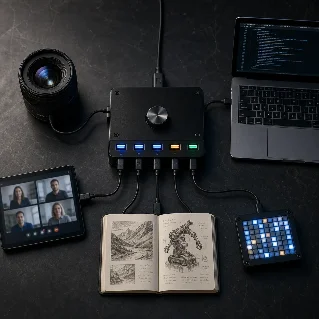
Five AI tools with a real workflow to test this week

Five fresh AI tools with the workflow each changes, the limitation to watch, and a practical try, wait, or skip verdict.

Five AI tools with a real workflow to test this week
0:007:01

Episode guide

I screened four Product Hunt launches and one project in this week's GitHub Trending snapshot. The useful question is not which demo looks biggest, but which bottleneck changes and what could stop the tool from earning a place in your workflow.
Each pick ends with a try, wait, or skip verdict for a small, reversible test.

Mac Developer Bridge

Mac Developer Bridge is an open-source M C P bridge that lets ChatGPT operate a real Mac: shell commands, files, interactive terminal sessions, background jobs, and read-only Codex history. 12
Workflow: Instead of copying a repository, terminal output, and unfinished Codex context into a chat, you can let ChatGPT reason over the machine where the work already lives. The project says it adds no second model or agent loop; the Mac is the execution environment. 2
Watch: This is deliberately not sandboxed. The bridge has no command or path allowlist and runs with the effective permissions of the logged-in macOS user. Setup also requires macOS, Node.js 18 or newer, ChatGPT Developer mode, and either OpenAI's secure tunnel or a Cloudflare-based server path. 2
Verdict: try on a disposable development machine if you understand the permission model. Wait for a shared or sensitive Mac until you have reviewed the security guidance and the tunnel setup. Open the launch · Read the repository

Chert

Chert puts an AI video agent on FaceTime. Its official page describes agents that can answer and place calls, use camera context, and be configured with instructions, a realtime model, voice, avatar, framing, and a managed line. 34
Workflow: This is for problems that are hard to describe but easy to show: remote support, field service, visual inspections, guided onboarding, or telehealth intake. A caller can point a camera at the problem instead of translating it into a long verbal description. 4
Watch: FaceTime access is not generally available. Chert says it is running a controlled private preview while it validates production media and line readiness. The browser preview can test prompts, voice, interruptions, avatar, and cleanup, but live execution is provisioned and explicitly authorized. 4
Verdict: wait for a production workflow, or try the controlled preview if you have a concrete visual-support use case and can accept limited access. Open the launch · See the FaceTime preview

AlsonAI Poetry

AlsonAI Poetry adds poetry, spoken word, rhymes, and other non-traditional forms to AlsonAI's illustrated-book workflow. Product Hunt says it is designed to respect line breaks, repetition, pacing, and the creator's voice instead of forcing every idea into a conventional story arc. 5
Workflow: Start with a poem or manuscript, inspect the story breakdown, choose from eight illustration styles, preview pages, then edit both text and images before publishing. AlsonAI also offers narrated animation as an add-on. 6
Watch: This is a paid, per-story workflow rather than an unlimited sandbox. The official pricing lists twenty-four dollars and ninety-nine cents per illustrated story, another ninety-nine dollars and ninety-nine cents for an animated video, and a retained percentage of the Amazon Kindle royalty. The editable workflow is useful, but it still leaves the creator responsible for judging the writing, images, and publishing economics. 6
Verdict: try for a poet, educator, or storyteller with one finished piece and a real audience test in mind. Start with a short work before paying for an animation. Open the launch · See the workflow and pricing

Blume

Blume is an open-source, Markdown-first documentation framework built on Astro and Vite. It turns a folder of Markdown or M D X into a docs site with navigation, search, theming, SEO, and one-command deployment. 78
Workflow: The interesting shift is that the same Markdown becomes the source for readers and models. Blume can emit llms.txt and llms-full.txt, expose raw Markdown, add Copy as Markdown and Open in chat actions, and optionally host an Ask AI assistant or M C P server. 8
Watch: Zero configuration is mainly the starting point, not a promise that documentation has no maintenance. The docs describe a generated Astro project, TypeScript configuration, component overrides, and an eject path for teams that want more control. That is attractive if you want to own the stack, but less attractive if you want a fully managed docs service. 8
Verdict: try if your team already keeps docs in Markdown and wants them readable by coding agents. Wait if your priority is a hosted service with minimal framework ownership. Open the launch · Read the documentation

Upscayl

Upscayl is a free, open-source AI image upscaler for Linux, macOS, and Windows. Its official site advertises local desktop upscaling, several models, batch processing, and enhancement up to sixteen times the original resolution. 910
Workflow: It is a simple local step for rescuing small photos, screenshots, or creative assets before they enter a larger design or video workflow. Because the desktop app runs locally, you can test it without sending the source image to a hosted service. 9
Watch: The repository says the desktop app needs a Vulkan-compatible GPU, and warns that many integrated GPUs may not work. The result is an easy recommendation for the right machine, but a frustrating install if you only have unsupported integrated graphics. 9
Verdict: try if your computer has Vulkan support and you have a folder of genuinely low-resolution images. Start with before-and-after checks on faces, text, and repeated patterns. Open the repository · Download Upscayl

The short list

If I had one hour, I would test Upscayl first for a reversible creator workflow, AlsonAI next if I had a finished poem to publish, and Blume if documentation was the bottleneck. Mac Developer Bridge is powerful but deserves a disposable machine. Chert is the most interesting preview, not the most available product.
Pick one bottleneck, run one small test, and keep the result somewhere you can inspect.

This story was produced automatically by a channel. One sentence is all it takes for Neodrop to keep producing for you.

Related content

  • Sign in to comment.
More from this channel