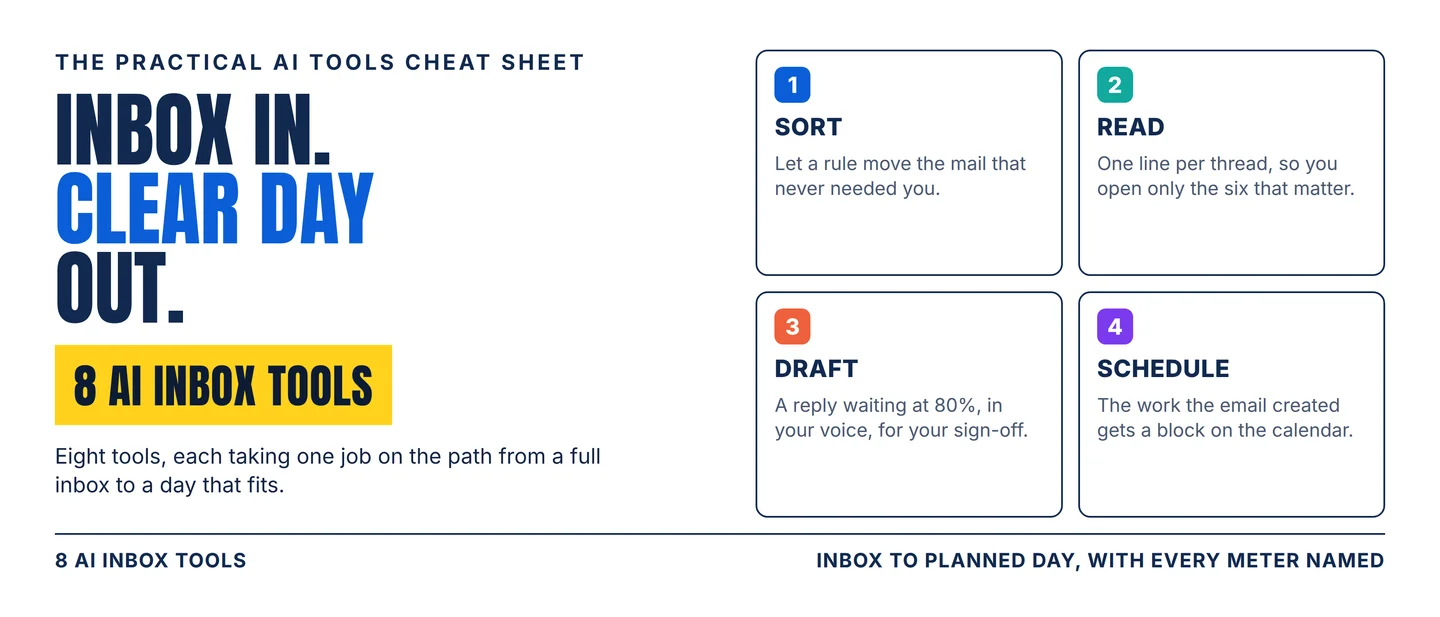
The AI inbox stack: 8 tools from a full inbox to a day that fits
A practical eight-tool workflow for turning a full inbox into a sorted, answered and scheduled day, with the plan gates, credit meters and eligibility rules that decide which tool fits.

Two hundred emails landed in your inbox this week. Thirty of them needed you. The other 170 needed a rule, and a rule is now something you can buy.
The tools that sell it have changed shape in the past year. Grammarly renamed its company Superhuman on 29 October 2025 and folded Mail, Grammarly, Coda and a new assistant called Go into one suite. 1 Reclaim sells as Reclaim.ai from Dropbox. 2 Shortwave prices its assistant by which Claude model answers you, and charges more for the sharper one. 3
The question now is which of the four jobs in the path costs you the most hours, and what each tool charges to take that job. The four are sorting, reading, drafting and scheduling. Eight tools cover them, and every one below names its meter.
Pick your lane
- Need AI in the Gmail you already open? Start with Gemini in Gmail.
- Need the noise gone without changing email clients? Start with SaneBox.
- Need a faster client that drafts while you sleep? Start with Superhuman Mail.
- Need an assistant that searches your whole Gmail history? Start with Shortwave.
- Need the sorting handled quietly in the background? Start with Fyxer.
- Need one inbox a team can share? Start with Missive.
- Need focus time defended on a calendar others book? Start with Reclaim.
- Need tasks and meetings planned into the day? Start with Motion.
The jobs overlap at the edges. What separates these eight is what each one charges and what each one refuses to do, so the constraints decide the shortlist faster than the feature lists do.
The 8-tool stack
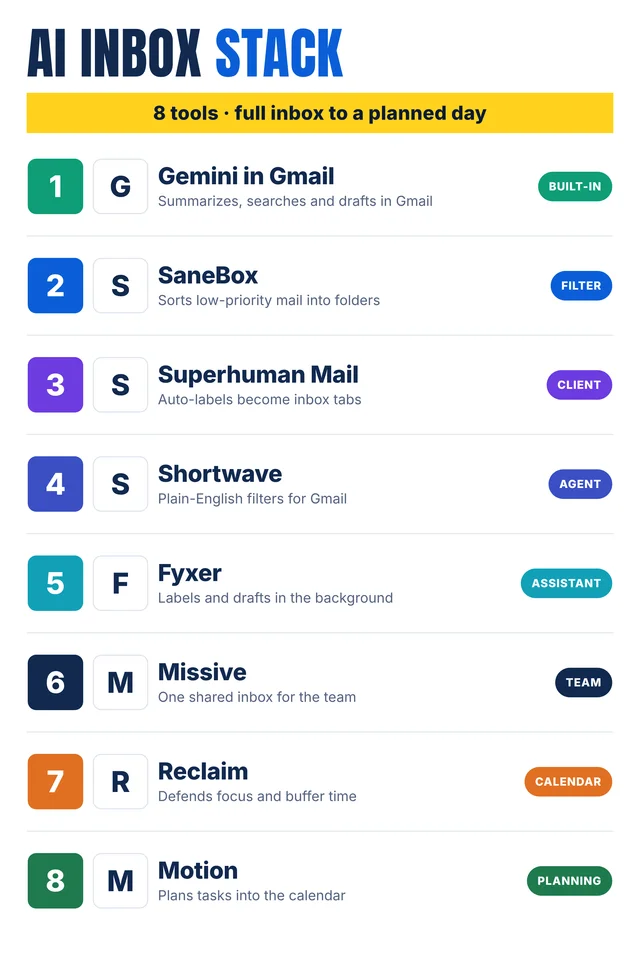
Self-made cheat-sheet graphic: the eight tools in the order they join the inbox path. Capabilities, meters and human checks are sourced in the entries below.
1. Gemini in Gmail
Category: Built-in
Use it for: Summaries, search and first drafts inside the Gmail window you already open.
Why it earns a slot: "Summarize this email" sits at the top of a thread, and the side panel adds next steps and action items. 4 "Help me write" turns a prompt into a draft, then polishes, formalizes, elaborates or shortens it. 5 The side panel also answers questions about your inbox, and an @ mention pulls a Drive file's details into the reply. 4
Watch-out: Eligibility decides who gets it. "Help me write" needs an eligible Google Workspace or Google AI plan. 5 A personal Google account gets it only in the United States. 5
Human check: Check the summary against the thread before replying. The decision that matters is often in the fourth reply.
2. SaneBox
Category: Filter
Use it for: Moving low-priority mail out of your inbox when changing email clients is off the table.
Why it earns a slot: SaneBox adds folders to the account you already have and filters there, so it works in Gmail, Exchange, Outlook, Yahoo or any client on any device. 6 Its robots judge importance from how you have opened and answered mail before, then summarize what they set aside in a daily digest. 6
Watch-out: SaneBox reads header data only, and never the body of a message. 6 Plans are billed two years at a time: $4.54 a month for one account and two features, $7.46 for two accounts and six, $22.04 for four accounts and everything. 7 POP accounts have no folders to filter into, so they are out of scope. 6
Human check: Open the SaneLater folder every day for the first week. Every filter misroutes something, and client mail is the expensive miss.
3. Superhuman Mail
Category: Client
Use it for: Speed in the inbox, with the replies and follow-ups already prepared.
Why it earns a slot: Auto Labels separate marketing, cold pitches and social updates, and Split Inbox turns those labels into tabs you switch between. 8 Instant Reply leaves a draft on every email you open, and Auto Summarize puts one line above each conversation. 8 Ask AI searches your inbox, calendar and the web from one prompt. 8
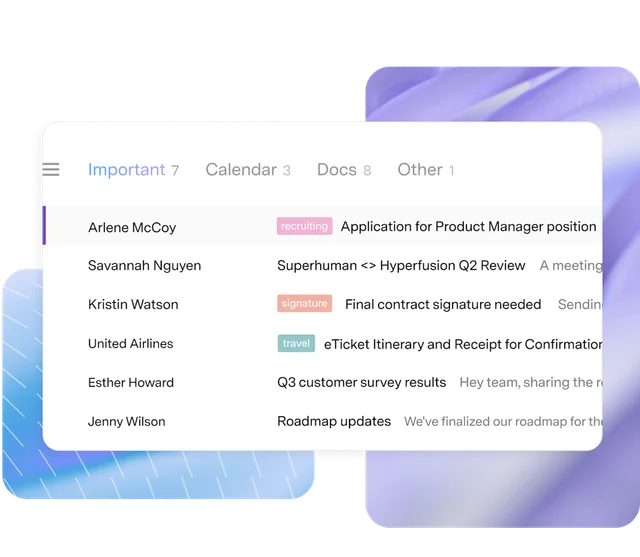
Watch-out: Superhuman is a client for Gmail and Outlook accounts, so your team either moves into it or works beside you in two places. 9 Mail also ships inside the suite that renamed itself from Grammarly on 29 October 2025. 1 Its assistant will send written emails on your behalf if you switch that on. 9
Human check: Review the auto-label list once a month. A mislabeled VIP drops out of the tab you actually watch.
4. Shortwave
Category: Agent
Use it for: An assistant that acts on your Gmail with filters you write in plain English.
Why it earns a slot: AI filters label, star, archive or delete incoming mail from a written prompt, and one click organizes a backlog into priorities and todos. 10 Summaries sit at the top of each thread, and the assistant searches history and attachments to answer questions about them. 10 Bundles and delivery schedules hold newsletters and updates until the hour you choose to see them. 10
Watch-out: The plan sets the assistant's ceiling. Business costs $30 a seat a month and allows 3 AI filters, 50 threads per AI search and roughly 150 to 300 standard requests a day. 3 Premier at $45 and Max at $120 raise that to 10 or 50 filters and 100 or 150 threads, on sharper models. 3
Human check: Write three filters, then watch two weeks of what they missed. A filter is a rule you now maintain.
5. Fyxer
Category: Assistant
Use it for: Sorting and drafting in the background while you keep Gmail or Outlook open.
Why it earns a slot: Fyxer sorts mail into categories such as "To respond", FYI and Marketing, drafts replies in your tone, and keeps a running follow-up list. 11 It also sits inside Slack, Teams and your calendar, briefs you on the day, and records meetings. 12
Watch-out: Automatic labeling starts on Pro. 11 Pro costs $37 a person a month billed yearly, or $49 monthly, and comes with 3,000 credits. 11 Fyxer's own example spends those credits on 5,000 sorted emails, 25 recording hours and 25 chat messages. 11 When credits run out, metered actions pause until the month renews. 11
Human check: Correct the categories for a week. Fyxer learns from your corrections, and the first week's labels are guesses.
6. Missive
Category: Team
Use it for: One shared inbox where a team divides mail from shared clients.
Why it earns a slot: Team spaces give each group a shared inbox, shared tasks and a place to discuss the work. 13 Any email becomes a task with an owner and a due day, and the internal comments stay inside the thread. 14 Missive's assistant reads threads and attachments, checks calendars, drafts in your team's voice, and reaches Stripe, Linear or Notion through MCP, the connector standard that lets an assistant call other apps. 14
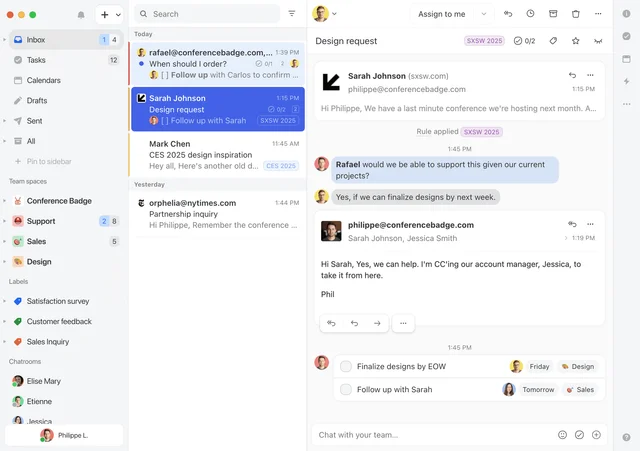
Watch-out: The AI is metered or keyed. Missive sells AI credits, or you connect your own OpenAI, Anthropic or Google key and pay that provider directly. 14 Plans run $14, $24 and $36 per user a month billed yearly, and API and MCP access arrive with the $24 Productive plan. 15
Human check: Set the tone instruction before anybody drafts. Every AI draft follows it, including a new hire's on day one.
7. Reclaim
Category: Calendar
Use it for: Defending focus time and buffer time on a calendar other people book.
Why it earns a slot: Reclaim holds a weekly Focus Time goal and moves the blocks when meetings land on them. 2 Habits, Buffer Time and Smart Meetings fill the gaps around what is already booked. 2 The free Lite plan includes Focus Time, Habits, Buffer Time and Smart Meetings with five AI agents. 16
Watch-out: The plan caps the scheduling window at one week ahead on Lite and eight weeks on Starter, which costs $10 a seat a month. 16 Business at $15 a seat allows 100 AI agents a seat. 16 Reclaim's own figures put the gain at 7.6 more focus hours a week and 2.3 fewer meetings. 2
Human check: Tell your team the blocks are real. A focus block nobody respects is a blank slot on their calendar.
8. Motion
Category: Planning
Use it for: Turning a task list into a scheduled day, then rebuilding it when the day breaks.
Why it earns a slot: Motion ranks tasks by deadline, duration and dependency, timeblocks them, and re-optimizes the plan through the day. 17 Email from Gmail, Outlook or iCloud can become a task, and one calendar view covers work and personal accounts. 17 A booking page fills the gaps the plan leaves. 17
Watch-out: Motion is priced per seat with AI credits: $19 for Pro AI and $29 for Business AI, at 7,500 and 15,000 credits a seat a month. 18 Extra credits cost 25 cents per hundred on Pro and 19 cents per hundred on Business. 18
Human check: Read the first plan it builds. Motion flags a task as at-risk days ahead, and that warning only helps if the estimates are yours.
Assemble the stack
Four stages, one owner each:
- Sort. SaneBox or Superhuman Mail, so the 170 emails that needed a rule stop reaching your attention.
- Read. Gemini in Gmail, Shortwave or Fyxer, so the one thread that matters reaches you as a summary.
- Draft. Shortwave, Superhuman Mail, Fyxer or Missive, so the reply starts near finished.
- Schedule. Reclaim or Motion, so the work the email created has a place to happen.
The working rule: fix the stage where your week actually breaks, run one tool there for a month, then look again. Two tools doing the same job is a bill you can cancel.
Practical takeaways
- Name the stage first: sorting, reading, drafting or scheduling. These tools overlap on features and rarely on the stage they fix.
- Price the meter before the demo. Per seat, per credit, per AI request and per billing term carry four different risks.
- Cheap plans gate the feature you came for. Fyxer's labels start on Pro, Shortwave's filters scale with the plan, and Reclaim's free tier sees one week ahead.
- Check eligibility for the built-in option first. Gemini's drafting needs an eligible Google plan, and a personal account gets it only in the United States. 5
- Keep the draft a draft for the first month. Fyxer never sends one, and Superhuman sends only once you allow it.
- Write the rule down before you automate it. Filters and auto-labels do exactly what you said, all week.
Copy-ready LinkedIn/X caption
Hook
Two hundred emails this week. Thirty needed you.
Highlights
8 AI inbox tools, by the job each one does:
- Gemini in Gmail — summaries, search and drafts already in your account
- SaneBox — low-priority mail sorted into folders, in any client
- Superhuman Mail — auto-labels become tabs, a draft on every email
- Shortwave — plain-English AI filters on Gmail, $30 a seat
- Fyxer — background sorting and drafting, $37 a seat yearly
- Missive — one shared inbox with team comments and AI drafts
- Reclaim — focus and buffer time defended on your calendar
- Motion — tasks and meetings planned into the day automatically
The rule that works: fix the stage where your week breaks, price the meter, run it a month before adding another.
CTA
Save this before your next inbox cleanup, and send it to the teammate who owns the shared inbox.
References
- 1
- 2Reclaim – AI Calendar for Work & Life
reclaim.ai
- 3Shortwave | Pricing
shortwave.com
- 4Gemini in Gmail
workspace.google.com
- 5Draft emails with Gemini in Gmail
support.google.com
- 6SaneBox | FAQ
sanebox.com
- 7SaneBox | Pricing
sanebox.com
- 8Superhuman Mail AI
superhuman.com
- 9Superhuman Mail
superhuman.com
- 10Shortwave — Automate your email with AI
shortwave.com
- 11Fyxer | Pricing
fyxer.com
- 12
- 13
- 14AI assistant · Missive
missiveapp.com
- 15Pricing · Missive
missiveapp.com
- 16Pricing - Pick the right plan for you
reclaim.ai
- 17The AI Powered SuperApp for Work | Motion
usemotion.com
- 18Pricing | Motion
usemotion.com
This story was produced automatically by a channel. One sentence is all it takes for Neodrop to keep producing for you.