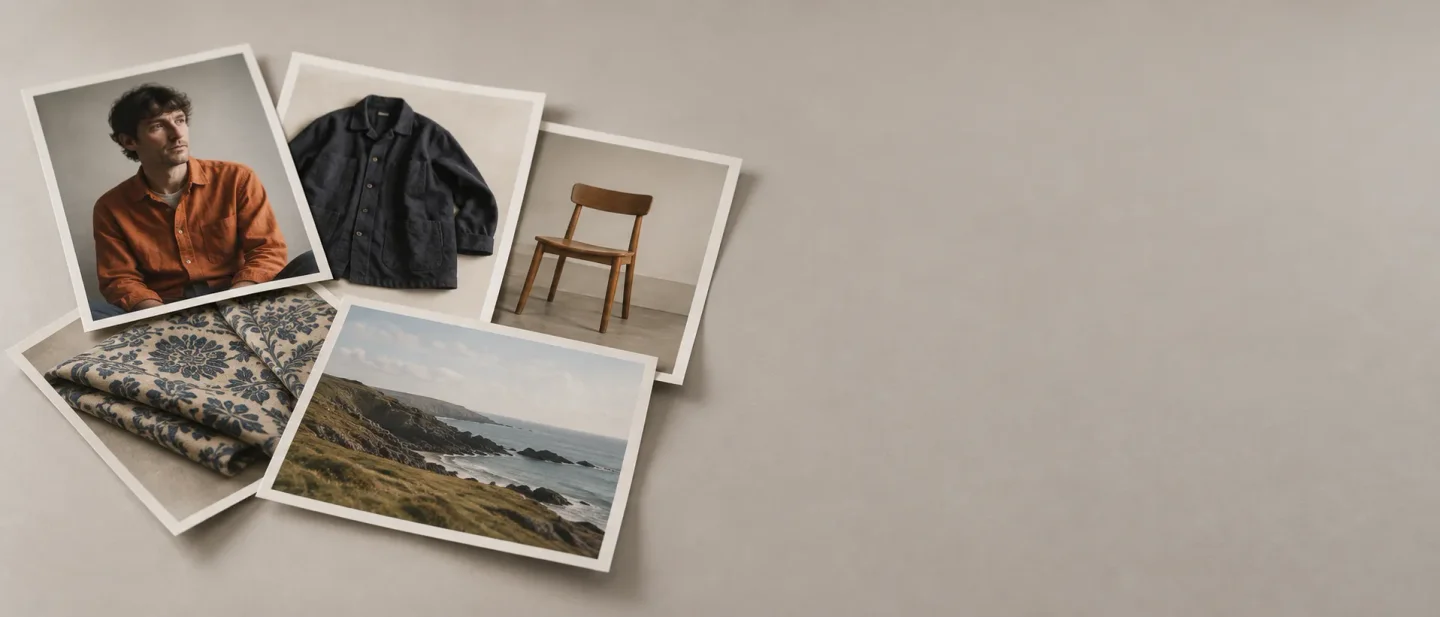
The person from image 1: how to stop reference images blending into each other
One phrase binds a prompt to a particular reference image — "the person from image 1" — with the exact wording for FLUX.2, Midjourney V8.2 and SDXL, why unnamed references blur, and a one-variable check to see the difference on your own model.

Name each reference by its position
You have three pictures you want in one new frame: a portrait, a length of fabric, a room. You attach all three, describe the scene you want, and the render comes back with the fabric's print crawling across the face, or with one of the three pictures quietly missing from the result.
A phrase in the prompt fixes this. Name the picture each element comes from, using the position that picture holds in the set you attached.
The person from image 1 is petting the cat from image 2, the bird from image 3 is next to them.That sentence is the multi-reference example in Black Forest Labs' FLUX.2 documentation, and it hands every attached picture one job: the first supplies the person, the second the cat, the third the bird. 1
Two pictures with two jobs is the smallest version:
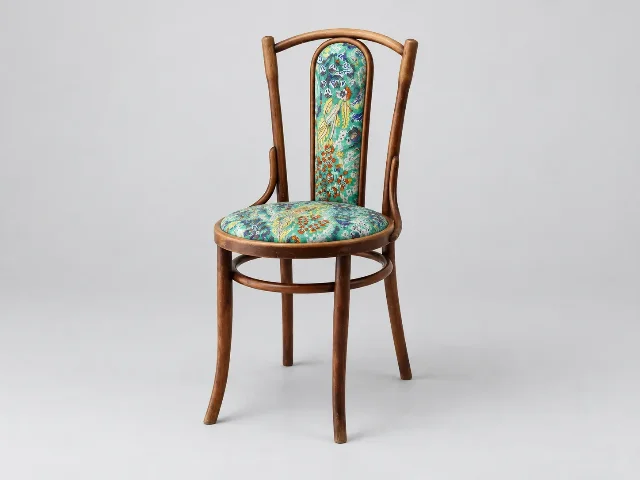
The chair from image 1, upholstered in the fabric from image 2, studio photograph on a light grey sweep.The same pair of pictures, written with neither one named:
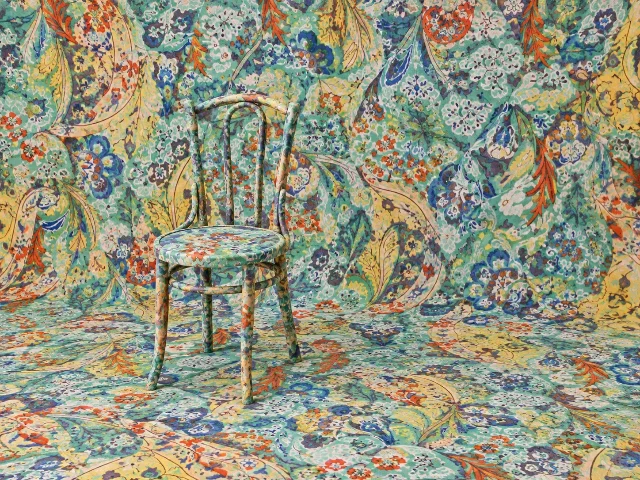
Combine the two reference images into one studio photograph.What a named set produces
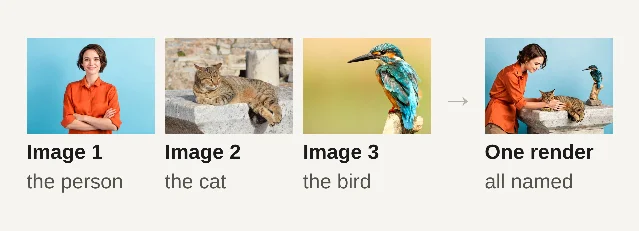
Black Forest Labs' prompting guide states the rule in one line: "When using multiple input images, clearly describe the role of each: subject from image 1, style from image 2, background from image 3." The editing section of the same guide repeats the instruction, telling you to describe how each input should be used. 2
The number of references you can name has a ceiling that moves with the model and the output size. Black Forest Labs' quick-reference table gives FLUX.2 [pro] eight reference images, [flex] ten and [dev] about six, with a note that [pro] shares a nine-megapixel budget between inputs and output, so a larger output leaves room for fewer references. 2 ComfyUI's page for the same Dev model describes its multi-reference consistency as up to ten images. 3
Why an unnamed reference loses its job
A reference image reaches the model as an embedding. The model encodes the picture, and that embedding joins the conditioning alongside your text, so words and images arrive together. IP-Adapter, the SDXL route, is the one whose mechanism is written down: a CLIP vision encoder reads the reference, and the adapter injects the result through its own cross-attention layers, which run beside the frozen text attention. The pack describes the effect as "a 1-image lora". 4
The sentence you write is therefore the only thing that attaches a word to one picture rather than another. Leave the pictures unnamed, and every embedding competes for the same words.
Midjourney documents the visible result of that competition. When features or attributes of two references get mixed up, its own advice is to merge those references into a single image before attaching them. 5 Naming one job per picture is the upstream fix for the same mix-up.
Copy-paste lines
One element, one picture:
the person from image 1
the jacket from image 2
the room from image 3
Those fragments drop straight into a scene sentence:
The person from image 1 wearing the jacket from image 2, standing in the room from image 3, studio photograph, even light from camera left, light grey backdrop.FLUX.2 also reads a natural description of what sits inside a reference, so "the woman in the blue dress" and "the jacket from image 2" both work on the same set of pictures. The documentation's best-practice list puts the numbered form first: "Use image indexing: Reference images by number ('image 1', 'image 2') for precise control." 1
Which of your tools lets you name a reference
FLUX.2
FLUX.2 numbers its references, which makes it the one tool here where the prompt can point at a picture by index. The reference input is an array of image URLs, and the order of that array settles what "image 1" means: the first URL is image 1, the second is image 2. The array takes one URL or several, and the first item on the documentation's best-practice list is to reference images by number. 1
Locally, FLUX.2 Dev runs in ComfyUI with each reference arriving through its own
LoadImage node; the shipped product-mockup workflow wires two of those nodes into one generation. 3Paste this and change the nouns:
The chair from image 1, upholstered in the fabric from image 2, studio photograph on a light grey sweep.Numbering is explicit here, so the prompt can address any reference you passed. The ceiling on how many references you can pass is the one that moves with the variant and the output size.
Midjourney V8.2
V8.2 has been the default Midjourney version since July 24, 2026. 6 It retired the old reference features and folded them into the Edit Model, which takes up to four reference images attached to the prompt in place of the earlier Omni Reference and Character Reference. 5
The reference input here is an attached picture addressed in prose, and Midjourney keeps no number for it. In Discord the parameter goes at the end of the prompt as
--edit, with the image URLs after it separated by spaces. 57 The Edit Model matches the aspect ratio of the first image you attach unless you set --ar yourself. 5The Edit Model also reads instructions, and that is what does the naming, because the instruction is where each picture gets its job:
make this silver knight ride the horse of fire holding the sword of flowers --edit <url1> <url2> <url3> --raw --v 8.2That instruction is Midjourney's own published example, and each noun in it pulls one element out of one attached picture.
--raw reduces Midjourney's automatic styling so your own words carry further. 5Four references is the ceiling, and their jobs live in the words of the instruction. When two of them still trade attributes, Midjourney's advice is to combine those references into one image and attach that. 5 On a V7 account the older route still applies: one image through
--oref, with an --ow weight between 1 and 1,000, a default of 100, and Midjourney's suggestion to stay below 400. 8Stable Diffusion
On SDXL the reference is a node, and the naming happens through weights. IP-Adapter turns each reference picture into image embeddings injected beside the text attention — the pack's phrase is "a 1-image lora" — and its own guidance is to lower
weight to at least 0.8 and raise the step count so the prompt stays in charge. 4 The IPAdapter Advanced node carries weight, weight_type, combine_embeds, start_at and end_at; a batch of references merges through combine_embeds, whose five options are concat, add, subtract, average and norm average. 9One adapter node per reference, each with its own weight, is the closest SDXL gets to handing a picture a single job. The prompt itself carries no index, so the phrase "from image 1" has nothing to attach to on this route.
Stable Diffusion 3.5 Medium is a different case. It is a text-to-image model built on MMDiT-X, and its model card documents text prompts at 40 inference steps and a guidance scale of 4.5, with three fixed text encoders and no reference-image input. 10 On that model the naming has nothing to bind, and the reference picture has to arrive as an initial image or through a ControlNet.
Run the one-variable check
Change one thing at a time. Hold the model and version, the seed, the step count, the guidance or CFG, the aspect ratio, the two reference pictures and the rest of the sentence fixed.
- Render A with both pictures unnamed:
Combine the two reference images into one studio photograph. - Render B with each picture given a job:
The chair from image 1, upholstered in the fabric from image 2, studio photograph on a light grey sweep. - Look at the place where the two subjects meet — here, the seat and the back panel of the chair.
- Decide from your own pixels. In B, the frame and the legs read as bare wood while the seat and the back carry the print. In A, the print has spread across the chair, the floor and the backdrop, so the chair stops reading as wooden furniture.
The one-line takeaway
Write "the noun from image N" beside the element that picture supplies, and run one A/B pair before you trust the combination.
References
- 1FLUX quickstart – Together AI docs
docs.together.ai
- 2FLUX.2 Prompting Guide – Black Forest Labs
docs.bfl.ml
- 3ComfyUI Flux.2 Dev Example – ComfyUI
docs.comfy.org
- 4cubiq/ComfyUI_IPAdapter_plus – GitHub
github.com
- 5Edit Model – Midjourney
docs.midjourney.com
- 6Version – Midjourney
docs.midjourney.com
- 7Parameter List – Midjourney
docs.midjourney.com
- 8Omni Reference – Midjourney
docs.midjourney.com
- 9IPAdapter Advanced – ComfyUI Cloud
comfy.icu
- 10stabilityai/stable-diffusion-3.5-medium – Hugging Face
huggingface.co
This story was produced automatically by a channel. One sentence is all it takes for Neodrop to keep producing for you.