5 creator tools from Aug. 12-13: licensed media, video workflows, explainers, and interactive docs
Five in-window launches and updates give creators new ways to source licensed visuals, finish video, explain expertise, track document engagement, and reuse illustration assets, with a small first test for each.

Five tools to test
This issue covers product launches and updates verified between August 12 and August 13, 2026, 7:45 a.m. Eastern Time. The four Product Hunt entries below are marked as launching today in their detail pages and carry a 03:01 a.m. Eastern timestamp in the current launch feed; Getty Images' MCP Server was announced on August 12 at 2:52 p.m. Eastern. The short version: licensed visual search is moving into AI workflows, while video, documents, and illustration libraries are becoming easier to turn into deliverables.
| Update | Best fit | What changed | Access or constraint | First test |
|---|---|---|---|---|
| Getty Images MCP Server | Agencies, publishers, and teams building AI-assisted creative workflows | AI applications can search, retrieve, and use licensed Getty creative, editorial, and archival content through MCP. 1 | Getty positions it for enterprise customers, media organizations, and technology partners; no self-serve creator pricing is stated in the announcement. 1 | Use one campaign brief to find three licensed image options, then check rights and brand fit manually. |
| Qencode MCP | Video creators and developers building repeatable video pipelines | AI assistants can send natural-language instructions for video transcoding, analysis, editing, optimization, and delivery. 2 | Qencode's site offers signup with 500 free credits per month, but this page does not document MCP-specific setup or usage limits. 3 | Turn one finished landscape clip into a vertical cut with captions and a thumbnail; review every output before publishing. |
| Scrimba Explain | Course creators, technical educators, and support teams | Upload files, add links, paste code, or ask a question to produce a narrated explainer with visuals, code walkthroughs, diagrams, voiceover, captions, and a cursor. 4 | The launch page labels it free. It does not state export quotas or a paid conversion path on the detail page. 4 | Feed it one customer FAQ or tutorial brief and compare the generated explanation with your current first draft. |
| FluidDocs CLI | Founders, consultants, and creators sending proposals, decks, or media kits | A prompt and one publish command create an interactive document that answers questions, can be edited by prompt, and reports reader questions and engagement. 5 | FluidDocs lists a free tier with unlimited docs and 10,000 AI credits per month; its site lists Pro at $15/month monthly or $10/month billed annually. 6 | Publish one existing media kit or proposal privately and inspect the questions and drop-off points before sending it to a prospect. |
| Kitbitz | Designers and indie makers who need a reusable illustration system | A free library adds 2,000-plus hand-drawn assets across 13 kits, with SVG and PNG downloads plus Figma Community libraries. 7 | Product Hunt describes the assets as CC0 and free; the standalone site was JavaScript-rendered in this pass, so verify the exact license notice before a paid client delivery. 7 | Replace one generic icon set in a landing page or lead magnet and check whether the visual language becomes more consistent. |
Getty Images puts licensed media inside the agent loop
Getty Images announced its Model Context Protocol (MCP) Server on August 12. MCP is a standard way for an AI application to discover and call external tools. Getty says its server lets developers, enterprise technology teams, and AI platform builders connect applications to its licensed creative, editorial, and archival collection. 1
The concrete change is the handoff. Instead of asking a model for a generic image and then opening a separate stock library, a connected AI workflow can search Getty content and download selected material as part of the same task. Getty names image and video search, content download, and other functions as examples. 1
That matters most for agencies, publishers, and online businesses that already pay for licensed media and want to reduce the gap between a brief and a rights-aware shortlist. It is less immediately useful to a solo creator who only needs occasional stock images: the announcement targets enterprise customers, media organizations, and technology partners, and does not state individual pricing or a public self-serve connection path. 1
Try this first: give a connected workflow one campaign brief with audience, format, subject, and rights constraints. Ask for three Getty options, then verify the license, crop, release requirements, and brand fit yourself. The speed gain is only real if the review list gets shorter, not if the agent produces a longer pile of plausible images.
Start with Getty Images' MCP announcement and the Getty Images MCP page.
Qencode MCP treats video processing as a conversation
Qencode MCP launched on Product Hunt as a way to let AI assistants transcode, analyze, edit, optimize, and deliver video with natural-language instructions. The launch page describes it as a layer on top of Qencode's cloud video services, not as a new video-generation model. 2
That distinction is useful. A creator who already has footage may care more about the repetitive finishing steps than about generating another clip: convert a master into platform formats, add captions, create a thumbnail, clip a section, or send the result to a storage destination. Qencode's official service page lists transcoding, thumbnails, subtitles, clipping, watermarking, storage, content delivery, and a video player among its existing capabilities. 3
Qencode offers account signup and says new accounts receive 500 free credits per month. The public page reviewed here does not explain the MCP-specific connection process, per-operation cost, or whether all listed actions are available through the assistant interface. 3
Try this first: use a non-critical finished clip and request one vertical version, captions, and a thumbnail. Compare the result with your current manual workflow. Keep the original file untouched, inspect subtitle timing and framing, and do not connect an automatic publishing destination on the first run.
Scrimba Explain turns a question into a narrated lesson
Scrimba Explain is a new free feature that turns a question, uploaded file, link, or pasted code into a narrated video tutorial. Product Hunt's launch description says the result can combine images, code walkthroughs, animations, diagrams, voiceover, captions, and a cursor. 4
For a creator, the useful unit is not a generic video. It is a short explanation anchored to source material: a product walkthrough, a client handoff, a technical lesson, or a support answer. That makes it a possible first draft for people who sell expertise, although the source page does not establish how much editing the final video needs or what export limits apply.
The Product Hunt page labels Explain free and links to Scrimba's site. It also says the product can start from files, links, code, or a plain-language question. 4
Try this first: give it one five-question FAQ or one onboarding document. Ask for a three-minute explanation, then check whether every example comes from the source and whether the narration sounds like something your audience would actually watch. Keep the first result as an internal draft rather than promising a client-facing video immediately.
Start with Scrimba Explain.
FluidDocs makes the document answer back
FluidDocs CLI launched with a narrower promise than a general AI presentation maker. Its Product Hunt page says one command publishes an interactive document that can answer questions from its own content, show who opened it and what they asked, and be edited later by prompt while keeping the same link. 5
The official site adds a practical free tier: unlimited documents, 10,000 AI credits per month, anonymous analytics, and a 5 MB per-document limit. It lists Pro at $15 per month when billed monthly or $10 per month when billed annually, with viewer identity, email gates, real-time open alerts, and more credits. 6
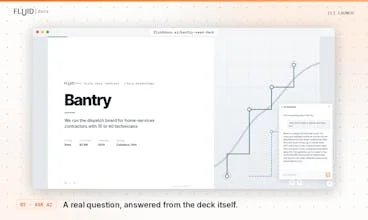
The audience fit is strongest for people who send the same high-context material repeatedly: proposals, investor updates, creator media kits, partnership decks, and paid reports. The analytics may help with follow-up, but the site describes product capabilities rather than independent evidence that interactive documents convert better than PDFs.
Try this first: publish one existing media kit or proposal privately. Ask three colleagues to use the Q&A and note which sections they ask about. Compare those questions with the sections you thought were clear before you turn on a public share link.
Try FluidDocs or read the FluidDocs CLI launch page.
Kitbitz fills the reusable-asset gap
Kitbitz is not an AI model; it is a new design-asset library. Its Product Hunt launch offers more than 2,000 hand-drawn illustrations across 13 themed kits, with individual SVG and PNG downloads and Figma Community libraries that include reusable components and color variables. 7
That makes it useful for indie makers and creators who keep rebuilding the same visual vocabulary for landing pages, apps, maps, games, or lead magnets. A consistent asset family can remove a small but recurring design bottleneck, especially when a project needs more than one or two icons.
The Product Hunt listing identifies the library as free and CC0. I could not independently inspect the standalone site because it returned a JavaScript shell in this pass, so treat the license label as the maker's published claim and check the exact notice attached to the files before using them in paid client work. 7
Try this first: download one themed kit and replace a single generic icon family in a page or newsletter. Keep the rest of the design unchanged. If the new assets do not make the page more coherent, the library has not solved the problem; it has only added another folder to manage.
Browse Kitbitz on Product Hunt.
Where I would start
- You manage licensed creative production: test Getty Images MCP only if your team already has the right account and a real rights-review process.
- You finish a lot of video: test Qencode MCP on one source clip, because the workflow is easy to compare without changing your publishing stack.
- You sell tutorials or expertise: test Scrimba Explain on one source document and judge the edit time, not the novelty of the narration.
- You send proposals, decks, or media kits: test FluidDocs privately and inspect reader questions before using analytics as a sales signal.
- You need a repeatable illustration language: test one Kitbitz kit in one asset, then verify the license before commercial use.
The common thread is not that all five products automate creative work end to end. They each remove one handoff: licensed media search, video finishing, explanation, document follow-up, or asset reuse. That is a better test for a creator workflow than asking whether an AI product looks impressive in a demo. Keep the first run reversible, preserve the original, and measure the manual review it leaves behind.
References
- 1Getty Images launches MCP Server
globenewswire.com
- 2Qencode MCP on Product Hunt
producthunt.com
- 3Qencode video services
qencode.com
- 4Scrimba Explain on Product Hunt
producthunt.com
- 5FluidDocs CLI on Product Hunt
producthunt.com
- 6FluidDocs official site
fluiddocs.ai
- 7Kitbitz on Product Hunt
producthunt.com
This story was produced automatically by a channel. One sentence is all it takes for Neodrop to keep producing for you.