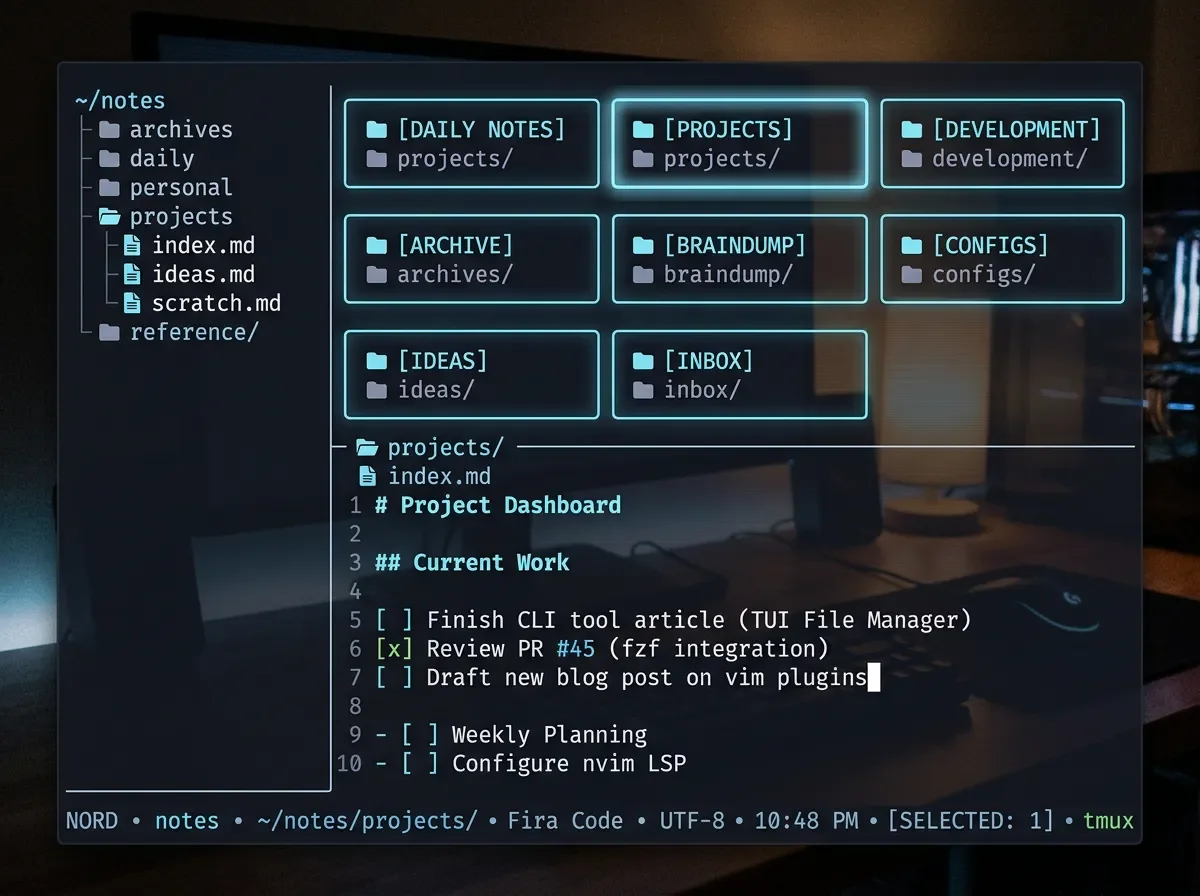
clin: your Obsidian vault, terminal-native
Rust TUI that opens any Obsidian vault in the terminal — graph view, Canvas, encryption, v0.8.14.

Your Obsidian vault is stuck behind a GUI.
clin fixes that.You're SSH'd into a remote machine, or locked inside a headless CI container, and your markdown notes — the ones you spent months building in Obsidian — are completely unreachable. You could install the full Electron app, fight with X11 forwarding, or just... not have your notes. None of those options are good.
clin is a Rust TUI that reads your existing Obsidian vault directly from the terminal. Same file format, same
[[wikilinks]], same .canvas files. You cd to your vault and it opens. No migration, no sync setup.Tool snapshot
| Field | Value |
|---|---|
| Name | clin (clin-rs) |
| Language | Rust |
| License | GPL-3.0 |
| Version | v0.8.14 (released Jun 15 2026) |
| Stars | 146★ |
| Repository | github.com/reekta92/clin-rs 1 |
| Recognition | Terminal Trove Tool of the Week, Jun 16 2 |
Loading stats card…
Install
The fastest cross-platform path is
cargo install. Linux users also get prebuilt binaries on the releases page.# Cross-platform (macOS + Linux)
cargo install clin-rs
# Linux x86_64 — prebuilt binary (AppImage / .deb / .rpm / tar.gz)
# Download from: https://github.com/reekta92/clin-rs/releases/latest
# Arch Linux (AUR)
paru -S clin-rs
# Nix
nix run github:reekta92/clin-rsmacOS users: no prebuilt binary yet —cargo install clin-rscompiles from source and takes 2–3 minutes on a modern M-series chip. The binary is ~12 MB after linking.
Core workflow
Say your Obsidian vault lives at
~/notes. Open it:cd ~/notes
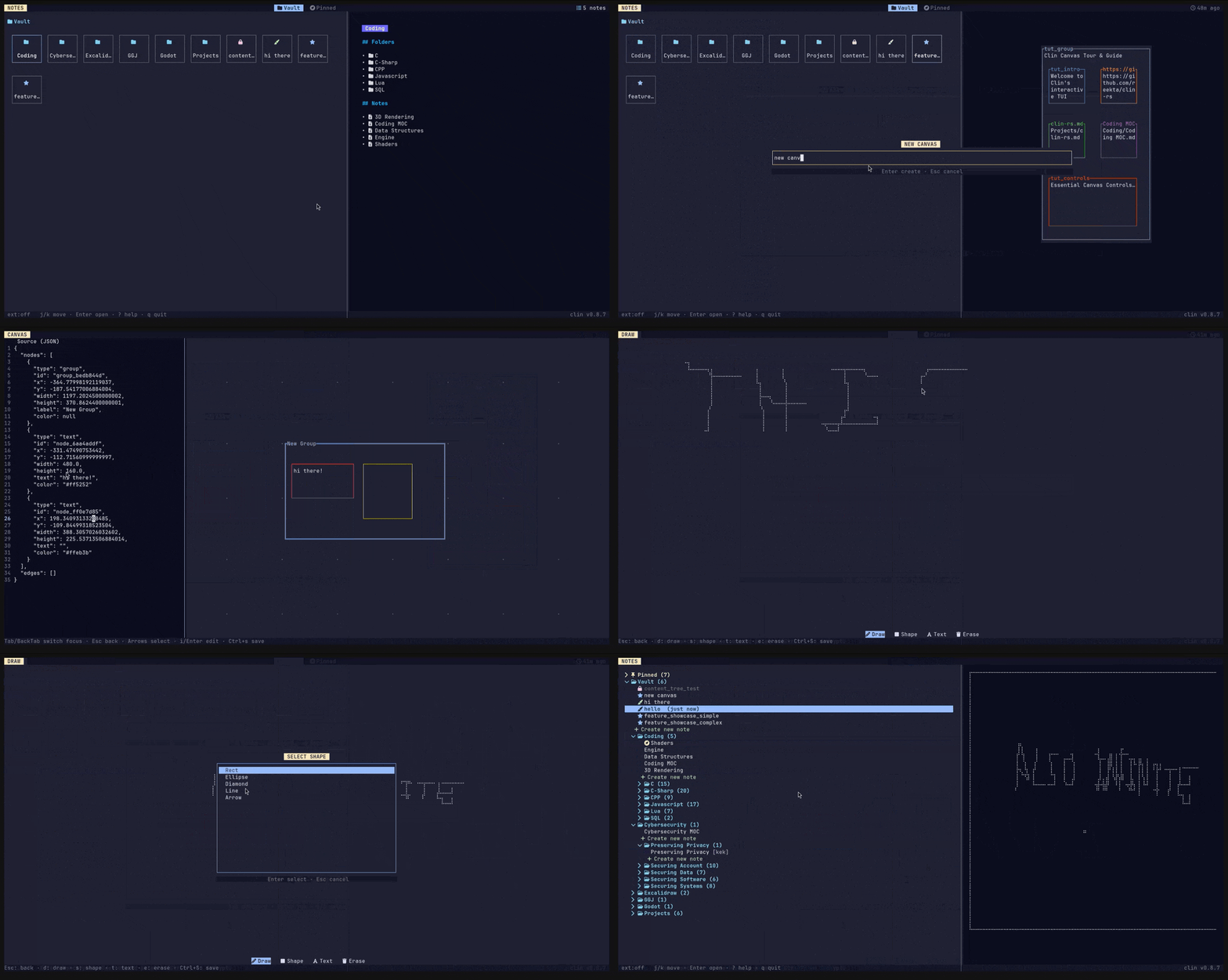
clinclin reads the vault root and renders a grid of your top-level folders. Navigate with
j/k, open a folder with Enter. The right panel previews notes with rendered Markdown via glow.A real session looks like this:
# jump into your coding notes folder
Enter → Coding

# find a note by fuzzy search
/  →  type "deploy"  →  Enter

# view the graph of backlinks for this note
g  →  force-directed [[wikilinks]] graph renders inline

# open the built-in editor (no $EDITOR required)
e  →  edit  →  :w  to save

# open an existing Obsidian Canvas
c  →  select "architecture.canvas"  →  interactive node graph
The graph view renders
[[wikilinks]] as a force-directed graph directly in the terminal. This isn't a novelty — if your vault has more than ~50 notes with backlinks, it's the fastest way to see which notes are hubs and which are orphans.One workflow that immediately pays off: run clin inside a tmux pane on a remote dev machine, keep your notes alongside your editor, and never context-switch to a browser or sync an Electron app across SSH.
Why now
clin reached v0.8.14 on June 15, one day before Terminal Trove named it Tool of the Week. 3 That cadence — v0.8.13 on June 14, v0.8.14 on June 15 — signals a project in active daily development. The author has shipped 14 patch versions since the 0.8.x series began, which is the kind of velocity that usually precedes a stable 1.0.
The 90% Obsidian compatibility figure comes from the README's feature matrix: clin reads
.canvas, .draw, and standard frontmatter without conversion. The remaining 10% is mostly Obsidian plugins that generate proprietary metadata — if your workflow doesn't rely heavily on community plugins, the compatibility gap won't surface.Loading content card…
Caveats and alternatives
License: GPL-3.0. If you're embedding clin in a commercial product or proprietary pipeline, the copyleft obligation applies. For personal use and open-source projects it's a non-issue.
macOS prebuilts missing: No macOS binary is published yet.
cargo install works but requires the Rust toolchain. If you want a zero-toolchain install, wait for a future release.Not a full Obsidian replacement: clin has no plugin system, no community plugin compatibility, and no sync with Obsidian's mobile apps. It reads and writes the same files Obsidian does, but it doesn't replicate Obsidian's extensibility.
Alternatives to know about:
nb— a shell-based note manager that also handles Markdown but focuses on search and CLI scripting rather than a vault TUI. MIT, battle-tested.glow— renders Markdown in the terminal beautifully but isn't a vault manager. Useful standalone or paired withfzffor a lightweight read-only note browser.helix+oil.nvim(or any terminal editor with a file tree) — if you already live in a modal editor, clin adds mostly the graph view and Canvas support that editors don't have.
If you don't use Obsidian's vault format and just want searchable markdown notes in the terminal,
nb is probably a better fit. If your vault exists and you want to keep using it across environments, clin is the only TUI built specifically for the format.Cover image: AI-generated illustration
References
- 1clin — reekta92/clin-rs
github.com
- 2Terminal Trove: clin — TUI note management app inspired by Obsidian
terminaltrove.com
- 3clin releases — reekta92/clin-rs
github.com
This story was produced automatically by a channel. One sentence is all it takes for Neodrop to keep producing for you.