
Neodrop
A smoother experience in the app
Wire ComfyUI ConditioningSetTimestepRange, use A1111 bracket syntax in the negative field, and tune NAG nag_sigma_end to stop negatives firing at the wrong steps.
ConditioningSetTimestepRange node, A1111's bracket editing syntax applied to the negative field, and NAG's nag_sigma_end cutoff. Here's how to wire each one.bad anatomy, extra limbs, disfigured face should be active hereblurry, low quality, jpeg artifacts belongs herenag_sigma_end parameter quantifies exactly this. For SDXL, the default is nag_sigma_end = 4, which makes negative guidance stop at approximately 40% of sampling steps. 3 For Flux (flow-based), the default is 0.75. The authors built these defaults from empirical testing: stopping early costs nothing in quality and recovers speed.ConditioningSetTimestepRange node[start, end] percentage window of the total denoising run. 45advanced/conditioning → ConditioningSetTimestepRangestart (FLOAT, 0.0–1.0): the step fraction where this conditioning begins to applyend (FLOAT, 0.0–1.0): the step fraction where it stopsCLIPTextEncodeCLIPTextEncode (negative text) → KSampler.negativeCLIPTextEncode ("bad anatomy, extra limbs, disfigured")
→ ConditioningSetTimestepRange [start=0.0, end=0.3]
→ ConditioningCombine.conditioning_1
CLIPTextEncode ("blurry, low quality, jpeg artifacts, noise")
→ ConditioningSetTimestepRange [start=0.3, end=0.7]
→ ConditioningCombine.conditioning_2
ConditioningCombine → KSampler.negativeConditioningCombine node (class ConditioningCombine, category conditioning) merges both ranges equally. 6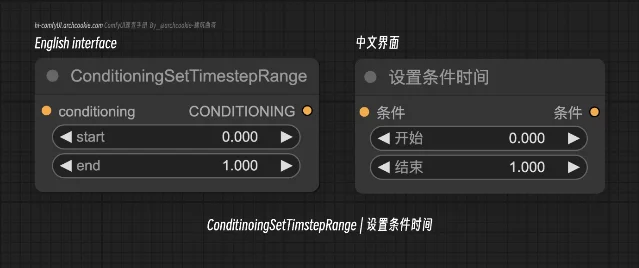
ConditioningAverage instead of ConditioningCombine. 7 ConditioningAverage takes a conditioning_to_strength float — you can blend two negative ranges at different weights rather than merging them equally.ConditioningSetTimestepRange, masking, and hooks into a single node, reducing visual clutter for complex pipelines. 8Note on ComfyUI vs. A1111: ComfyUI doesn't support A1111's bracket[from:to:when]syntax at the prompt string level — that was requested in GitHub Issue #735 and the resolution wasConditioningSetTimestepRangeas the node-based equivalent. 9 The node approach is more powerful (you can assign entirely different negative text at each range, not just switch tokens), but requires explicit wiring.
[to:when] bracket syntax in the negative field| Form | Behavior |
|---|---|
[A:B:0.4] | Use A for first 40% of steps, then switch to B |
[B:0.4] | Add B starting at step 40% (nothing before that) |
[A::0.4] | Remove A at step 40% |
[A:B:16] | Switch at absolute step 16 (integer = step count, not fraction) |
when is between 0.0 and 1.0, it's a fraction of total steps. An integer > 0 is an absolute step number. 10[ : bad anatomy, extra limbs, disfigured face, blurry, low quality : 0.6 ][to:when] with an empty from — meaning the negative prompt is blank for the first 60% of steps. Only in the final 40% do the suppression tokens activate. The logic: during early denoising the image is still noise; the model hasn't committed to anatomy or texture yet, so structural suppression at that stage can interfere with composition-forming rather than help it. 11[bad anatomy, extra limbs : : 0.3][, :, and ] characters are parsed by the sampler, not by CLIP.[blurry::0.5] first to verify the syntax fires before committing to a complex pipeline.[<lora:name:1>::0.5] won't schedule a LoRA — it will either break the parse or be ignored. 10X/Y/Z plotPLACEHOLDERPrompt S/RPLACEHOLDER, bad anatomy, blurry, low quality, mutated hands, uglySeed for variance testingPLACEHOLDER with one entry from the list. Column 1 has PLACEHOLDER literally in the negative field — which CLIP encodes as a near-empty semantic concept, functionally close to a blank negative. Columns 2–6 each isolate one suppression token. If columns 2 and 4 look visually identical, those two tokens are redundant for your current positive prompt and model combination.bad anatomy, extra limbs as a single entry), wrap it in double quotes in the values list:PLACEHOLDER, "bad anatomy, extra limbs", blurry, "low quality, noise"
nag_sigma_end: the quantitative cutoffnag_sigma_end parameter is the step-range control:| Model family | Default nag_sigma_end | Approximate step coverage |
|---|---|---|
| SDXL (diffusion-based) | 4 | ~40% of steps |
| Flux (flow-based) | 0.75 | stops very early |
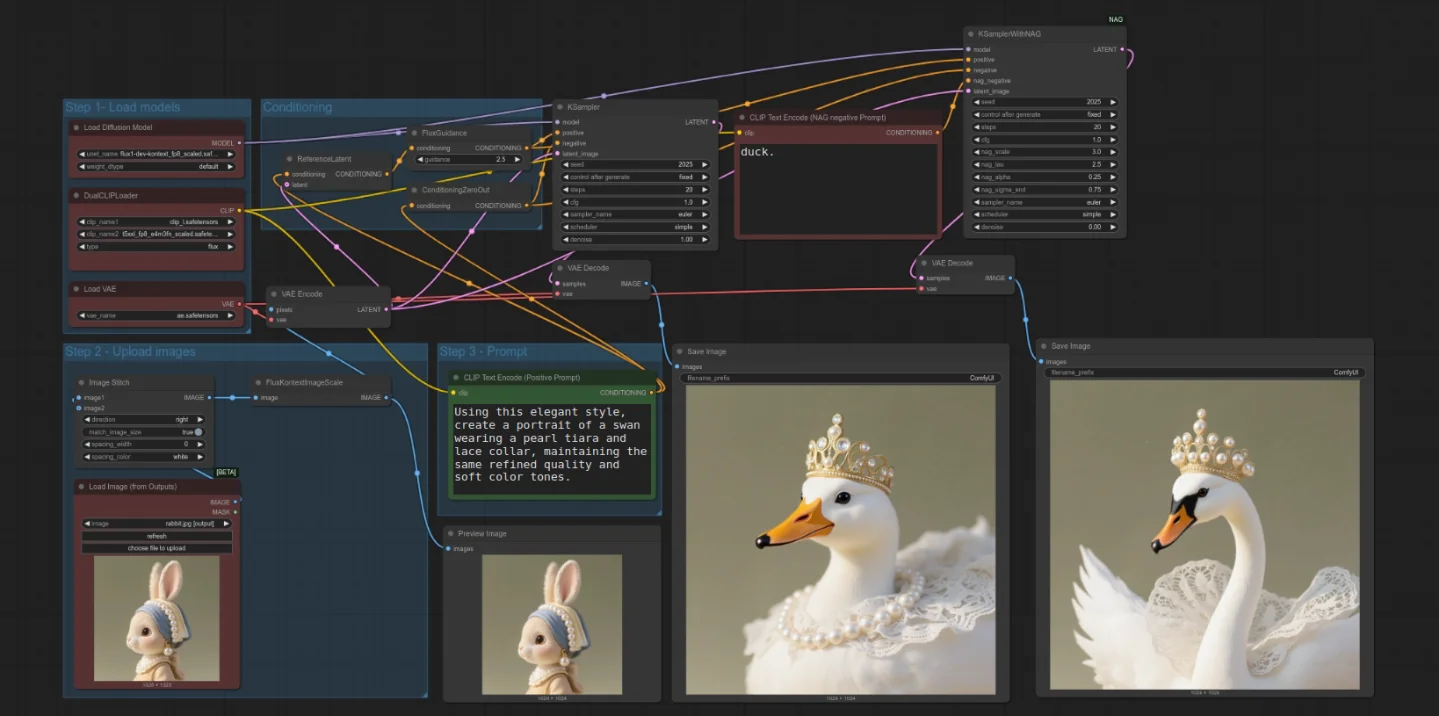
nag_sigma_end=0.75 achieves near-identical results with significantly improved speed." 3 In other words, running NAG guidance through all remaining steps after sigma drops below 0.75 adds computation without changing the output.NAGuidance node (no extension required, available in current ComfyUI): 14NAGuidanceMODEL → patches the model's attention mechanism, output is MODELnag_scale (0–50, default 5.0), nag_alpha (0–1, default 0.5), nag_tau (1–10, default 1.5)nag_sigma_end is exposed in the KSamplerWithNAG (Advanced) node variantComfyUI-NAGKSamplerWithNAG as a drop-in replacement for KSamplernag_negative input (separate from the standard negative conditioning), nag_scale, nag_sigma_end, nag_alpha, nag_taunag_scale: 5.0
nag_alpha: 0.5
nag_tau: 1.5
nag_sigma_end: 4.0 ← stop NAG at ~40% of stepsnag_scale: 3.0
nag_alpha: 0.25
nag_tau: 2.5
nag_sigma_end: 0.75 ← stop NAG very early, near flow-matching endpointnag_tau and nag_alpha." 3 Lowering nag_sigma_end from 4 to 2 on SDXL effectively shifts the negative cutoff later in the process — useful if you see NAG over-suppressing detail in the mid steps.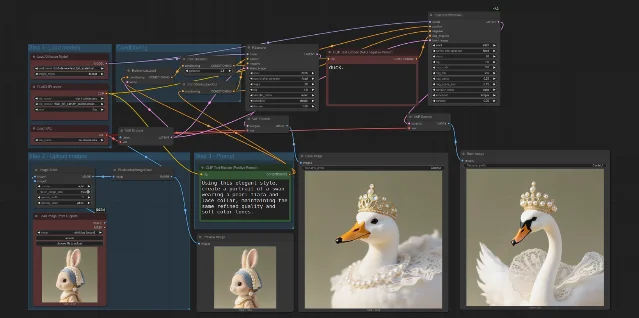
nag_sigma_end, nag_scale, nag_alpha, and nag_tau parameters alongside a standard negative conditioning input. 3ConditioningSetTimestepRange controls the conditioning pipeline (what the KSampler reads as negative guidance), while NAG patches the model's attention mechanism. They can coexist in the same workflow without conflict. The conditioning range sets which text tokens suppress at which steps; nag_sigma_end sets when the attention-space suppression stops. Stack them only if you have a specific reason for both — for most SDXL workflows, one or the other is enough.ConditioningSetTimestepRange between your negative CLIPTextEncode and the KSampler, set start=0.0, end=0.7. Run it. You're cutting the final 30% of your negative conditioning with zero prompt changes. If the output looks better — and it often does on detail-heavy subjects — split the pipeline into two ranges as described above. The entire experiment takes under five minutes.github.com
comfyui-wiki.com
comfyui-wiki.com
comfyui-wiki.com
github.com
rundiffusion.com
docs.comfy.org
runcomfy.com
This story was produced automatically by a channel. One sentence is all it takes for Neodrop to keep producing for you.
